
bettersky-cesium
v0.2.0
Published
Atmosphere, volumetric clouds and lighting effects for CesiumJS.

Maintainers
 iamthek
Readme
BetterSky for Cesium
English | 简体中文
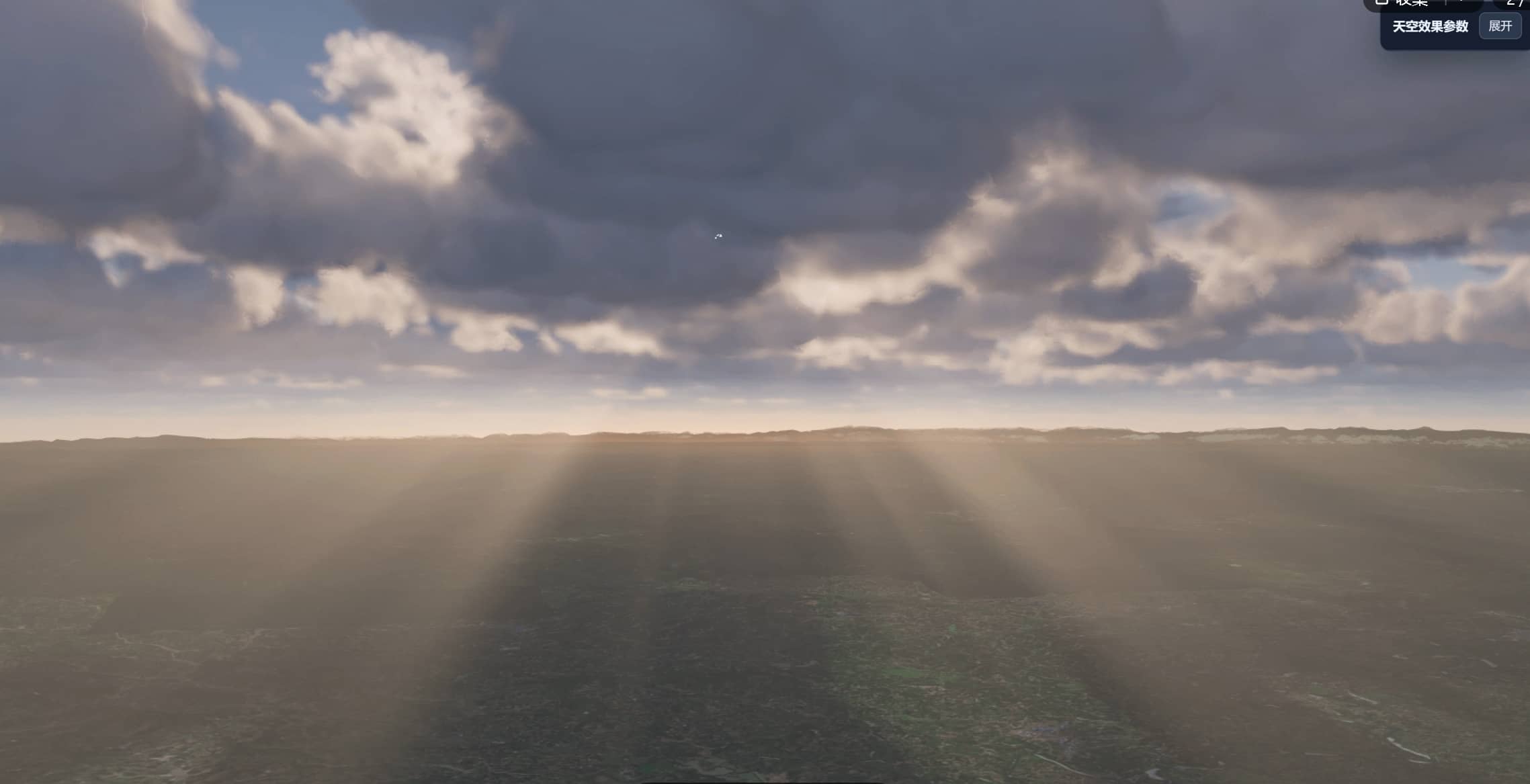
Bring your Cesium globe to life with layered clouds, moving cloud shadows and sunlight streaming through the sky. BetterSky plugs into an existing, official CesiumJS Viewer and brings atmosphere, lighting and image effects together in one SDK.
Live demo · User guide & API · npm
Highlights
- Build your sky — Three cloud layers with adjustable cloud types, height, thickness, density and weather motion.
- Add depth and light — Atmospheric perspective, day/night skies, moving cloud shadows and volumetric sunlight.
- Polish the image — Bloom, lens flare, tone mapping, HBAO ambient occlusion and SMAA antialiasing.
- Keep rendering practical — Low-resolution cloud sampling, temporal reconstruction, distance-based detail and high-altitude fading reduce rendering work.
- Fit your application — Attach to an existing Viewer, start with the built-in preset, then change options or toggle effects at runtime. TypeScript declarations include parameter help.
Quick start
Use a browser application with Cesium >=1.142.0, WebGL 2, the required floating-point texture support, Float16Array and structuredClone. BetterSky supports a 3D globe with a perspective camera and one active instance per page. See the guide for the full requirements.
1. Install
Choose npm or pnpm. This example uses the verified Cesium 1.146.0 combination:
npm install [email protected] [email protected]pnpm add [email protected] [email protected]Already using a compatible Cesium version? Install only [email protected] and keep your verified lockfile. Cesium is shared with the application; three (>=0.160.1) is installed automatically. The compatibility notes explain a known Cesium dependency combination to avoid.
2. Prepare assets
BetterSky uses your application's CESIUM_BASE_URL. If that URL is /cesium/, prepare these files in a Vite application's public/ directory:
| Source | Destination |
| --- | --- |
| node_modules/cesium/Build/Cesium/{Workers,Assets,ThirdParty,Widgets} | public/cesium/ — keep all four directories |
| Contents of node_modules/bettersky-cesium/dist/assets/ | public/cesium/BetterSkyAssets/ — keep the nested directories |
If Cesium assets are already configured, add only BetterSkyAssets/ under the same root. The guide includes automatic copying and subpath deployment.
3. Attach to your Viewer
Set the asset URL before creating your Viewer, then attach BetterSky:
import 'cesium/Build/Cesium/Widgets/widgets.css'
import { BetterSky } from 'bettersky-cesium'

window.CESIUM_BASE_URL = '/cesium/'

// Create your application's Cesium Viewer here.
const effects = new BetterSky(viewer, { time: undefined })

// Change only the options you need.
effects.update({ coverage: 0.5 })

// When leaving the scene, dispose of BetterSky before destroying the Viewer.
// effects.dispose()
time: undefined keeps your application's clock. Keep the Viewer rendering continuously for animated clouds. Continue with the user guide for options, asset loading, retries and cleanup, or browse the changelog.
License
Version 0.2.0 uses the Apache License 2.0, allowing personal and commercial use, modification and redistribution under its terms. Preserve the license, NOTICE and applicable third-party notices when distributing the SDK. Third-party materials retain their own licenses.
Questions: [email protected].
Support the Project
If this project helped you, please, kind stranger, buy me a coffee 🙏☕ Just a tired developer running on caffeine here — your support keeps the project alive and improving.