
betty-cli
v0.2.0
Published
Open source Google Voice with Receptionist abilities


Readme

Open source Google Voice with Receptionist abilities
Betty (or Ben for the ones who prefer a male receptionist) is your own customizable receptionist, to forward call and messages to your team anywhere in the world. It's particularly useful if your organization is operating in the US, but based in another countries.
Betty is easy to setup and build on top of Twilio and Node.js, it doesn't necessitate a database (stateless). It can be deployed to Heroku or any unix server.

What Betty can do?
One phone number for all your organization
Betty is running on top of one or more phone numbers that represent your organization.
Forward call to available team members
When receiving a call, Betty will forward it to an available team member.
Forward text messages to team members
Like calls, when receiving an SMS, Betty will forward it to all of your team members, the first one to answer will start a session with this caller, he can after that stop the conversation by sending betty: stop.
Makes it easy for your employee to pass phone calls from the organization
When a team member is calling Betty, he/she can ask to be put in touch with a specific number, Betty will dial the number and forward the call to you.
This also works for text messages, simply text Betty with betty: Call +140145170479 or betty: Text +140145170479.
Phone directory for your team members
A team member can also contact Betty to get access to the organization directory (using phone call or sms). For example, just text Betty with: betty: What is Aaron's phone number?.
Web Dashboard
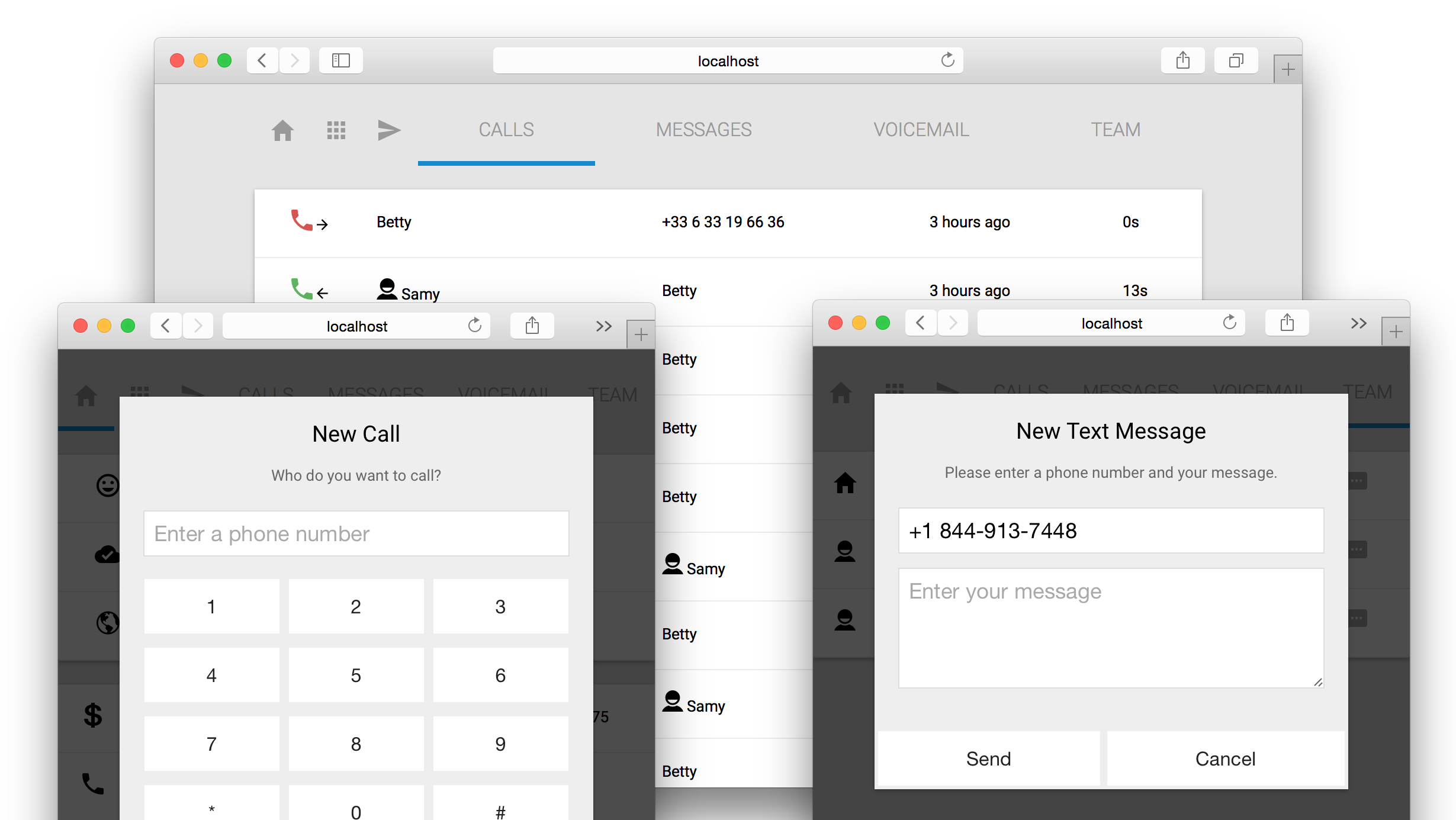
Betty is providing a nice dashboard to manage calls, messages and voicemail. You can pass calls and send SMS right from your browser.
The Receptionists Team

Betty can be configured to use another profile (voice, language, sentences, etc.). Change your receptionist by changing the PROFILE environment variable (see below).
| ID | Name | Voice | Language |
| ----------- | ---- | ----- | -------- |
| betty | Betty | woman (alice) | en-us |
| ben | Ben | man | en-us |
| catherine | Catherine | woman (alice) | fr |
Deployment
Deploy Betty on your own machine using:
# Install Betty using NPM
$ npm install betty-cli -g

# Configure it
$ export TEAM=Samy:+140145170479,Aaron:+147145670479
...

# And finally start it
$ betty
Create a TwiML application with the following urls and associated it to a phone number:
* Voice
   * Request URL: {host}/twiml/call
   * Fallback URL: {host}/twiml/call/fallback
* SMS
   * Request URL: {host}/twiml/sms
   * Fallback URL: {host}/twiml/sms/fallback
Configuration
Configuration is set using environment variables:
| Name | Description |
| ------------ | ------------------- |
| PORT | Port for running the application (Default is 3000) |
| HOST | Hostname where the application is accessible |
| SECRET | Password for authentication in the dashboard and api |
| PROFILE | Receptionist profile to use |
| PHONES | List of phone numbers used by Betty separated by commas |
| ORG_NAME | Name of the organization |
| TEAM | Comma separated list of team members in the format name:phone, example TEAM=Samy:+15674895678,Aaron:+15674995678 |
| TWILIO_SID | API Application SID for Twilio |
| TWILIO_TOKEN | API Application Token for Twilio |
| TWILIO_APPID | SID of your TwiML application |
REST API
Betty provides a REST API with the same features that the dashboard:
Details about Betty and your account (balance, usages)
GET /api/account

List team members:
GET /api/team

List calls:
GET /api/calls

Details about a specific call:
GET /api/calls/<id>

List SMS
GET /api/sms

List Recordings
GET /api/recordings