biome-config
v0.1.3
Published
A simple configuration library for Biome.js

Maintainers
 r34
r34Readme
Biome Config


A simple configuration utility for Biome.js, the best linter/formatter for JavaScript.
Features
✨ Interactive Setup - Beautiful CLI prompts with @clack/prompts
🎨 Smart Merging - Preserves existing VS Code settings
📦 Auto-detection - Detects your package manager (npm, pnpm, yarn, bun)
⚡ Fast & Light - Minimal dependencies, maximum performance
🛠️ Flexible - Skip steps with CLI flags or use interactive mode
Installation
npx biome-config setupUsage
Setup Command
Set up Biome in your project with an interactive wizard:
npx biome-config setupOptions:
--skip-vscode- Skip VS Code settings configuration--skip-scripts- Skip npm scripts addition-y, --yes- Accept all defaults without prompts
What it does:
- Installs
@biomejs/biome(latest version) - Creates a
biome.jsonfile with a complete configuration - Optionally adds/merges VS Code settings (
.vscode/settings.json) - Optionally adds npm scripts (
check,check:fix,format,lint) - Formats the configuration files
Examples:
# Interactive mode (recommended)
npx biome-config setup

# Non-interactive mode (accept all defaults)
npx biome-config setup --yes

# Skip VS Code settings
npx biome-config setup --skip-vscode

# Skip everything except Biome installation and config
npx biome-config setup --skip-vscode --skip-scripts
Update Command
Update Biome to the latest version and sync your configuration:
npx biome-config updateWhat it does:
- Updates
@biomejs/biometo the latest version - Updates the
$schemain yourbiome.jsonto match the installed version - Formats the configuration files
VS Code Integration
If you accepted VS Code settings during setup, the configuration is already applied!
Otherwise, install the Biome VS Code extension and add this to your .vscode/settings.json:
{
  "[graphql][javascript][javascriptreact][json][jsonc][typescript][typescriptreact][css]": {
    "editor.codeActionsOnSave": {
      "source.action.useSortedAttributes.biome": "explicit",
      "source.action.useSortedKeys.biome": "explicit",
      "source.fixAll.biome": "explicit",
      "source.organizeImports.biome": "explicit"
    },
    "editor.defaultFormatter": "biomejs.biome"
  },
  "biome.enabled": true,
  "biome.requireConfiguration": true,
  "biome.suggestInstallingGlobally": false
}
[!TIP] Biome supports the following languages:
javascript, javascriptreact, typescript, typescriptreact, json, jsonc, css, graphql
npm Scripts
If you accepted npm scripts during setup, you can use:
npm run check        # Check for errors and warnings
npm run check:fix    # Check and auto-fix issues
npm run format       # Format code
npm run lint         # Lint and auto-fix code
CLI Help
# Show all commands
npx biome-config --help

# Show setup command options
npx biome-config setup --help

# Show version
npx biome-config --version
Configuration
The generated biome.json includes:
- ✅ Recommended linting rules
- ✅ React domain support
- ✅ Test domain support
- ✅ Consistent formatting (2 spaces, 80 chars)
- ✅ Import organization
- ✅ Sorted attributes/keys
- ✅ VCS integration
Now you are ready to go! 🚀
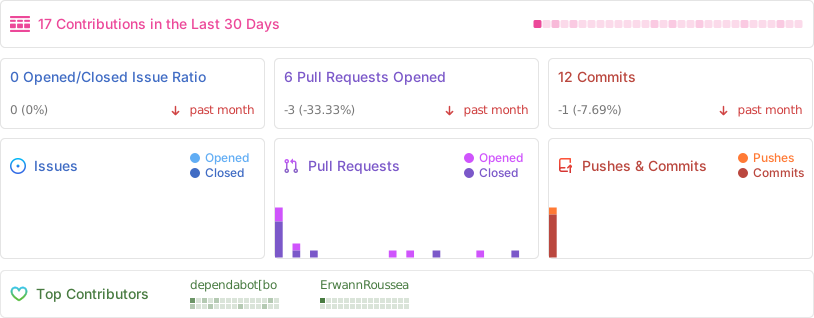
Repo Activity