
bkper
v5.5.4
Published
Official Bkper CLI for accounting data, automation, apps, and AI agents


Readme
The official Bkper CLI is published on npm as bkper. Use it in two complementary ways:
- Ask Bkper CLI Agent — run
bkperfor guided, interactive help in your terminal - Run CLI commands — run
bkper <command>for scripts, exports, automations, and app workflows
With one tool, you can work with Bkper from your terminal, Bkper CLI Agent, or external AI tools — managing financial data, building apps, and automating workflows.

Install & Authenticate
Prerequisites
- Node.js >= 22.19.0
- Windows, macOS, Linux, or WSL
Install (choose one)
npm install -g bkperbun add -g bkperpnpm add -g bkperyarn global add bkperOr run it without a global installation:
npx bkperThe package and executable are both named bkper. See the CLI Docs for the dedicated command-line guide.
On Windows, Bkper CLI Agent runs natively in PowerShell. WSL is also supported and uses Bash.
Authenticate with Bkper
bkper auth loginbkper auth login connects the CLI to your Bkper account. Keep it running while you complete browser authorization; wait for it to finish successfully. The same local authentication can be used by direct CLI commands, Bkper CLI Agent, external coding agents, scripts, and local app development.
Get started
Ask Bkper CLI Agent
bkperRun bkper to open Bkper CLI Agent in your terminal.
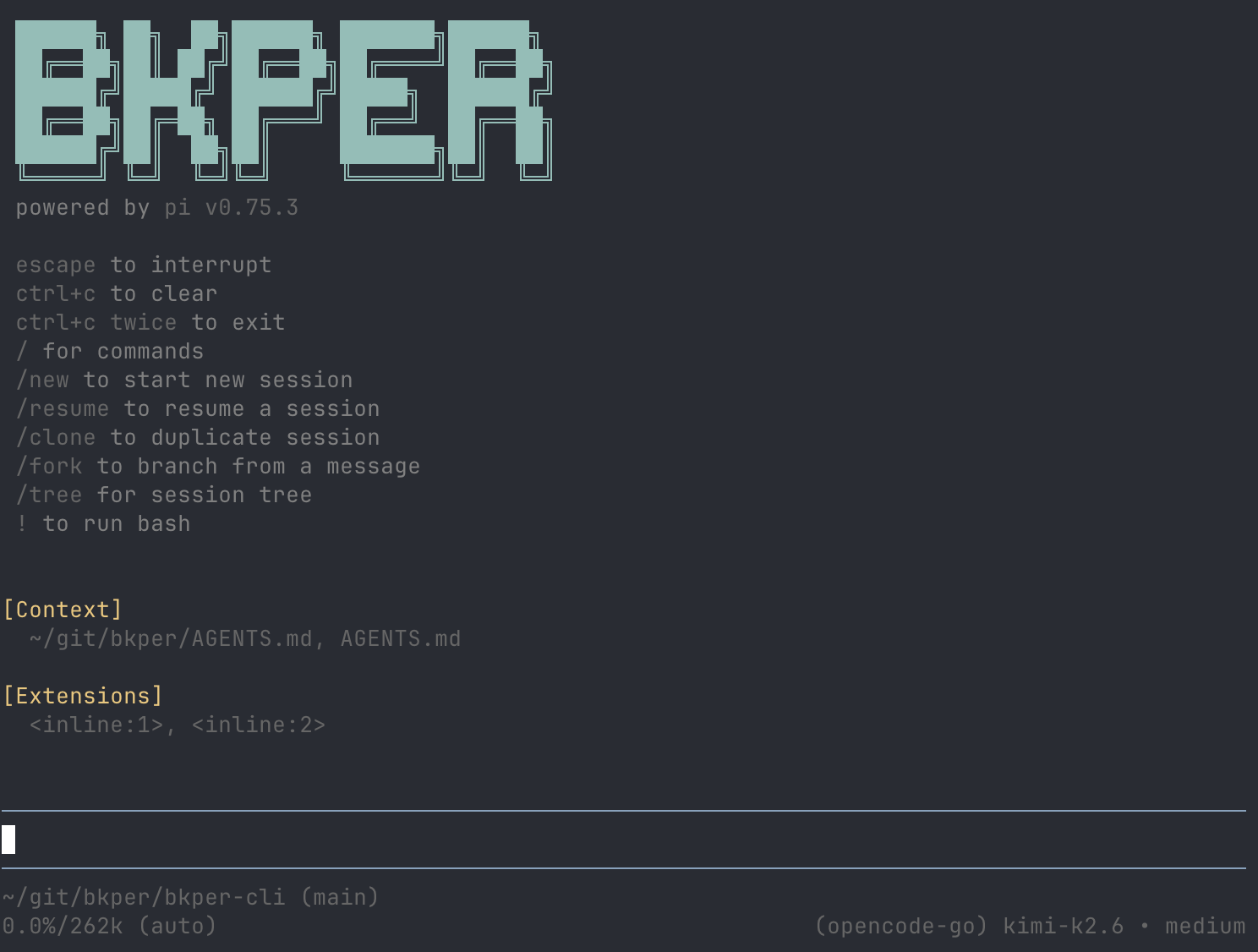
bkper auth login and /login inside the agent both connect to your Bkper account and enable the included Bkper AI models. Both flows show which account email is authenticated.
To use another model provider, type /connect and choose a subscription or API-key provider. You can also target one directly, such as /connect openai or /connect anthropic. Use /disconnect for external providers; /logout signs out of Bkper.
For external frontier models, an existing ChatGPT Plus/Pro subscription with Codex works very well. Claude subscriptions are also supported if Claude is your preferred frontier model. For open-weights models, OpenCode Go is a great option.
Safe starting prompts:
Help me setup a chart of accounts for my businessFind possible duplicate transactions from last monthReview unchecked transactions from this month and suggest what needs attentionShow me a balance sheet for my book for last yearShow me profit and loss for my book for last monthPrepare an exploratory tax worksheet for 2025Run CLI commands
Use direct commands for scripts, exports, automation, and repeatable workflows.
# List your books
bkper book list

# Query transactions
bkper transaction list -b <bookId> -q 'on:2026-06'

# Query balances
bkper balance list -b <bookId> -q 'on:2026-06-30'

# Show separate debit and credit columns
bkper balance list -b <bookId> -q 'on:2026-06-30' --trial
Commands output JSON, ready for scripts and AI agents. Reshape it with jq, for example to export a CSV:
bkper transaction list -b <bookId> -q 'on:2026-06' | \
  jq -r '.items[] | [.date, .amount, .creditAccount.name, .debitAccount.name, .description] | @csv'
Capture a receipt as a draft, then review and complete it in Bkper or with the agent:
bkper transaction create -b <bookId> --file ./receipt.pdfFor AI-derived transactions, set draft: true to bypass Book auto-posting. They stay out of balances until explicitly posted:
printf '%s\n' '[{"date":"2026-08-18","amount":"25.50","creditAccount":{"name":"Bank Account"},"debitAccount":{"name":"Meals"},"description":"Extracted receipt","draft":true}]' |
    bkper transaction create -b <bookId>
Run
bkper --helporbkper <command> --helpfor built-in documentation on any command.
→ See Data Management and App Management below for full references.
Use Bkper from your existing agent
For assistant-led setup, follow Use Bkper with ChatGPT or Claude.
To configure an existing agent manually, authenticate the CLI first:
bkper auth loginFor Codex, add this repository as a plugin marketplace, then install the bkper-cli plugin from Codex's plugin directory:
codex plugin marketplace add bkper/bkper-cliFor Claude Code, install the Bkper CLI plugin from this repository's Claude marketplace:
/plugin marketplace add bkper/bkper-cli
/plugin install bkper-cli@bkper
For other coding agents — OpenCode, OpenClaw, Hermes Agent, Cursor, or similar tools — install the Bkper CLI skill in that agent environment:
npx skills add bkper/bkper-cli --skill bkper-cliThe plugins and skill help external agents use the local bkper CLI with Bkper context, CLI references, and safety guidance.
For general Bkper Q&A without local tool access, use the published docs and llms.txt instead.
Advanced agent options
bkper agent starts the same Bkper CLI Agent experience as bkper.
Advanced users can pass supported agent-runtime flags through:
bkper agent <args>
bkper agent --help
bkper agent keeps Bkper defaults, including the Bkper system prompt, unless you explicitly override them. For the underlying agent runtime reference, see Pi.
When the selected model cannot read images, the agent briefly uses Bkper's default model to transcribe attached or opened images, then continues with the selected model; a status message is shown while this happens.
Use /handoff <goal> to continue long-running work in a new focused session. If you omit the goal, the agent opens an empty goal editor. Pressing Ctrl+H opens that editor with your current input text as the goal. The new session is linked to the original, with the relevant context drafted in the input editor for you to adjust or submit.
Press Ctrl+R in the standard or handoff input to search recently submitted inputs by case-insensitive substring, newest first. Search history starts with inputs submitted after this feature is installed; it does not scan existing sessions. The handoff search omits Bash commands. Press Ctrl+Alt+R to open the session tree.
Connect MCP servers
The agent can use tools from MCP servers you add, such as file storage, email, or other services. No servers are added by default. You can also ask the agent to add one for you.
bkper agent mcp add docs --url https://example.com/mcp                        # remote server
bkper agent mcp add files -- npx -y @modelcontextprotocol/server-filesystem .  # local server
bkper agent mcp list                                                          # check connections and tools
bkper agent mcp login docs                                                    # sign in, for servers that use OAuth
bkper agent mcp remove docs
Run /reload in an open session after adding or removing a server, and use /mcp to see connections, sign in, or turn a server off. Servers are stored in ~/.pi/agent/mcp.json, shared with Pi; a project's .pi/mcp.json is read only after you trust the project. bkper agent mcp --help lists all options; it names the commands pi mcp ..., which you run as bkper agent mcp ....
MCP tools run with your permissions. Add only servers you trust.
Data Management
Manage books, files, accounts, transactions, events, and balances.
bkper book list
bkper account list -b <bookId>
bkper file list -b <bookId> --limit 100
bkper transaction list -b <bookId> -q 'on:2026'
bkper event list -b <bookId> --error
bkper balance list -b <bookId> -q 'on:2026-12-31'
→ Full Data Management reference
Use Apps
Apps installed in a Book do work for it. List them, read an app's API spec, and call its API as the signed-in user:
bkper app list -b <bookId>
bkper app api spec <appId>
bkper app api request <appId> /api/v1/<path-from-the-spec>App Management
Build, deploy, and manage Bkper apps. Sync and deploy require clean, committed source stored in Bkper-managed Git (recommended) or in the current branch's external upstream.
bkper app init my-app
cd my-app
bkper app get my-app
bkper app dev
bkper app sync
bkper app deploy
bkper app logs --last 50
bkper app logs my-app --level error
bkper app logs reads recent app logs kept for 15 days. Run it inside an app directory, or pass an app id like bkper app logs my-app. Use --level warn or --level error to focus on requests with warnings or errors. The default output is human-readable, and JSON is available with --json.
→ Full App Management reference
Programmatic access
Use the CLI as the authentication bridge for scripts and direct API calls.
Access Token
Use the access token for direct API calls from any tool. This requires a prior bkper auth login, and bkper auth token does not start an interactive login flow:
# Print the current access token
TOKEN=$(bkper auth token)

# Use it with curl, httpie, or any HTTP client
curl -s -H "Authorization: Bearer $TOKEN" \
  https://api.bkper.app/v5/books | jq '.items[].name'
Library
The getOAuthToken function returns a Promise that resolves to a valid OAuth token, for use with the bkper-js library:
import { Bkper } from 'bkper-js';
import { getOAuthToken } from 'bkper';

Bkper.setConfig({
    oauthTokenProvider: async () => getOAuthToken(),
});
Next steps
- Developer Docs — full platform documentation
- App Template — scaffold a Bkper app in minutes
- Full CLI reference — data management, app building, taxes, and financial statements