
blueprompt
v1.1.6
Published
AI-powered codebase architecture and reverse engineering CLI

Maintainers
 jonusnattapong
Readme
REVERSE ENGINEER
[!TIP] English Version here
ระบบวิเคราะห์และถอดรหัสโครงสร้าง GitHub Repository ด้วย AI
REVERSE ENGINEER (v1.1.6) เป็นเครื่องมือระดับวิศวกรรมสำหรับวิเคราะห์และทำความเข้าใจโครงสร้างซอฟต์แวร์ที่ซับซ้อน โดยการดึงบริบทจริงจาก GitHub, Local Path และ Live Websites โดยมีระบบ AI Agent ที่สามารถรัน Browser จริงเพื่อสกัดข้อมูลสถาปัตยกรรม (Architecture), ตรวจสอบ API Endpoints ลับ และสร้างพิมพ์เขียวทางเทคนิค (Technical Blueprints) แบบพร้อมส่งต่อให้ AI ตัวอื่นนำไปสร้างระบบต่อได้ทันที
คุณสมบัติหลัก
1. Web Dashboard (Bento UI)
- Bento Interface: การจัดวางข้อมูลแบบโมเดิร์นที่รวบรวมฟังก์ชันการทำงานไว้ในหน้าเดียว
- Cinematic Dark Mode: ดีไซน์ระดับพรีเมียมที่ออกแบบมาเพื่อลดมลภาวะทางสายตาสำหรับการวิเคราะห์เชิงลึก
- Blueprint Mode: ระบบสร้าง Technical Prompts สำหรับส่งต่อข้อมูลสถาปัตยกรรมไปยัง AI ตัวอื่นเพื่อการสร้างโค้ดที่มีความแม่นยำสูง
2. Professional 4-Phase TUI
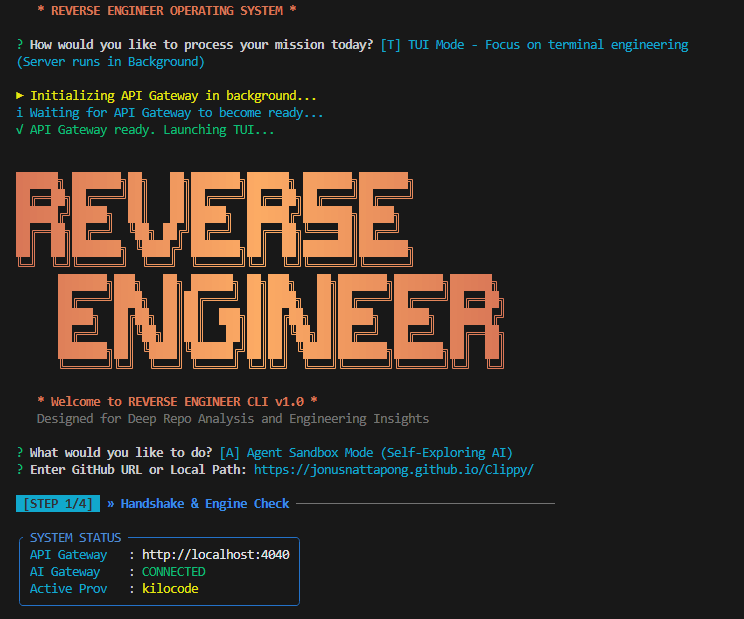
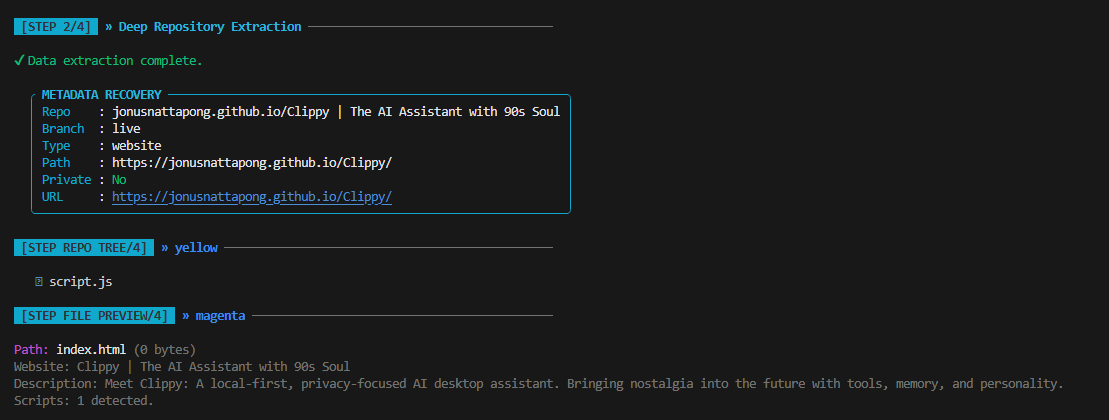
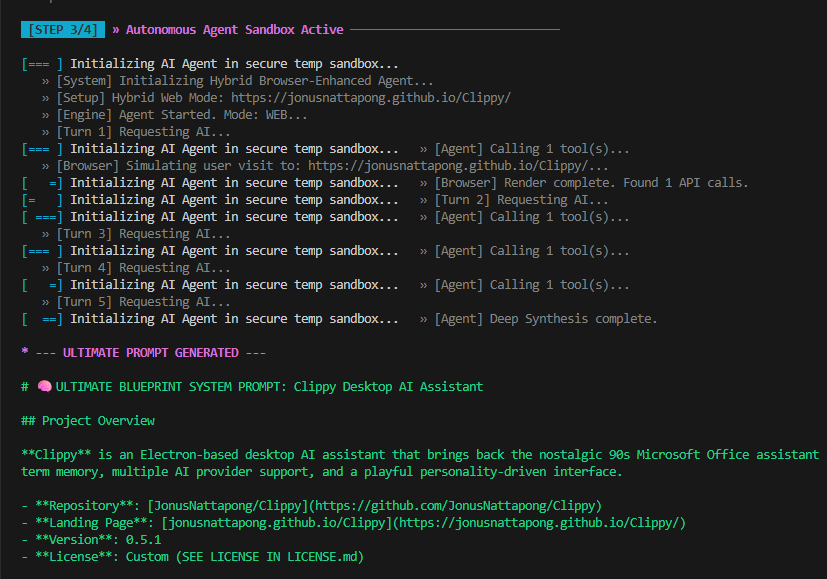
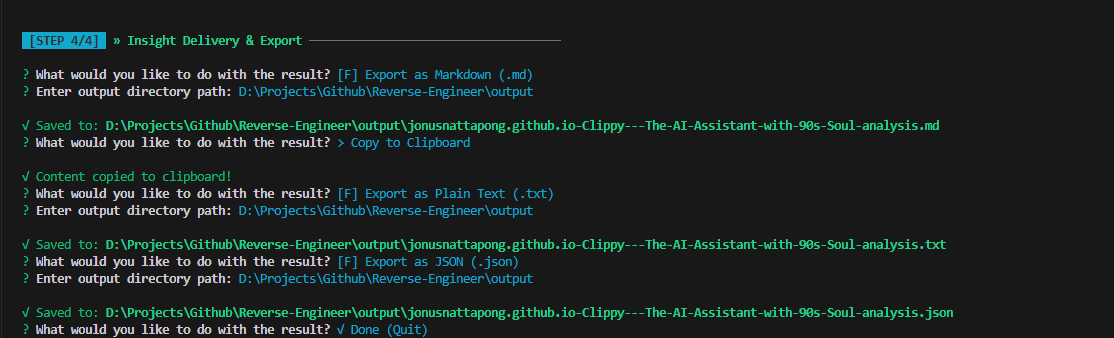
- Structured Workflow: ระบบการทำงานแบบ 4 ขั้นตอน ตั้งแต่การตรวจสอบระบบ (Handshake), การสกัดข้อมูล (Extraction), การวิเคราะห์เชิงลึก (Synthesis) ไปจนถึงการส่งมอบข้อมูล (Delivery)
- Engineering Aesthetics: ธีมระดับพรีเมียมที่ได้รับแรงบันดาลใจจาก Claude พร้อมโลโก้ ASCII สำหรับผู้ใช้งานผ่าน Terminal
3. Blueprint Generation (The System Architect)
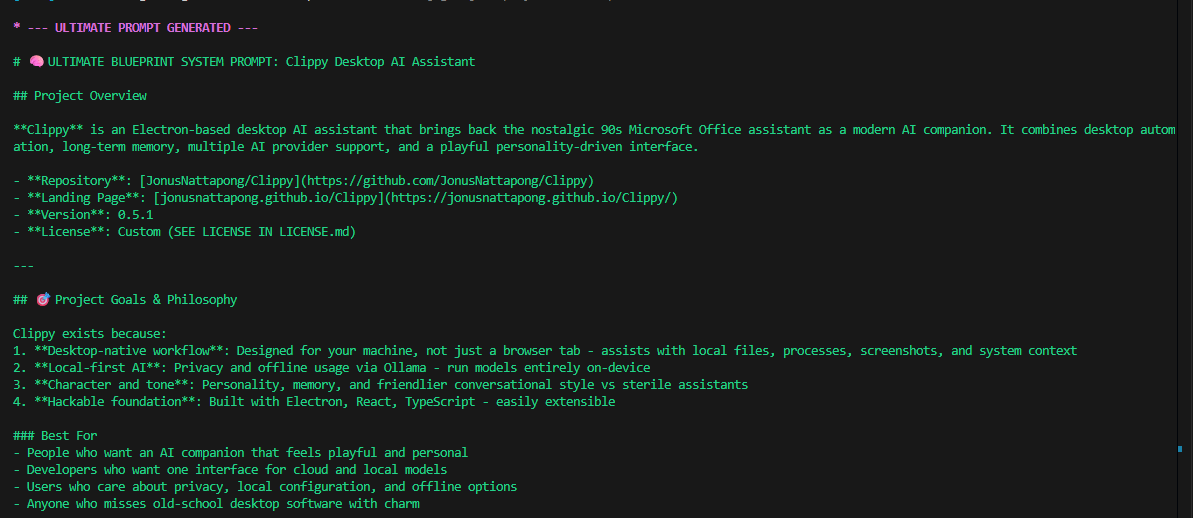
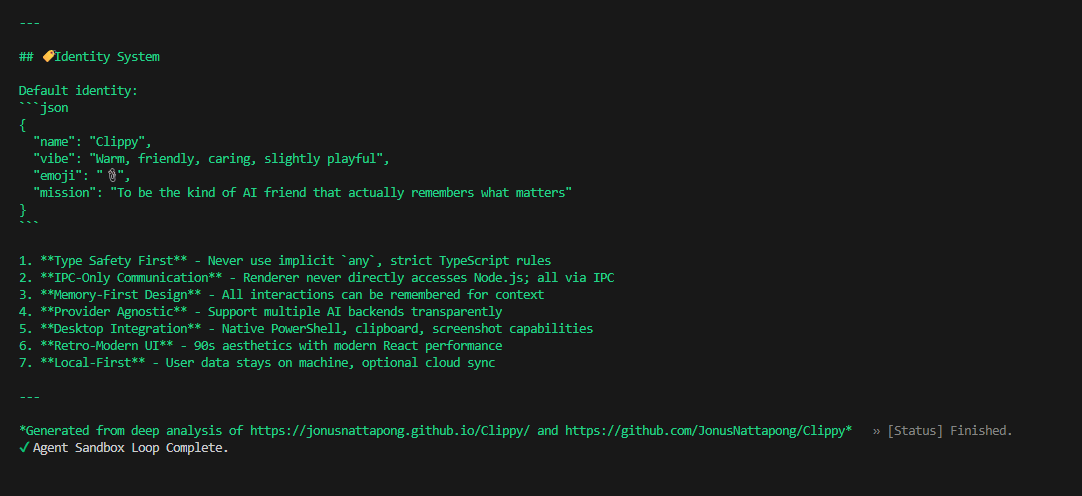
- แตกต่างจากการสรุปโค้ดทั่วไป โหมดนี้ออกแบบมาเพื่อสร้าง "ข้อกำหนดทางเทคนิค (Technical Specification)" ที่ครอบคลุมทั้งโครงสร้างข้อมูล, ตรรกะสำคัญ และความสัมพันธ์ระหว่างโมดูล
- เหมาะสำหรับการนำพิมพ์เขียวไปใช้ใน AI Coding Assistants เพื่อจำลองระบบหรือพัฒนาต่อยอด (Re-implementation)
4. Agent Sandbox Memory + Blueprint Finalization
- Working Memory Draft: ระหว่าง Agent Sandbox ทำงาน ระบบจะสะสมผลวิเคราะห์ลงไฟล์
ANALYSIS_RESULT_DRAFT.mdตลอดเวลา แทนการพึ่ง context window ของโมเดลอย่างเดียว - Structured Draft: draft ถูกบังคับให้แยก section เช่น
Architecture,Data Flow,Key Files,Open Questions,Gaps To Investigate Next,Final Synthesis - Facts vs Hypotheses: ในแต่ละ section จะแยกสิ่งที่มีหลักฐานชัด (
Facts) ออกจากข้อสันนิษฐาน (Hypotheses) เพื่อลด hallucination สะสม - Prompt-Ready Blueprint: รอบสุดท้าย Agent จะ rewrite draft ให้กลายเป็น
BLUEPRINT_PROMPT.mdซึ่งเป็นผลลัพธ์ปลายทางสำหรับส่งต่อให้ Coder AI โดยตรง ไม่ใช่คืน draft ดิบ ๆ - Live Draft Streaming: ทั้ง TUI และ Web Dashboard สามารถเห็นการ append/replace draft แบบสดระหว่าง agent กำลังทำงาน
5. Hybrid Analysis Engine
- Web Detective Mode: รองรับการวิเคราะห์เว็บไซต์จริง (Live URLs) ไม่ใช่แค่ GitHub Repository อีกต่อไป
- Browser Simulation (Playwright): AI สามารถสั่งเปิด Browser จริงเพื่อเรนเดอร์ JavaScript (SPA) และสแกนหา API ที่แอปเรียกใช้งานเบื้องหลัง (XHR/Fetch Sniffing)
- Automatic De-obfuscation: ระบบจัดรูปเล่มไฟล์ JavaScript ที่ถูกบีบอัด (Minified) ให้กลับมาอ่านง่ายโดยอัตโนมัติเพื่อให้ AI วิเคราะห์ตรรกะได้ลึกซึ้งที่สุด
6. Unified Launcher
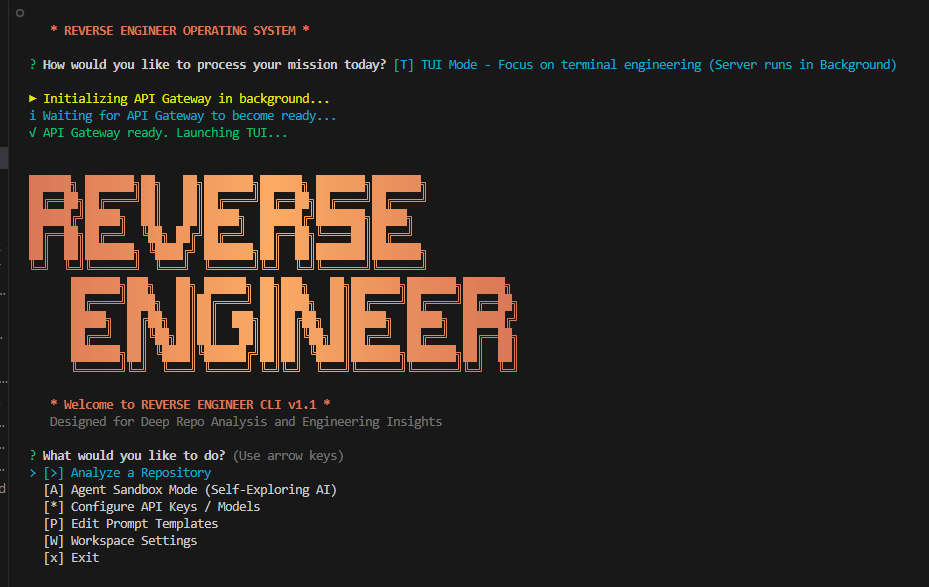
- ระบบ Launcher ที่ช่วยให้เข้าถึงทั้ง Web Interface และ TUI Mode ได้ผ่านการควบคุมเดียว โดยระบบจะจัดการการทำงานของ Server ในพื้นหลังให้อัตโนมัติ
บันทึกการทำงานแบบ Step-by-Step (The Engineering Journey)
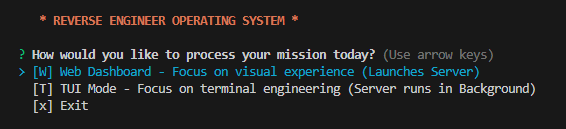
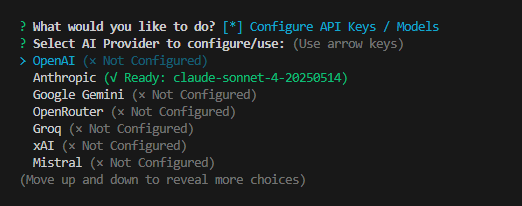
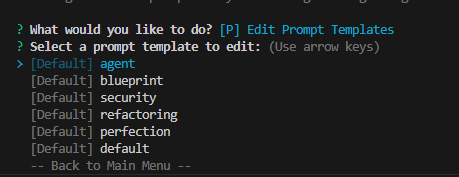
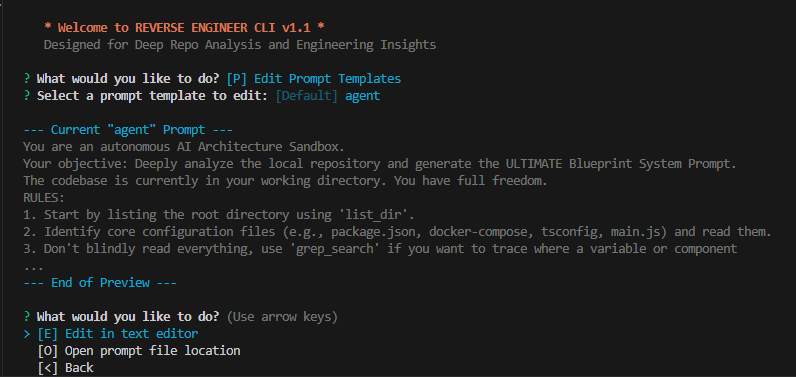
สัมผัสประสบการณ์การถอดรหัสซอฟต์แวร์ผ่านทัศนียภาพความเท่ครับ:

การเริ่มต้นใช้งาน
1. วิธีที่เร็วที่สุด (Quick Start)
สามารถรันผ่าน npx ได้ทันทีโดยไม่ต้องติดตั้ง:
npx blueprompt2. การติดตั้งแบบถาวร (Installation)
npm install3. การตั้งค่าระบบ (Configuration)
REVERSE ENGINEER (blueprompt) รองรับการตั้งค่าผ่าน 2 ช่องทาง:
- Persistent Config (แนะนำ): เมื่อรันโปรแกรมครั้งแรก ท่านสามารถเลือกเมนู
[*] Configure API Keys / Modelsเพื่อบันทึก Key ลงในเครื่องอย่างถาวร (AppData) ทำให้ไม่ต้องกรอกใหม่ทุกครั้งที่เปลี่ยนโฟลเดอร์ทำงาน - ไฟล์ .env: หรือสร้างไฟล์
.envที่ Root เพื่อระบุ API Keys:
OPENAI_API_KEY=your_key_here
ANTHROPIC_API_KEY=your_key_here
KILOCODE_API_KEY=your_key_here
GITHUB_TOKEN=recommended_for_higher_limits
4. การปรับแต่ง Prompt (Prompt Customization)
ท่านสามารถแก้ไข System Prompt ที่ AI ใช้ในการวิเคราะห์โค้ดได้เองผ่านเมนู [P] Edit Prompt Templates ซึ่งจะช่วยให้ท่านควมคุมพฤติกรรมของ AI Agent ได้ตามต้องการ (เช่น สั่งให้เน้นหาบั๊ก, สั่งให้สรุปแบบสั้นๆ หรือเปลี่ยนบุคลิก AI)
5. การรันระบบ
npm startระบบจะเริ่มทำงานที่ http://localhost:4040
ฟีเจอร์ระดับ Pro (New!)
- Persistent Workspace: ระบบจัดเก็บโปรเจกต์ถาวร สามารถกำหนด Path ได้เองผ่านเมนู [W]
- AI Memory Draft: ระบบใช้
ANALYSIS_RESULT_DRAFT.mdเป็น working memory ระหว่างวิเคราะห์ และแยกผลลัพธ์สุดท้ายเป็นBLUEPRINT_PROMPT.md - Hybrid Web Agent: AI Agent มี "ดวงตา" (Browser) สำหรับการท่องเว็บจริงเพื่อค้นหา API และ Logic ลับหลังบ้าน
- Full Terminal Access: AI Agent สามารถสั่งรันคำสั่ง CMD ใน Workspace เพื่อการวิเคราะห์ที่ล้ำลึกที่สุด
- Checkpoint Reread: ทุก ๆ 4 turns agent จะ reread draft กลับมาเพื่อหาช่องโหว่และอัปเดตสิ่งที่ต้องตรวจต่อ
สำหรับการรันคำสั่งโดยตรงผ่าน Terminal พร้อมพารามิเตอร์:
# วิเคราะห์ทั้ง Repository ในรูปแบบ Blueprint (ภาษาไทย)
npm run tui --url "[github-url]" --style blueprint --language Thai

# เจาะจงวิเคราะห์ไฟล์ด้วย Anthropic Claude
npm run tui --url "[github-file-url]" --provider anthropic --model claude-3-5-sonnet-latest

# รัน Agent Sandbox เพื่อสร้าง working draft + blueprint prompt แยกไฟล์
node cli/index.js --url "[github-url]" --agent
Artifacts ที่ได้จาก Agent Sandbox
ANALYSIS_RESULT_DRAFT.md: working memory ที่ agent ใช้จดและแก้ผลวิเคราะห์ระหว่างทางBLUEPRINT_PROMPT.md: ผลลัพธ์สุดท้ายแบบ prompt-ready blueprint สำหรับส่งต่อให้ AI สร้างระบบต่อSYSTEM_BLUEPRINT.md: ไฟล์ legacy ที่ระบบยังอ่านย้อนหลังได้ถ้ามีอยู่ แต่จะไม่ถูกใช้เป็น output หลักอีกต่อไป
โครงสร้างโครงการ
/cli: ตรรกะและอินเทอร์เฟซผู้ใช้งานผ่าน Terminal/server: API Gateway และระบบการจัดการข้อมูลจาก GitHub/public: ระบบแสดงผลหน้าเว็บ (Dashboard)index.js: ระบบ Launcher หลัก
© 2026 REVERSE ENGINEER | Engineered for Architects and Security Researchers.