
bmad-kanban
v0.4.1
Published
Read-only local Kanban board for BMAD Method projects (v6 and v7 layouts)


Readme
bmad-kanban
A read-only Kanban board for BMAD Method projects. It runs locally, reads your project's BMAD files, and shows stories as cards in Backlog, Ready, In progress, Review and Done columns, with optional epic swimlanes. It updates live when files change. Cards with a file icon have a story file: click one to read it; hover a card and click Copy to put its id and title (e.g. 1.2 Tax rules) on the clipboard, ready to paste into your BMAD agent.
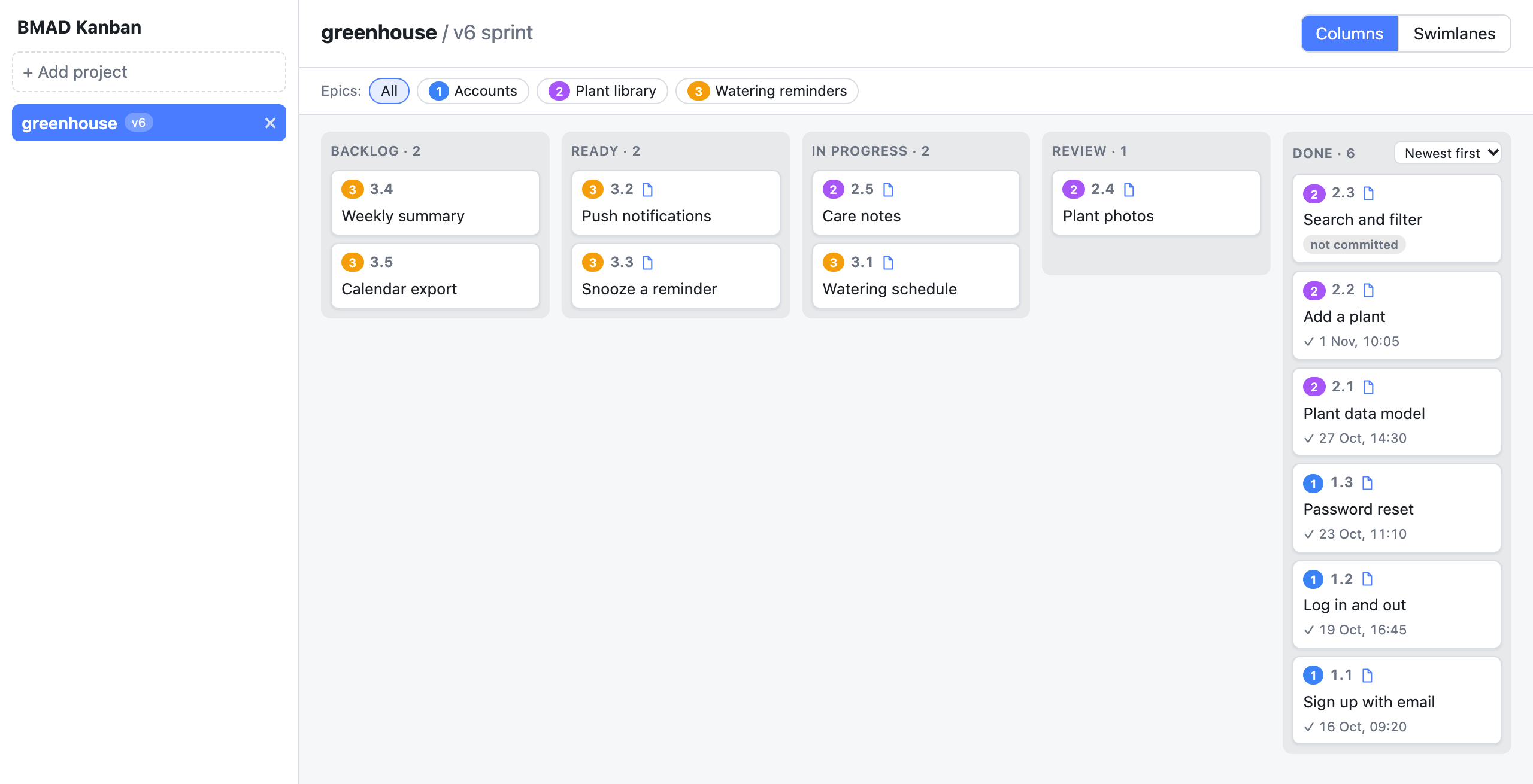
It never writes to your project. Remove a project from the sidebar and only the board's own list changes; your folder is not touched.
Note: for BMAD v7 projects the board runs the project's own
_bmad/method/scripts/tickets.py(throughuv) to read ticket state. That script comes from the project, so opening a project you don't trust runs its code. Use--no-scriptsfor those projects.
Usage
Run it inside a BMAD project:
npx bmad-kanbanOr point it at a folder:
npx bmad-kanban ~/code/my-projectOptions (bmad-kanban --help):
--port N: port to listen on (default 4310)--browser NAME: open the board in this browser:chrome,brave,firefox,edge,safari,orca(a tab in Orca's built-in browser, in the workspace Orca is showing), or any installed app name (e.g.Arc). SetBMAD_KANBAN_BROWSERto make it your default; the flag wins over the variable.--no-open: do not open a browser; the address to open is printed instead--no-scripts: never run the project's own BMAD scripts; v7 boards are read from the files directly[path]: project folder (default: current directory)
If a board is already running, the new project is added to it instead of starting a second server. --no-scripts refuses to use a running board that runs scripts; stop that one first.
Once the board is running, open http://localhost:4310 in any browser. It only listens on your own machine, and websites you visit cannot use it.
Projects you add with the bmad-kanban command are trusted: for v7 they run the project's own script. Projects added from the board's sidebar in a browser are read from their files only and never run a script, so nothing on your machine can make the board run code from a folder you didn't choose. Run bmad-kanban <path> once to trust such a project. (The command proves itself to the board with a token kept in the config directory, readable only by you.)
Requirements: Node 22 or newer. uv is needed for full BMAD v7 fidelity (the board calls v7's own scripts through it). Without uv the board falls back to reading the files directly and shows a "reduced fidelity" notice.
The project list is stored in a per-user config directory. Set BMAD_KANBAN_CONFIG_DIR to use a different one. Use the × next to a project in the sidebar to remove it from the list.
Views
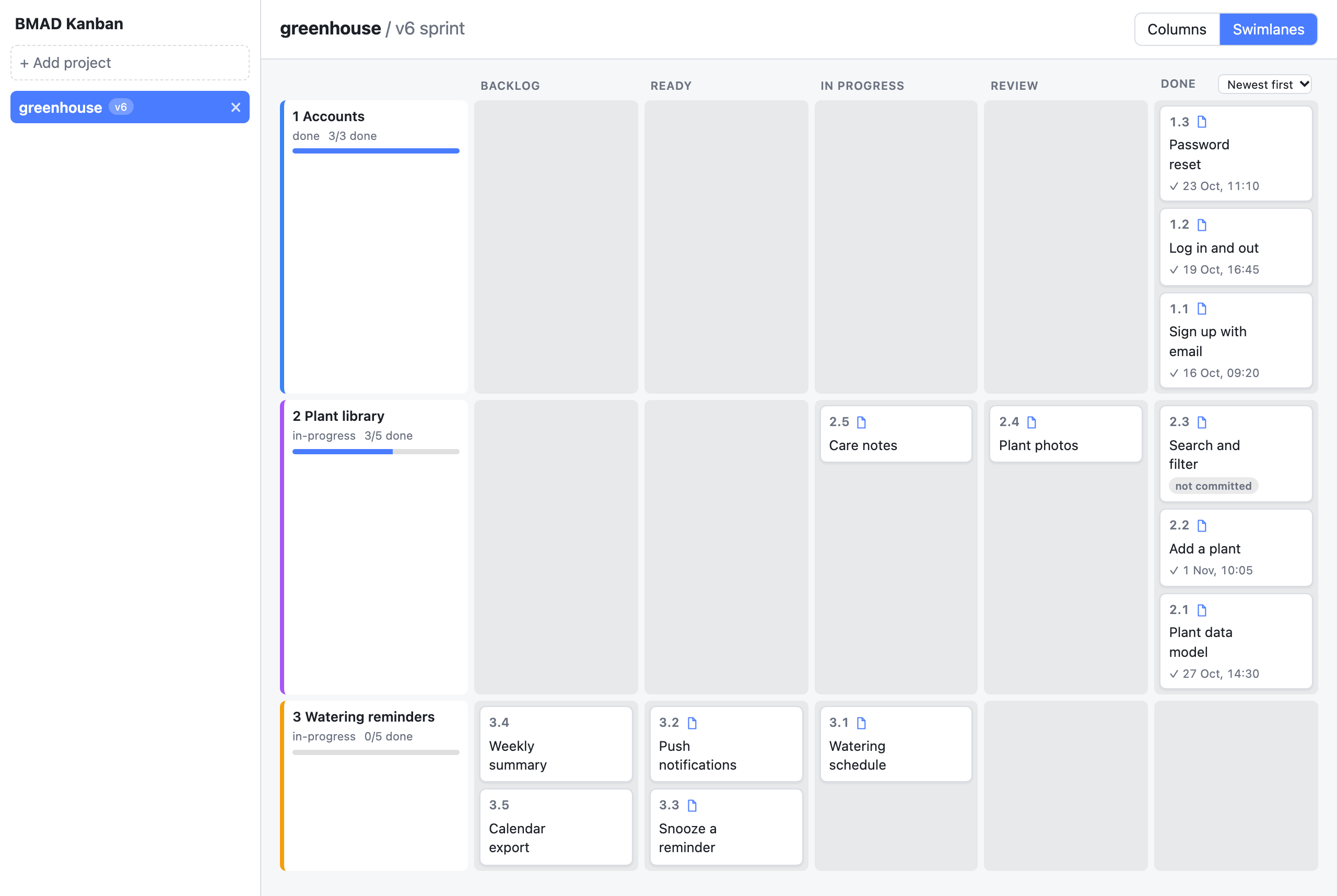
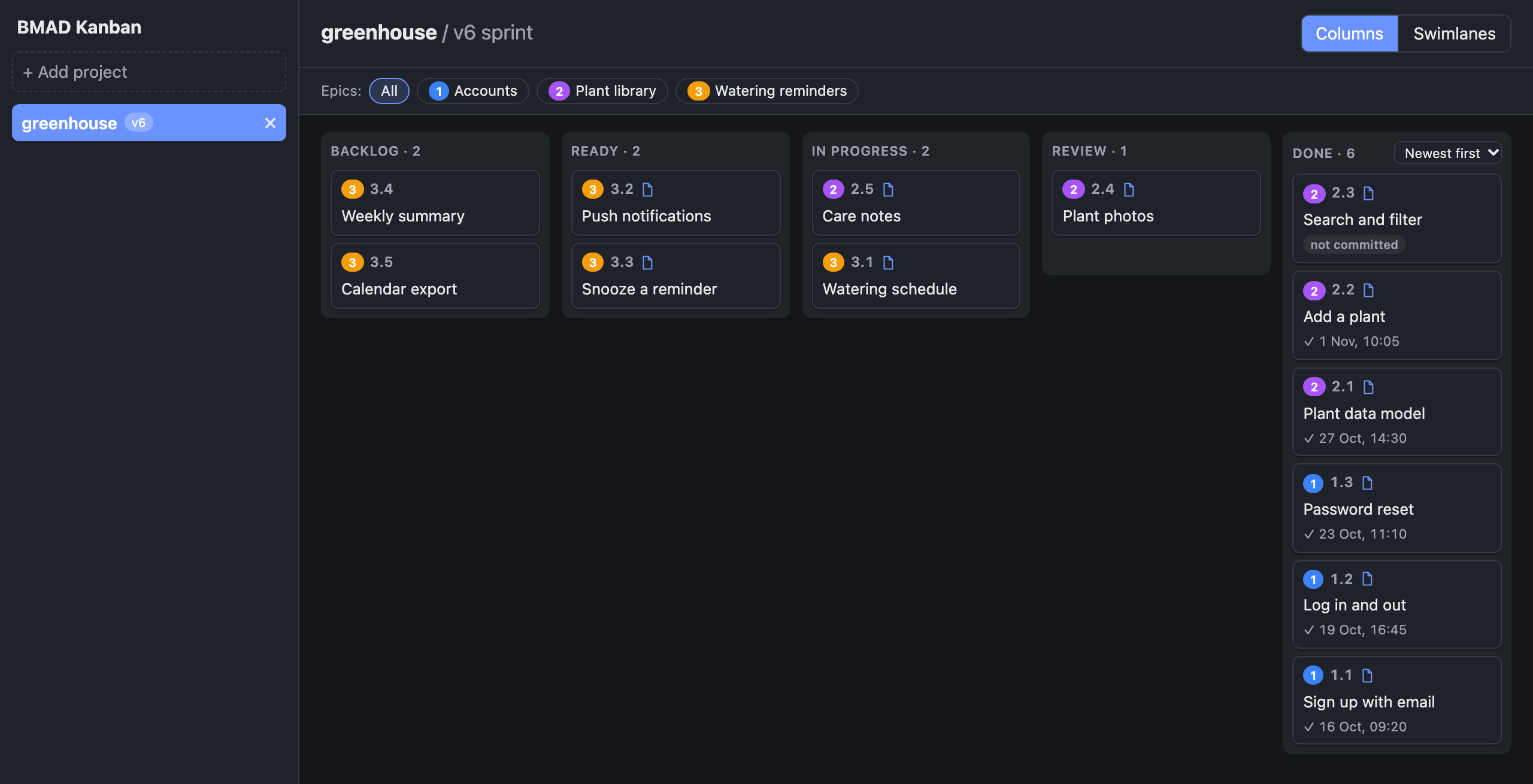
Group cards by epic with the swimlanes view, which shows each epic's progress. The board follows your system's light or dark setting.
Supported layouts
- v6 sprint:
sprint-status.yamlplus story files in the implementation artifacts folder. A story's own spec file (spec-2-1-*.md, as BMAD 6.12 writes them) opens as that story. Otherspec-*.mdfiles in that folder are quick-flow changes outside the sprint: they show on the same board in a "Quick specs" lane, as tinted cards, and their frontmatterstatussets the column. - v6 spec: story files with a
statusin their frontmatter. - v7: initiatives and tickets (
tickets.tomland story plan files).
A project can have more than one layout (typically mid-migration). Each source gets its own sidebar entry and nothing is merged across them.
Columns
| Column | v6 sprint | v6 spec (frontmatter) | v7 status |
|---|---|---|---|
| Backlog | backlog, no status | none, draft, backlog | none, draft |
| Ready | ready-for-dev (+ legacy drafted) | ready-for-dev | ready-for-dev |
| In progress | in-progress (+ legacy contexted) | in-progress | in-progress, blocked (red marker) |
| Review | review | review, in-review | in-review, built |
| Done | done | done | done |
| (hidden) | none | none | dropped, behind a "show dropped" switch |
An unknown status goes to Backlog with an "unknown status: X" badge.
A Done card whose own status is done shows when it was finished. BMAD doesn't record that time, so the board reads it from git: the author date of the newest commit that set the card's status line to done (in sprint-status.yaml, or in the frontmatter of its spec, story or plan file). If that done isn't committed yet, the card shows a "not committed" hint instead. Outside a git repo, or for files git ignores, nothing is shown. Done times need git on your PATH and use the commit's author date (not the committer date, which a rebase rewrites). The board only reads git history and never changes the repo.
The Done column has a sort menu: Newest first (the default), Oldest first or Build order. Newest first puts "not committed" cards at the top; Oldest first puts them after the dated cards. Cards without a time always come last, in build order. The choice is saved per project and applies to both views.
Development
npm install
npm test          # unit tests (vitest)
npm run typecheck
npm run build     # dist/cli.js and dist/web
npx playwright install chromium  # once, for the two commands below
npm run test:e2e  # Playwright smoke test; run the build first
npm run screenshots  # after UI changes: rebuild and regenerate the images in docs/screenshots
Releasing
npm version <patch|minor|major>andgit push --follow-tags.Create a GitHub release for the new tag (
gh release create vX.Y.Z).Approve the staged version on npmjs.com (or
npm stage listthennpm stage approve <id>); this asks for your 2FA.
Publishing the release runs .github/workflows/release.yml, which tests the package and stages it on npm through trusted publishing, so there is no npm token to manage. A staged version is not public until a maintainer approves it, so nothing reaches npm without the maintainer's 2FA. Don't run npm publish locally.
Contributing
Contributions are welcome as pull requests. CI must pass, and the maintainer reviews and merges every change; releases to npm are made by the maintainer only.
Acknowledgements
Inspired by vscode-bmad-kanban by RianKhanafi.
License
MIT