
bpmn-js-example-properties-panel
v0.0.0
Published
A bpmn-js modeler + properties panel example


Readme
bpmn-js Modeler + Properties Panel Example
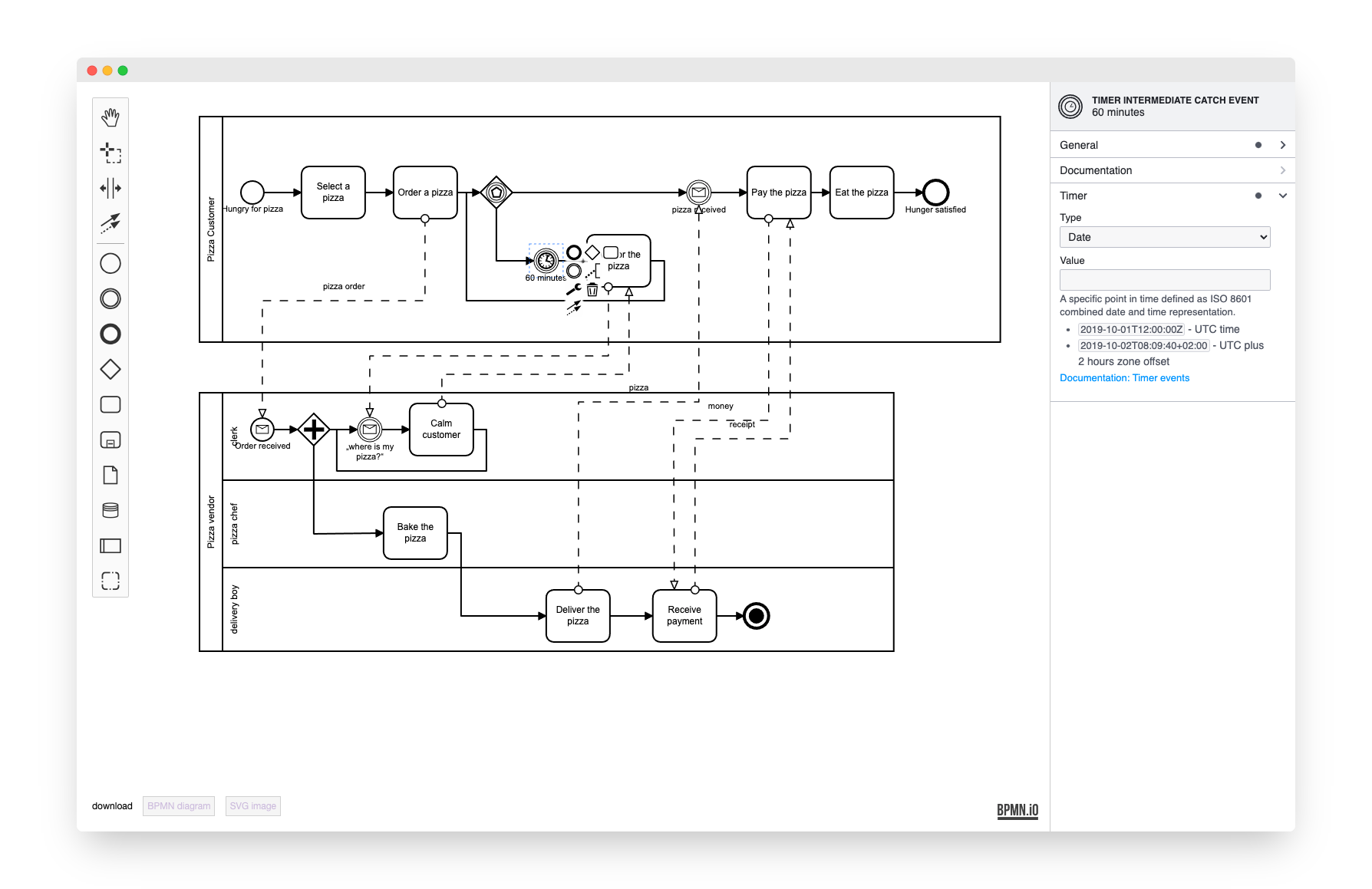
This example uses bpmn-js and bpmn-js-properties-panel. It implements a BPMN 2.0 modeler that allows you to edit execution related properties via a properties panel.
About
This example is a node-style web application that builds a user interface around the bpmn-js BPMN 2.0 modeler.
Usage
Add the properties panel to your project:
npm install --save bpmn-js-properties-panelAdditionally, if you'd like to use Camunda BPM execution related properties, include the camunda-bpmn-moddle dependency which tells the modeler about camunda:XXX extension properties:
npm install --save camunda-bpmn-moddleNow extend the bpmn-js modeler with two properties panel related modules, the panel itself and a provider module that controls which properties are visible for each element. Additionally you must pass an element via propertiesPanel.parent into which the properties panel will be rendered (cf. app/index.js for details).
var propertiesPanelModule = require('bpmn-js-properties-panel'),
    // providing camunda executable properties, too
    propertiesProviderModule = require('bpmn-js-properties-panel/lib/provider/camunda'),
    camundaModdleDescriptor = require('camunda-bpmn-moddle/resources/camunda');

var bpmnModeler = new BpmnModeler({
  container: '#js-canvas',
  propertiesPanel: {
    parent: '#js-properties-panel'
  },
  additionalModules: [
    propertiesPanelModule,
    propertiesProviderModule
  ],
  // needed if you'd like to maintain camunda:XXX properties in the properties panel
  moddleExtensions: {
    camunda: camundaModdleDescriptor
  }
});
Building the Example
You need a NodeJS development stack with npm and grunt installed to build the project.
To install all project dependencies execute
npm installBuild the example using browserify via
gruntYou may also spawn a development setup by executing
grunt auto-buildBoth tasks generate the distribution ready client-side modeler application into the dist folder.
Serve the application locally or via a web server (nginx, apache, embedded).