
bpmn-server
v3.0.3
Published
BPMN 2.0 Server including Modeling, Execution and Persistence, an open source for Node.js


Readme
Overview Home
bpmn-server is a BPMN-based workflow engine that integrates easily into your Node.js app. It supports built-in state persistence, variable management, and concurrency across clusters—ideal for long-running processes, durable services, and scheduled tasks.
Architecture Overview
The following diagram illustrates the core components of bpmn-server and how they interact:

- Modeler: Front-end UI for designing BPMN models using bpmn.io.
- bpmn-server Core: Executes BPMN workflows, manages state, and interfaces with external services.
- Datastore: Persists workflow state, variables, and history (MongoDB by default).
- Application Layer: Your Node.js app that integrates with the server, handles user authentication, and invokes workflows.
Quick Start
Using the Demo Project
# 1. Clone the demo app
$ git clone https://github.com/bpmnServer/bpmn-web.git
$ cd bpmn-web

# 2. Install dependencies
$ npm install

# 3. Run setup to create default install files
$ npm run setup

# 4. Edit `.env` file.

# 5. Run setup to create database and models
$ npm run setup

# 6. Start the server
$ npm run start
Open your browser to http://localhost:3000 to launch the demo.
Programmatic Usage Example
const { BPMNServer, DefaultAppDelegate } = require('bpmn-server');
const { configuration } = require('./configuration');

const server = new BPMNServer(configuration, new DefaultAppDelegate());

const processName = 'invoice';
const inputData = { amount: 1200 };

(async () => {
    const result = await server.engine.start(processName, inputData);
    console.log('Process started with instance id:', result.instance.id);
})();
For more advanced examples, see the API documentation.
Modeling
bpmn-server provides a modeling tool based on bpmn.io with a customized property panel, eliminating the need to manually edit BPMN files.
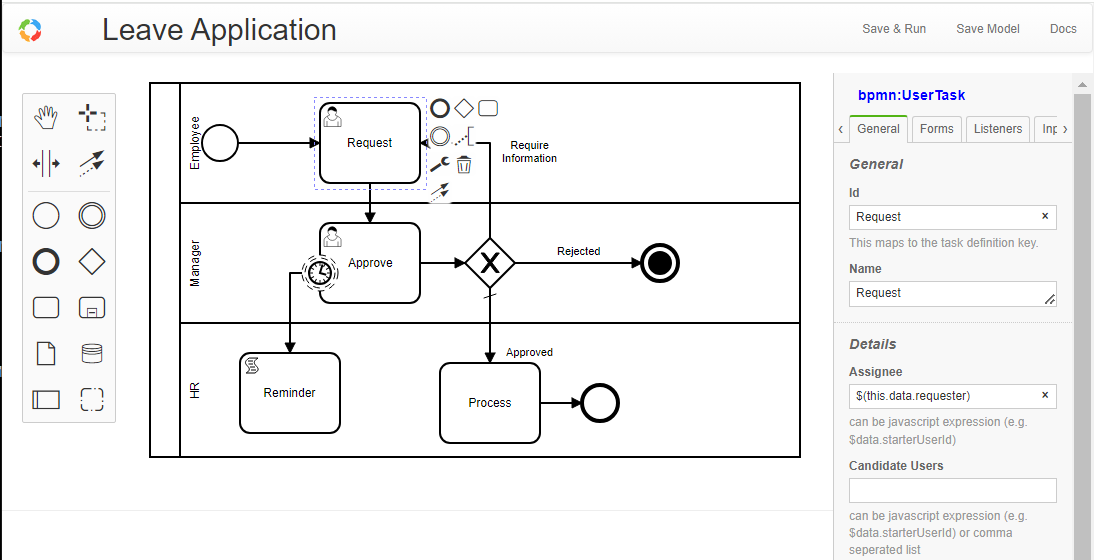
You can also import BPMN models from other tools.
Each model is defined in a BPMN XML file and consists of various elements. An element can be a node (such as events, tasks, or gateways) or a flow.
Models are managed by bpmn-server and can be queried using the Model API.
All BPMN 2.0 elements are supported. See Modeling Support
Execution
bpmn-server is primarily an execution engine for BPMN models.
Each time a model is started, an instance is created. For every element that is executed, an item is generated.
Execution follows the BPMN model logic and supports extensions such as scripting and application context access.
During execution, both Model Listeners and Application Listeners are invoked.
Access the execution engine via the Engine API.
Datastore
Execution data, including instances and their elements, are persisted to a datastore (MongoDB by default).
You can query this data through the Data API.
User Management and Security
bpmn-server delegates authentication to the front-end application, which must pass user information via the API.
- Model designers can define
assignee,candidateUsers, andcandidateUserGroupsusing static strings or JavaScript expressions. - The front-end must provide a
userServiceimplementation. bpmn-serverenforces security rules based on the current user.
The bpmn-web demo application demonstrates full user management using Passport and MongoDB.
Demo Web Application
Features include:
- Persistent modeling tool (based on
bpmn.io) - Property panel supporting all
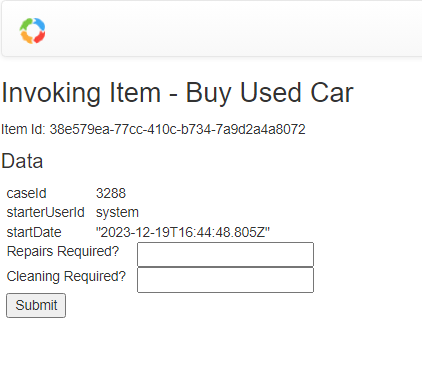
bpmn-serverfeatures - Execution with input forms for defined fields
- Task and workflow lists
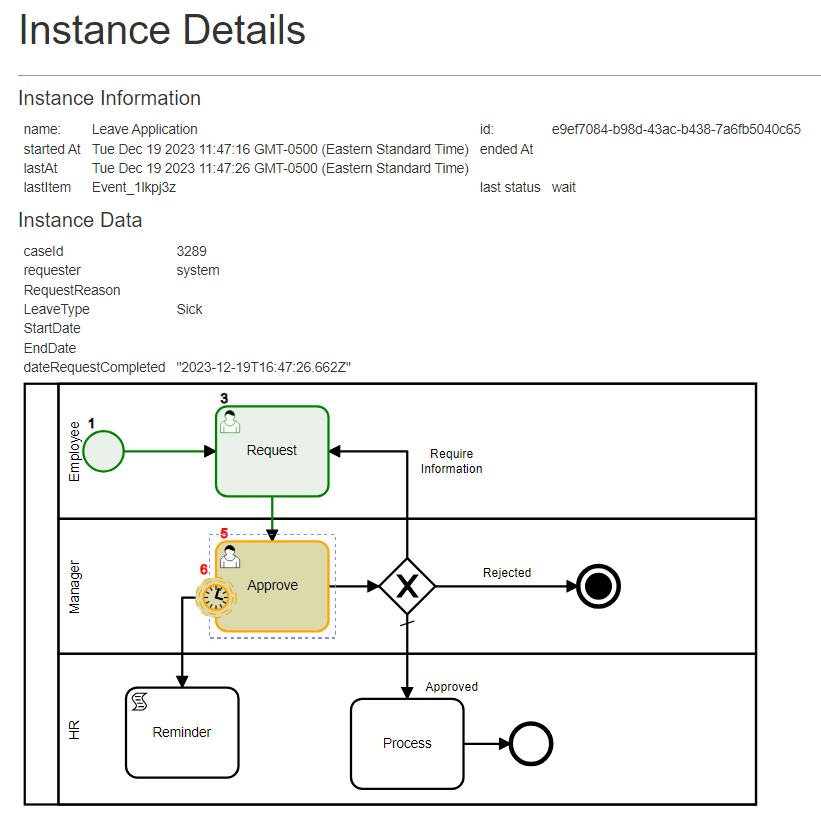
- Instance detail view
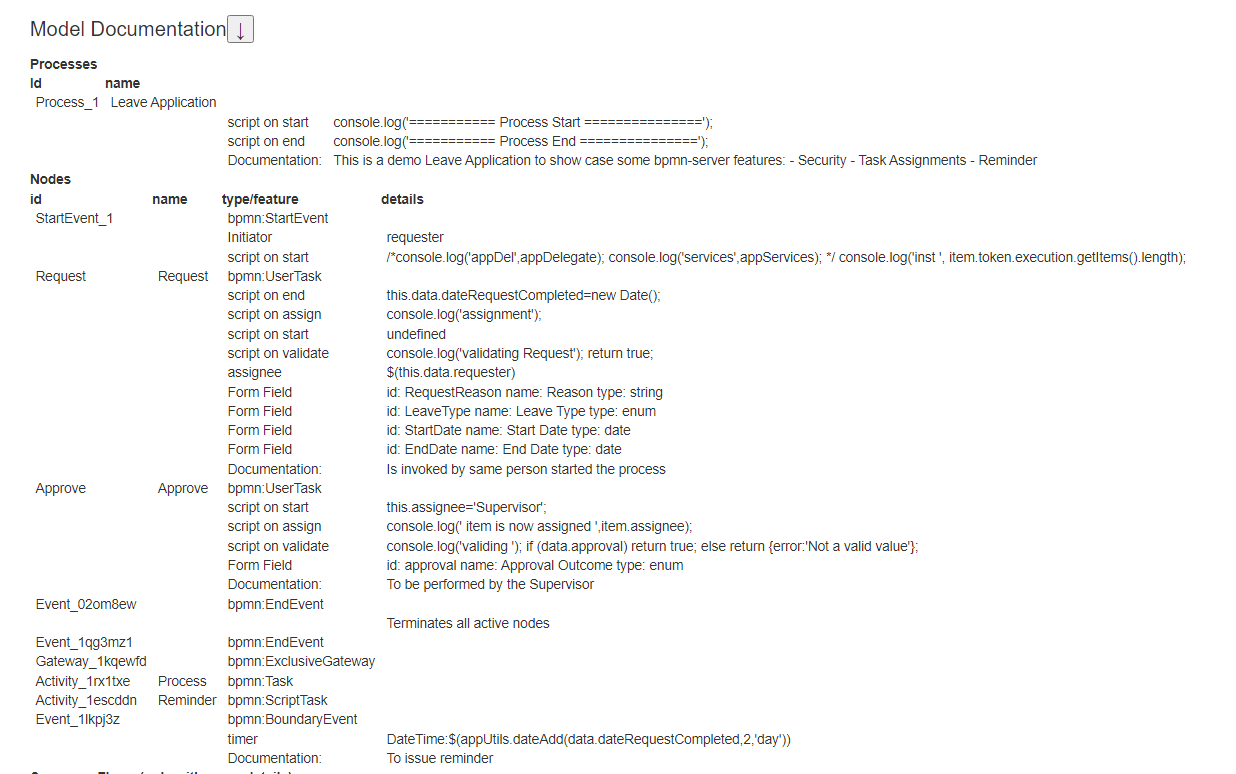
- Model specification viewer
Live Demo
A live demo is available at: https://bpmn.omniworkflow.com
Installation
This package requires Node.js and MongoDB.
If MongoDB is not installed, you can create a free cloud account or install it locally.
1. Clone the repository
git clone https://github.com/bpmnServer/bpmn-web.git2. Install dependencies
npm install3. Set up the app
npm run setupEdit the .env file to configure MongoDB:
MONGO_DB_URL=mongodb://0.0.0.0:27017/bpmnRun setup again to create DB objects:
npm run setup4. Start the server
npm run startConsole output:
bpmn-server WebApp.ts version 1.4.0
MongoDB URL mongodb://0.0.0.0:27017/bpmn
db connection open
App is running at http://localhost:3000 in development mode
Press CTRL-C to stop
Docker Installation
1. Create a project folder
2. Add a docker-compose.yml file:
version: "3.7"
name: bpmn-server
services:
  bpmn-web:
    image: ralphhanna/bpmn-web
    command: sh -c "
        npm run setup &&
        npm run start"
    ports:
      - 3000:3000
    volumes:
      - 'app:/app'
    depends_on:
      - mongo

  mongo:
    image: mongo
    ports:
      - 27017:27017
    volumes:
      - mongodb:/data/db

volumes:
  mongodb:
    driver: local
    driver_opts:
      type: 'none'
      o: 'bind'
      device: './mongodb_volume'

  app:
    driver: local
    driver_opts:
      type: 'none'
      o: 'bind'
      device: './bpmn_server_volume'
3. Start the container
docker compose up -dCommand Line Interface
npm run cli

server started..
Commands:
  q     quit
  s     start process
  lo    list outstanding items
  li    list items
  l     list instances for a process
  di    display instance information
  i     invoke task
  sgl   signal task
  msg   message task
  d     delete instances
  lm    list models
  lme   list model elements
  ck    check locked instances
  re    recover hung processes
  lu    list users
  spw   set user password
  ?     show this help menu
Updating to Latest Release
npm update bpmn-serverApplication Integration
bpmn-server is designed to be embedded into your application. See customization guide
Documentation
- Invoking Workflows
- Execution
- Scripting
- Security
- Data
- Examples
- API Summary
- API Reference
- Setup
- Application Integration
License
Licensed under the MIT License.
Acknowledgments
bpmn-server builds upon bpmn-io/bpmn-moddle by bpmn.io, and is inspired by bpmn-engine.