
brandbot
v0.1.2
Published
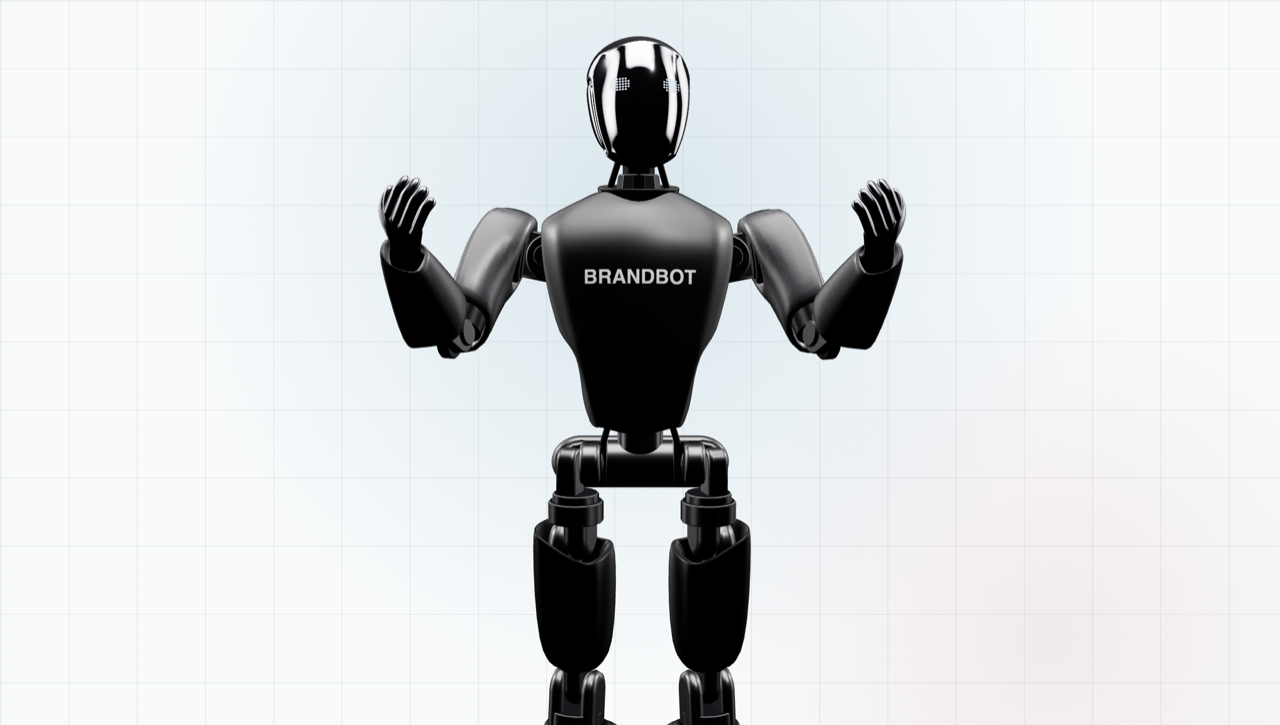
🤖 A 3D robot mascot you brand with your own logo and colors — a drop-in React component with cursor tracking, built on Three.js.
Downloads
23

Maintainers
 aidanz123
Readme
BrandBot 🤖


A 3D robot mascot you brand with your own logo and colors. A drop-in React component that gestures, blinks, and follows the visitor's cursor. It renders with Three.js, is written in TypeScript with full type declarations, and bundles the model — so there's nothing to configure or host. Works in any React app (see the Next.js note below).
▶ Live demo · Configure & copy code
Install
npm install brandbot three reactUse
import { BrandBot } from 'brandbot';

export function Hero() {
  return (
    <div style={{ height: 600 }}>
      <BrandBot primary="#13294b" eyes="#7fd4ff" logoText="ACME" />
    </div>
  );
}
That's it. The component fills its parent, renders on a transparent background, and starts moving. The default needs no extra CSS — drop it in a sized box and it looks right.
Full-bleed hero (optional)
To have the robot rise from the bottom of a full-height hero with its legs fading into the page (like the demo), wrap it:
<div style={{ height: '100vh', overflow: 'hidden',
              WebkitMaskImage: 'linear-gradient(180deg,#000 88%,transparent 100%)' }}>
  <div style={{ position: 'absolute', inset: 0,
                transform: 'scale(1.1) translateY(8%)', transformOrigin: 'center top' }}>
    <BrandBot />
  </div>
</div>
By default it stays put — locked in its box, facing forward, following the cursor. It does not let visitors drag-rotate it (rarely what you want in a hero or card). Add orbit to enable drag-to-rotate for demos.
Brand it
Every color and the chest logo is a prop. Drop in your logo as text, an uploaded image (inlined as base64), or a URL:
<BrandBot
  primary="#0e1a2b"
  accent="#1d3350"
  eyes="#7fd4ff"
  logoImage="/logo.png"   // or logoText="ACME"
/>
The configurator lets you tweak everything visually and copies the exact JSX for your setup.
Props
| Prop | Type | Default | |
|---|---|---|---|
| primary | color | near-black | body shell + carbon parts |
| accent | color | dark metal | joints, mechanical internals |
| visor | color | chrome | face plate |
| hands | color | chrome | hands |
| eyes | color | white-blue | LED dot-matrix eyes |
| logoText | string | — | text logo on the chest (1–3 words) |
| logoColor | color | white | |
| logoImage | url | — | image logo (transparent PNG/SVG best); overrides text |
| legs | boolean | true | false shows the upper body only |
| orbit | boolean | false | true lets visitors drag to rotate (for demos) |
| intro | boolean | true | one-time zoom-in when the model loads |
| trackPointer | 'window' \| 'element' \| false | 'window' | what the head watches |
| shadow | boolean | true | soft ground shadow |
| modelUrl | url | bundled | load a different glTF instead of the bundled model |
| className, style | | | passed to the wrapper div |
All color/logo/legs props are live — update them in state and the robot changes instantly. (orbit and intro are set once at mount.)
Imperative handle via ref:
const bot = useRef(null);
<BrandBot ref={bot} />
<button onClick={() => bot.current.spin()}>Spin</button>     {/* one full turn   */}
<button onClick={() => bot.current.replay()}>Replay</button> {/* the zoom-in intro */}
Next.js
WebGL can't server-render, so load it client-side:
import dynamic from 'next/dynamic';
const BrandBot = dynamic(() => import('brandbot').then(m => m.BrandBot), { ssr: false });
Without React
The engine is framework-agnostic:
import { createBrandbot } from 'brandbot/core';
import model from 'brandbot/model';

const robot = createBrandbot(document.querySelector('#hero'), { gltf: model });
robot.set({ primary: '#13294b', logoText: 'ACME' });
Demo
The demo/ folder is a no-build static site (works on GitHub Pages):
demo/index.html— showcase: the robot rising from a light-grid hero with the zoom-in intro and cursor tracking.demo/configure.html— live configurator with tabbed code, "copy code", and "copy prompt for agent".
Run python3 -m http.server in the package folder and open demo/index.html.
Development
npm install      # toolchain (typescript, @types/three, @types/react)
npm run build    # compile src/*.ts → dist/ (+ .d.ts) and copy the model
npm run typecheck
Source lives in src/ (TypeScript). The committed dist/ is what the demo and
npm package consume; rebuild it after changing src/.
License
- Code: MIT.
- Model: the bundled robot is the NEXBOT character, a Spline Community file under CC0 1.0 (public domain). Per Spline's docs: "All the community files are licensed under CC0 1.0 Universal Deed." Free to use, modify, and redistribute — including commercially — with no attribution required. Credited anyway, because it's a great model.