
buzz-antigravity-acp
v0.1.5
Published
Agent Client Protocol (ACP) adapter wrapping Google Antigravity CLI (agy) for Buzz and AI agent clients

Maintainers
 andyherebaby
Readme
buzz-antigravity-acp
Agent Client Protocol (ACP) adapter wrapping the Google Antigravity CLI (
agy).
Seamlessly connect Google Antigravity to Buzz Desktop and any ACP-compliant agent client.
🌟 Key Features
- ⚡ Full ACP Compliance: Standard JSON-RPC 2.0 over
stdio(Newline-Delimited JSON). - 🧠 Dynamic Model Discovery: Automatically queries available models from local
agy models(Gemini 3.7 / 3.6 / 3.5 Flash, Gemini 3.1 Pro, Claude Sonnet/Opus 4.6 Thinking, GPT-OSS 120B). - 🚀 Unlimited Prompt Length: Streams system prompts and multi-turn channel history directly through
stdin(bypassing WindowsENAMETOOLONGcommand-line length limits). - 🛡️ Headless Auto-Permissions: Automatically runs non-interactively with
--dangerously-skip-permissionsfor uninterrupted automation. - 📝 Real-Time Debug Logging: Automatically writes stdio events to a local
debug.logfile for easy diagnosis.
📋 Prerequisites
Make sure the Google Antigravity CLI (agy) is installed and authenticated on your machine:
# Verify agy is installed and logged in
agy --version
agy auth login
📦 Installation
Install the adapter globally via npm:
npm install -g buzz-antigravity-acp🖥️ Buzz Desktop Configuration
Follow these two simple steps to set up Google Antigravity in Buzz Desktop:
Step 1: Add Custom Runtime (Harness)
Open Buzz Desktop ➔ Go to Settings (⚙️).
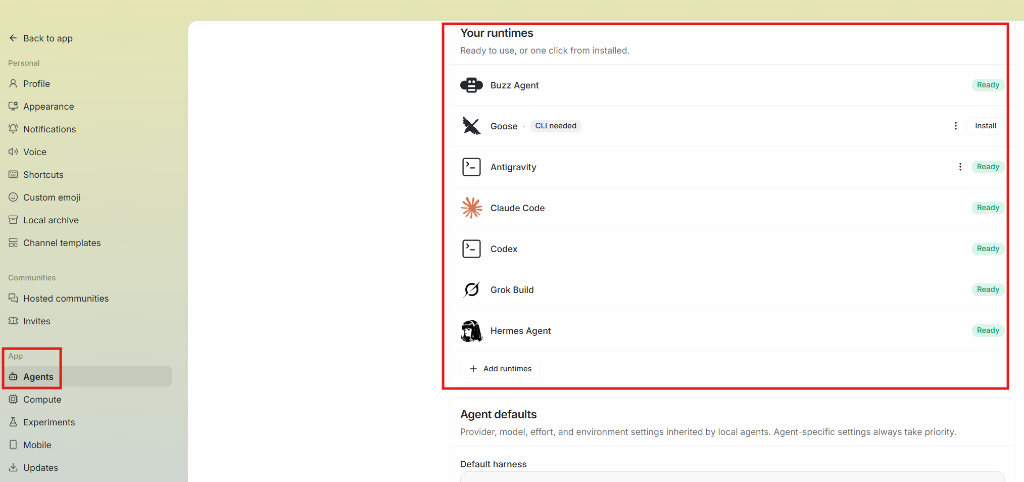
In the left menu under App, click on Agents.
Scroll down to the "Your runtimes" section and click the "+ Add runtimes" button:
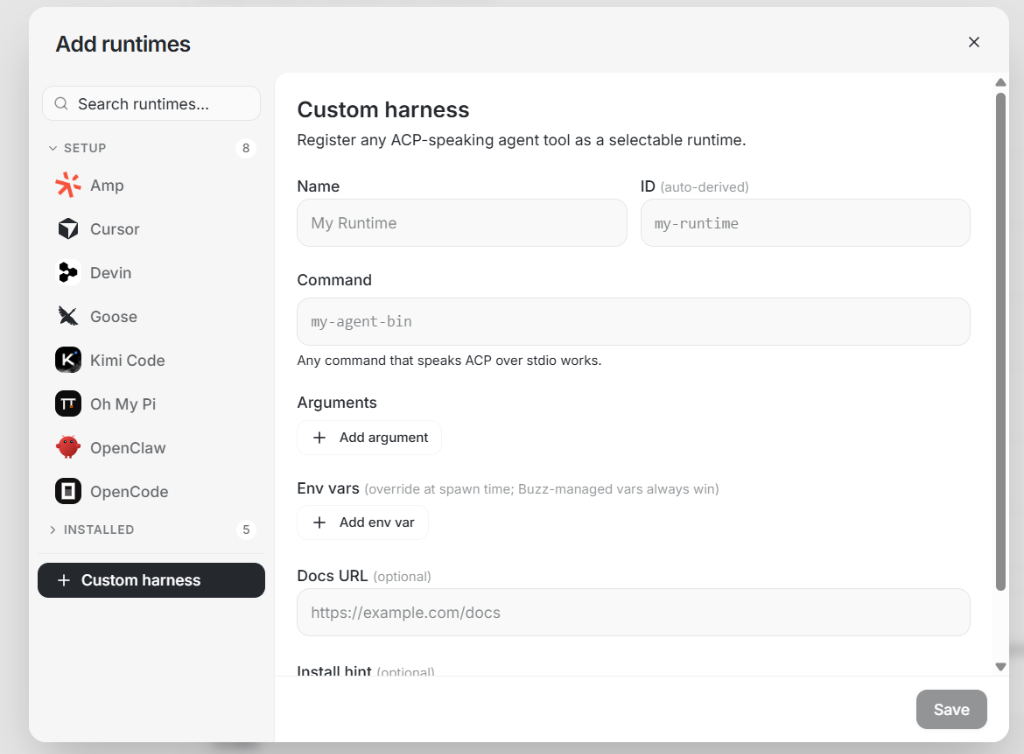
In the modal popup, click "+ Custom harness" at the bottom of the left sidebar.
Fill in the form fields:
- Name:
Antigravity - ID (auto-derived):
antigravity - Command:
buzz-antigravity-acp - Arguments: (Leave empty)
- Name:
Click Save in the bottom-right corner:
Step 2: Create Agent with the Antigravity Runtime
Return to the main app view and click Agents in the left sidebar.
In the Agents grid, click the
+(Add agent) card: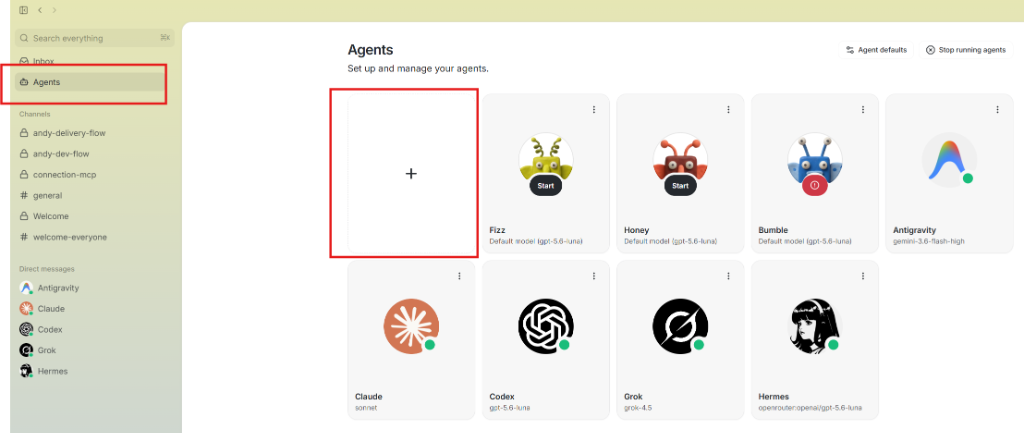
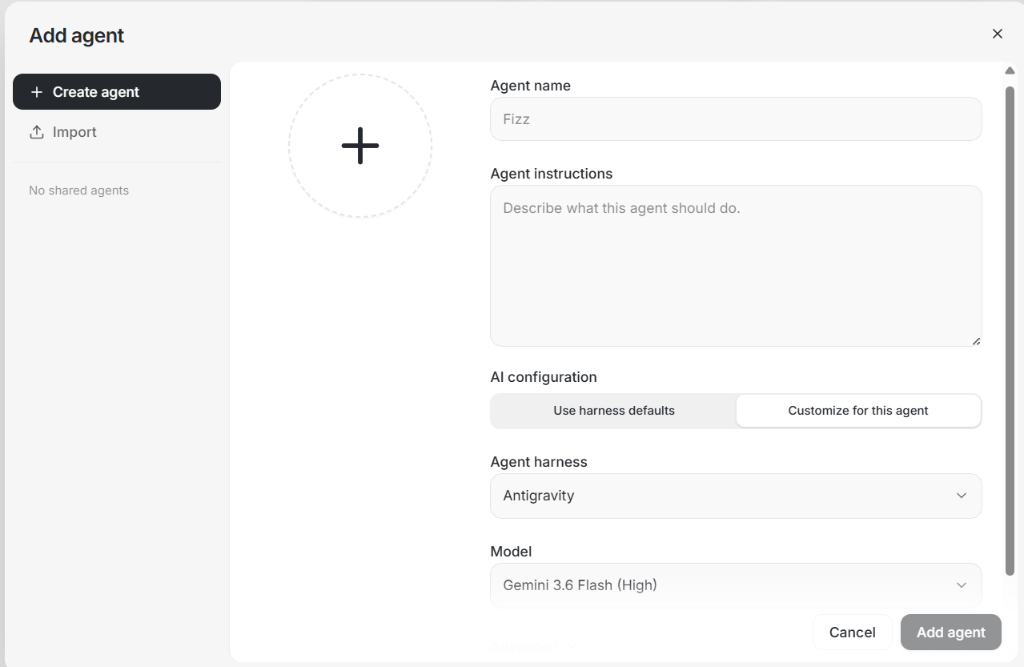
In the Add agent popup:
- Agent name:
Antigravity(or your preferred name). - Agent instructions: (Optional custom system instructions).
- AI configuration: Switch to the "Customize for this agent" tab.
- Agent harness: Select
Antigravityfrom the dropdown. - Model: Select your desired model (e.g.
Gemini 3.7 Flash,Gemini 3.6 Flash,Claude Sonnet 4.6 (Thinking), etc.).
- Agent name:
Click Add agent in the bottom-right:
🎉 You're ready! Start chatting with Antigravity directly via Direct Messages or tag
@Antigravityin any channel: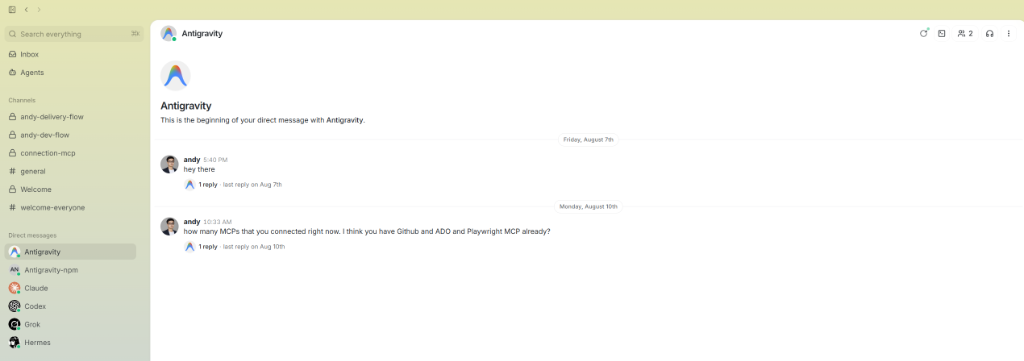
🧪 Testing Locally
You can test the adapter directly from your terminal:
# Query available models in ACP JSON format
buzz-antigravity-acp models
📄 License
MIT © Andy Vu Viet