
byted-mobile-select
v1.0.1
Published
移动端select 插件


Readme
mobileSelect.js



fork from: https://github.com/onlyhom/mobileSelect.js
一款多功能的移动端滚动选择器,支持单选到多选、支持多级级联、提供自定义回调函数、提供update函数二次渲染、重定位函数、兼容pc端拖拽等等..
特性
- 原生js移动端选择控件,不依赖任何库
- 可传入普通数组或者json数组
- 可根据传入的参数长度,自动渲染出对应的列数,支持单项到多项选择
- 自动识别是否级联
- 选择成功后,提供自定义回调函数callback() 返回当前选择索引位置、以及选择的数据(数组/json)
- 每次手势滑动结束后,也提供一个回调函数transitionEnd() 返回当前选择索引位置、以及选择的数据(数组/json)
- 能够在已经实例化控件后,提供update函数,传其他参数再次渲染
- 提供重定位函数
演示

安装
npm install byted-mobile-select --saveuseage
import MobileSelect from 'byted-mobile-select'
var mobileSelect1 = new MobileSelect({
    trigger: '#day',
    title: '单项选择',
    wheels: [
                {data:['周日','周一','周二','周三','周四','周五','周六']}
            ],
    position:[2] //初始化定位
});
快速入门
①普通数组格式-非联动
var mobileSelect1 = new MobileSelect({
    trigger: '#day',
    title: '单项选择',
    wheels: [
                {data:['周日','周一','周二','周三','周四','周五','周六']}
            ],
    position:[2] //初始化定位
});
②json格式-非联动
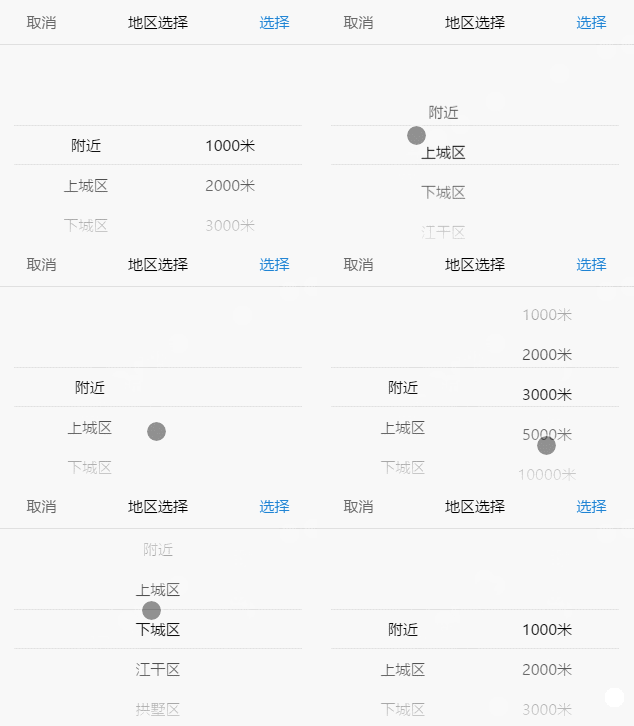
var mobileSelect2 = new MobileSelect({
    trigger: '#area',
    title: '地区选择',
    wheels: [
                {data:[
                    {id:'1',value:'附近'},
                    {id:'2',value:'上城区'},
                    {id:'3',value:'下城区'},
                    {id:'4',value:'江干区'},
                    {id:'5',value:'拱墅区'},
                    {id:'6',value:'西湖区'}
                ]},
                {data:[
                    {id:'1',value:'1000米'},
                    {id:'2',value:'2000米'},
                    {id:'3',value:'3000米'},
                    {id:'4',value:'5000米'},
                    {id:'5',value:'10000米'}
                ]}
            ],
    callback:function(indexArr, data){
        console.log(data); //返回选中的json数据
    }
});
效果图:

③json格式-联动
  var addressLocation = new MobileSelect({
      trigger: '#area2',
      title: '地区选择-联动',
      wheels: [
                  {data:[
                      {
                          id:'1',
                          value:'附近',
                          childs:[
                              {id:'1',value:'1000米'},
                              {id:'2',value:'2000米'},
                              {id:'3',value:'3000米'},
                              {id:'4',value:'5000米'},
                              {id:'5',value:'10000米'}
                          ]
                      },
                      {id:'2',value:'上城区'},
                      {id:'3',value:'下城区'},
                      {id:'4',value:'江干区'},
                      {id:'5',value:'拱墅区'},
                      {id:'6',value:'西湖区'}
                  ]}
              ],
      position:[0,1],
      callback:function(indexArr, data){
          console.log(data); //返回选中的json数据
      }
  });
效果图:
参数
|选项|默认值|类型|描述 |
| ------ |------|-----|-----|
|trigger|必填参数 无默认值|String| 触发对象的id/class/tag|
|wheels|必填参数 无默认值|Array|数据源,需要显示的数据|
|title|''|String|控件标题|
|position|[0,0,0,…]|Array|初始化定位|
|callback|function(indexArr, data){}|function | 选择成功后触发的回调函数,返回indexArr、data|
|transitionEnd|function(indexArr, data){}|function|每一次手势滑动结束后触发的回调函数,返回indexArr、data|
注:回调函数中返回的参数含义如下
- indexArr是当前选中的索引数组 如[0,0,1] 代表有三个轮子 选中的数据是第一个轮子的第0个数据、第二个轮子的第0个数据、第三个轮子的第1个数据
- data是当前选中的json数据 如[{id:'1',value:'hello'},{id:'2',value:'world'}]
功能函数:
|函数名|参数| 描述| | ------ |------| -----| |setTitle()| string |设置控件的标题| |updateWheel()| sliderIndex, data | 重新渲染指定的轮子 | |locatePostion()|sliderIndex, posIndex|传入位置数组,重定位轮子的位置|
注:功能函数中需要传递的参数含义如下
- sliderIndex 代表的是要修改的轮子的索引
- posIndex 代表位置索引
功能函数demo:
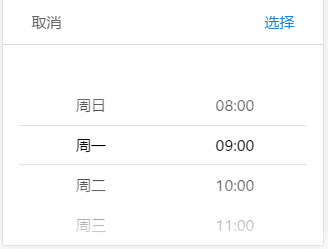
var mySelect = new MobileSelect({
    trigger: '#day',
    wheels: [
                {data:['周日','周一','周二','周三','周四','周五','周六']},
                {data:['08:00','09:00','10:00','11:00','12:00','13:00','14:00']}
            ],
    position:[1,1] //初始化定位 两个轮子都选中在索引1的选项
});

//----------------------------------------------
//进行基础的实例化之后,对实例用功能函数操作

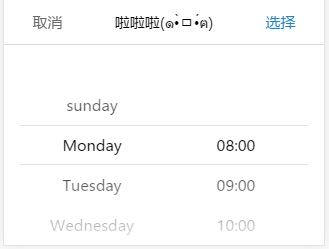
// mySelect.setTitle('啦啦啦(๑•̀ㅁ•́ฅ)');
// 设置控件的标题

// mySelect.updateWheel(0,['sunday','Monday','Tuesday','Wednesday','Thursday','Friday','Saturday']);
// 更新第0个轮子的数据,数据变为英文的星期几

// mySelect.locatePostion(1,0);
// 重新定位第1个轮子的位置,将第1个轮子的第0个数据改为当前选中。
// (第1个轮子是指右边的轮子,左边的轮子是第0个)
基础实例 → 功能函数操作后
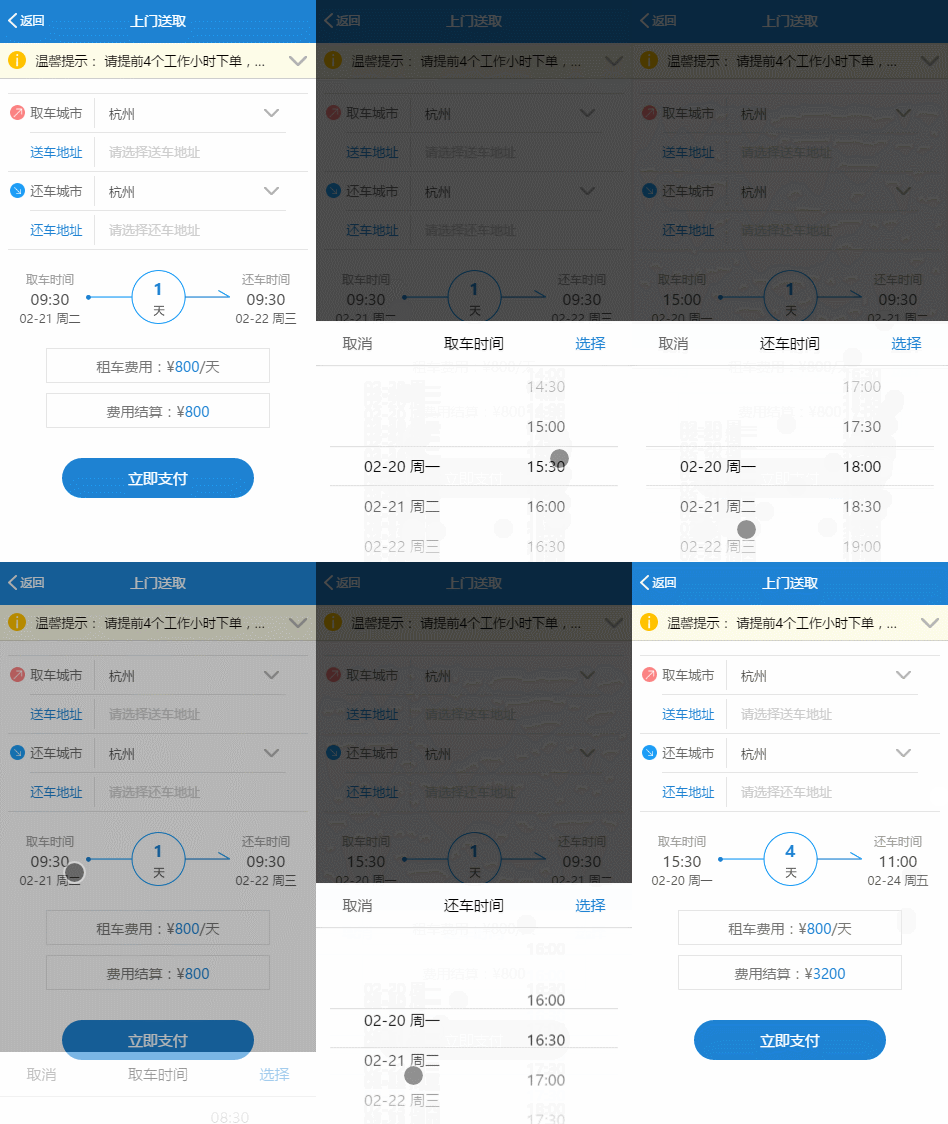
项目demo:
使用transitionEnd()、callback()、updateWheel()、locatePostion()函数实现如下功能:
- 选择当天日期时,不得超过今天已过时辰。
- 选择取车时间后,还车时间不得超过取车时间(包括日期和时间)。
更新日志
2017-04-20[修正]
鉴于input框在iphone上会出现光标
以及由input触发的fixed布局在iphone6P/iphone7P的chrome中打开会出现下移现象
舍弃使用input标签,改为由普通div触发
选择到的值写进div的innerHTML里
推荐用callback(indexArr, data)回调函数获取选择到的值
许可证
Copyright (c) 2017-present, LIHONG OU(onlyhom)