
canireach
v0.3.3
Published
Local network + AI-service reachability monitor. TUI by default; --web for a Chart.js dashboard. Works with either Node or Bun.
Downloads
129

Maintainers
 canireach-lab
Readme
canireach
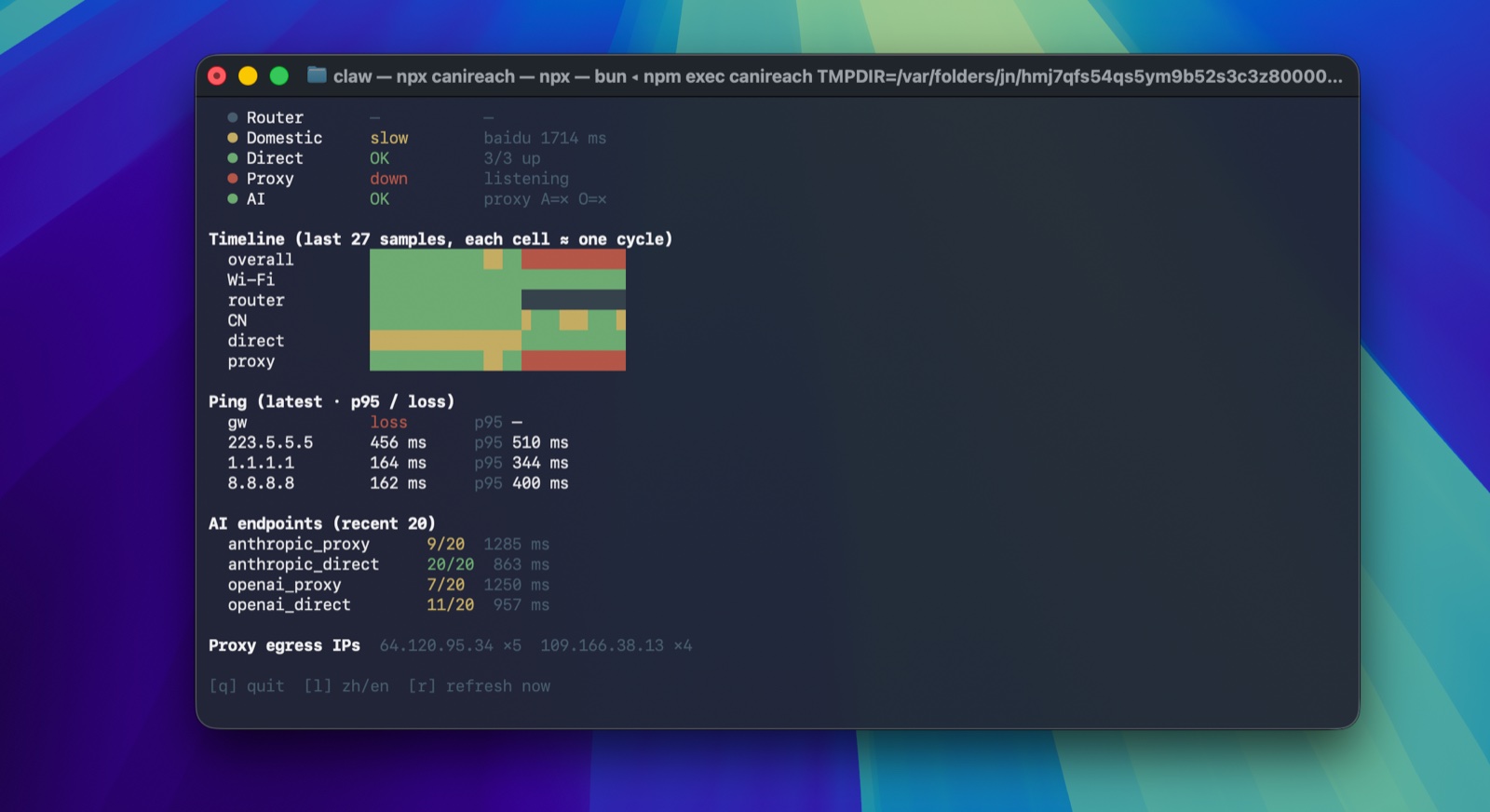
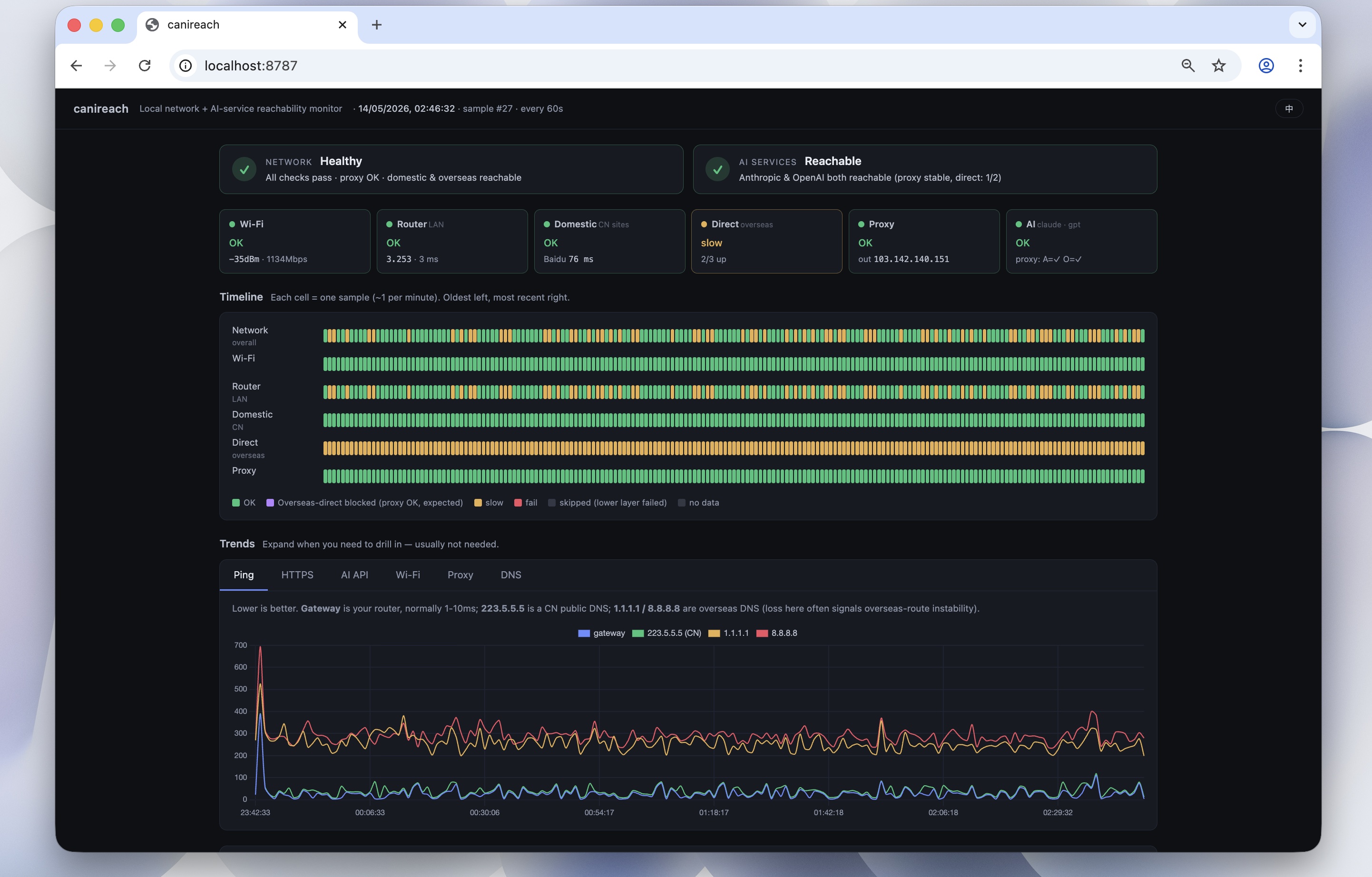
Live layered diagnostics for restricted / unstable networks. Tells you exactly which layer's at fault — Wi-Fi, LAN, ISP, overseas route, proxy, or upstream AI APIs — and keeps watching. TUI by default, web dashboard under
--web.
Quick start
Works under either Node ≥ 18 or Bun — whichever you have, the same single-file bundle ships and runs.
npx canireach                # terminal UI (default)
npx canireach --web          # web dashboard at http://localhost:8787 (opens browser)
npx canireach --once         # one probe → JSON
bunx canireach is the Bun-runtime equivalent — same code path, different package runner.
What it checks
Each cycle (~60 s by default) it samples:
- Link layer — Wi-Fi RSSI / channel / tx-rate if you're on Wi-Fi, or just "Ethernet" if on a wired adapter.
- LAN — ping to your gateway.
- Domestic Internet — ping
223.5.5.5, HTTPS tobaidu,taobao. (Useful even outside CN; failing here = ISP-level outage.) - Overseas direct — HTTPS to
google,cloudflare,githubwithout proxy. - Proxy — if a proxy is configured (env, macOS system proxy, or
CANIREACH_PROXY), checks the listener and HTTPS through it. If no proxy is configured, this layer is reported asskipped, not as a failure. Auto-detects whatever app you use — Clash Verge / Clash Verge Rev / mihomo, Surge, V2RayN, shadowsocks, custom — the only thing that matters is that an HTTP proxy URL is reachable via env vars or system proxy settings. - AI services —
api.anthropic.comandapi.openai.com, via direct and (if available) via proxy. Any HTTP response = reachable (these are auth-protected endpoints). - Tailscale — if installed and signed in, surfaces it in the header. Distinguishes three states: idle, signed-in, exit-node active. When an exit-node is active the "overseas direct" probes are effectively going through Tailscale's egress, which is reflected in the data without any manual switch.
- DNS resolution against system +
223.5.5.5/119.29.29.29/8.8.8.8/1.1.1.1. - Captive-portal detection (
captive.apple.com).
The dashboard answers two questions with two headline indicators:
- Is the network up? (wifi → lan → broadband → overseas direct → proxy)
- Is the AI up? (Anthropic / OpenAI, via proxy and/or direct)
TUI keys
| key | action |
|---|---|
| q | quit |
| l | toggle language (zh / en) |
| r | refresh now |
The TUI auto-detects whether a daemon (started via --web) is already running. If yes, it follows that daemon's samples.jsonl and doesn't double-probe. If no, it probes in-process.
Environment variables
| var | default | what it does |
|---|---|---|
| CANIREACH_PROXY | (auto) | Force a proxy URL (e.g. http://127.0.0.1:7890). Set to none or off to explicitly disable proxy probes. Otherwise: env (https_proxy/http_proxy/all_proxy) → macOS scutil --proxy → no proxy. |
| CANIREACH_LANG | (auto) | zh / en. Auto-detected from $LANG. |
| CANIREACH_INTERVAL_MS | 60000 | Probe interval (TUI and daemon). |
| CANIREACH_PORT | 8787 | Dashboard port (web mode only). |
| CANIREACH_DOWNLOAD_EVERY | 10 | Throughput sample cadence (every Nth cycle). |
| CANIREACH_NO_OPEN | 0 | Set to 1 to skip opening the browser in --web mode. |
--no-open on the command line does the same as CANIREACH_NO_OPEN=1.
Who it's for
- People behind regional restrictions, monitoring whether a proxy chain to AI APIs is healthy.
- People on unstable Wi-Fi who want layered diagnosis (is it Wi-Fi? router? ISP? proxy node?).
- People connecting via Ethernet / USB-C LAN / Thunderbolt — the Wi-Fi layer is marked "skipped" instead of pretending to be broken.
- People with no proxy at all (overseas direct, or just don't use one) — the proxy layer is marked "skipped" and AI is judged on direct reachability alone.
Tested with
- Clash Verge / Clash Verge Rev (
verge-mihomolistener, mixed port — typically127.0.0.1:7897) — auto-detected via macOS system proxy. - Tailscale — detected without depending on the
tailscaleCLI being on$PATH(the Mac App Store build doesn't install it). Signals are derived fromtailscaledpresence + anyutun*interface holding a CGNAT (100.64.0.0/10) address + whether the default route uses thatutun. - Plain direct connections (no proxy) and pure overseas networks.
Development
Clone, then run the TypeScript directly under Bun — no build step needed for iteration:
git clone https://github.com/canireach/canireach && cd canireach
bun src/cli.ts                # TUI
bun src/cli.ts --web          # web dashboard
bun src/cli.ts --once         # one-shot probe
To produce the published bundle:
npm run build                 # writes dist/canireach.mjs (~66 KB)
node dist/canireach.mjs       # sanity check the bundle under Node
prepublishOnly re-runs the build so npm publish always ships a fresh bundle.
License
MIT.