
canvas-edit-tools
v1.1.10
Published
tools to create elements for a canvas


Readme
canvas-edit-package
Have you ever wanted to create a stunning canvas in HTML but found it difficult to add the right tools and features? Look no further, this package includes a range of useful features to help you build beautiful and functional canvases. From a context menu and footer to an editor and carousel, this package has everything you need to create engaging and interactive canvases that will impress your users. In this article, I'll introduce you to the key features of my package and show you how to use them to create stunning canvases. It's the perfect tool for building impressive and user-friendly canvases.
Video
Click the image to watch the video to view all features!
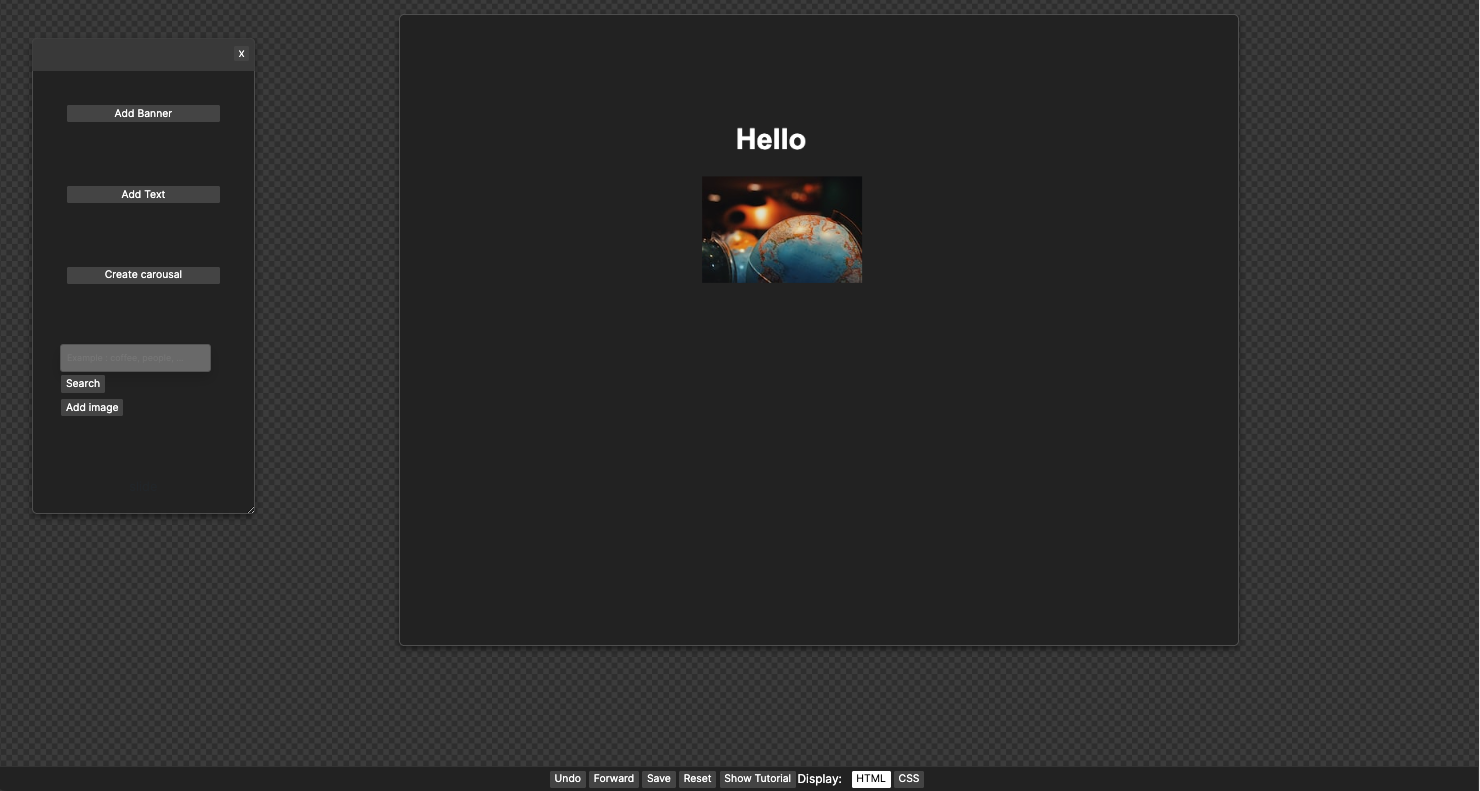
Setup
In terminal
npm i canvas-edit-toolsTools
There are 4 different elements you can import:
1: a canvas
<canvas height="790" id="myCanvas" width="1050"></canvas>2: a editor
<div class="editor" id="editor"></div>3: a toolbar/footer
<footer>
   <div class="toolbar">
       <button id="undoBtn">Undo</button>
       <button id="forwardBtn">Forward</button>
       <button id="saveBtn">Save</button>
       <button id="resetButton">Reset</button>
       <span id="display">Display:</span>
       <button id="html">HTML</button>
   </div>
</footer>
4: context menu
<div id="contextMenu"></div>imports
import this:
<!DOCTYPE html>
<html lang="en">
<head>
    <meta charset="UTF-8">
    <title>Title</title>
    <script src="./node_modules/canvas-edit-tools/dist/canvas-edit-tools.js"></script>
</head>
on bottom:
</body>

    <script>
        CanvasEditTools.initialize();
      </script>
</html>c="./node_modules/canvas-edit-tools/dist/canvas-edit-tools.js"></script>
</head>
DEMO: full code
<!DOCTYPE html>
<html lang="en">
<head>
    <meta charset="UTF-8">
    <title>Title</title>
    <script src="../node_modules/canvas-edit-tools/dist/canvas-edit-tools.js"></script>
</head>
<body>

    <div id="contextMenu"></div>

<div class="container">
    <div class="left-side">
        <div class="editor" id="editor"></div>
    </div>


    <div class="right-side">
        <canvas height="790" id="myCanvas" width="1050"></canvas>
    </div>

</div>

<footer>
    <div class="toolbar">
        <button id="undoBtn">Undo</button>
        <button id="forwardBtn">Forward</button>
        <button id="saveBtn">Save</button>
        <button id="resetButton">Reset</button>
        <span id="display">Display:</span>
        <button id="html">HTML</button>
    </div>
</footer>

</body>
    <script>
        CanvasEditTools.initialize();
      </script>
</html>
https://github.com/patronasxdxd/NPM_Package_Canvas/