
cc-face
v0.1.16
Published
Animated ASCII face for Claude Code


Readme
cc-face: turn claude code into an anime girl
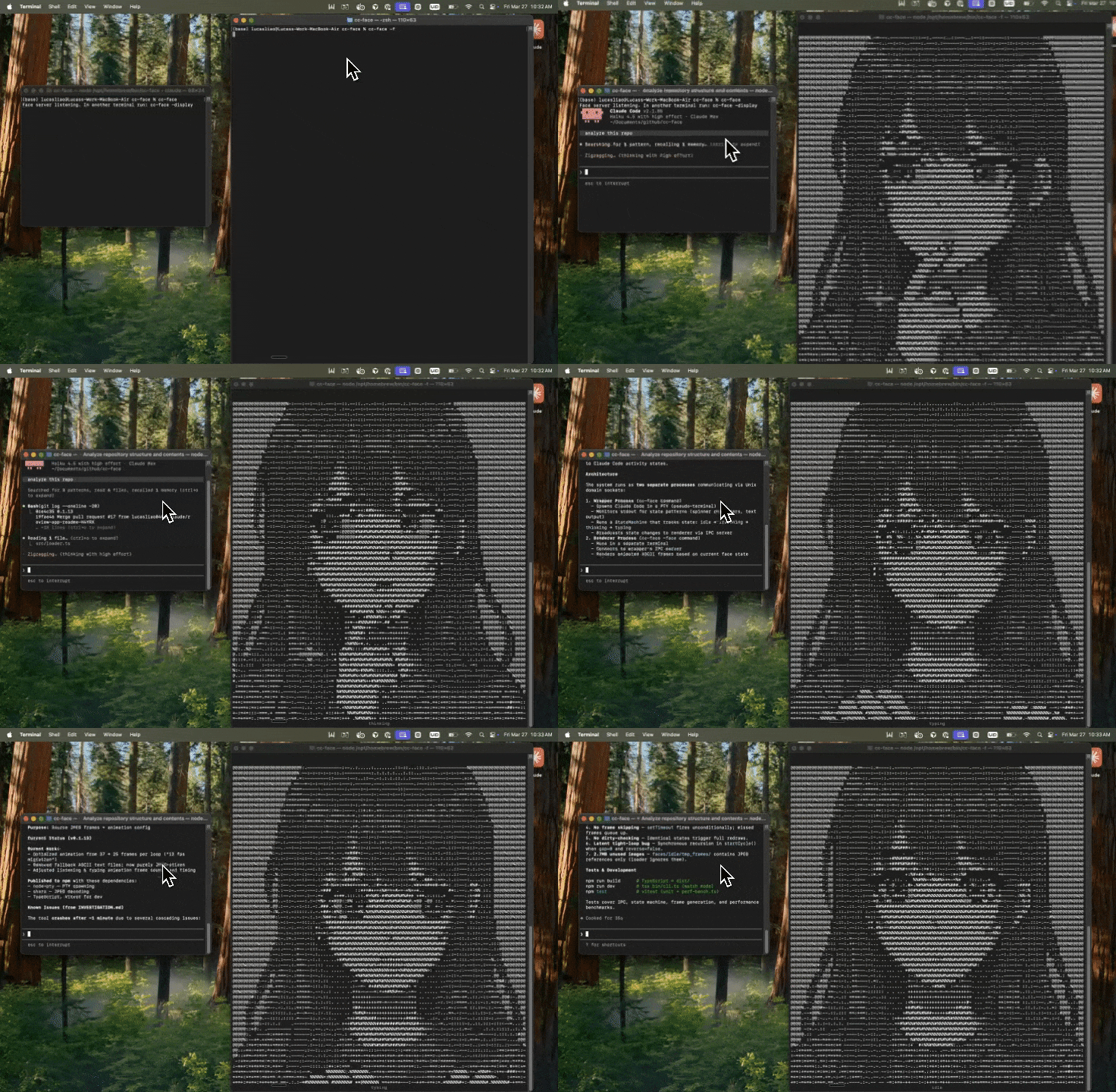
monitors claude code and changes expression based on what claude is doing.
Install
npm i -g cc-facerequires node.js >= 18 and claude code installed.
usage
Terminal 1 — launch claude code with the face server:
cc-faceTerminal 2 — open the face renderer:
cc-face -facehow it works
cc-face runs as two processes connected via a local socket:
- wrapper (
cc-face) — spawns claude code in a virtual terminal (node-pty) and broadcasts state updates over socket - renderer (
cc-face -f) — renders ASCII frames with smooth per-character transitions
frames are stored as JPEG, converted into ASCII at launch, and dynamically scaled to fit the terminal.
Options
| Flag | Description |
|---|---|
| --face <path> | Load a custom face definition |
| -face, -f | Run only the face renderer |
| --debug | Print diagnostics before launching |
| -h, --help | Show help |
| -v, --version | Show version |
The face automatically detects Claude's state:
| Expression | Trigger | |---|---| | Idle | claude is not active | | Listening | You're typing a prompt | | Thinking | claude is reasoning | | Typing | claude is generating output |
Custom faces
Export a FaceDefinition from a TypeScript file:
import { FaceDefinition } from 'cc-face/src/types';

const myFace: FaceDefinition = {
  name: 'robot',
  width: 16,
  height: 5,
  expressions: {
    idle: { name: 'idle', frames: [{ art: [/* ... */] }] },
    typing: { /* ... */ },
    thinking: { /* ... */ },
    listening: { /* ... */ },
  },
};

export default myFace;
cc-face --face ./my-face.tsLocal development
npm install
npm run build
npm run dev                    # run wrapper (tsx bin/cli.ts)
npm run dev -- -face           # run face renderer
npm test                       # run tests once
npm run test:watch             # run tests in watch mode
License
MIT