
ccgh-stats
v0.2.0
Published
Track and display your Claude Code usage stats on GitHub

Maintainers
 is-sam
Readme
ccgh-stats


Track and display your Claude Code usage stats on GitHub with a beautiful heatmap widget.
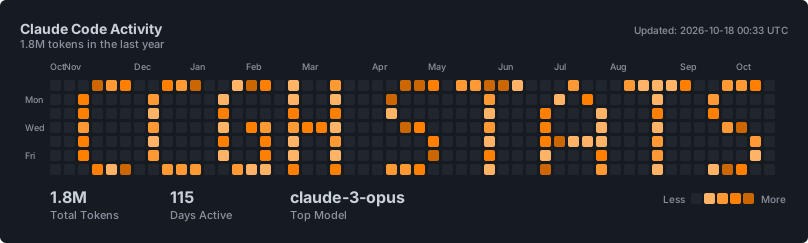
Yes, this is a real widget generated live from actual backend data! ✨
Installation
npm install -g ccgh-statsSetup
- Register and sync your data:
ccgh-stats setupThis will:
- Register you with the API
- Sync your Claude Code usage history
- Give you a widget URL
- Add the widget to your GitHub README:
Auto-sync with Claude Code Hooks
Add this to your ~/.claude/settings.json:
{
  "hooks": {
    "UserPromptSubmit": [
      {
        "matcher": "",
        "hooks": [
          {
            "type": "command",
            "command": "ccgh-stats --sync"
          }
        ]
      }
    ]
  }
}
Each entry in the event array is a group that holds its own hooks array. UserPromptSubmit runs on every prompt, so the matcher stays empty.
This will automatically sync your stats every 10 minutes while using Claude Code. The sync reads only the session files that changed since the last run, so it stays out of your way.
Commands
| Command | Description |
|---------|-------------|
| ccgh-stats setup | Register and do initial sync |
| ccgh-stats link | Add this machine to an account you already have |
| ccgh-stats status | Show registration status, including the device ID |
| ccgh-stats sync | Sync now |
| ccgh-stats sync --full | Read every session file again and resend every day |
| ccgh-stats --sync | Incremental sync (used by hook) |
Several machines
Every machine keeps its own device ID in ~/.claude-stats/config.json. The backend stores one row per day, per model, per device, and the widget adds them up. Your laptop and your desktop both feed the same widget and neither one overwrites the other.
To add a second machine, install the package there and run:
ccgh-stats linkIt asks for the public ID and the write token of the account you already have. Both are in ~/.claude-stats/config.json on the first machine. The token is not shown while you type it, so it never lands in your shell history.
You can pass them as environment variables instead:
CCGH_PUBLIC_ID=pub_xxx CCGH_WRITE_TOKEN=tok_xxx ccgh-stats linkIf that machine already has a config, link stops. Pass --force to point it at another account.
A machine that was set up before device IDs existed keeps sending under the name default, so its history stays exactly where it is.
How it works
- Parses your Claude Code session files from
~/.claude/projects/ - Caches what each file counted for, in
~/.claude-stats/cache.json, so a file is read again only when it changes - Syncs aggregated stats to the API (only token counts, no conversation content). A day is always sent as its full total across every session file, not just the files that changed
- Generates an SVG widget showing your usage heatmap
If your numbers ever look wrong, ccgh-stats sync --full reads everything again and resends every day.
Development
The tests need no install and no network. They run the parser and the CLI against a stub of the API inside a throwaway home directory.
npm testPrivacy
- Only token counts are sent (input/output tokens per day per model)
- A random device ID is sent too, so several machines can feed one widget
- No conversation content is ever transmitted
- Your data is tied to a random public ID, not your identity
License
MIT