
ccmm
v0.1.3
Published
Claude Code Memory (CLAUDE.md) Manager - Manage CLAUDE.md presets across projects


Readme
ccmm
日本語 | English
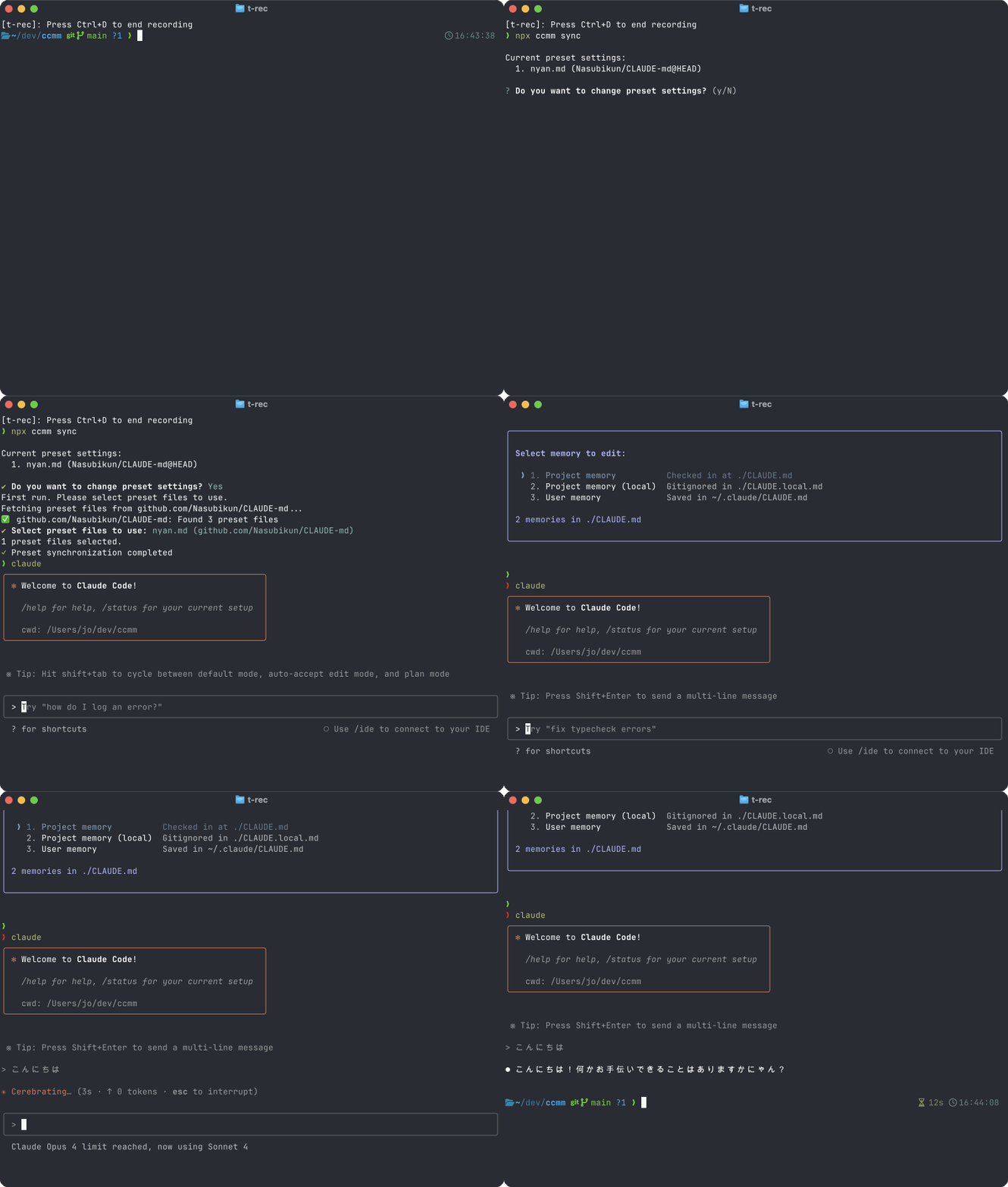
ccmm (Claude Code Memory Manager) は、Anthropic Claude Code の設定ファイル CLAUDE.md を
複数プロジェクト間で再利用/共有するための CLI ツールです。
0. インストール
npm install -g ccmmまたは
npx ccmm要件
- Node.js 18+
- Git
- GitHub CLI (
gh) * 原則必須- 環境変数
GITHUB_TOKEN* 必要に応じて
1. セットアップ
事前にCLAUDE-mdリポジトリを作成し、Githubにプッシュしておく。(プライベートリポジトリで構いません)
CLAUDE-mdリポジトリは以下のような構成。
CLAUDE-md/
├── react.md
├── typescript.md
├── nextjs.md
├── vue.md
├── python.md
├── nodejs.md
└── common.md
参考: サンプル
CLAUDE-mdリポジトリを用意した上で、
cd YOUR_PROJECT/
ccmm init- 参照したい CLAUDE-md リポジトリ(例:
myorg/CLAUDE-md)を選択 - 自動で
CLAUDE.md末尾に 1 行が追加されます
+ @~/.ccmm/projects/<hash>/merged-preset-HEAD.mdこの行は変更しないでください。また、この行より下に追記を行わないでください。
2. プリセットリポジトリの管理
2-1. リポジトリの追加・削除
ccmm config add myorg/CLAUDE-md     # 新しいプリセットリポジトリを追加
ccmm config remove myorg/CLAUDE-md  # プリセットリポジトリを削除
2-2. 設定済みリポジトリの確認
ccmm config list # 設定済みのプリセットリポジトリ一覧を表示2-3. デフォルトリポジトリの設定
ccmm config set-default myorg/CLAUDE-md    # デフォルトリポジトリを設定
ccmm config get-default # 現在のデフォルトリポジトリを表示デフォルトリポジトリを設定すると、ccmm init時に自動的にそのリポジトリが選択されるにゃん。
3. プリセットを取得・同期する
ccmm sync- 選択したプリセット(例:
react.md,typescript.md)を$HOME/.ccmm/presets/...にダウンロード - 自動で
merged-preset-HEAD.mdを再生成し、Claude Code が読むように設定
4. プリセットの編集と上流への反映
4-1. プリセットを直接編集
ccmm edit react.md     # エディタでプリセットファイルを開く
ccmm edit              # 引数なしで実行すると選択UIが表示
既存のプリセットファイルを直接エディタで編集できます。引数なしで実行すると、対話的にプリセットファイルを選択できます。
4-2. 変更を上流リポジトリに送信
ccmm push react.md     # 変更をGitHub PRとして送信
ccmm push              # 引数なしで実行すると選択UIが表示
4-3. CLAUDE.mdから変更を抽出
git add CLAUDE.md      # 追記をステージ
ccmm extract          # 変更行をプリセットに振り分け
CLAUDE.mdに直接書いた内容を、適切なプリセットファイルに移動させることができます。
5. バージョンを固定する
ccmm lock <commitSHA>
git commit -am "chore: lock CLAUDE presets @<SHA>"- import 行が
merged-preset-<SHA>.mdに置き換わります
ccmm sync # lock 付きプロジェクトなら自動で固定版を読む解除したいときは:
ccmm unlock # HEAD バージョンに戻す6. コマンド一覧
| コマンド | 説明 |
|----------|------|
| ccmm init | 初回セットアップ(参照リポジトリ選択とCLAUDE.md設定) |
| ccmm sync | プリセット取得・merged ファイル再生成 |
| ccmm edit [preset] | プリセットファイルをエディタで開く(引数なしで選択UI) |
| ccmm extract | CLAUDE.mdの変更行をプリセットへ振り分け |
| ccmm push [preset] | プリセット変更をGitHub PRで送信(引数なしで選択UI) |
| ccmm lock <sha> | プリセットのcommitを固定 |
| ccmm unlock | HEAD追従モードに戻す |
| ccmm config | プリセットリポジトリの設定・管理 |
7. 正しく動いているかチェックしたい
Claude Code を起動して、/memoryコマンドを実行すると、読み込んでいるファイルのツリーが確認できます。
8. アンインストール
npm rm -g ccmm
rm -rf ~/.ccmm        # キャッシュごと削除(任意)
Happy Claude Coding 🚀