cf-cubejs
v0.1.1
Published
<p align="center"> <a href="https://cube.dev?ref=github-readme"><img src="https://raw.githubusercontent.com/cube-js/cube.js/master/docs/content/cube-logo.png" alt="Cube — Headless Business Intelligence" width="300px"></a> </p>


Readme
Website • Getting Started • Docs • Examples • Blog • Slack • Discourse • Twitter



Cube is the headless business intelligence platform. It helps data engineers and application developers access data from modern data stores, organize it into consistent definitions, and deliver it to every application.
Cube was designed to work with all SQL-enabled data sources, including cloud data warehouses like Snowflake or Google BigQuery, query engines like Presto or Amazon Athena, and application databases like Postgres. Cube has a built-in relational caching engine to provide sub-second latency and high concurrency for API requests.
For more details, see the introduction page in our documentation.
Why Cube?
If you are building a data application—such as a business intelligence tool or a customer-facing analytics feature—you’ll probably face the following problems:
- SQL code organization. Sooner or later, modeling even a dozen metrics with a dozen dimensions using pure SQL queries becomes a maintenance nightmare, which leads to building a modeling framework.
- Performance. Most of the time and effort in modern analytics software development is spent providing adequate time to insight. In a world where every company’s data is big data, writing just SQL queries to get insight isn’t enough anymore.
- Access Control. It is important to secure and govern access to data for all downstream data consuming applications.
Cube has the necessary infrastructure and features to implement efficient data modeling, access control, and performance optimizations so that every application—like embedded analytics, dashboarding and reporting tools, data notebooks, and other tools—can access consistent data via REST, SQL, and GraphQL APIs.

Getting Started 🚀
Cube Cloud
Cube Cloud is the fastest way to get started with Cube. It provides managed infrastructure as well as an instant and free access for development projects and proofs of concept.
For a step-by-step guide on Cube Cloud, see the docs.
Docker
Alternatively, you can get started with Cube locally or self-host it with Docker.
Once Docker is installed, in a new folder for your project, run the following command:
docker run -p 4000:4000 \
  -v ${PWD}:/cube/conf \
  -e CUBEJS_DEV_MODE=true \
  cubejs/cube
Then, open http://localhost:4000 in your browser to continue setup.
For a step-by-step guide on Docker, see the docs.
Resources
Community
If you have any questions or need help - please join our Slack community of amazing developers and data engineers.
You are also welcome to join our monthly community calls where we discuss community news, Cube Dev team's plans, backlogs, use cases, etc. If you miss the call, the recordings will also be available after the meeting.
- When: Second Wednesday of each month at 9am Pacific Time.
- Meeting link: https://us02web.zoom.us/j/86717042169?pwd=VlBEd2VVK01DNDVVbU1EUXd5ajhsdz09
- Meeting page.
- Recordings will be posted on the Community Call Playlist.
Our quarterly roadmap
We publish our open source roadmap every quarter and discuss them during our monthly community calls. You can find our roadmap under projects in our Cube.js repository.
Contributing
There are many ways you can contribute to Cube! Here are a few possibilities:
- Star this repo and follow us on Twitter.
- Add Cube to your stack on Stackshare.
- Upvote issues with 👍 reaction so we know what's the demand for particular issue to prioritize it within road map.
- Create issues every time you feel something is missing or goes wrong.
- Ask questions on Stack Overflow with cube.js tag if others can have these questions as well.
- Provide pull requests for all open issues and especially for those with help wanted and good first issue labels.
All sort of contributions are welcome and extremely helpful 🙌 Please refer to the contribution guide for more information.
License
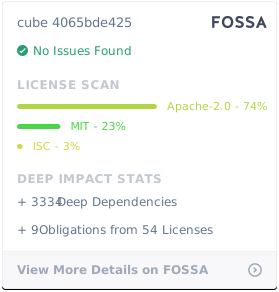
Cube Client is MIT licensed.
Cube Backend is Apache 2.0 licensed.