ch-ucharts
v1.0.3
Published
qiun-data-charts的node_modules版本


Readme

ch-ucharts 简介
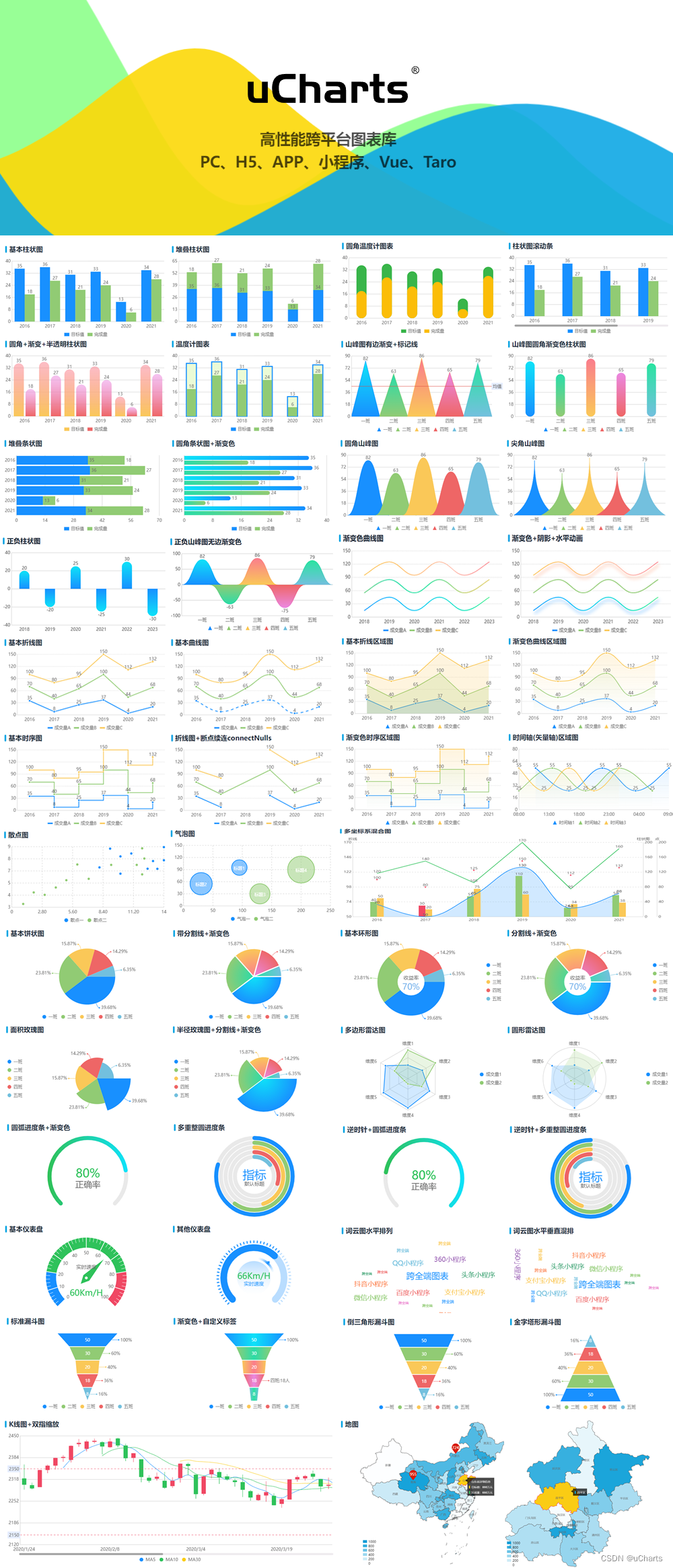
uCharts是一款基于canvas API开发的适用于所有前端应用的图表库,开发者编写一套代码,可运行到 Web、iOS、Android(基于 uni-app
/
taro )、以及各种小程序(微信/支付宝/百度/头条/飞书/QQ/快手/钉钉/淘宝)、快应用等更多支持 canvas
API 的平台。ch-ucharts 是 ucharts 的非 uni_modules 版本,支持 npm 方式安装,兼容 vue2 和 vue3 版本的 uniapp 开发。
ucharts 官方网站
https://www.ucharts.cn
快速体验
一套代码编到多个平台,依次扫描二维码,亲自体验 uCharts 图表跨平台效果!其他平台请自行编译。

快速开始
安装
npm install ch-uchartsjs 部分
import { ref, watch } from 'vue';
import { onShow } from '@dcloudio/uni-app';
import ucharts from 'ch-ucharts';
const props = defineProps({
  data: {
    type: Object,
    default: () => ({
      categories: [
        '2000',
        '2001',
        '2002',
        '2003',
        '2004',
        '2005',
        '2006',
        '2007',
        '2008',
        '2009',
        '2010',
        '2011',
        '2012',
        '2013',
        '2014',
        '2015',
        '2016',
        '2017',
        '2018',
        '2019',
        '2020',
      ],
      series: [
        {
          name: '',
          data: [
            35, 8, 25, 37, 4, 20, 35, 8, 25, 37, 4, 20, 35, 8, 25, 37, 4, 20,
            11, 20, 15,
          ],
        },
      ],
    }),
  },
  showLegend: {
    type: Boolean,
    default: false,
  },
})

const chartData = ref(JSON.parse(JSON.stringify(props.data)))

// 监听数据变化从而更新图形
watch(
  () => props.data,
  (val) => {
    chartData.value = JSON.parse(JSON.stringify(val))
  },
  {
    immediate: true,
    deep: true,
  },
)

onShow(() => {
  // 屏幕尺寸变化时更新数据重绘图形
  const windowResizeCallback = () => {
    chartData.value = JSON.parse(JSON.stringify(props.data))
  };
  uni.onWindowResize(windowResizeCallback);
})

const opts = {
  // width: '100%',
  // height: '100%',
  color: [
    // '#1890FF',
    '#F7941A', // 黄色
    '#91CB74',
    '#FAC858',
    '#EE6666',
    '#73C0DE',
    '#3CA272',
    '#FC8452',
    '#9A60B4',
    '#ea7ccc',
  ],
  dataLabel: false, // 隐藏线上面数据文字显示
  dataPointShape: false, // 隐藏数据节点
  padding: [0, 0, 0, 0],
  enableScroll: false,
  legend: {
    show: false,
  },
  xAxis: {
    disableGrid: true,
    disabled: true,
    axisLine: false, // 坐标轴线
    fontColor: 'transparent',
  },
  yAxis: {
    gridType: 'dash',
    dashLength: 2,
    disabled: true,
    gridColor: 'transparent',
    data: {
      0: {
        fontColor: 'transparent',
      },
    },
  },
  extra: {
    area: {
      type: 'curve', // straight: 直线,curve:曲线
      opacity: 0.2,
      addLine: true,
      width: 2,
      gradient: false,
      activeType: 'hollow',
    },
    tooltip: {
      showBox: false
    }
  },
}
html 部分
<div class="chart-box">
    <ucharts type="area" :chartData="chartData" :opts="opts" />
</div>
css 部分
.chart-box {
  width: 100%;
  height: 100%;
}
easycom 方式引入组件
为了兼容小程序,需要使用 easycom 方式引入 ucharts 相关组件
"easycom": {
  // 自动导入组件
  "autoscan": true,
  "custom": {
    "^qiun-(.*)": "ch-ucharts/components/qiun-$1/qiun-$1.vue"
  }
}
视频教程
uCharts 新手入门教程
教程链接
版权信息
uCharts 始终坚持开源,遵循 Apache Licence 2.0 开源协议,意味着您无需支付任何费用,即可将 uCharts 应用到您的产品中。
注意:这并不意味着您可以将 uCharts 应用到非法的领域,比如涉及赌博,暴力等方面。如因此产生纠纷或法律问题,uCharts 相关方及秋云科技不承担任何责任。
合作伙伴