
chapa-cli
v0.7.0
Published
Link a second GitHub account (EMU) to your Chapa developer impact badge

Maintainers
 juan294
Readme
chapa-cli


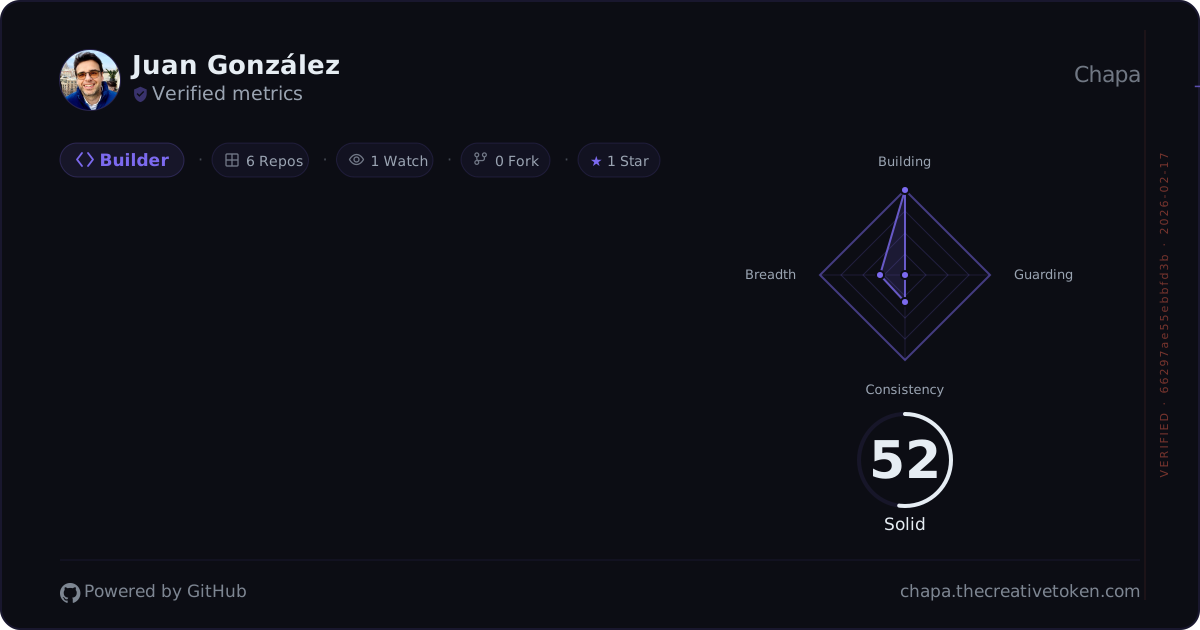
Link a second GitHub account, such as a GitHub Enterprise Managed User (EMU) work account, to your Chapa developer impact badge.
Why?
If you use a GitHub EMU account at work, your contributions live on a separate identity from your personal GitHub. Chapa badges only see your personal account. This CLI links the second account to your Chapa profile. Chapa then collects that account's activity every day and counts it in your badge, the same way it counts your personal account.
Install
npm install -g chapa-cliRequires Node.js 20+.
Quick start
# 1. Log in with your personal GitHub (opens browser)
chapa login

# 2. Create a token on your EMU account with scopes: repo, read:user, read:org
#    Settings > Developer settings > Personal access tokens (on your EMU account)
#    If your org uses SAML SSO, also authorize the token for your org (see below)

# 3. Link the EMU account to your Chapa profile
chapa merge --emu-handle your-emu-handle --emu-token ghp_your_emu_token
Commands
chapa login
Authenticate with the Chapa server. Opens a browser window where you approve the CLI with your personal GitHub account.
chapa login
chapa login --server http://localhost:3001  # local dev
chapa login --insecure                       # corporate TLS interception
chapa login --verbose                        # debug polling
When you log in to a non-default server, that server is saved in ~/.chapa/credentials.json.
Later merge, unlink and insights commands will reuse it until you pass --server explicitly.
chapa logout
Clear stored credentials from ~/.chapa/credentials.json.
chapa logoutchapa insights
Upload a Claude Code insights HTML report to your Chapa badge.
chapa insights --file ~/Downloads/claude-code-insights.html
chapa insights --file report.html --json     # structured output
chapa insights --file report.html --verbose  # debug output on stderr
chapa insights --file report.html --json --verbose
chapa merge
Link a second GitHub account (for example your EMU account) to the Chapa profile you logged in with.
chapa merge --emu-handle your-emu-handleGive the second account's token with the --emu-token flag or the GITHUB_EMU_TOKEN environment variable.
The CLI sends the handle and the token once to the Chapa server. The server checks with GitHub that the token belongs to that handle and has the required scopes. Then it stores the token encrypted and collects the account's activity every day. Your badge updates after the next collection. You do not need to run merge again unless the token expires or is revoked.
When the link succeeds, the CLI prints:
Linked your-emu-handle to your-handle. Chapa will collect your-emu-handle's activity daily; your badge updates after the next collection.If the second account also has its own Chapa profile, Chapa removes that profile when you link, so that the same work does not show on two badges. The CLI prints Removed the duplicate profile. If the removal fails, the link stays and the CLI asks you to run the same command again. A server that predates this change still asks you to contact support.
If the server refuses the token (wrong account, missing scopes, already linked to another profile), the CLI prints the reason, the required scopes and a link to EMU token setup. When the token is rejected, expired or revoked, create a new token and run:
npx chapa-cli@latest merge --emu-handle your-emu-handle --emu-token <token>If you previously logged in against a custom server, merge will keep using that saved server until you override it:
chapa merge --emu-handle your-emu-handle --server https://chapa.thecreativetoken.comRequired token scopes: repo, read:user, read:org. If your organization uses SAML SSO, also authorize the token for the organization.
See EMU token setup for step-by-step instructions.
chapa unlink
Remove the linked GitHub account from your Chapa profile. The server deletes the stored token and stops collecting the account's activity. Your badge updates after the next collection.
chapa unlink
chapa unlink --json
Options
| Flag | Description |
|------|-------------|
| --emu-handle <handle> | GitHub handle of the account to link (required for merge) |
| --emu-token <token> | GitHub token of that account (or set GITHUB_EMU_TOKEN). Scopes: repo, read:user, read:org |
| --handle <handle> | Override personal handle (auto-detected from login) |
| --token <token> | Override auth token (auto-detected from login) |
| --file <path> | Path to Claude Code insights HTML file (required for insights) |
| --server <url> | Chapa server URL. HTTPS is required except for local loopback URLs such as http://localhost:3001. |
| --verbose | Show debug output, timings, and request status on stderr. Tokens are never printed. |
| --json | Output structured results on stdout. Can be combined with --verbose. |
| --insecure | Skip TLS certificate verification |
| --version, -v | Show version number |
| --help, -h | Show help message |
Corporate networks
Many corporate networks use TLS interception (MITM proxies). If you see errors like:
UNABLE_TO_VERIFY_LEAF_SIGNATURESELF_SIGNED_CERT_IN_CHAINself-signed certificate in certificate chain
Use the --insecure flag:
chapa login --insecure
chapa merge --emu-handle your-emu --insecure
This disables TLS certificate verification for the CLI session only.
--insecure does not allow plain HTTP servers. For token-bearing requests, the CLI requires HTTPS unless the server is a local loopback URL such as http://localhost.
EMU token setup
Your EMU token is a GitHub personal access token created on your EMU (work) account — not your personal account.
Step 1: Create the token
- Log into GitHub with your EMU account
- Go to Settings → Developer settings → Personal access tokens → Tokens (classic)
- Click Generate new token (classic)
- Give it a descriptive name (e.g.
chapa-cli) - Select these scopes:
| Scope | Why |
|-------|-----|
| repo | Access repository data, PR details, lines changed, commit history |
| read:user | Contribution calendar, profile info |
| read:org | Repos in your enterprise org |
- Click Generate token and copy it
Step 2: Authorize for SAML SSO (if applicable)
Most enterprise GitHub organizations enforce SAML single sign-on. If yours does, the token must be explicitly authorized for the org — otherwise PR details and repo data will be blocked.
- Go to Settings → Developer settings → Personal access tokens
- Find the token you just created
- Click Configure SSO
- Click Authorize next to your enterprise organization
If the token is not authorized for SSO, Chapa cannot read the organization's repositories, and that work does not count in your badge. Authorizing the same token later is enough; you do not need to link again.
Step 3: Link the account
Chapa uses this token every day to collect the account's activity. If the token has an expiration date, link again with a new token before it expires.
Either pass it directly:
chapa merge --emu-handle your-emu-handle --emu-token ghp_your_tokenOr set it as an environment variable (recommended):
export GITHUB_EMU_TOKEN=ghp_your_token
chapa merge --emu-handle your-emu-handle
Troubleshooting
| Symptom | Cause | Fix |
|---------|-------|-----|
| The token needs these scopes | Token is missing repo, read:user or read:org | Create a token with all three scopes and run merge again |
| GitHub rejected this token | Token expired, revoked or mistyped | Create a new token and run npx chapa-cli@latest merge --emu-handle <handle> --emu-token <token> |
| This token belongs to a different GitHub account | --emu-handle and the token do not match | Use the token of the account named in --emu-handle |
| already linked to another Chapa profile | The account is linked to a different Chapa profile | Log in as that profile and run chapa unlink first |
| Run chapa login | CLI login is missing or expired | Run chapa login |
| has its own linked GitHub account | The second account already has a linked account of its own | Sign in as the second account, run chapa unlink, then link it again |
| could not remove it | Chapa could not remove the second account's own profile | Run the same command again |
| Try again (503) | Chapa or GitHub was temporarily unavailable | Run the same command again |
| Server returned 410 | An old CLI version | Run npx chapa-cli@latest merge --emu-handle <handle> --emu-token <token> |
| This Chapa server does not support linking | The server is older than this CLI | Try again after the server is updated |
| TLS certificate errors | Corporate TLS interception | Use --insecure flag |
Run with --verbose for debug output with timings and request status. Tokens are never printed.
How it works
Login: The CLI generates a session ID, displays an authorization URL, and polls the Chapa server until you approve in the browser. Credentials are saved to
~/.chapa/credentials.json.Merge: The CLI sends the second account's handle and token once to the Chapa server (
POST /api/github-linked, in the request body, authenticated with your Chapa CLI login). The server verifies that the token belongs to that account, stores it encrypted, and collects the account's activity every day as a second GitHub source of your profile. The CLI then reads the link status once and prints it.Unlink: The CLI asks the Chapa server to delete the link and its stored token.
Insights: The CLI parses a Claude Code insights HTML report (exported from your browser), extracts session metrics, tool usage, and language data, then uploads it to the Chapa server to compute your Craft Score.
Token handling
- The CLI never writes the second account's token to disk, to logs (including
--verboseoutput) or to telemetry. - The token travels only in the JSON body of one HTTPS request to the Chapa server. It is never sent in a request header.
- The Chapa server stores the token encrypted and uses it only to collect the linked account's activity.
chapa unlinkdeletes it. - Revoking the token on GitHub also stops collection. Chapa then shows that the linked account needs a new token.
Contributing
Contributions are welcome! See CONTRIBUTING.md for development setup and guidelines.
License
MIT