
char_converter
v1.0.6
Published
An open-source package for converting Chinese character variants to standard simplified or traditional characters.

Maintainers
 yukiyuqichen
Readme

Online Demo
Install
npm install char_converterUpdate
Important Note: We have been checking and updating the data from time to time. When initializing the converter, two options ("online" and "offline") are both available. If choosing "online", the data will be retrieved directly from the updated online source. If choosing "offline", please run the following command to ensure the package is the latest version regularly to check if the data is up-to-date.
npm install char_converter@latestUsage (HTML)
<script src="https://unpkg.com/char_converter@latest/dist/bundle.js"></script>
<script>
  const CharConverterClass = CharConverter.default;

  const converter = new CharConverterClass('v2t', 'offline');
  converter.setMode('one2many');

  async function testConversion() {
    const result = await converter.convert('鈡𩄇毓秀');
    console.log(result);
  }

  testConversion();
</script>
Usage (JavaScript)
- Mode: one2one
const CharConverter = require('char_converter');

const text = '苟馀情其訫姱㠯练要兮,镸顑頷亦何伤。';

const converter = new CharConverter('v2t', source = 'online'); // Variant to Traditional
converter.setMode('one2one');
const convertedText = converter.convert(text);
console.log(convertedText); // 苟餘情其信姱以練要兮,長顑頷亦何傷。

const converter = new CharConverter('v2s', source = 'online'); // Variant to Simplified
converter.setMode('one2one');
const convertedText = converter.convert(text);
console.log(convertedText); // 苟余情其信姱以练要兮,长顑颔亦何伤。- Mode: one2many
const CharConverter = require('char_converter');

const text = '鈡𩄇毓秀'

const converter = new CharConverter('v2t', source = 'online'); // Variant to Traditional
converter.setMode('one2many');
const convertedText = converter.convert(text);
console.log(convertedText); // 【鍾|鐘】靈毓秀
Data source

Dictionary of Variant Chinese Characters
General Standard Chinese Characters Table
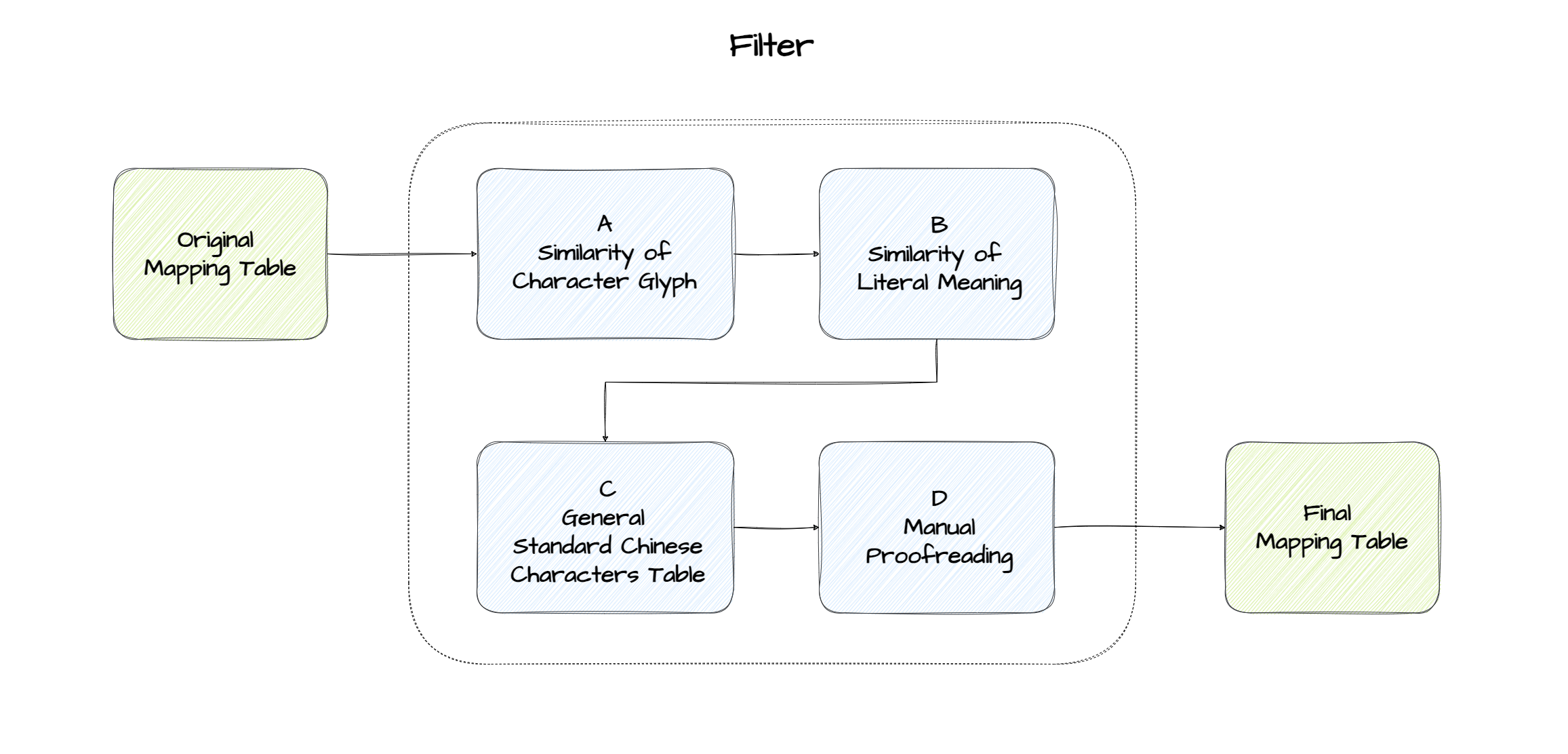
Data filtering
Contributors
Yuqi Chen (data collection and programming)
Hongsu Wang (project manager)
Yiyi Wang (proofreading)
Fengyi Ji (data collection)
Kaini Xiong (proofreading)
License
