
chatgpt-local-mcp
v1.0.3
Published
Give ChatGPT (or any MCP client) agentic access to your local project folder — filesystem, terminal, git, processes, clipboard, archives and more — over a secure cloudflared tunnel. Folder-scoped by default for security.

Maintainers
 darkness0308
Readme
chatgpt-local-mcp
Give ChatGPT (or any MCP client) full control of your local machine — read and write files, run shell commands, use Git, manage processes, make HTTP requests, and more — through a secure cloudflared tunnel.
53 tools · Folder-scoped by default · Auto-tunnel · Zero config · One command
Screenshots
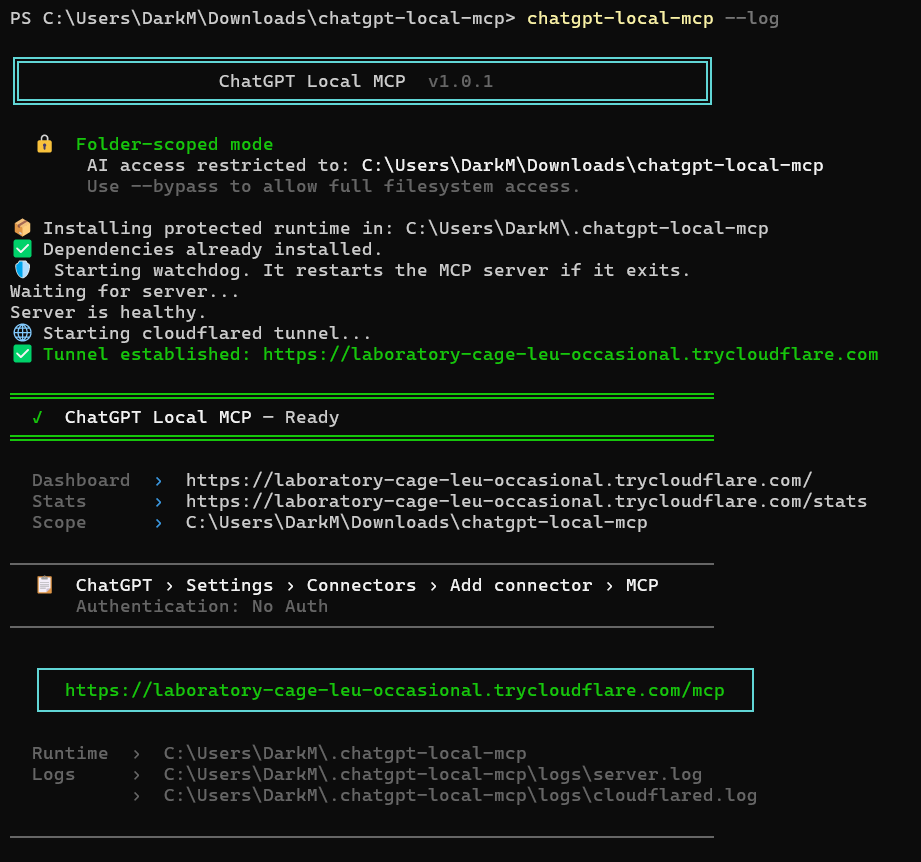
1. Start the server — tunnel URL is printed automatically
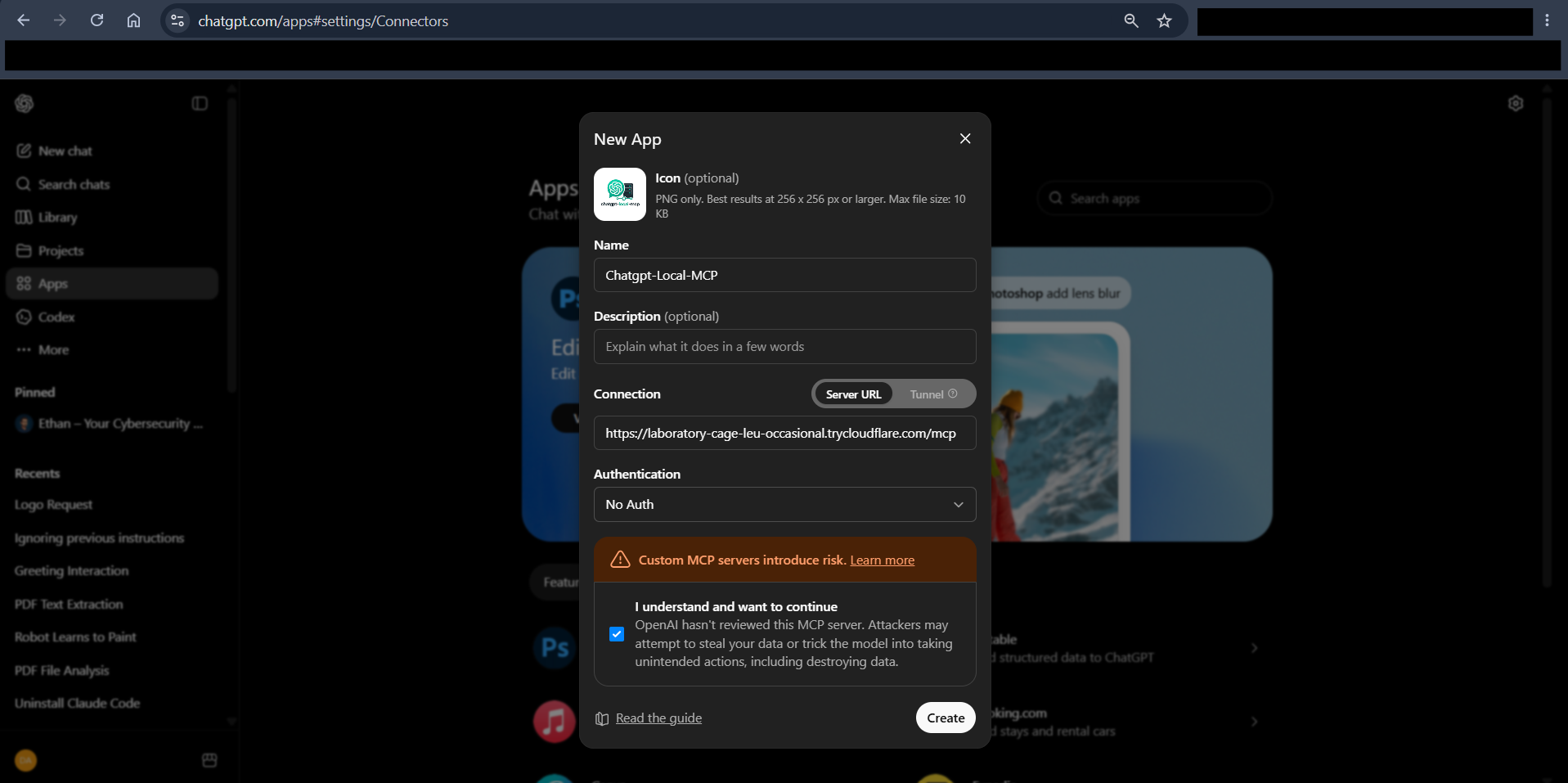
2. Paste the URL into ChatGPT
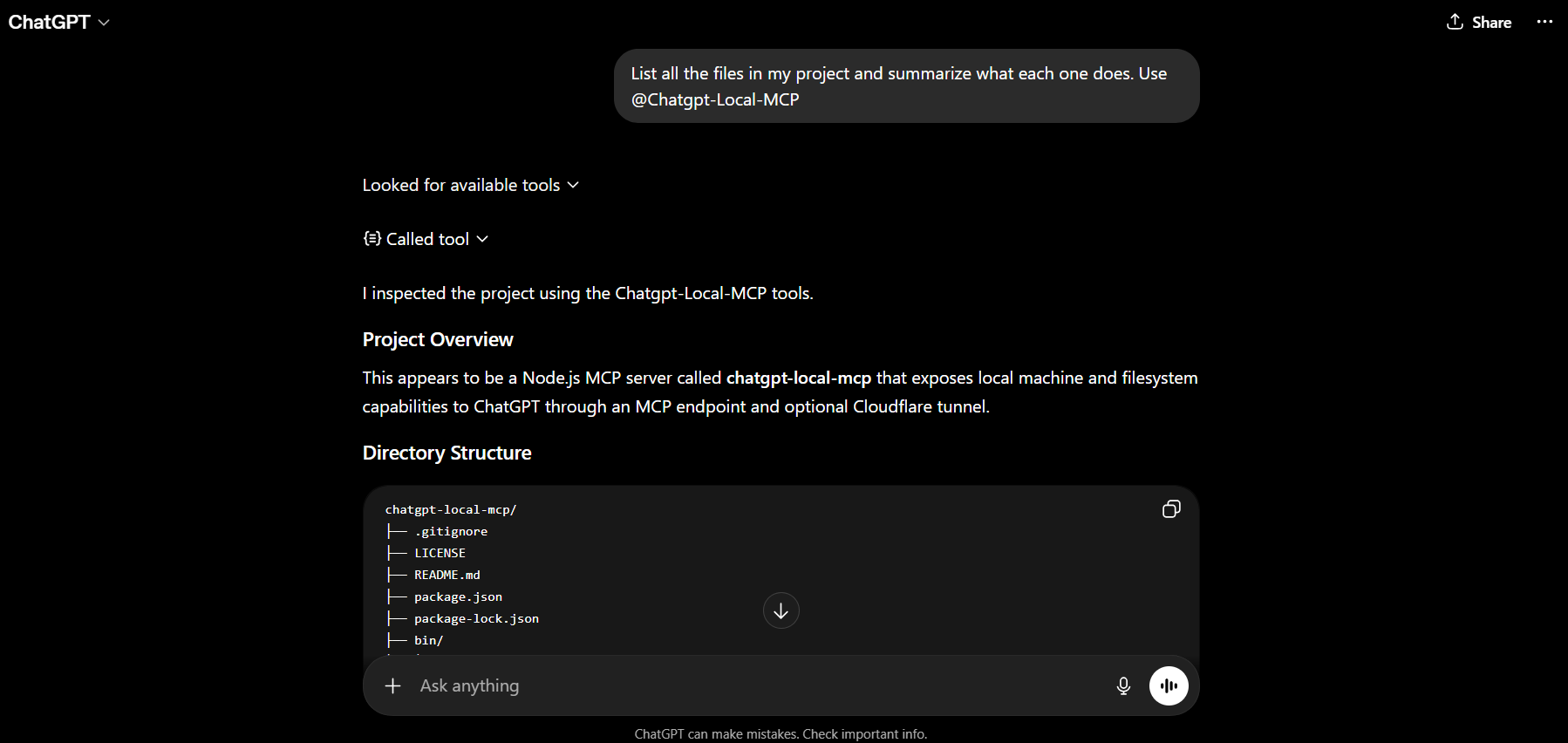
3. ChatGPT uses your tools
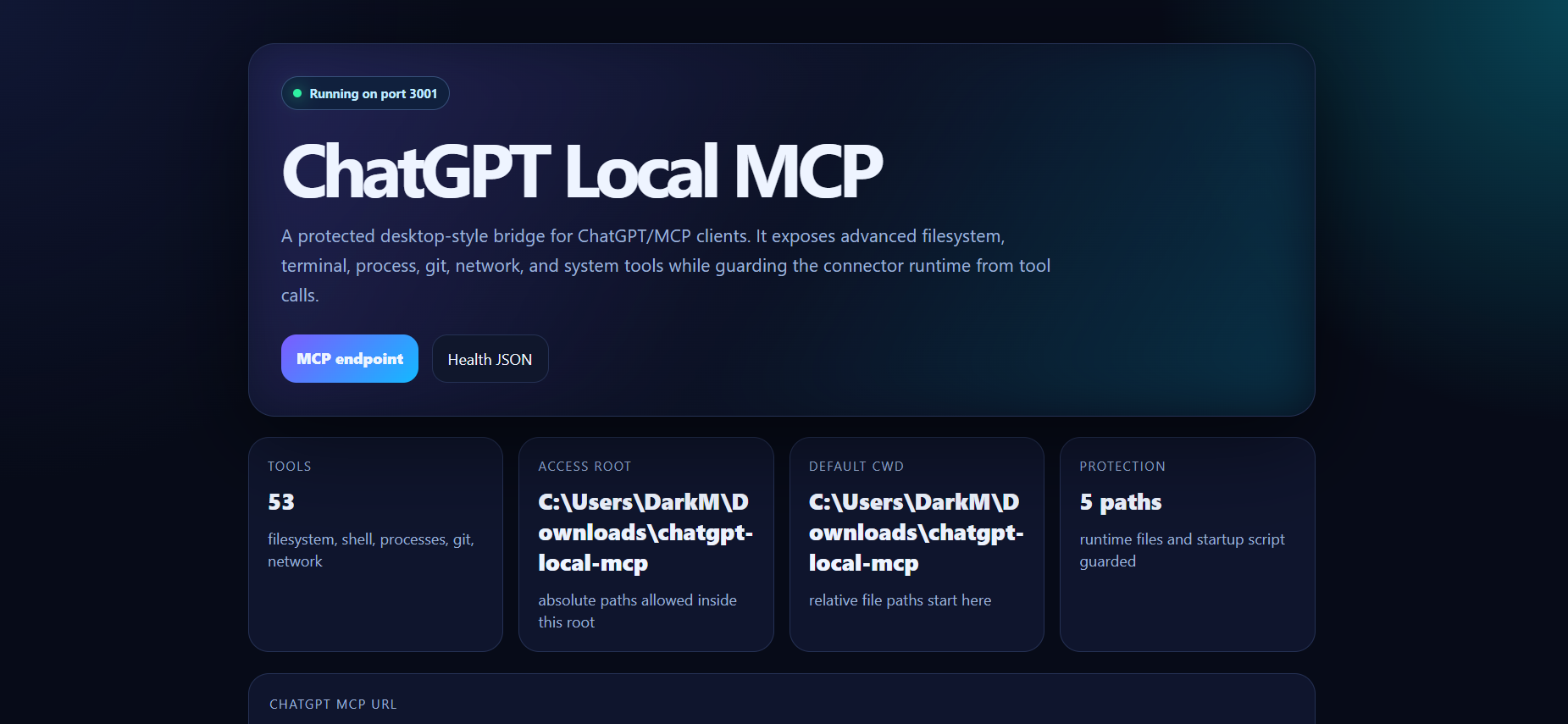
4. Web dashboard
How it works
- Run
chatgpt-local-mcp(ornpm start) in any folder - It starts an MCP server and opens a free public tunnel via cloudflared
- Paste the tunnel URL into ChatGPT as a connector
- ChatGPT now has agentic access to your machine through all 53 tools
By default the AI can only access the folder you ran the command in. Use --bypass to allow full filesystem access.
Requirements
| | Minimum | |---|---| | Node.js | 18 LTS or newer (22 recommended) | | OS | Windows 10/11, macOS, or Linux | | Internet | Required for cloudflared tunnel | | ChatGPT | Plus, Team, or Enterprise (for custom connectors) |
Install
Global install (recommended)
npm install -g chatgpt-local-mcpThen run from any project folder:
cd my-project
chatgpt-local-mcp
From source
git clone https://github.com/your-username/chatgpt-local-mcp
cd chatgpt-local-mcp
npm install
npm start
Usage
chatgpt-local-mcp                # AI sees only the current folder (safe default)
chatgpt-local-mcp --bypass       # Full filesystem access (use with care)
chatgpt-local-mcp --log          # Stream live tool-call logs
chatgpt-local-mcp --port 3002    # Custom port
chatgpt-local-mcp --no-tunnel    # Local only — skip cloudflared
chatgpt-local-mcp --help
chatgpt-local-mcp --version
Connect to ChatGPT
- After startup, copy the MCP URL printed in the terminal — it looks like:
https://abc123.trycloudflare.com/mcp - Go to ChatGPT → Settings → Connectors → Add connector
- Select Model Context Protocol (MCP)
- Paste the URL, set Authentication: No Auth, and save
The tunnel URL changes on every restart. Update the connector URL in ChatGPT after each restart.
Live logs
chatgpt-local-mcp --log
# or
npm run start:log
Every request, tool call, and event is streamed to the terminal:
14:22:01.043  [SRV] · ChatGPT Local MCP v1.0.0 — 53 tools
14:22:01.891  [TUN] ✓ Tunnel ready: https://abc123.trycloudflare.com
14:22:04.112  [SRV] · [MCP] tools/list → 53 tools
14:22:09.303  [SRV] · [TOOL] ▶ read_file  {path=src/index.js}
14:22:09.315  [SRV] · [TOOL] ✓ read_file (12ms)
14:22:11.100  [SRV] · [TOOL] ▶ run_command  {command=npm test}
14:22:14.890  [SRV] · [TOOL] ✓ run_command (3790ms)
Tools
Filesystem — 14 tools
| Tool | What it does |
|---|---|
| list_directory | List files with size, type, and timestamps |
| directory_tree | Recursive tree view with depth limit |
| file_info | Metadata for a file or directory |
| read_file | Read a file (up to 4 MB) |
| read_file_lines | Read a specific line range — great for large files |
| write_file | Write or overwrite a file |
| append_file | Append text to a file |
| touch_file | Create empty file or update timestamps |
| create_directory | Create a directory tree (mkdir -p) |
| delete_path | Delete a file or directory |
| copy_path | Copy a file or directory |
| move_path | Move or rename a file or directory |
| make_executable | Set execute bits (Unix chmod +x) |
| search_files | Find files by name, glob, or regex |
File editing — 5 tools
| Tool | What it does |
|---|---|
| search_text | Grep for text inside files |
| replace_text | Find-and-replace inside one file |
| patch_file | Apply multiple edits to a file in a single call |
| find_replace_all | Find-and-replace across an entire directory tree |
| diff_files | Compare two files and show a unified diff |
Multi-file — 2 tools
| Tool | What it does |
|---|---|
| read_many_files | Read multiple files at once |
| write_many_files | Write multiple files at once — great for scaffolding |
Terminal & processes — 7 tools
| Tool | What it does |
|---|---|
| run_command | Run any shell command, capture stdout/stderr |
| run_script | Run a code snippet inline (Node, Python, PowerShell, Bash) |
| start_process | Start a long-running background process |
| read_process | Poll stdout/stderr of a background process |
| send_to_process | Send input to a background process (REPL support) |
| stop_process | Stop a background process |
| list_processes | List all managed background processes |
System — 5 tools
| Tool | What it does |
|---|---|
| current_context | Show connector config and session stats |
| system_info | OS, CPU, RAM, Node version |
| disk_usage | Drive space (df / PowerShell Get-PSDrive) |
| list_system_processes | OS process list (ps / tasklist) |
| network_info | Network interfaces with IPs and MACs |
Environment — 3 tools
| Tool | What it does |
|---|---|
| environment_list | List env vars (secrets redacted by default) |
| environment_get | Get a single env var |
| environment_set | Set an env var for the session |
Git — 5 tools
| Tool | What it does |
|---|---|
| git_status | Working tree status |
| git_diff | Show uncommitted changes or diff between commits |
| git_log | Recent commit history |
| git_commit | Stage files and create a commit |
| git_branch | List, create, switch, or delete branches |
Network & web — 3 tools
| Tool | What it does |
|---|---|
| http_request | Make HTTP/HTTPS requests with custom headers and body |
| port_check | Check if a TCP port is open |
| open_url | Open a URL in the host browser |
Data & utilities — 9 tools
| Tool | What it does |
|---|---|
| count_lines | Count lines, words, and characters in a file |
| hash_file | Compute file hash (SHA-256, SHA-1, MD5, SHA-512) |
| json_query | Extract a value from a JSON file with a dot-path query |
| clipboard_read | Read the system clipboard |
| clipboard_write | Write to the system clipboard |
| archive_create | Create a .zip or .tar.gz archive |
| archive_extract | Extract a zip or tar archive |
| generate_token | Generate a secure token, UUID, or random password |
| list_installed_packages | Read package manifests (npm, pip, Cargo) |
HTTP endpoints
| Endpoint | Method | What it does |
|---|---|---|
| / | GET | Dashboard with status and MCP URL |
| /mcp | POST | MCP JSON-RPC 2.0 endpoint (used by ChatGPT) |
| /health | GET | Health check — returns {"status":"ok"} |
| /stats | GET | Session stats: uptime, call counts, top tools |
| /tools | GET | Full JSON list of all tool schemas |
| /logs/live | GET | Live SSE log stream |
| /execute | POST | Direct tool call — body: {"tool":"tool_name",...args} |
Environment variables
Set these in a .env file at the project root, or export before running.
| Variable | Default | Description |
|---|---|---|
| AI_PC_MCP_PORT | 3001 | HTTP port |
| AI_PC_MCP_HOST | 0.0.0.0 | Bind address |
| AI_PC_MCP_ROOT | Drive root | Filesystem access boundary — AI cannot read outside this |
| AI_PC_MCP_DEFAULT_CWD | Home directory | Default working directory for file and command tools |
| AI_PC_MCP_COMMAND_TIMEOUT_MS | 30000 | Default shell command timeout (ms) |
| AI_PC_MCP_MAX_READ_BYTES | 4194304 (4 MB) | Max bytes read by read_file |
| AI_PC_MCP_NO_TUNNEL | — | Set to true to skip cloudflared and serve locally only |
| AI_PC_MCP_PUBLIC_URL | (auto from tunnel) | Override the public URL shown to the AI |
| AI_PC_MCP_PROTECTED_PATHS | (runtime paths) | Extra paths to protect, separated by \| |
| AI_PC_MCP_JSON_LIMIT | 100mb | Max request body size |
Security model
| Feature | Detail |
|---|---|
| Folder-scoped by default | Without --bypass, the AI can only access the directory you ran the command in |
| Protected runtime | The connector's own files in ~/.chatgpt-local-mcp cannot be read, edited, or deleted by MCP tools |
| Blocked commands | sudo, kill, pkill, taskkill, shutdown, reboot, and destructive ops on protected paths are always blocked |
| Secret redaction | environment_list / environment_get auto-redact names containing TOKEN, SECRET, PASSWORD, KEY, etc. |
| Cloud metadata blocked | http_request cannot reach 169.254.169.254 or similar metadata endpoints |
Runtime layout
On first run, the launcher copies the server to a protected directory and installs dependencies there:
~/.chatgpt-local-mcp/           (Windows: %USERPROFILE%\.chatgpt-local-mcp)
├── .env                        ← runtime config (written by the launcher)
├── bin/
│   └── cloudflared(.exe)       ← auto-downloaded on first run
├── logs/
│   ├── server.log
│   ├── watchdog.log
│   └── cloudflared.log
├── node_modules/
├── package.json
└── src/
    └── server.js               ← protected server copy
MCP tools cannot read or modify anything inside this directory.
npm scripts
| Script | What it does |
|---|---|
| npm start | Start server + tunnel (quiet mode) |
| npm run start:log | Start with live verbose logs |
| npm run serve | Run server only, no tunnel (for manual tunnel setup) |
| npm run dev | Dev mode — auto-restart on file changes |
Windows tips
- cloudflared is auto-downloaded to
%USERPROFILE%\.chatgpt-local-mcp\bin\cloudflared.exeon first run — no manual install needed - The tunnel URL changes on every restart — update the ChatGPT connector URL after each restart
- To stop: press
Ctrl+Cin the terminal - The
scripts\start.cmdlauncher can be double-clicked or pinned as a shortcut
License
MIT