
ckeditor-autosave-plugin
v0.18.2
Published
Auto Save Plugin for the CKEditor which automatically saves the content (via HTML5 LocalStorage)

Maintainers
 markmill
Readme
CKEditor-AutoSave-Plugin
Auto Save Plugin for the CKEditor which automatically saves the content (via HTML5 LocalStorage) temporarly (for example when a login session times out). And after the content is saved it can be restored when the editor is reloaded.
How the Plugin works
The Plugin saves the content every 25 seconds (can be defined in the Config - autosave_delay), but only when the content has changed.
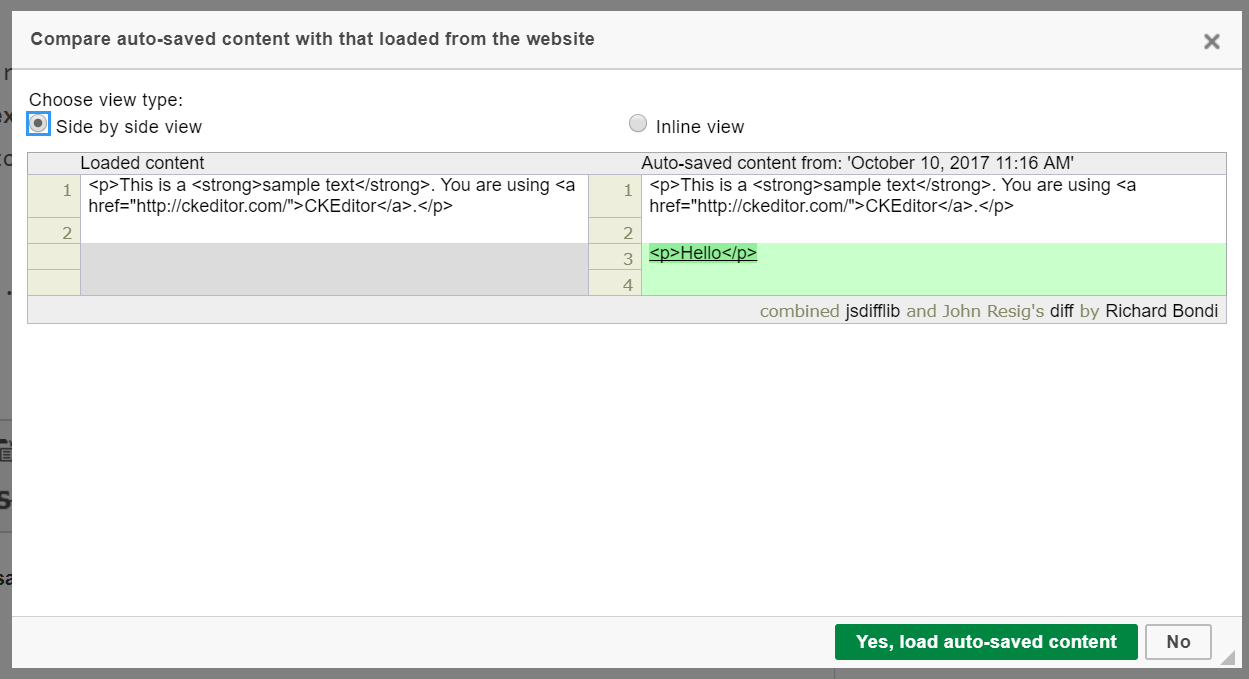
And when the Editor Page is reloaded and auto saved content is found and its different from the content loaded with the editor the user will be asked if the auto saved content should be loaded instead.
License
Licensed under the terms of the MIT License.
Installation
- Extract the contents of the file into the "plugins" folder of CKEditor.
- In the CKEditor configuration file (config.js) add the following code:
config.extraPlugins = 'autosave';To Configure the Plugin the following options are available...
config.autosave = {
      // Auto save Key - The Default autosavekey can be overridden from the config ...
      Savekey : 'autosave_' + window.location + "_" + $('#' + editor.name).attr('name'),

      // Ignore Content older then X
      //The Default Minutes (Default is 1440 which is one day) after the auto saved content is ignored can be overidden from the config ...
      NotOlderThen : 1440,

      // Save Content on Destroy - Setting to Save content on editor destroy (Default is false) ...
      saveOnDestroy : false,

      // Setting to set the Save button to inform the plugin when the content is saved by the user and doesn't need to be stored temporary ...
      saveDetectionSelectors : "a[href^='javascript:__doPostBack'][id*='Save'],a[id*='Cancel']",

      // Notification Type - Setting to set the if you want to show the "Auto Saved" message, and if yes you can show as Notification or as Message in the Status bar (Default is "notification")
      messageType : "notification",

     // Show in the Status Bar
     //messageType : "statusbar",

     // Show no Message
     //messageType : "no",

     // Delay
     delay : 10,

     // The Default Diff Type for the Compare Dialog, you can choose between "sideBySide" or "inline". Default is "sideBySide"
     diffType : "sideBySide",

     // autoLoad when enabled it directly loads the saved content
     autoLoad: false
};
Warning when using Pagespeed Module
If you use the PageSpeed Module with Apache or Nginx, make sure you setup the module to disallow rewrite the plugins js file...
Apache:
ModPagespeedDisallow "*/autosave/js/extensions.min.js*"
Nginx:
pagespeed Disallow "*/autosave/js/extensions.min.js*"