
claude-code-flow-ui
v0.1.3
Published
Visual layer for Claude Code Flow

Maintainers
 andrasp
Readme
Claude Code Flow UI
Visual layer for Claude Code Flow.


A desktop application that provides a visual interface for Claude Code Flow projects. Browse flows, track roadmap progress, explore memory, and review session history from a native app.
Features
- Dashboard - At a glance overview of your project's flows, roadmap status, and recent activity
- Flows Browser - Navigate all active and completed flows with status filters
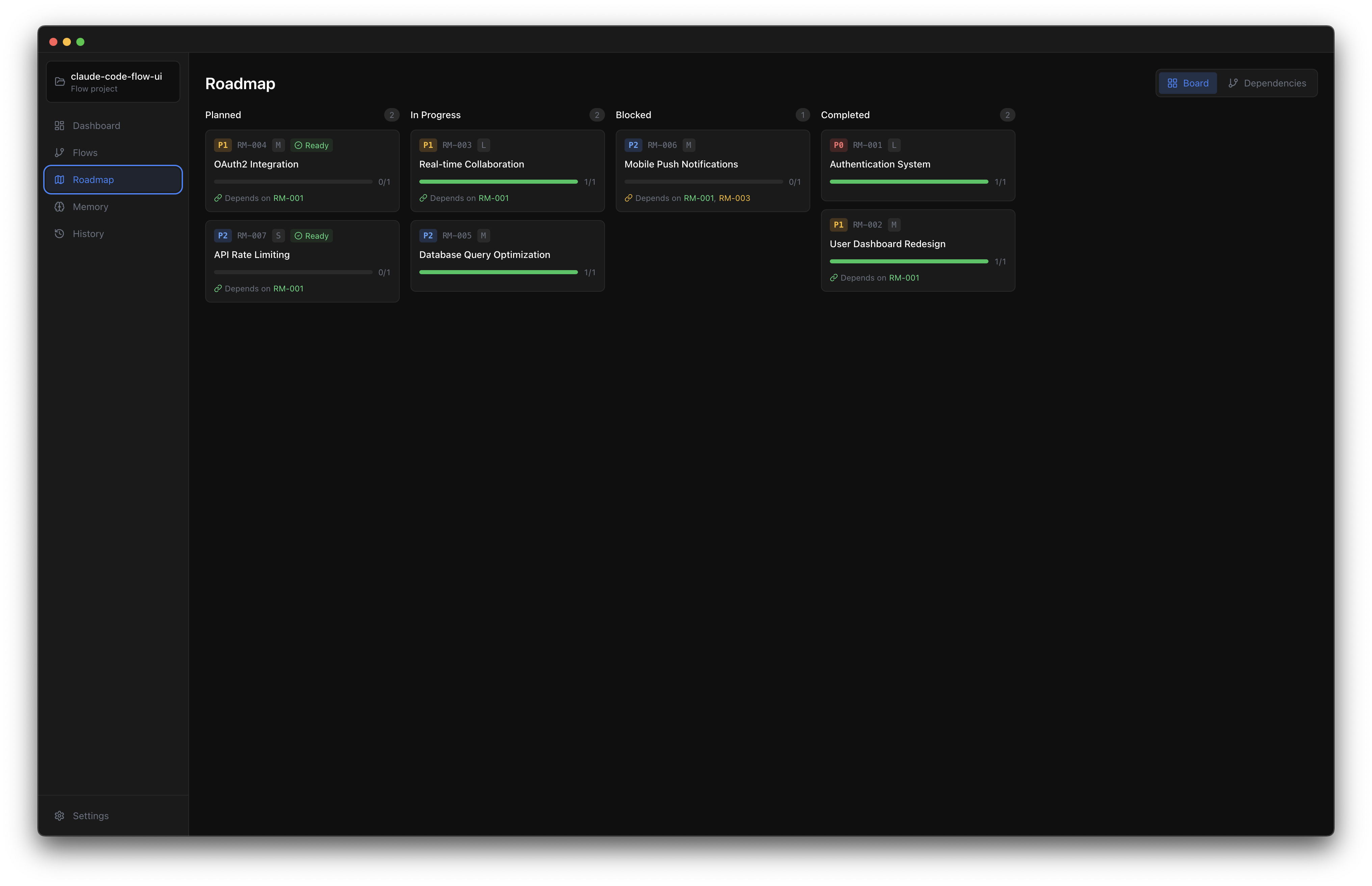
- Roadmap Board - Kanban columns with dependency indicators showing what's ready vs blocked
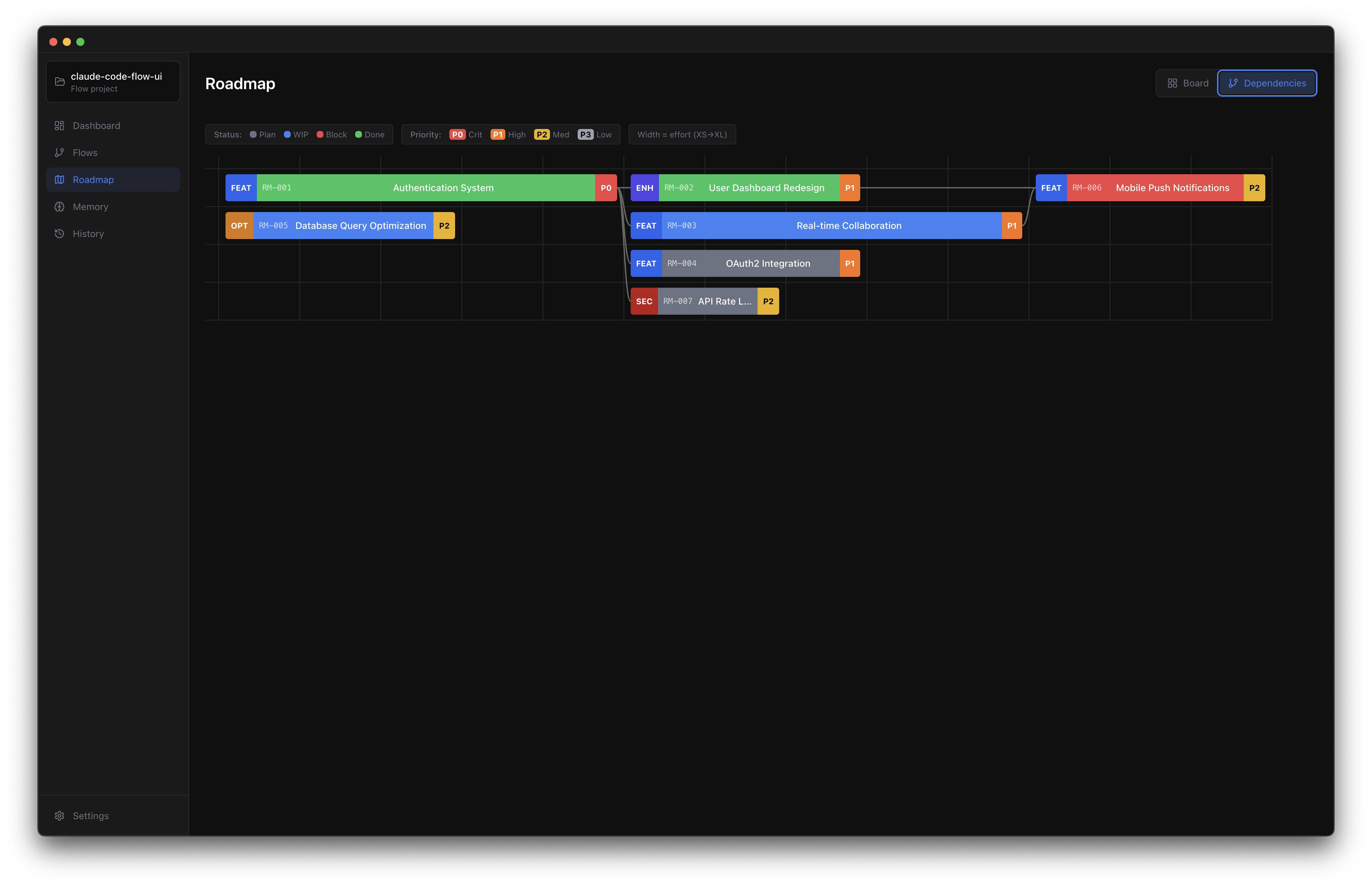
- Roadmap Timeline - Gantt style visualization with dependency arrows, effort sizing, and progress tracking
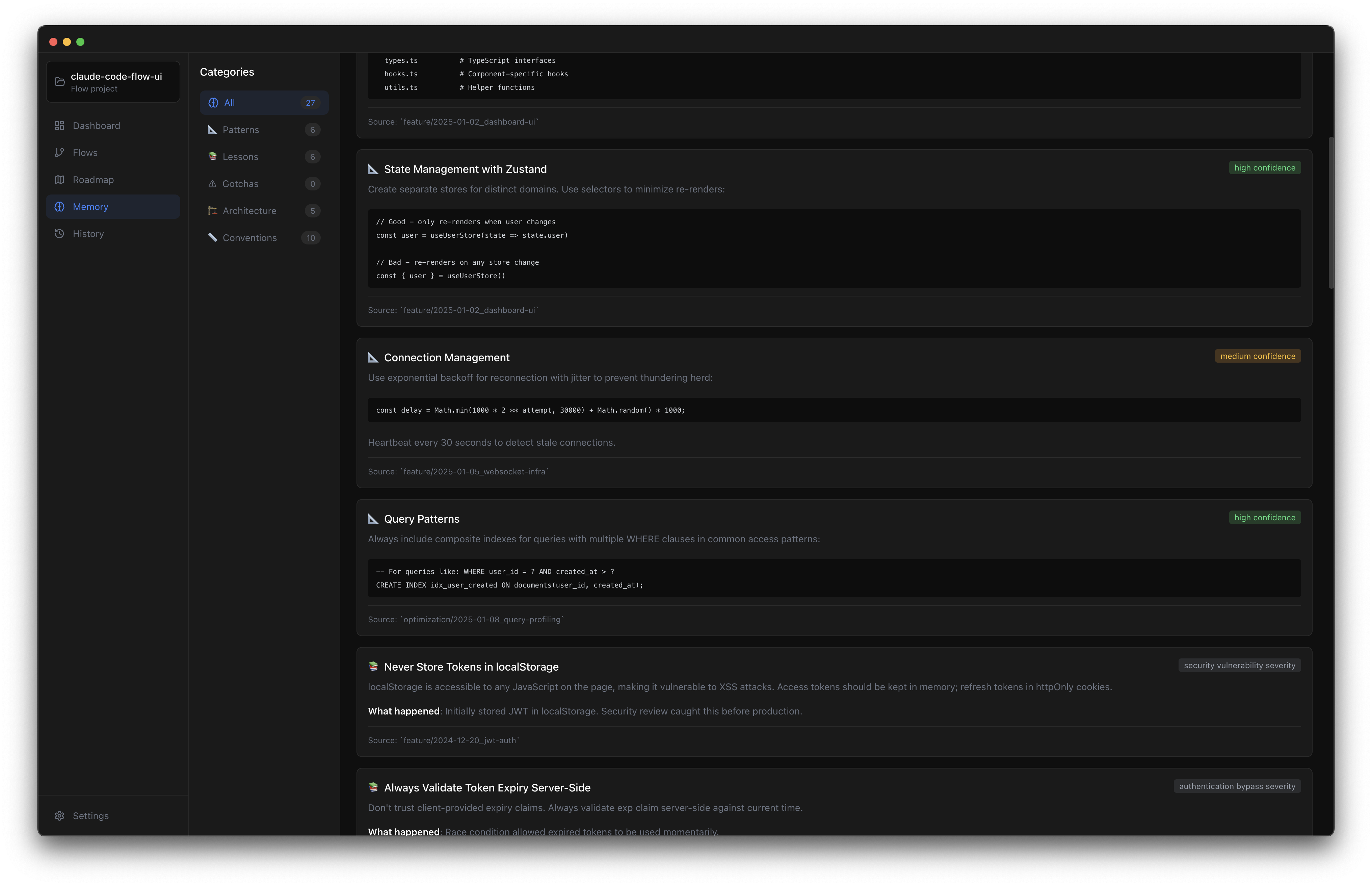
- Memory Explorer - Browse and search your project's accumulated knowledge
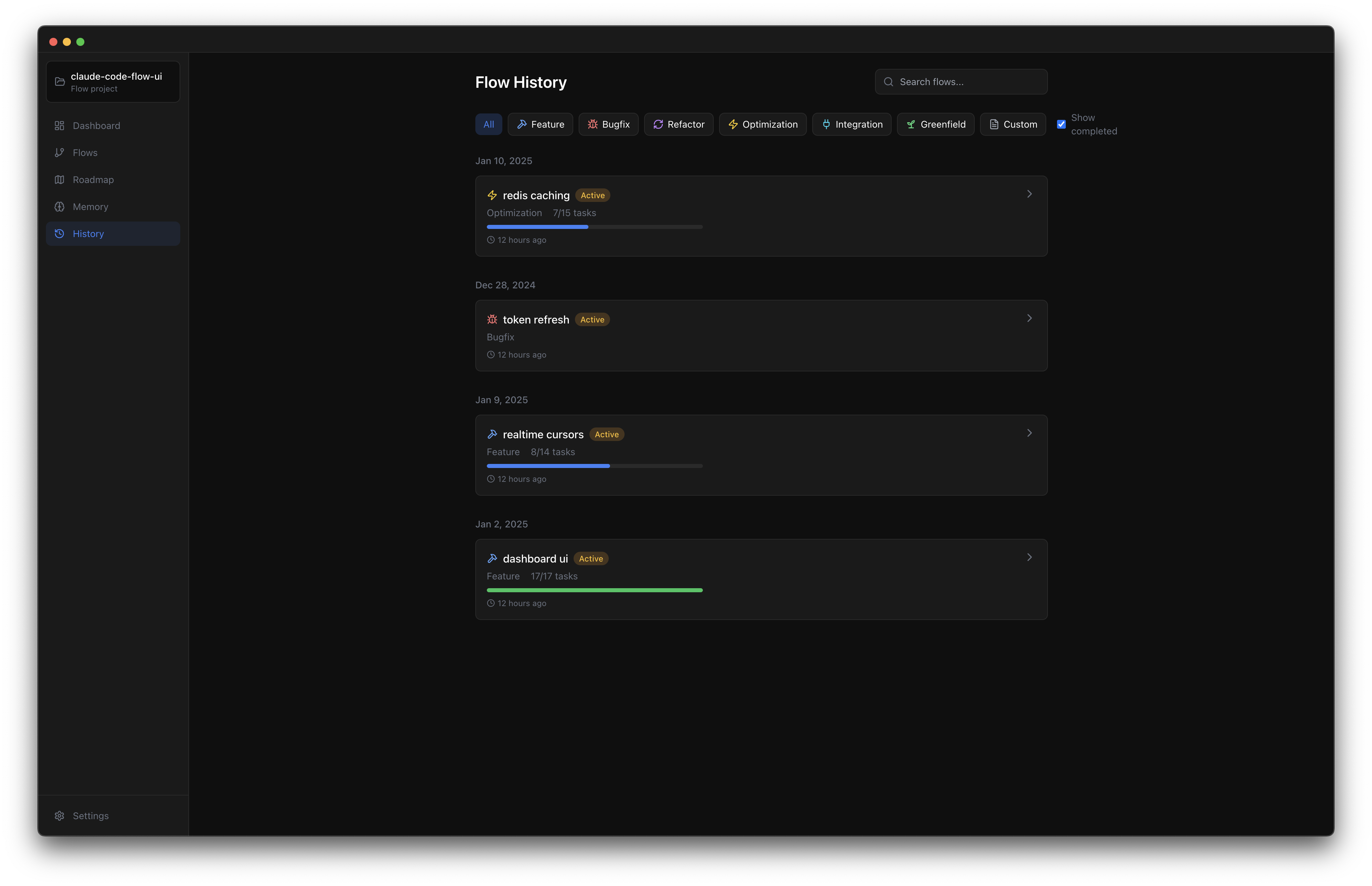
- Session History - Review past flow sessions and their outcomes
- Real time Updates - File watcher automatically refreshes views when context files change
Installation
npm install -g claude-code-flow-uiRequires Node.js 18+.
Usage
# Open UI for current directory
flow-ui

# Open UI for a specific project
flow-ui ~/projects/my-app

# Show help
flow-ui --help
The app expects a docs/context/ directory structure as created by Claude Code Flow.
Views
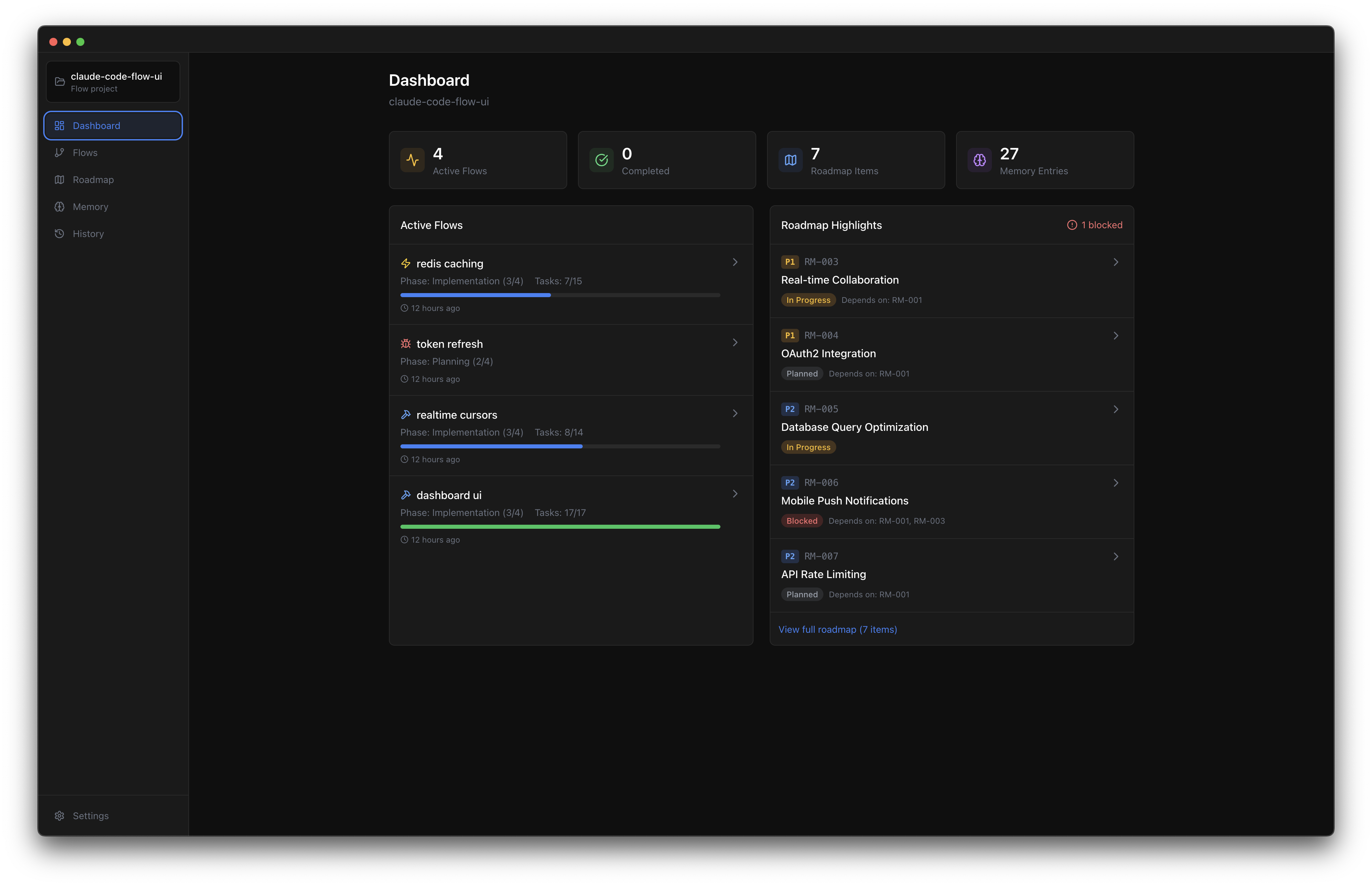
Dashboard
The home screen showing project overview with active flows, roadmap summary, and quick navigation.
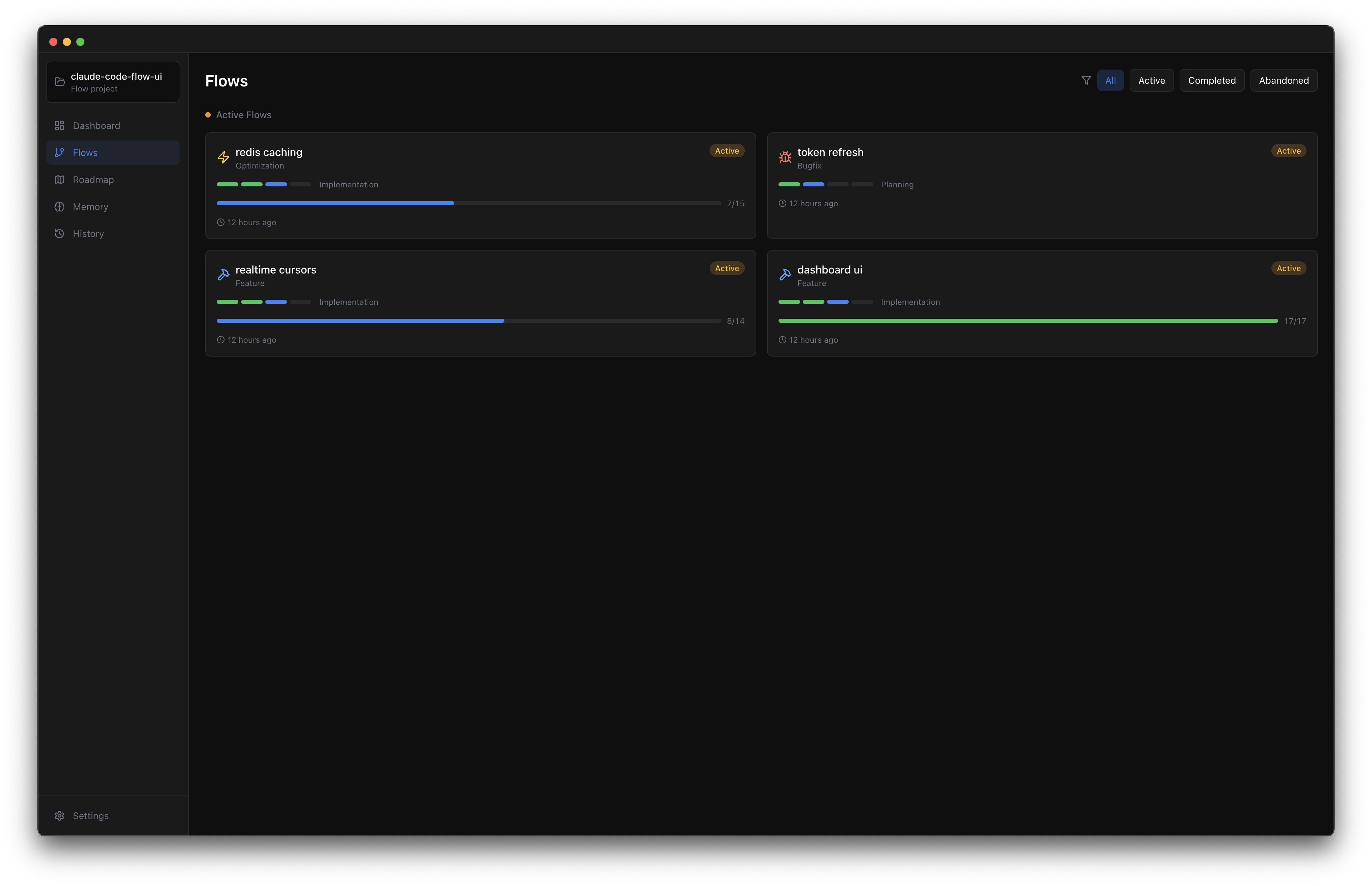
Flows
Browse all flows organized by type (feature, bugfix, refactor, etc.) with status indicators and filtering.
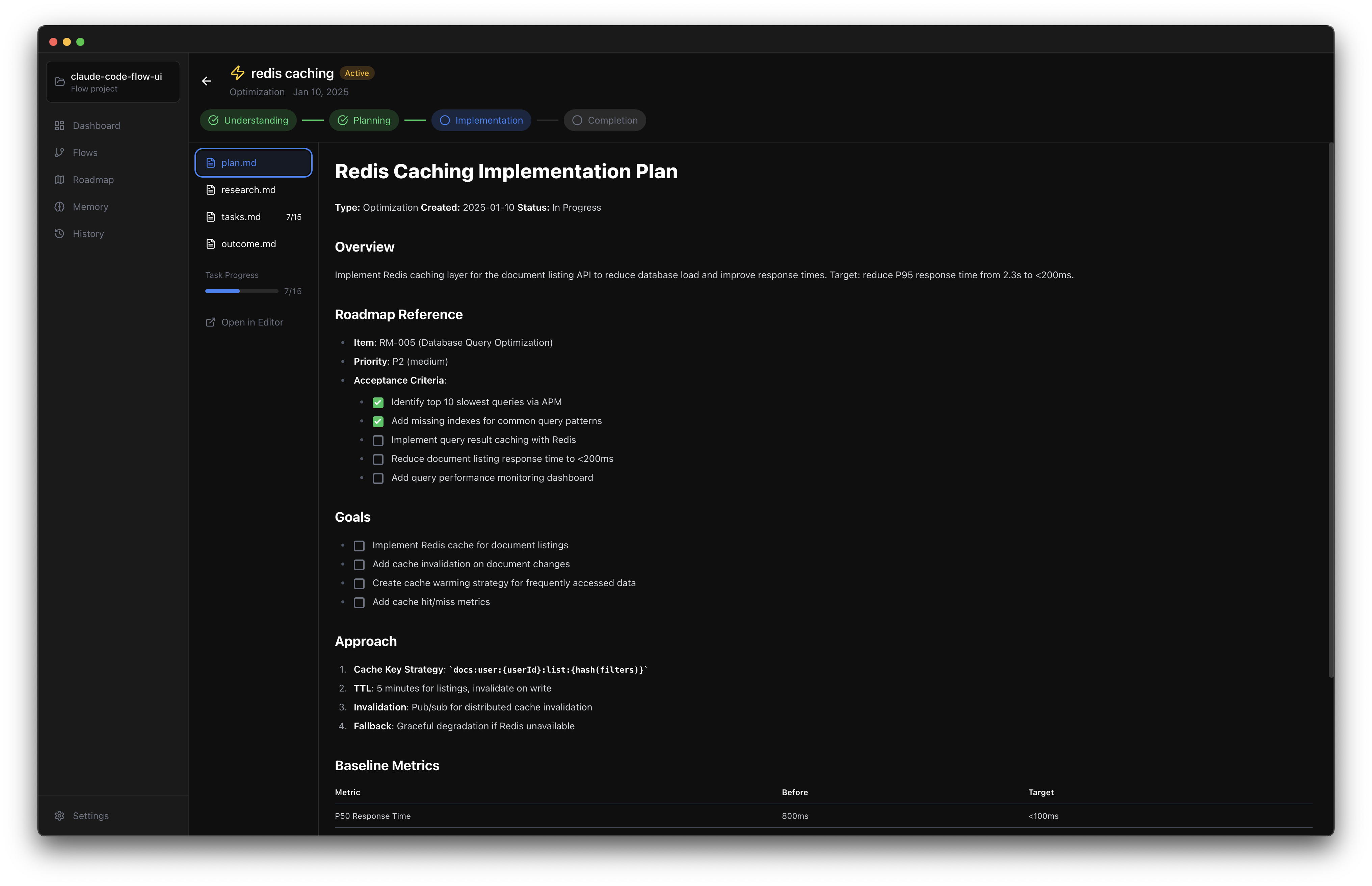
Flow Detail
Deep dive into a specific flow showing phase progress, all documentation (plan, research, tasks, outcome), and related files.
Roadmap Board
Kanban board with columns for Planned, In Progress, and Completed items. Visual badges indicate which items are ready to start (dependencies met) vs which are waiting on other work.
Roadmap Timeline
Gantt style visualization showing all roadmap items on a timeline. Items are sized by effort (XS to XL), colored by priority (P0 to P3), and connected by dependency arrows. Instantly see the critical path and what's blocking what.
Memory
Explore your project's accumulated knowledge across patterns, lessons, architecture notes, conventions, and gotchas.
History
Timeline of past flow sessions with outcomes and lessons learned.
Keyboard Shortcuts
| Shortcut | Action |
|----------|--------|
| Cmd+1 | Dashboard |
| Cmd+2 | Roadmap |
| Cmd+3 | Memory |
| Cmd+4 | History |
| Cmd+O | Open Project |
Development
# Clone the repo
git clone https://github.com/andrasp/claude-code-flow-ui.git
cd claude-code-flow-ui

# Install dependencies
npm install

# Run in development mode
npm run dev
Scripts
| Script | Description |
|--------|-------------|
| npm run dev | Build and run in development mode |
| npm run build | Build for production |
| npm run start | Run the built app |
| npm run typecheck | Run TypeScript type checking |
Tech Stack
- Electron - Cross platform desktop app
- React 18 - UI framework
- TypeScript - Type safety
- Tailwind CSS - Styling
- Zustand - State management
- Vite - Build tooling
- Chokidar - File watching
Project Structure
claude-code-flow-ui/
├── src/
│   ├── main/              # Electron main process
│   │   ├── index.ts       # App entry point
│   │   ├── cli.ts         # CLI entry point
│   │   ├── ipc-handlers.ts
│   │   ├── parser.ts      # Markdown/frontmatter parsing
│   │   ├── watcher.ts     # File system watcher
│   │   └── preload.ts
│   └── renderer/          # React frontend
│       ├── components/
│       │   ├── Dashboard/
│       │   ├── Flows/
│       │   ├── FlowDetail/
│       │   ├── Roadmap/
│       │   ├── Memory/
│       │   ├── History/
│       │   └── common/
│       ├── stores/        # Zustand stores
│       ├── hooks/
│       └── lib/
├── assets/
│   ├── icon.png
│   └── icon.svg
└── docs/                  # Sample context for testing
Related
- Claude Code Flow - The workflow system this UI visualizes
License
MIT License. Use however you want.