
claude-skill-ai-video-remix
v1.0.3
Published
Claude skill: AI video remix generator using ShotAI MCP + Remotion rendering

Maintainers
 abu-shotai
Readme
AI Video Remix — Claude Skill
AI-driven video remix generator — semantic video search + LLM planning + Remotion rendering.
Requires ShotAI — local video asset management and footage search for Mac & Windows.
Generate styled video compositions from your local video footage library using natural language.
Demo
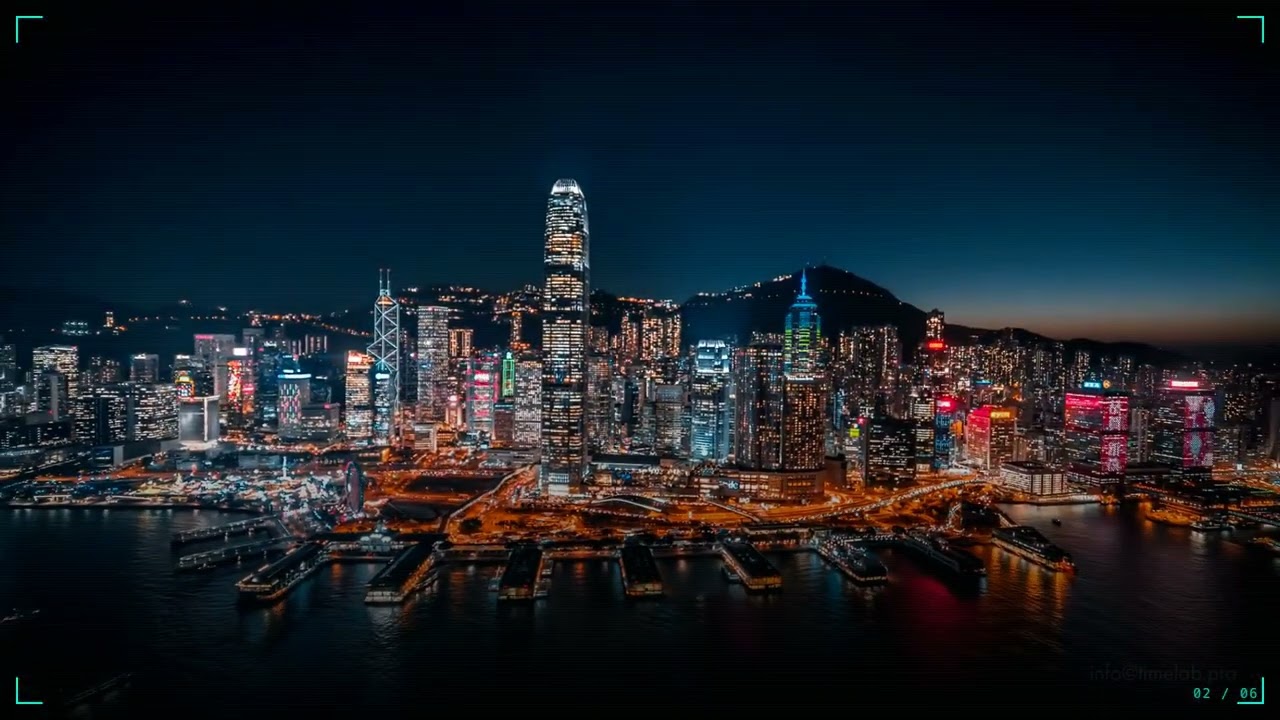
Hong Kong Cyberpunk Night — generated from local footage with ShotAI + Remotion, no manual editing.
Install in Claude Code
/plugin install claude-skill-ai-video-remixOr install directly from GitHub:
/plugin install ai-video-remix@abu-ShotAI/ai-video-remix#skillUsage
Once installed, just describe what you want in Claude Code:
"帮我做一个旅行混剪" "Create a cyberpunk city highlight reel" "Make a sports highlight from my footage" "Nature documentary style from my library"
Prerequisites
| Tool | Purpose | Install |
|------|---------|---------|
| ShotAI | AI video asset management + semantic footage search (MCP server) | Download for Mac / Windows |
| ffmpeg | Clip extraction | Mac: brew install ffmpeg / Win: winget install ffmpeg |
| yt-dlp | Auto background music (optional) | Mac: brew install yt-dlp / Win: winget install yt-dlp |
| Node.js 18+ | Runtime | Mac: brew install node / Win: winget install OpenJS.NodeJS |
ShotAI Setup
- Download and open ShotAI, add your video footage folders
- Wait for indexing (automatic, a few minutes for large libraries)
- Settings → MCP Server → Enable
- Note your MCP URL (default:
http://127.0.0.1:23817) and MCP Token
Compositions
| ID | Style | Best For |
|----|-------|----------|
| CyberpunkCity | Cyberpunk night | Neon city, night scenes, sci-fi |
| TravelVlog | Travel vlog | Multi-city travel with location cards |
| MoodDriven | Mood-driven cuts | Emotional fast/slow montage |
| NatureWild | BBC nature doc | Wildlife, landscapes, nature footage |
| SwitzerlandScenic | Alpine scenic | Mountain travel with elegant captions |
| SportsHighlight | ESPN sports | Goal/action highlights with captions |
CLI Options
npx tsx src/skill/cli.ts "<request>" [options]

Options:
  --composition <id>   Force a specific composition
  --bgm <path>         Local MP3 path (skip YouTube search)
  --lang <zh|en>       Caption language (default: zh)
  --output <dir>       Output directory (default: ./output)
  --probe              Scan library first; LLM plans from actual content
Source
Full source code and documentation: github.com/abu-ShotAI/ai-video-remix