
claude-station
v1.0.2
Published
Local web dashboard to browse, search, edit and resume Claude Code sessions. Zero npm dependencies, zero build step.

Maintainers
 ashkanlu
Readme
Claude Station
浏览、搜索、编辑、续聊你的 Claude Code 会话历史 — 零 npm 依赖、零构建步骤、纯本地运行。




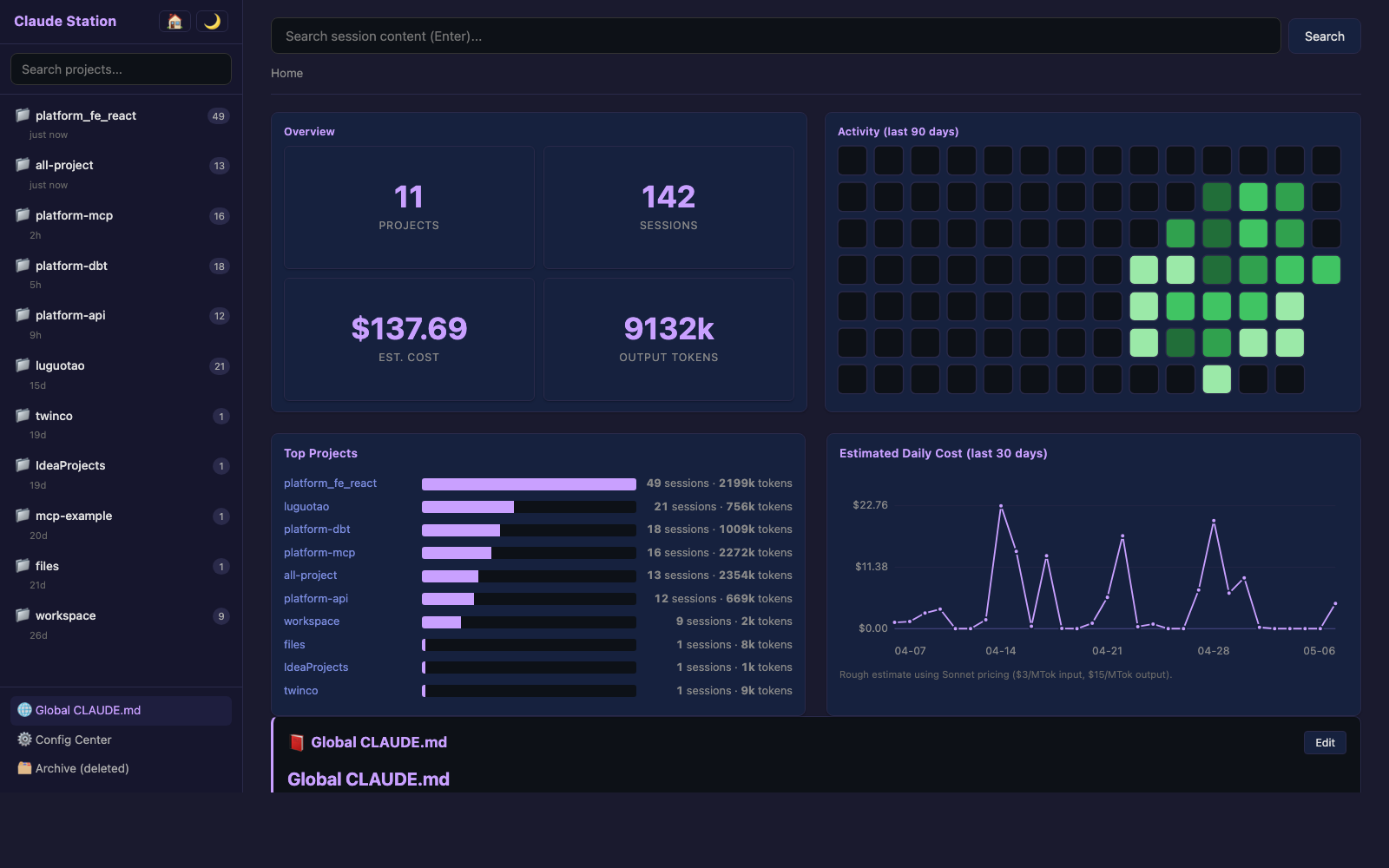
claude-station 把散落在 ~/.claude/ 里的所有数据读出来,渲染成一个本地 Web 看板。数据永不离开你的电脑,不依赖任何前端框架或构建工具,只用 Node.js 标准库。
为什么写这个
如果你在很多目录下都用过 Claude Code,会话、成本、配置就分散在 ~/.claude/ 里到处都是。目前缺:
- 一个能 跨项目浏览历史聊天 的 UI
- 全文搜索 历史会话内容的能力
- 不用记 UUID 就能 续聊某个旧会话 的入口
- 看 成本 / token 用量 / 活跃度 时间分布的图表
- 一个集中查看 commands / skills / MCP / hooks 的地方
Claude Station 把这些一次性做齐。
功能
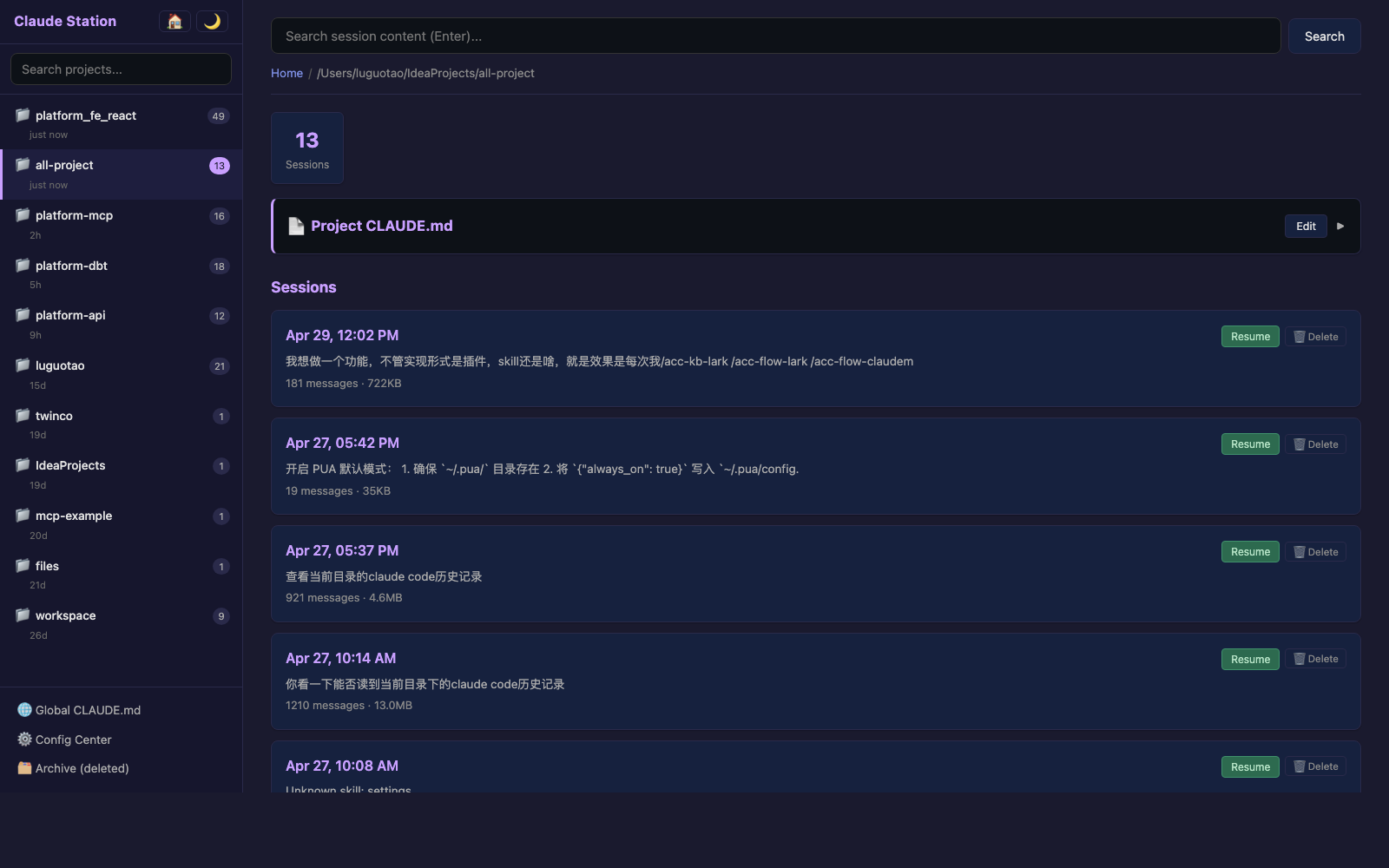
- 📁 项目侧栏 — 所有打开过 Claude Code 的目录,按最近使用排序,带项目搜索
- 🔍 全文搜索 — 搜所有会话里的 user / assistant 消息内容
- 📊 仪表盘 — GitHub 风格 90 天活跃度热力图、Top Projects 柱图、每日成本折线图(hover 出 tooltip)
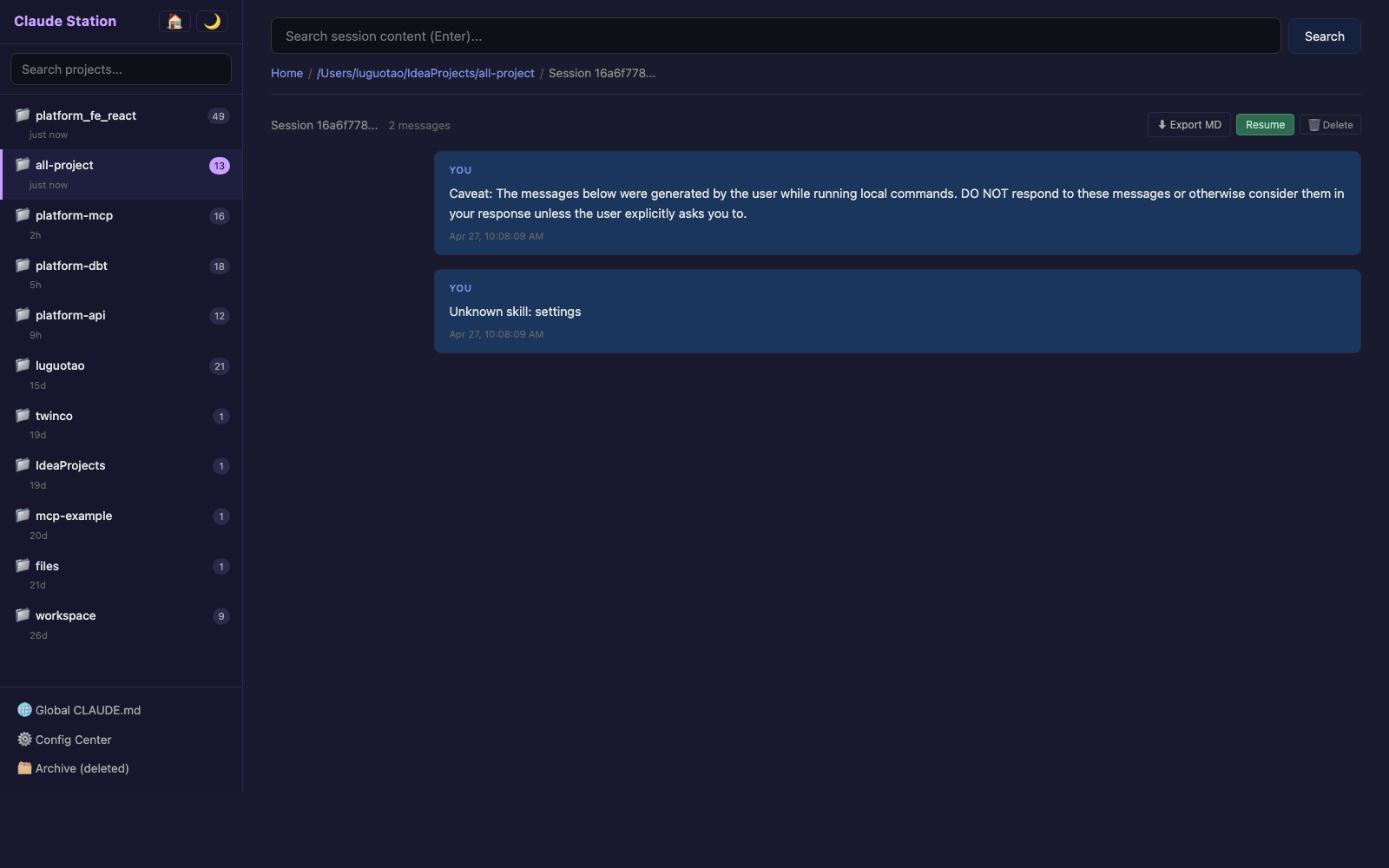
- 💬 会话详情 — 完整对话以 Markdown 渲染
- ▶️ 一键续聊 — 把
cd <目录> && claude --resume <id>复制到剪贴板 - ✏️ CLAUDE.md 编辑器 — 浏览器里改全局和项目级 CLAUDE.md,每次保存自动建
.bak.<时间戳>备份 - 🗑 删除 + 恢复 — 删除的会话进
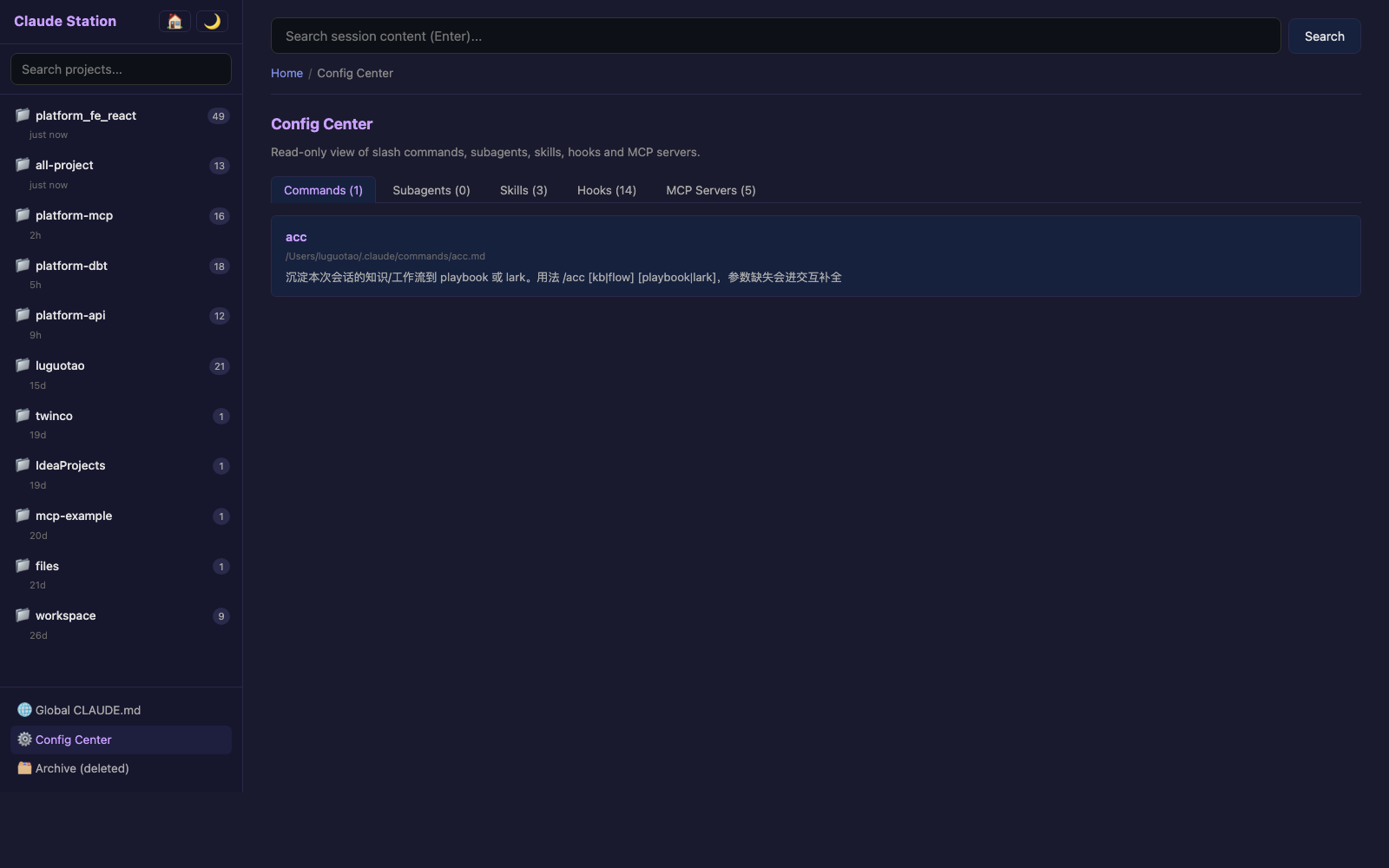
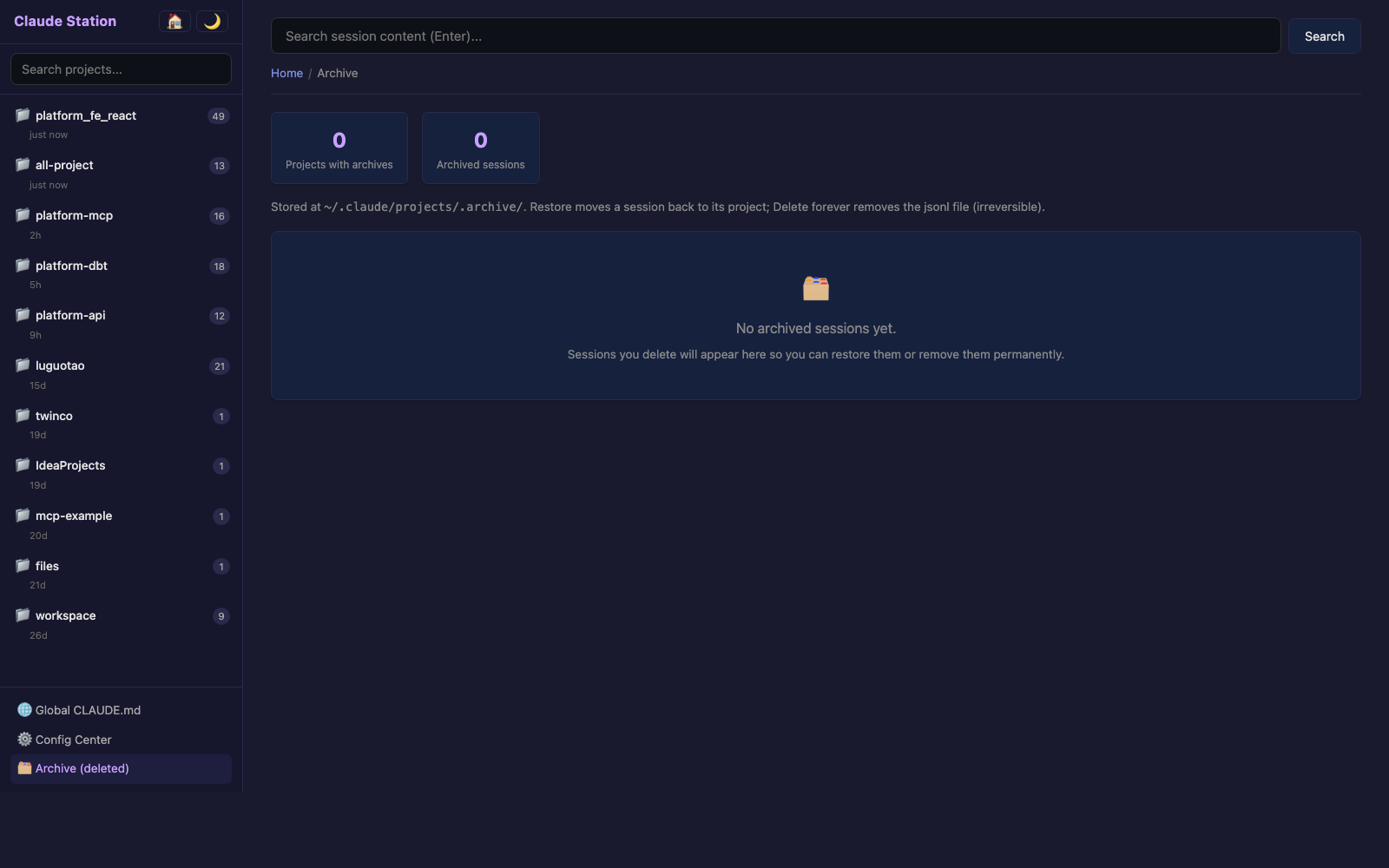
~/.claude/projects/.archive/,Archive 页面 可恢复或永久删除 - ⚙️ Config Center — 只读浏览 commands / subagents / skills / hooks / MCP servers
- 🌙 深色 / 浅色主题 — 切换偏好持久化到 localStorage
- 🔁 端口自动跳跃 — 3456 被占用就自动走 3457、3458 ……
截图
| | |
|---|---|
| 首页仪表盘 | 项目会话列表 |
| |  |
| 会话详情 | Config Center |
|
|
| 会话详情 | Config Center |
|  |
|  |
|
Archive 页面(删除/恢复/永久删除):
安装与启动
# 一行启动,不装到全局(推荐)
npx claude-station

# 或者全局安装
npm install -g claude-station
claude-station
启动后浏览器自动打开 http://localhost:3456。
想换端口:
PORT=8080 claude-station。端口被占用会自动往后递增(最多尝试 20 次)。
数据来源
| 文件 | 用途 |
|---|---|
| ~/.claude/projects/<escaped>/<uuid>.jsonl | 会话内容、时间戳、token 用量 |
| ~/.claude/CLAUDE.md | 全局 CLAUDE.md |
| <项目>/CLAUDE.md | 项目级 CLAUDE.md(路径从 jsonl 的 cwd 字段还原) |
| ~/.claude/commands/ agents/ skills/ | Config Center 列表 |
| ~/.claude/settings.json | hooks、permissions |
| ~/.claude.json | MCP servers |
成本曲线是按 Sonnet 价格($3/MTok 输入、$15/MTok 输出)的粗略估算,仅作趋势参考,不是真实账单。
隐私与安全
- 数据 只在你本地,没有任何网络请求。
- 服务只监听
localhost。 - 编辑 CLAUDE.md 前会先写一份
.bak.<ISO 时间>备份在原文件旁,不丢任何历史版本。 - 删除会话是移动到
~/.claude/projects/.archive/,永久删除 才是真unlink(),不可恢复。 - 路径遍历会被拒绝:所有写入/移动都校验路径必须落在
~/.claude/下。
技术栈
- 后端:Node.js 标准库(
http/fs/readline/child_process) - 前端:纯 HTML + 内嵌 CSS + vanilla JS,Markdown 渲染用内联的
marked.js - 测试:
node:test(Node 内置) - 依赖:0 个 npm 包
整个项目大约 1500 行代码,分布在 6 个 view 文件 + 1 个 scanner + 1 个 server。看得明白、改得快、容易二次开发。
本地开发
git clone https://github.com/DreamFlyCoder/claude-station.git
cd claude-station

# 运行
node bin/cli.mjs

# 测试(用 node:test,无额外依赖)
node --test test/
项目结构:
claude-station/
├── bin/cli.mjs           # 入口
├── src/
│   ├── scanner.mjs       # 扫 ~/.claude/
│   ├── server.mjs        # http 路由
│   └── views/
│       ├── layout.mjs    # 共享外壳 + CSS + JS
│       ├── home.mjs      # 仪表盘
│       ├── project.mjs   # 项目会话列表
│       ├── session.mjs   # 对话详情
│       ├── search.mjs    # 全文搜索
│       ├── config.mjs    # Config Center
│       └── archive.mjs   # 已删除会话页
└── test/scanner.test.mjs
许可证
MIT