
claude-super-monitor
v0.8.5
Published
Real-time web dashboard for monitoring Claude Code sessions — tool calls, tokens, and tool-use authorization in one view.

Maintainers
 mariolulu7
Readme
Claude Super Monitor




English | 简体中文
实时监控 Claude Code 会话的 Web 仪表盘 — 工具调用、Token 估算、授权确认,一屏掌握。
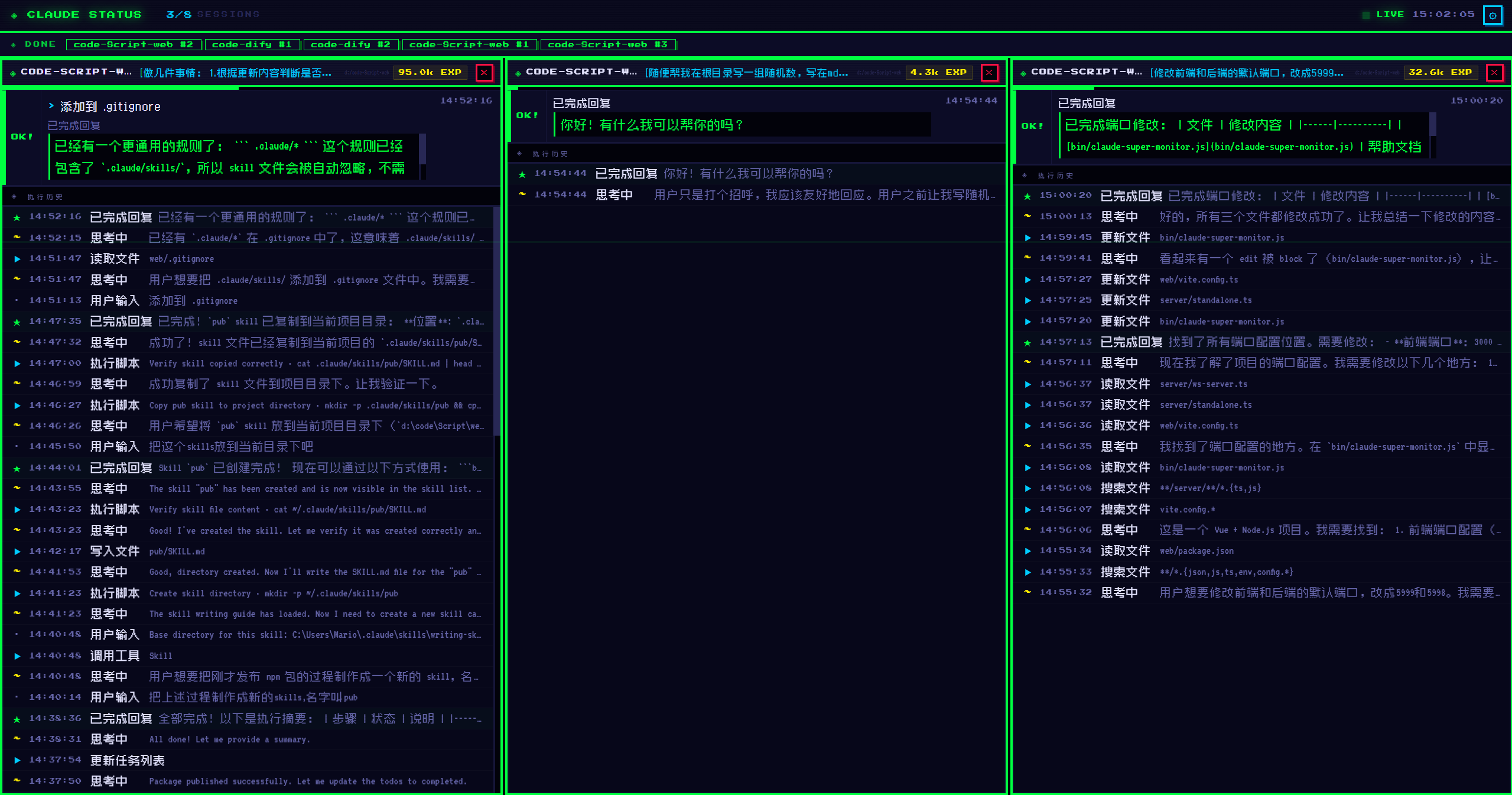
A real-time web dashboard for monitoring Claude Code sessions — track tool calls, estimate token usage, and authorize tools through a visual interface.
⚠️ Platform Requirements
Supported Platforms:
- ✅ Windows - Fully supported
- ✅ macOS - Fully supported (v0.8.0+)
- ✅ Linux - Fully supported (v0.8.0+)
- ✅ VSCode Claude Extension - Supported
- ✅ Claude Terminal (CLI) - Supported (v0.7.0+)
Note: Works with VSCode Claude extension and terminal-based Claude Code on all platforms.
Features
- 🔴 Real-time Monitoring - Live WebSocket updates show Claude's current actions as they happen
- 🛠️ Tool Call Tracking - See which tools Claude is using: Bash, Write, Edit, WebFetch, Search, and more
- 📊 Token Estimation - Rough token count estimation based on session file size
- 🔐 Tool Authorization - Grant or deny permission requests directly in the Web UI (optional hook)
- ❓ AskUserQuestion Support - Answer Claude's questions interactively through the dashboard
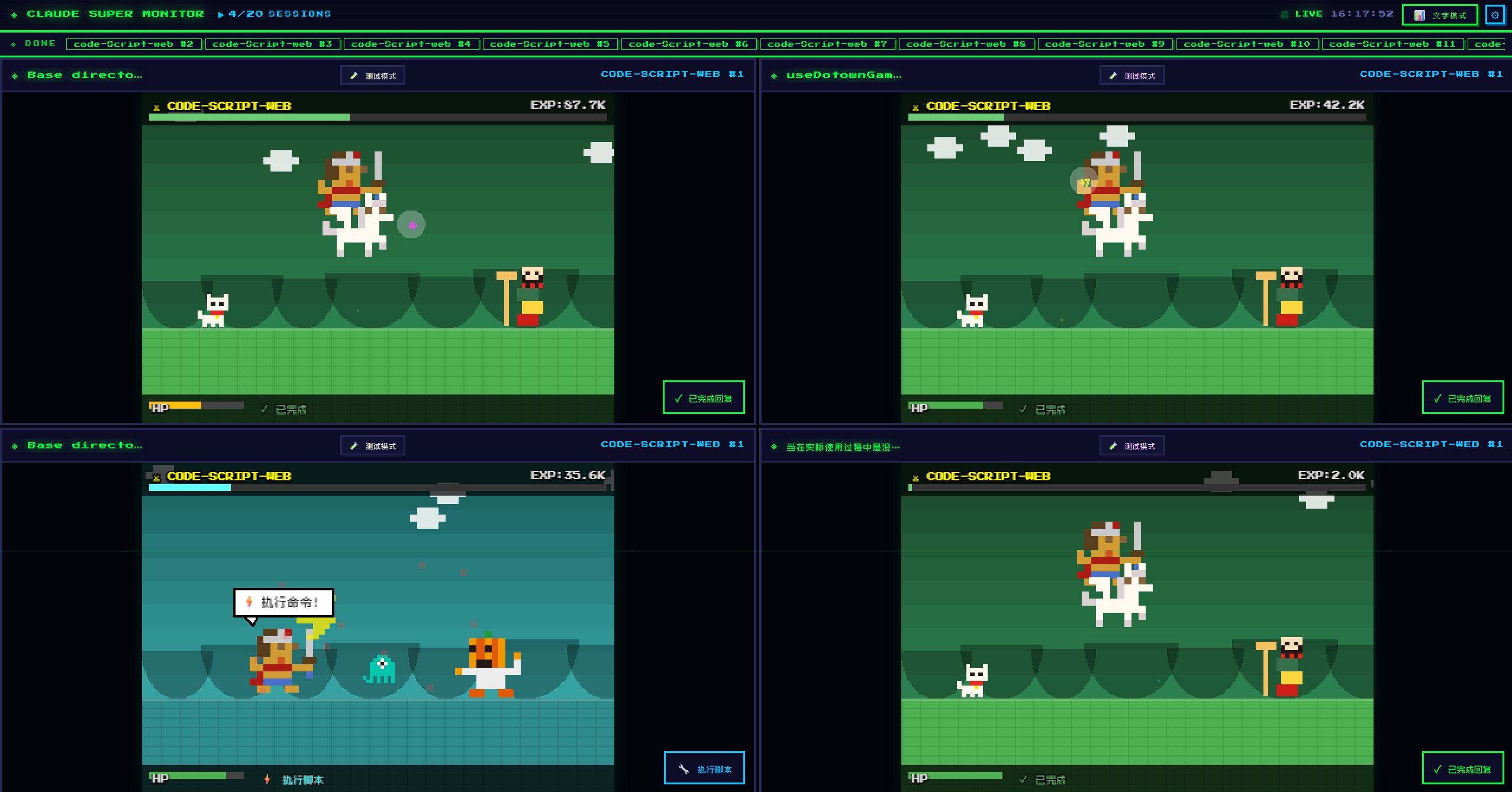
- 🌐 Multi-session View - Monitor multiple Claude Code sessions side-by-side
- 📝 Session Titles - First user message automatically extracted as session title
- 🔔 Notification Bar - Completed sessions collapse into notifications; click to restore
- 🎮 Game Panel - Interactive Pixi.js mini-game with DOTOWN pixel art characters that react to Claude's tool calls
- 🎨 Bilingual UI - Chinese and English interface support
- ⚙️ Configurable - Adjust auto-approval, collapse delay, language, and more
- 🔄 Auto-update - Built-in command to update to the latest version
Installation
npm install -g claude-super-monitorUsage
Quick Start
After installation, simply run:
claude-super-monitor
# or use the short alias
csm
The dashboard will:
- Start on
http://localhost:5999 - WebSocket server on port 5998
- Auto-open your browser
Update to Latest Version
claude-super-monitor --update
# or
claude-super-monitor -u
Requirements
- VSCode with Claude Code extension installed and running, or Claude CLI session
- Windows 10/11, macOS, or Linux
- Node.js ≥ 18
Environment Variables
| Variable | Default | Description |
|----------|---------|-------------|
| CLAUDE_SUPER_MONITOR_UI_PORT | 5999 | HTTP server port for the dashboard |
| CLAUDE_SUPER_MONITOR_WS_PORT | 5998 | WebSocket server port |
# Windows PowerShell
$env:CLAUDE_SUPER_MONITOR_UI_PORT=8080; claude-super-monitor

# Windows CMD
set CLAUDE_SUPER_MONITOR_UI_PORT=8080 && claude-super-monitor

# macOS / Linux
export CLAUDE_SUPER_MONITOR_UI_PORT=8080 && claude-super-monitor
Roadmap
| Feature | Status | Description | |---------|--------|-------------| | Windows Support | ✅ Complete | Full support for Windows 10/11 | | macOS Support | ✅ Complete | Full support for macOS | | Linux Support | ✅ Complete | Full support for Linux | | VSCode Extension | ✅ Complete | Works with VSCode Claude extension | | Claude Terminal CLI | ✅ Complete | Support for terminal-based Claude Code (v0.7.0+) | | Auto-update | ✅ Complete | Built-in update command |
How It Works
Claude Super Monitor reads Claude Code's session files from ~/.claude/projects/ and watches for real-time updates. It automatically detects:
- Active VSCode windows (via lock files)
- Current Claude Code sessions
- Tool use events (Bash, Write, Edit, etc.)
- User authorization requirements
Automatic Settings Injection
When you start claude-super-monitor, it automatically:
- Adds wildcard permissions to
~/.claude/settings.json(skips VSCode popup confirmations) - Configures the PreToolUse hook for tool authorization (optional)
These changes are automatically reverted when you stop the server.
Tool Authorization (Optional)
Claude Super Monitor can intercept tool calls and ask for your approval before Claude executes them:
- Start
claude-super-monitor - The tool automatically configures the hook in Claude's settings
- When Claude attempts to run a Bash command, write a file, or edit code:
- A dialog appears in the Web UI
- You click Approve or Deny
- Claude continues or cancels accordingly
The hook script is cross-platform (Node.js) and times out after 60 seconds (defaults to deny).
AskUserQuestion Support
When Claude uses AskUserQuestion to ask you something:
- The question appears as a dialog in the Web UI
- Select one or more options (or type custom answer)
- Submit to continue the conversation
- Answers are sent back to Claude automatically
This allows you to handle interactive prompts from Claude directly in the dashboard without switching to VSCode.
Development
# Clone the repo
git clone https://github.com/MarioLuLu7/claude-super-monitor.git
cd claude-super-monitor

# Install dependencies
npm install

# Dev mode (hot reload)
npm run dev

# Build for production
npm run build

# Preview production build
npm start
Architecture
┌─────────────────┐         ┌──────────────────┐         ┌─────────────────┐
│   Claude Code   │ ──────▶ │   JSONL Files    │ ──────▶ │  File Watcher   │
│   (VSCode)      │         │  ~/.claude/...   │         │  (Node.js fs)   │
└─────────────────┘         └──────────────────┘         └────────┬────────┘
                                                                   │
                              ┌─────────────────┐                  │
                              │   WebSocket     │ ◀────────────────┘
                              │   Server (5998) │
                              │   /api/hook     │
                              └────────┬────────┘
                                       │
                              ┌────────▼────────┐
                              │   Vue 3 + Vite  │
                              │   Dashboard     │
                              │   localhost:5999│
                              └─────────────────┘
Troubleshooting
"dist/ not found" error
Run npm run build first to build the frontend.
No sessions showing
- Make sure Claude Code extension is running in VSCode, or CLI session is active
- Check that
~/.claude/projects/exists - Verify VSCode window is active (check lock files in
~/.claude/ide/)
WebSocket connection issues
- Ensure port 5998 is not in use by another application
- Check browser console for connection errors
- Try refreshing the page
Hook not triggering
- Check
~/.claude/settings.jsonforPreToolUsehook configuration - Ensure the hook path points to the correct location in the npm package
- Verify Node.js is available in your PATH
License
MIT © MarioLuLu7
Contributing
Pull requests welcome! Please open an issue first to discuss major changes.
Made with ❤️ for the Claude Code community.