
clavue
v8.29.7
Published
Clavue: execution-first AI coding CLI with direct repo tools, provider routing, native workflows, MCP integration, and long-session recovery

Maintainers
 calm2026
Readme
Clavue v8.29.7
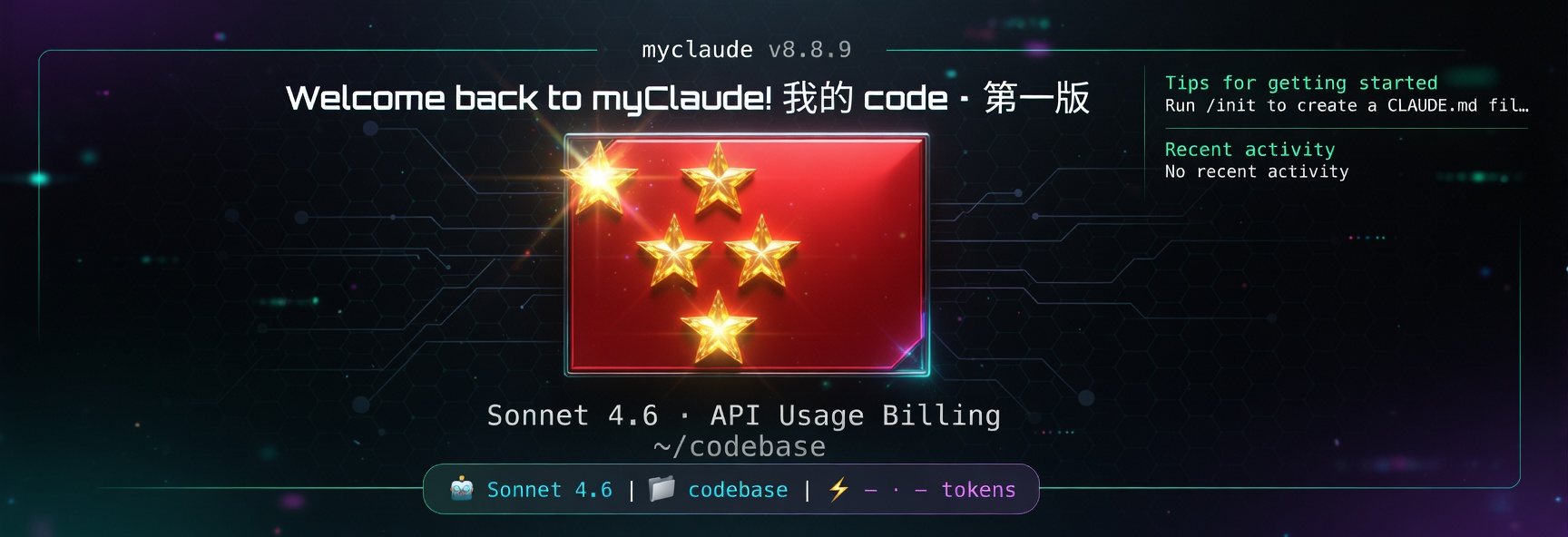
clavue is an execution-first AI coding CLI for real software work. It keeps the terminal as the control surface, uses direct repo tools for inspection/editing/verification, treats API providers as configurable routes, and includes native workflows for review, recovery, team inspection, and long-running sessions.
Product Philosophy
Clavue is built around a simple operating model: the user owns the workflow, the CLI owns the execution loop, and providers are replaceable routes.
- Execution first: every feature should help inspect, edit, run, verify, or recover real software work.
- Terminal-owned workflow: Clavue stays close to files, commands, diffs, permissions, and project state instead of becoming a detached chat surface.
- Provider control, not provider identity: official login, custom API profiles, and compatible gateways are routing choices. The product identity remains Clavue.
- Native coding workflows: direct file tools, shell execution, task tracking, worktrees, skills, and MCP resources are part of the runtime loop.
- Fast first run: install, choose an API configuration mode, paste URL/key or token, set model slots if needed, then start coding.
- Visible configuration:
/providerandclavue providerexpose the active route, saved profiles, credential mode, model slots, validation, repair, and current environment state. - Practical autonomy: permission setup should make development smoother while still being explicit about trust boundaries.
- Continuity over spectacle: long-context recovery, compaction,
/team, and/retroexist to keep work moving, not to add noise.
What Clavue Is
- An execution-first AI coding CLI for inspecting, editing, running, verifying, and delivering code from the terminal.
- A native coding runtime with direct repo tools, shell execution, permissions, tasks, worktrees, skills, MCP resources, and resumable sessions.
- A provider control center for custom API URLs, API keys, auth tokens, model slots, route validation, and repair.
- A fast onboarding path for users who want official login, custom API configuration, CCR-compatible proxy routing, or manual setup later.
- A runtime that can use compatible providers and gateways without pretending those providers are the product.
- A set of native workflows for coding, review, recovery, team inspection, and retrospective improvement.
Core Surfaces
Canonical primary command surfaces:
/help: browse available commands and custom command sources./init: create or refresh generated project rule files:clavue.md,AGENTS.md, and compatibilityCLAUDE.md./provider: configure, switch, validate, repair, copy, edit, delete, or save provider profiles./permissions(/approvalscompatibility alias): set the default permission mode so trusted development environments can run with less friction; use/permissions autonomousfor an opt-in high-autonomy local development lane./team: inspect local team readiness, active team config, and capability state./loop: create, list, run, pause, resume, and stop closed-loop automations backed by durable/goalledgers./retro: run a multi-round repo retrospective and upgrade loop./tasks: inspect task-board state for long-running work./resume: continue saved sessions./doctor,/login,/logout,/mcp,/model,/parallel,/plugin, and/status: primary setup, routing, orchestration, and diagnostics flows.
Secondary surfaces such as /review, /compact, /config, /memory, /theme, /usage, and /vim remain available for focused workflows. Compatibility aliases are documented only when they are part of a canonical flow; internal, hidden, disabled stub, and experimental commands are not public defaults. Long-context recovery includes proactive compaction plus reactive overflow recovery for long-running work.
Study Guide
For full user-facing usage and learning documentation, start in study/README.md.
For provider and model routing setup, see Clavue Provider And Model Best Practices.
Install
Requirements:
- Node.js 18 or newer
- macOS or Linux shell environment
Run once with npx when you do not want a global install:
npx -y clavueRun a specific version with npx:
npx -y [email protected] --version
npx -y [email protected]
Install globally from npm when you want the clavue command to stay available:
npm install -g clavue
clavue --version
clavue
One-line global install:
curl -fsSL https://unpkg.com/clavue/install.sh | bashInstall a specific version globally:
curl -fsSL https://unpkg.com/[email protected]/install.sh | bash -s -- 8.29.7Troubleshooting: ENOTEMPTY / bash: clavue: No such file or directory
npm install -g clavue can fail with:
npm error code ENOTEMPTY
npm error ENOTEMPTY: directory not empty,
  rename '/usr/lib/node_modules/clavue' -> '/usr/lib/node_modules/.clavue-Txlq2RSw'
This is a generic npm bug that strikes large global packages (clavue is
~74 MB unpacked / 4251 files) when an earlier install was interrupted.
npm's atomic-rename leaves behind a .clavue-<rand> staging directory
that blocks every future install at the same path. The bin symlink also
goes missing, so clavue exits with No such file or directory.
One-liner fix:
curl -fsSL https://unpkg.com/clavue/repair.sh | bashThe repair script removes the live clavue/ dir, every .clavue-*
staging leftover, the dangling bin/clavue symlink, then reinstalls
clavue@latest. Set CLAVUE_NO_INSTALL=1 to clean only.
Manual fallback if the script is unreachable:
PREFIX=$(npm prefix -g)
sudo rm -rf "$PREFIX/lib/node_modules/clavue" \
            "$PREFIX/lib/node_modules/.clavue-"* \
            "$PREFIX/bin/clavue"
npm install -g clavue@latest
Quick Start: Custom API
Fastest path for custom API users:
- Install with
curl -fsSL https://unpkg.com/clavue/install.sh | bash - Start with
clavue - At
请选择 API 配置模式, choose自定义 API 配置 - Choose
1. 添加配置 - Enter a profile name, API base URL, API key or auth token, and optional model slots
- Choose
noat返回主菜单?to enter Clavue with the saved default profile
Recommended model-slot setup:
主模型 (primary): your main coding model for user turns / mainLoop (e.g. claude-sonnet-4-6 or gpt-5.4)
Haiku 模型 (smallFast): fast helper for light background roles only (classify yolo, memory search, tool quick-summary, hooks/background)
Sonnet 模型 (subagent/general): workhorse for subagent execution, daily coding, summarize/extract (day-to-day heavy but not planner)
Opus 模型 (plan/guide): planning / high-capability / guide roles
Note: Haiku roles are intentionally rare in main interaction (by design for cost/speed); most visible work uses primary/sonnet. Use clavue provider doctor to see live role→model mapping.
Useful recovery commands:
clavue provider        # reopen the same API setup manager
clavue provider list   # list saved profiles without opening the UI
clavue provider current
clavue provider doctor # diagnose source-of-truth, drift, validation, and next repair action
clavue provider validate
Use clavue auth login only if you want the official Anthropic login path. Custom API users do not need official login.
First Useful Session
Start Clavue from a repository and ask for one reviewable unit of work:
Inspect the failing test around provider routing, make the smallest source fix, run the targeted test, then run the relevant verification command before reporting back.Clavue should inspect files directly, edit the source, run commands such as node --test tests/<file>.test.mjs, and report what was verified.
First-Run Setup Modes
On first launch, Clavue should make the setup choice obvious:
请选择 API 配置模式:
  使用官方登录
  自定义 API 配置
  使用 CCR 代理
跳过(稍后手动配置)- Use official login when you want the official Anthropic account flow.
- Use custom API configuration when you have an API base URL plus API key or auth token.
- Use CCR proxy when your environment already standardizes on a compatible proxy route.
- Skip only when you want to configure later with
clavue provideror/provider.
After API setup, Clavue can also ask for a default permission mode. The recommended path for a trusted local development machine is the efficient development mode; the maximum-permission mode is intentionally reserved for environments you fully trust.
For deployments, releases, builds, packaging, and operational maintenance where file edits should proceed but shell commands must still be confirmed, use trusted ops mode:
clavue --permission-mode trustedOpsYou can also set it in settings with "permissions": { "defaultMode": "trustedOps" }. trustedOps behaves like acceptEdits for file edit tools in the current workspace, but Bash/PowerShell commands still ask before execution. The legacy dontAsk permission mode is deprecated and will not activate from CLI or settings; migrate dontAsk defaults to trustedOps for release/build/deploy workflows.
For P0-P3 development loops where the repo and machine are trusted, run:
/permissions autonomousYou can also run /permissions and choose Autonomous development from the mode picker. This installs the Clavue autonomous development preset. It makes Clavue more proactive for normal local engineering work by using bypassPermissions plus scoped development rules, while keeping explicit confirmation rules for release, publish, push, destructive, and infrastructure actions. The intended workflow is: let the model choose the best implementation path, inspect/edit/test autonomously, then leave final review and release decisions to the user. When Clavue detects trusted repair, TODO, upgrade, or routine local test/build work while autonomy is not active, it can recommend /permissions autonomous as the smoother development lane.
This package is intended for users who want an execution-first coding CLI with direct repository tools, native workflow orchestration, explicit permission control, and configurable provider routing when compatible providers or gateways are part of the setup.
On macOS, clavue avoids Keychain by default and stores local credentials in ~/.clavue/.credentials.json so startup does not trigger system Keychain prompts. If you explicitly want the old Keychain behavior back, launch with CLAVUE_USE_KEYCHAIN=1 clavue.
Long-Running Session Memory
Clavue automatically restarts normal long-running sessions with --max-old-space-size=8192 before loading the full CLI. This prevents the common Node default ~4GB heap limit from killing large coding sessions with Reached heap limit Allocation failed - JavaScript heap out of memory.
Useful controls:
CLAVUE_MAX_OLD_SPACE_SIZE_MB=12288 clavue
CLAVUE_DISABLE_HEAP_REEXEC=1 clavue
NODE_OPTIONS="--max-old-space-size=12288" clavue
clavue --version stays on the zero-load fast path and does not restart.
CLI Entry Points
Version check:
clavue --version
npx -y clavue --version
npx -y [email protected] --version
# available after a global install and launcher setup
clavue --version
Provider/config entry point:
clavue providerAnthropic account login/token commands:
clavue auth login
clavue setup-token
clavue auth login and clavue setup-token are only for Anthropic account auth flows. They are not the provider-profile entrypoint.
In-Session Workflows
/provider manages saved profiles, current environment state, API URL, credential type, and model-slot routing from one place. Use it when you want to switch, validate, repair, or save the active route.
/provider
/provider list
/provider current
/provider doctor
/provider save-current kimi-main
/provider adopt-current kimi-main
/provider validate
/provider repair
/provider use gpt54-main
/provider use kimi-main
/provider clear
The Mao supervisor ledger is still used internally by delivery gates; user-facing /mao and /codex command surfaces are hidden while native Team/Agent workflows remain the public agent system.
/team inspects real local team state from the active config root instead of giving a generic explanation. By default that is ~/.clavue/teams, but it follows CLAVUE_CONFIG_DIR if you launch clavue against a different config root.
/team
/team list
/team current
/team status myteam
/team show myteam
/team check
Typing agent teams at the start of a prompt opens the same native /team flow instead of sending that phrase to the model as plain text. Agent teams are enabled by default in Clavue; set CLAVUE_DISABLE_AGENT_TEAMS=1 or CLAVUE_AGENT_TEAMS=0 before launch only if you need to disable them. Use /team check for a concrete readiness report.
/retro runs a multi-round repo retrospective and upgrade loop guided by PRODUCT.md and ARCHITECTURE.md, with tisheng.md treated as historical context only when it still agrees.
/retro
/retro provider control center stability
/retro onboarding and route validation
Companion commands are still available and can either follow the current app provider or bind to a saved /provider profile independently.
/girl
/boy
/bigdaddy
/girl provider
/girl provider list
/girl provider inherit
/girl provider use <profile>
Remote Sessions And Long Context
- Remote headers and status lines use the remote cwd instead of echoing the local machine path.
- Clearing a remote conversation clears the backend session before resetting the local UI.
- Idle task boards label unfinished work as needing continuation instead of implying active execution.
- Proactive compaction stays enabled for large sessions, and reactive overflow recovery remains available when a route still hits a hard context limit.
Compatibility And Routing Notes
- clavue can import compatible profiles from
~/.ccjk/config.tomlor~/.ufomiao/zcf/config.toml. - Changing the active clavue provider profile writes the current selection back to those compatible config files.
- Proxy GPT routes stay on the Anthropic-compatible
/v1/messagespath by default. SetCLAVUE_API_DIALECT=openai_responsesonly when you explicitly want the Responses adapter for that gateway;MYCLAUDE_API_DIALECTremains a legacy-compatible alias. - Recommended saved profile pattern:
gpt54-mainfor a validatedgpt-5.4route across the primary and inherited slots. - Recommended saved profile pattern:
gpt53-allwhen the route is validated forgpt-5.3-codexacross the main thread and helper lanes. - Recommended saved profile pattern:
kimi-mainorglm-mainfor provider-native routing with that provider's API URL and credential.
Package And Release Model
- Source repo:
https://github.com/mycode699/clavue - Public package:
https://www.npmjs.com/package/clavue - Public install entrypoint:
npx -y clavue src/is the development surface for new changes, while the checked-indist/bundle is the current shipped runtime artifacttypes/generated/holds generated contract types that stay outside authored runtime source- npm is the only package publishing target; GitHub Releases are not part of the normal release path
- Official website release updates are generated locally as changelog blocks and version usage notes before any site edit or deploy
- npm distributes the same tracked top-level runtime entrypoints that power
dist/cli.js, without shipping nesteddist/development artifacts,.mapfiles, or.d.tsfiles npm run verify:source-buildrebuilds the CLI fromsrc/intoexperimental-dist/and smoke-tests the Node entrypoints as a structural guarddist/is still the shipped artifact today, but release verification now requires both trackeddist/integrity and a bootable source rebuild- Trusted publishing is the intended npm release path so new tags do not require repeated local OTP prompts
Developer Verification
npm run validate:repo
npm run verify:dist
node scripts/verify-provider-command-sidecar.mjs
npm run verify:source-build
npm run check:source-purity
npm test
npm run check
npm run check:release
npm run build
npm run package:release
npm run validate:repo: checks package metadata, required tracked files, workflow presence, and tag/version consistencynpm run verify:dist: smoke-testsdist/cli.js, provider setup, provider command, and release-critical sidecarsnode scripts/verify-provider-command-sidecar.mjs: focused guard that fails ifdist/provider-command.jsdrifts from the authored provider command sourcenpm run verify:source-build: rebuilds fromsrc/intoexperimental-dist/and requires--versionplus--helpto boot under Nodenpm run check:source-purity: fails on inline source maps, compiler-transformed React output, generated stubs, or generated types insidesrc/npm test: runs packaging and release regression tests with Node's built-in test runnernpm run check: quick local verification gate used by CI for normal pushes and PRsnpm run check:release: full release verification gate with vendoring, clean dist verification, dist smoke, source rebuild, source purity, boundaries, and testsnpm run build: runscheck:releaseand previews the publishable npm tarball withnpm pack --dry-runnpm run package:release: runscheck:releaseand produces archives inrelease-artifacts/npm run rebuild:experimental: manual alias fornpm run verify:source-buildnpm run rebuild:experimental:legacy: older reconstruction path kept for manual investigation
For source reconstruction work there is still npm run rebuild:experimental, and the older npm run rebuild:experimental:legacy path remains available for comparison. Both write only to generated paths. The plugin-based rebuild is now part of local and CI verification, but it still does not replace tracked dist/ as the shipped release artifact.