
clavue-v1
v1.27.1
Published
Clavue v1: lightweight four-slot (main/light/plan/review) multi-model coding CLI on the execution-first engine — overlapped cross-family review, official Clavue cloud preset (api.clavue.com) alongside any Messages-compatible provider, learned context ceil
Downloads
5,957

Maintainers
 miounet
Readme
Clavue v1 (clavue-v1)
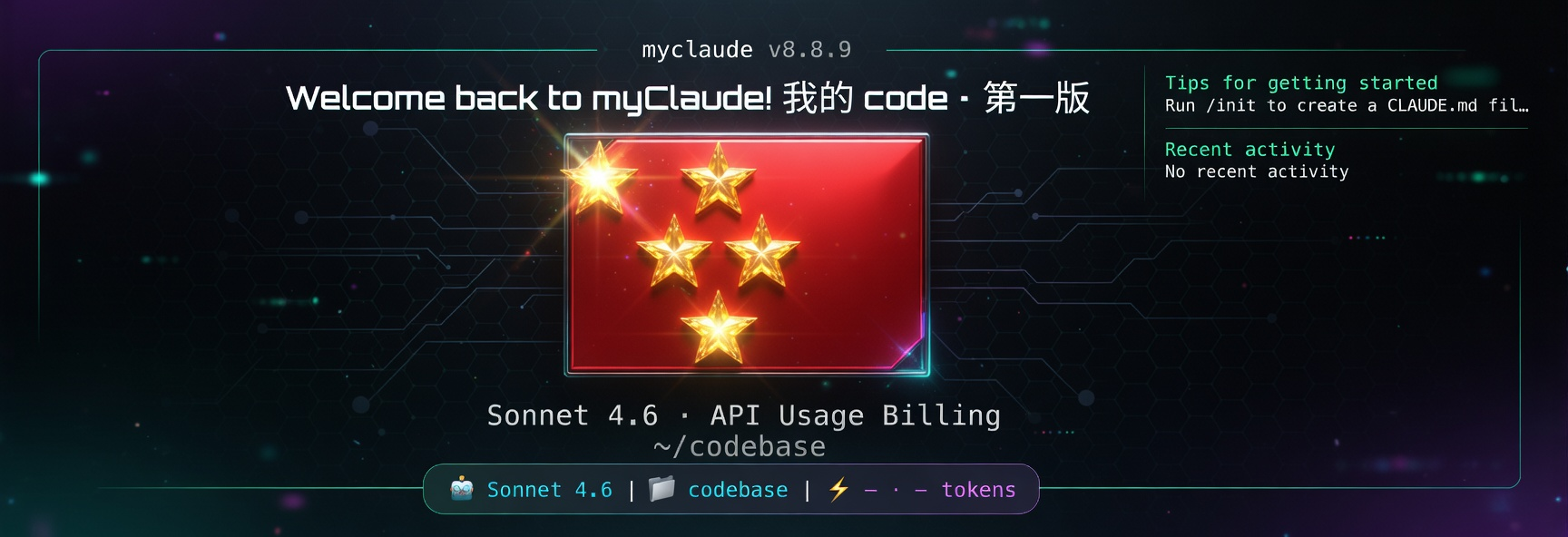
clavue-v1 is an execution-first AI coding CLI built on the stable v8.9.1 engine with a lightweight four-slot multi-model combo layer (main / light / plan / review). It keeps the terminal as the control surface, uses direct repo tools for inspection/editing/verification, treats API providers as configurable routes, and passes slot models through verbatim — no allowlist, no family filter. Combo is opt-in via CLAVUE_COMBO_* env vars; with combo off, behavior is byte-identical to v8.9.1.
Product Philosophy
Clavue is built around a simple operating model: the user owns the workflow, the CLI owns the execution loop, and providers are replaceable routes.
- Execution first: every feature should help inspect, edit, run, verify, or recover real software work.
- Terminal-owned workflow: Clavue stays close to files, commands, diffs, permissions, and project state instead of becoming a detached chat surface.
- Provider control, not provider identity: official login, custom API profiles, and compatible gateways are routing choices. The product identity remains Clavue.
- Native coding workflows: direct file tools, shell execution, task tracking, worktrees, skills, and MCP resources are part of the runtime loop.
- Fast first run: install, choose an API configuration mode, paste URL/key or token, set model slots if needed, then start coding.
- Visible configuration:
/providerandclavue-v1 providerexpose the active route, saved profiles, credential mode, model slots, validation, repair, and current environment state. - Practical autonomy: permission setup should make development smoother while still being explicit about trust boundaries.
- Continuity over spectacle: long-context recovery, compaction,
/team, and/retroexist to keep work moving, not to add noise.
What Clavue Is
- An execution-first AI coding CLI for inspecting, editing, running, verifying, and delivering code from the terminal.
- A native coding runtime with direct repo tools, shell execution, permissions, tasks, worktrees, skills, MCP resources, and resumable sessions.
- A provider control center for custom API URLs, API keys, auth tokens, model slots, route validation, and repair.
- A fast onboarding path for users who want official login, custom API configuration, CCR-compatible proxy routing, or manual setup later.
- A runtime that can use compatible providers and gateways without pretending those providers are the product.
- A set of native workflows for coding, review, recovery, team inspection, and retrospective improvement.
Core Surfaces
Canonical primary command surfaces:
/help: browse available commands and custom command sources./init: create or refresh generated project rule files:clavue.md,AGENTS.md, and compatibilityCLAUDE.md./provider: configure, switch, validate, repair, copy, edit, delete, or save provider profiles./permissions(/approvalscompatibility alias): set the default permission mode so trusted development environments can run with less friction; use/permissions autonomousfor an opt-in high-autonomy local development lane./team: inspect local team readiness, active team config, and capability state./goal: run a durable, evidence-gated goal loop with a persistent ledger and a bounded auto-continuation budget./retro: run a multi-round repo retrospective and upgrade loop./tasks: inspect task-board state for long-running work./resume: continue saved sessions./doctor,/login,/logout,/mcp,/model,/parallel,/plugin, and/status: primary setup, routing, orchestration, and diagnostics flows.
Secondary surfaces such as /review, /compact, /config, /memory, /theme, /usage, and /vim remain available for focused workflows. Compatibility aliases are documented only when they are part of a canonical flow; internal, hidden, disabled stub, and experimental commands are not public defaults. Long-context recovery includes proactive compaction plus reactive overflow recovery for long-running work.
Study Guide
For full user-facing usage and learning documentation, start in study/README.md.
For provider and model routing setup, see Clavue Provider And Model Best Practices.
Host integration (imux, tmux, IDE, Agent Chat)
Other software should spawn clavue-v1, not embed a second agent loop. Full contract: Host integration. Third-party discovery, acpx recipes, and the ACP/MCP/A2A/PTY split: ACP / acpx interoperability.
clavue-v1 interop
clavue-v1 interop --json
clavue-v1 host
clavue-v1 host --json
clavue-v1 --model grok-4.6 --effort xhigh --always-approve
clavue-v1 agent stdio --always-approve
clavue-v1 host prints copy-paste recipes for the current process (imux socket, tmux split, IDE PTY, ACP). Those lines include --always-approve because they are trusted-local PTY recipes (same as --dangerously-skip-permissions). --effort xhigh is accepted.
clavue-v1 interop shipped in 1.10.0. interop --json is the machine discovery surface: ACP argv, registry-style manifest, acpx config fragment, one-shot / persistent / quiet recipes, homogeneous and heterogeneous composition. It does not install acpx or write ~/.acpx/config.json. Default third-party invocation is clavue-v1 agent stdio without --always-approve. Do not register agent stdio as an MCP server — ACP is JSON-RPC on stdin/stdout, not MCP. PTY is for the full TUI only; screenshot-click is not a protocol.
Install
Requirements:
- Node.js 22.18 or newer (tests and source-direct runs rely on native TypeScript type stripping)
- macOS or Linux shell environment
Run once with npx when you do not want a global install:
npx -y clavue-v1Run a specific version with npx:
npx -y [email protected] --version
npx -y [email protected]
Install globally from npm when you want the clavue-v1 command to stay available:
npm install -g clavue-v1
clavue-v1 --version
clavue-v1
The package exposes a single clavue-v1 bin. It deliberately does not claim the clavue name, so a global install never clashes with an existing clavue (v8.9.1) installation.
One-line global install:
curl -fsSL https://unpkg.com/clavue-v1/install.sh | bashInstall a specific version globally:
curl -fsSL https://unpkg.com/[email protected]/install.sh | bash -s -- 1.27.1Quick Start: Official Clavue Cloud
Official mode is a provider profile, not a second runtime: the same tools, compaction, permissions, and route inspection as every custom-API profile — only the credential source and the model catalog differ.
- Run
clavue-v1 auth login(or choose使用 clavue OAuthduring first launch), sign in atwww.clavue.com, and approve the device code. - Clavue stores the session as the
Clavue 官方provider profile and activates the official family automatically:
主模型:   clavue            (official primary; /model may pin clavue-2.1)
Haiku:    clavue-2.1-fast   (light / explore — Qwen fast pool)
Sonnet:   clavue-2.1        (subagent / general coding SKU)
Opus:     clavue-2.1-pro    (plan / long-horizon — DeepSeek flash)
Review:   clavue-2.1-rev    (combo review — DeepSeek pro; cross-family vs Qwen main)
Manual fallback: create a member API key at https://www.clavue.com/account,
then add the Clavue 官方 preset in clavue-v1 provider.
auto is also accepted. Since 1.9.0 the CLI sends official traffic to
api.clavue.com/v1/chat/completions, the hop that accepts the device-code
session token directly — no manual member API key is needed after
/account login. /provider current shows your plan and remaining points
from the x-clavue-points-* response headers. Official identity is decided by
exact host match only — a third-party gateway can never be mistaken for the
official cloud.
Official sessions fill combo slots without writing them into your shell:
light=clavue-2.1-fast, plan=clavue-2.1-pro, review=clavue-2.1-rev. MAIN
stays /model (or the profile primary). CLAVUE_COMBO_OFF=1 or a per-slot
0 / off turns that fill off.
Product routing env names are CLAVUE_BASE_URL and CLAVUE_API_KEY.
Legacy ANTHROPIC_BASE_URL / ANTHROPIC_API_KEY still work as read-only
aliases until a provider profile is applied.
Quick Start: Custom API
Fastest path for custom API users:
- Install with
curl -fsSL https://unpkg.com/clavue-v1/install.sh | bash - Start with
clavue-v1 - At
请选择 API 配置模式, choose自定义 API 配置 - Choose
2. 添加配置 - Enter a profile name, API base URL, API key or auth token, and optional model slots
- Choose
noat返回主菜单?to enter Clavue with the saved default profile
To switch between saved providers later, open /provider and choose 1. 选择并启用配置: pick a profile and confirm to overwrite the current operator.
Recommended model-slot setup:
主模型: your main coding model, for example claude-sonnet-4-6 or gpt-5.4
Haiku 模型: fast helper model, or leave empty to use provider defaults
Sonnet 模型: workhorse/helper model, or leave empty to inherit safely
Opus 模型: planning/high-capability model, or leave empty to inherit safely
Useful recovery commands:
clavue-v1 provider        # reopen the same API setup manager
clavue-v1 provider list   # list saved profiles without opening the UI
clavue-v1 provider current
clavue-v1 provider doctor # diagnose source-of-truth, drift, validation, and next repair action
clavue-v1 provider validate
clavue-v1 auth login is the clavue OAuth entry point. Custom API users can
continue to use clavue-v1 provider without an OAuth login.
First Useful Session
Start Clavue from a repository and ask for one reviewable unit of work:
Inspect the failing test around provider routing, make the smallest source fix, run the targeted test, then run the relevant verification command before reporting back.Clavue should inspect files directly, edit the source, run commands such as node --test tests/<file>.test.mjs, and report what was verified.
Welcome dashboard
The startup box is a single-column dashboard rather than a marketing panel. Under the identity header it answers the questions that matter before the first prompt:
路由      Clavue 官方 · api.clavue.com · clavue-2.1 · high effort
槽位      main — · light — · plan gpt-5.4 · review —
最近会话  6h  修复 provider 校验超时
新特性    /goal 成为证据门控的任务控制器…
快速开始 /init 生成 clavue.md 项目规则路由is where the next request goes: provider preset (or host for a custom route), effective main-slot model, and effort. When no route is configured it becomes the/providercall to action.槽位shows the fourCLAVUE_COMBO_*slots; unset slots render as—.新特性and/release-notesread the bundled rootCHANGELOG.mdfor the version you are running.公告comes from the official feed athttps://www.clavue.com/tui/feed.json(source:docs/tui-feed/feed.json, format indocs/tui-feed/README.md). It is cached in~/.clavue/cache/tui-feed.json, refreshed in the background, and can be disabled withCLAVUE_TUI_FEED=0or pointed at a mirror withCLAVUE_TUI_FEED_URL.- Provider smoke-test sessions (
Reply with exactly: OK,ping, …) are hidden from最近会话. - The full dashboard appears after an upgrade or during project onboarding; routine startups use the condensed header. Set
CLAVUE_FORCE_FULL_LOGO=1to always show it.
Startup update / 启动升级
Interactive TUI sessions check npm for a newer clavue-v1 after first paint (the check does not block the first frame). If an update is available, a Chinese dialog offers in-place install:
发现新版本 1.12.0(当前 1.11.1)
Ctrl+U / Enter 立即升级 · Esc 本次跳过 · /update 随时再来
npm global/local and native installs apply in-process. Package-manager and npx sessions show the exact command (brew upgrade clavue, npx -y clavue-v1@latest) instead of running npm i -g. /update repeats the same check from the prompt. Set CLAVUE_STARTUP_UPDATE_PROMPT=0 to hide the dialog; silent auto-install then follows the existing updater unless DISABLE_AUTOUPDATER is set.
Data sharing (帮助改进 Clavue)
Sessions that run on the official Clavue cloud (api.clavue.com) are used to improve Clavue models, in the same shape as Claude and Grok: participation is on by default, the CLI tells you once at startup, and you can turn it off at any time.
/privacy-settingsshows the current state;/privacy-settings off|onswitches the account;/privacy-settings deleteerases everything already collected (completed within 24 hours).- Machine- or repository-level off switch without touching the account:
CLAVUE_DATA_SHARING=0, or{"dataSharing": false}in.clavue/settings.json. Every request then carriesx-clavue-data-sharing: 0and the gateway stores nothing. - Enterprise and education plans never participate. Third-party provider routes (OpenRouter, GLM, your own keys) are never seen by Clavue and therefore never collected.
- What is stored: only the new message blocks of each turn plus the model reply, redacted (keys, JWTs, emails, home paths, IPs) and pseudonymized; private keys,
.env,id_rsa,.pem,credentials.jsoncontents are dropped whole. Raw data lives in R2 for 30 days and is then deleted. - The CLI itself uploads nothing; capture happens on the gateway (
ops/training-capture/, design indocs/training-data-capture-plan-2026-09-02.md).
First-Run Setup Modes
On first launch, Clavue should make the setup choice obvious:
请选择 API 配置模式:
  使用 clavue OAuth
  自定义 API 配置
  使用 CCR 代理
跳过(稍后手动配置)- Use clavue OAuth when you want the official Clavue membership flow.
- Use custom API configuration when you have an API base URL plus API key or auth token.
- Use CCR proxy when your environment already standardizes on a compatible proxy route.
- Skip only when you want to configure later with
clavue-v1 provideror/provider.
After API setup, Clavue can also ask for a default permission mode. The recommended path for a trusted local development machine is the efficient development mode; the maximum-permission mode is intentionally reserved for environments you fully trust.
For deployments, releases, builds, packaging, and operational maintenance where file edits should proceed but shell commands must still be confirmed, use trusted ops mode:
clavue-v1 --permission-mode trustedOpsYou can also set it in settings with "permissions": { "defaultMode": "trustedOps" }. trustedOps behaves like acceptEdits for file edit tools in the current workspace, but Bash/PowerShell commands still ask before execution. The legacy dontAsk permission mode is deprecated and will not activate from CLI or settings; migrate dontAsk defaults to trustedOps for release/build/deploy workflows.
For P0-P3 development loops where the repo and machine are trusted, run:
/permissions autonomousYou can also run /permissions and choose Autonomous development from the mode picker. This installs the Clavue autonomous development preset. It makes Clavue more proactive for normal local engineering work by using bypassPermissions plus scoped development rules, while keeping explicit confirmation rules for release, publish, push, destructive, and infrastructure actions. The intended workflow is: let the model choose the best implementation path, inspect/edit/test autonomously, then leave final review and release decisions to the user. When Clavue detects trusted repair, TODO, upgrade, or routine local test/build work while autonomy is not active, it can recommend /permissions autonomous as the smoother development lane.
This package is intended for users who want an execution-first coding CLI with direct repository tools, native workflow orchestration, explicit permission control, and configurable provider routing when compatible providers or gateways are part of the setup.
On macOS, Clavue avoids Keychain by default and stores local credentials in ~/.clavue/.credentials.json so startup does not trigger system Keychain prompts. If you explicitly want the old Keychain behavior back, launch with CLAVUE_USE_KEYCHAIN=1 clavue-v1.
Cross-Family Combo Review
The review slot puts an independent model family between "the code changed"
and "the work is done". Official cloud sessions fill light / plan /
review by default (see Official Clavue Cloud). BYOK combo stays opt-in via
CLAVUE_COMBO_*. Since 1.2.0 review is scheduled so it does not tax every
edit:
CLAVUE_COMBO_MAIN=glm-5.3-flash          # developer model (any slot model is passed through verbatim)
CLAVUE_COMBO_REVIEW=deepseek-v4-flash    # reviewer — pick a different family than main
CLAVUE_COMBO_REVIEW_MODE=overlap         # overlap (default) | serial
CLAVUE_COMBO_REVIEW_MIN_CHANGED_CHARS=80 # small edits accumulate; one review covers them
CLAVUE_COMBO_REVIEW_MAX_PER_CHAIN=3      # review budget per query chain
CLAVUE_COMBO_REVIEW_GRACE_MS=5000        # bounded wait for the final verdict at chain end
CLAVUE_COMBO_REVIEW_FIX_LOOP=1           # opt-in: a chain-end "P0:" verdict grants one bounded fix turn
Slot chains and per-slot effort
Each CLAVUE_COMBO_<SLOT> value may be a comma-separated fallback chain.
The first model is primary; on 404 / model-not-found, exhausted 529 overload,
or exhausted 5xx the session sticks to the next element and prints one Chinese
warning. /provider current and the dashboard slot row show a → b (当前 2/2).
CLAVUE_COMBO_CHAIN=0 keeps the first element only. --fallback-model still
applies when no main chain is set.
CLAVUE_COMBO_MAIN=deepseek-v4,glm-5.3
CLAVUE_COMBO_REVIEW=gpt-5.4,claude-sonnet-4-6
CLAVUE_COMBO_MAIN_EFFORT=xhigh           # low|medium|high|xhigh|max; any model string
CLAVUE_COMBO_REVIEW_EFFORT=medium        # plan/review/light hops use their own slot
# CLAVUE_COMBO_CHAIN=0                   # disable sticky advancing
# CLAVUE_SLOT_EFFORT_LEARN=0             # do not remember effort-parameter 400s
Slot effort is sent as Messages output_config.effort (Responses dialect maps
it to reasoning.effort). A 400 that names effort is retried once without it
and remembered for the process. /effort still only affects the main slot.
Combo token efficiency (1.15.0)
Long diagnostic logs and large reads stay available without stuffing every
later request. The main slot model and effort stay sticky so
Anthropic/xAI prefix cache keeps hitting; hops follow turn class
(trivial / research / implement / heavy). Compact rewrites history,
so main effort may retune only after compact and two consecutive same-class
turns.
# CLAVUE_EVIDENCE_REDUCER=0   # keep full Bash/PowerShell logs (default: light-slot receipts)
# CLAVUE_OBS_PACK=0           # keep repeating large Read/Grep/Glob bodies
Diagnostic
npm test/tsc/cargo testlogs go through the light slot as an evidence receipt; quotes must appear byte-for-byte in the log or the original is kept. NeedsCLAVUE_COMBO_LIGHT.Large
Read/Grep/Globresults go out in full once, then freeze as aclavue_observation_v1handle. Page the rest withObsRecall.Edit may pass
then_runfor a single diagnostic command (same Bash permission + sandbox; no;&|chaining).overlapfires the review hop without blocking; the verdict is injected at the next loop boundary so the developer model actually acts on it. In the shipped A/B it roughly halves the review tax versusserial(+38% vs +94% wall-clock on the hard task).The reviewer is told which family wrote the code and which failure modes that family is prone to. Same-family pairs still work;
/provider currentflags them so you can choose an independent second opinion.Review-on and the fix loop stay opt-in: on oracle-complete tasks a competent developer model saturates on its own (see
docs/evals/combo-review/), so the defaults do not spend your time until the discriminating experiment justifies it.
Subagent Model Matching
Subagents (Agent tool, /agents definitions, Explore, Plan, teams) pick their model in this order:
CLAUDE_CODE_SUBAGENT_MODEL(written by a provider profile's subagent slot) — an explicit global override that wins over everything.- The
modelthe caller or agent definition asked for:- a combo slot name —
light,main,plan,review— resolves to thatCLAVUE_COMBO_*model verbatim; an unconfiguredlightfalls back tohaiku, the other slots toinherit; haikuis the fast tier: withCLAVUE_COMBO_LIGHTset it runs there (this is whatExploreuses), otherwise it followsCLAVUE_DEFAULT_HAIKU_MODEL;sonnet/opusfollow the parent's exact model when the parent is the same tier, elseCLAVUE_DEFAULT_*_MODEL.
- a combo slot name —
inherit(the default) uses the parent conversation's model.
Safety net for non-Claude routes: a bare tier alias that is not pinned by any of the variables above, on a gateway whose parent model is not a Claude model, inherits the parent instead of asking the route for a claude-* ID it cannot serve. Set CLAVUE_COMBO_LIGHT (or the CLAVUE_DEFAULT_*_MODEL pins that provider profiles write) to route tiers deliberately.
CLAVUE_COMBO_MAIN=deepseek-v4            # developer
CLAVUE_COMBO_LIGHT=deepseek-v4-flash     # Explore / haiku-tier subagents / agents with `model: light`
CLAVUE_COMBO_REVIEW=glm-5.3              # cross-family reviewer; agents with `model: review` run here too
The /agents wizard lists configured slots first and shows what each tier currently resolves to, so an agent can be pinned to "the fast slot" without knowing the underlying model ID. Parallel subagents run through the same concurrency-safe tool batching as every other tool (CLAUDE_CODE_MAX_TOOL_USE_CONCURRENCY, default 10); use run_in_background for independent work and foreground for results you need before continuing.
Long-Running Session Memory
Clavue automatically restarts normal long-running sessions with --max-old-space-size=8192 before loading the full CLI. This prevents the common Node default ~4GB heap limit from killing large coding sessions with Reached heap limit Allocation failed - JavaScript heap out of memory.
Useful controls:
CLAVUE_MAX_OLD_SPACE_SIZE_MB=12288 clavue-v1
CLAVUE_DISABLE_HEAP_REEXEC=1 clavue-v1
NODE_OPTIONS="--max-old-space-size=12288" clavue-v1
clavue-v1 --version stays on the zero-load fast path and does not restart.
CLI Entry Points
Version check:
npx -y clavue-v1 --version
npx -y [email protected] --version
# available after a global install
clavue-v1 --version
Host spawn and ACP (see Host integration and ACP / acpx interoperability):
clavue-v1 host
clavue-v1 host --json
clavue-v1 interop
clavue-v1 interop --json
clavue-v1 --effort xhigh --always-approve
clavue-v1 agent stdio --always-approve
clavue-v1 acp --always-approve
Provider/config entry point:
clavue-v1 providerclavue OAuth:
clavue-v1 auth login
clavue-v1 auth status --text
clavue-v1 auth logout
The legacy OAuth and long-lived setup-token flow are no longer
user-facing login paths. Protocol-compatible API providers remain available
through clavue-v1 provider.
Canonical configuration names:
~/.clavue/.clavue.json          global application state
~/.clavue/settings.json         user settings
<project>/.clavue/settings.json shared project settings
<project>/.clavue/settings.local.json private project overrides
<project>/clavue.md             project instructions
<project>/clavue.local.md       private project instructions
In-Session Workflows
Turn reliability guards
Turns resume instead of silently completing or re-billing when a stream dies after content has already arrived. Incomplete tool calls are dropped and re-asked; complete ones still run. A loop of the same tool, same arguments, and same result warns the model at 3 repeats and aborts the turn at 5.
CLAVUE_STREAM_CUT_RESUME=0     disable stream-cut continuation (default on)
CLAVUE_TOOL_LOOP_GUARD=0       disable the tool-call loop guard (default on)
CLAVUE_TOOL_LOOP_WARN=3        warn after N identical repeats
CLAVUE_TOOL_LOOP_ABORT=5       abort the turn after N identical repeats
Cache economics
/cost prints a cache line (命中率 · miss · 重缓存 · 热/冷) from session cache-read and cache-write tokens. Statusline JSON includes prompt_cache: { hit_ratio, misses, recached_tokens, state } when the guard is on. A prefix-stability observer hashes the finalized system prompt, tools, model, effort, and betas (reusing the existing break-detection hashes) and records the last five changes. The first change of each category in a process prints one dim Chinese line; /doctor lists category summary. The guard observes only — it never mutates the request.
CLAVUE_CACHE_PREFIX_GUARD=0 disable prefix observation and notices (default on)File prefetch
Files the request names (fix add.js, compare `src/foo.ts`), plus a
few git-dirty / recently changed files, are read in the background while the
first model turn streams and injected as already-read previews (at most 8
files × 40 lines). The model can Edit on the first hop instead of spending
turns on Glob → Read. A miss costs nothing — Read / Grep / Glob are still there.
CLAVUE_FILE_PREFETCH=0 disable file prefetch (default on)Gateway robustness
Third-party gateways sometimes omit tool_use.id / name, return thinking/text blocks with missing fields, or write illegal content into a session JSONL. Clavue fills missing ids as toolu_clavue_<n>, downgrades nameless tool calls to text, drops malformed blocks on the non-streaming fallback, and repairs in-memory history on /resume / --continue (one Chinese line: 已修复 N 处历史记录问题). A full non-streaming retry is allowed only for zero-byte streams; content-bearing cuts resume instead of double-billing. SSE comments and event: ping keep the idle watchdog alive.
CLAVUE_GATEWAY_NORMALIZE=0 disable gateway repairs (default on)Upstream gateway recovery (openai_error)
Some NewAPI-style gateways wrap a transient upstream failure as HTTP 400
bad_response_status_code / openai_error. Clavue short-retries those like
5xx; when the short budget is spent it waits 10 minutes per round and
keeps the turn alive (heartbeat yields) so long agent sessions resume instead
of dying as a terminal API Error. Combo slot chains can still advance after
the 5xx budget.
CLAVUE_UPSTREAM_RECOVERY=0                 disable 10-min recovery (default on)
CLAVUE_UPSTREAM_RECOVERY_INTERVAL_MS=600000  wait between recovery rounds
CLAVUE_UPSTREAM_RECOVERY_MAX_ROUNDS=12     give up after N rounds (0=unlimited)
Runaway budgets
Caps stop a session from spawning unbounded nested agents or burning the search quota. Over-limit tool errors name the budget (not a crash) and the env var to raise. /clear resets session totals; in-flight children are not killed. A subagent that hits maxTurns returns [partial] so the parent can continue it with SendMessage. /tasks shows slot · model · effort on each agent row.
CLAVUE_MAX_CONCURRENT_SUBAGENTS=20       live children (0 = unlimited)
CLAVUE_MAX_SUBAGENTS_PER_SESSION=200     spawned this session (0 = unlimited)
CLAVUE_MAX_SUBAGENT_SPAWN_DEPTH=3        nest depth (0 = unlimited)
CLAVUE_MAX_WEB_SEARCHES_PER_SESSION=200  WebSearch calls (0 = unlimited)
CLAVUE_RUNAWAY_BUDGETS=0                 disable every cap
Resume sessions from other CLIs
Work that started in Codex, Claude Code, or Grok Build can be continued in Clavue without copying anything by hand. Each product gets its own command; with no argument it lists that product's sessions for the current project, with a reference it imports the transcript and hands the model a condensed continuation seed.
/resume-codex                 list Codex sessions for this project (newest first)
/resume-codex --all           browse every project
/resume-codex latest          import the newest one and continue here
/resume-codex 3               by list position
/resume-codex 019f58          by id prefix
/resume-codex 限流 上线        by words in the title
/resume-claude …              same for Claude Code's own session store
/resume-grok …                same for Grok Build (directory store or sqlite index)
The other product's files are read-only; Clavue never writes to their directories. The seed carries the recent turns (tool payloads clipped), the tools and files that were touched, and an instruction to summarize first and never re-run recorded commands blindly. Harness-injected pseudo-user turns (# AGENTS.md instructions, <environment_context>, IDE context blocks) are dropped. Plain /resume still restores Clavue's own sessions and points to these commands when nothing matches.
/provider manages saved profiles, current environment state, API URL, credential type, and model-slot routing from one place. Use it when you want to switch, validate, repair, or save the active route.
/provider
/provider list
/provider current
/provider doctor
/provider save-current kimi-main
/provider adopt-current kimi-main
/provider validate
/provider repair
/provider use gpt54-main
/provider use kimi-main
/provider clear
The Mao supervisor ledger is still used internally by delivery gates; user-facing /mao and /codex command surfaces are hidden while native Team/Agent workflows remain the public agent system.
/team inspects real local team state from the active config root instead of giving a generic explanation. By default that is ~/.clavue/teams, but it follows CLAVUE_CONFIG_DIR if you launch clavue-v1 against a different config root.
/team
/team list
/team current
/team status myteam
/team show myteam
/team check
Typing agent teams at the start of a prompt opens the same native /team flow instead of sending that phrase to the model as plain text. Agent teams are enabled by default in Clavue; set CLAVUE_DISABLE_AGENT_TEAMS=1 or CLAVUE_AGENT_TEAMS=0 before launch only if you need to disable them. Use /team check for a concrete readiness report.
/goal turns a one-line objective into a durable mission. Clavue writes a ledger under .clavue/goals/, defines the plan itself, and keeps working across turns until evidence proves the objective, the budget runs out, or a real blocker appears. The loop is bounded: 20 auto-continued turns or 6 hours, whichever comes first. Exhaustion pauses the goal with an explicit budget_exhausted event; /goal resume grants a fresh budget. Completion is refused until at least one piece of evidence is on record, and starting a new goal supersedes the live one with an audit event.
/goal ship the 1.7.1 release and verify npm, GitHub, and the website
/goal criteria npm run check passes on main
/goal evidence npm run test:fast passed (24 files)
/goal status
/goal pause waiting for the registry token
/goal resume
/goal complete release verified on npm and GitHub
/goal stop superseded by hotfix
Only completed model turns advance the loop; /goal status, /goal evidence, and the other local subcommands never spend a turn or queue a duplicate mission prompt.
/retro runs a multi-round repo retrospective and upgrade loop guided by PRODUCT.md and ARCHITECTURE.md, with AGENTS.md as the contributor contract and older planning notes under docs/ treated as historical context only when they still agree. When a /goal is active, /retro treats that objective as the outer mission and records kept slices as goal evidence.
/retro
/retro provider control center stability
/retro onboarding and route validation
/review reviews a pull request or local work with one rubric: findings anchored as path:line, severity markers P0:/P1:/P2:/nit: shared with the cross-family combo review hop, verified-vs-suspected labelling, and a single Verdict: line. With no argument it reviews the working tree when dirty, otherwise the current branch against its base.
/review
/review --staged
/review --base origin/main
/review 128
/review 128 concurrency and error paths
Companion desks are job contracts, not toys: /girl recaps and writes a handoff, /boy diagnoses or fixes through /mao, /bigdaddy reviews for go/no-go. /girl remote (and the boy/bigdaddy equivalents) dispatch the same desk to Clavue Bot, preferring a clavue-worktree working copy. They can follow the current app provider or bind to a saved /provider profile independently.
/girl recap
/boy fix login timeout
/bigdaddy review
/girl remote
/boy remote fix login timeout
/girl provider
/girl provider list
/girl provider inherit
/girl provider use <profile>
Remote Sessions And Long Context
- Remote headers and status lines use the remote cwd instead of echoing the local machine path.
- Clearing a remote conversation clears the backend session before resetting the local UI.
- Idle task boards label unfinished work as needing continuation instead of implying active execution.
- Proactive compaction stays enabled for large sessions, and reactive overflow recovery remains available when a route still hits a hard context limit.
Compatibility And Routing Notes
- Provider profiles live only under
~/.clavue(orCLAVUE_CONFIG_DIR). Since 1.9.0 clavue never reads~/.ccjk/config.tomlor~/.ufomiao/zcf/config.tomlon its own and never writes the active selection back to them; switching profiles in one CLI cannot change another's. clavue-v1 provider import --from ccjk|zcfis the explicit, one-shot way to bring those profiles over.- Proxy GPT routes stay on the Messages-compatible
/v1/messagespath by default. SetCLAVUE_API_DIALECT=openai_responsesonly when you explicitly want the Responses adapter for that gateway;MYCLAUDE_API_DIALECTremains a legacy-compatible alias. - Recommended saved profile pattern:
gpt54-mainfor a validatedgpt-5.4route across the primary and inherited slots. - Recommended saved profile pattern:
gpt53-allwhen the route is validated forgpt-5.3-codexacross the main thread and helper lanes. - Recommended saved profile pattern:
kimi-mainorglm-mainfor provider-native routing with that provider's API URL and credential.
Package And Release Model
- Source repo:
https://github.com/mycode699/clavue-v1 - Public package:
https://www.npmjs.com/package/clavue-v1 - Public install entrypoint:
npx -y clavue-v1 src/is the development surface for new changes, while the checked-indist/bundle is the current shipped runtime artifacttypes/generated/holds generated contract types that stay outside authored runtime source- GitHub Releases publish installable archives plus
install.sh - npm distributes the same tracked top-level runtime entrypoints that power
dist/cli.js, without shipping nesteddist/development artifacts,.mapfiles, or.d.tsfiles npm run verify:source-buildrebuilds the CLI fromsrc/intoexperimental-dist/and smoke-tests the Node entrypoints as a structural guarddist/is still the shipped artifact today, but release verification now requires both trackeddist/integrity and a bootable source rebuild- Trusted publishing is the intended npm release path so new tags do not require repeated local OTP prompts
Developer Verification
npm run validate:repo
npm run typecheck
npm run lint
npm run check:branding
npm run test:fast
npm run verify:dist
node scripts/verify-provider-command-sidecar.mjs
npm run verify:source-build
npm run check:source-purity
npm test
npm run check
npm run build
npm run package:release
npm run validate:repo: checks package metadata, required tracked files, workflow presence, and tag/version consistencynpm run typecheck: TypeScript 7 native full check (~2s) gated by a decrease-only error baseline inscripts/typecheck-baseline.jsonnpm run lint: Biome correctness rules scoped to changed files (npm run lint:allfor the full tree)npm run check:branding: decrease-only ratchet (scripts/branding-baseline.json) on user-facing upstream Claude Code references insrc/— changelog links,clau.deshort links, product names in copy;--listprints every hitnpm run test:fast: curated high-signal suite under a 20s wall-clock budgetnpm run verify:dist: smoke-testsdist/cli.js, provider setup, provider command, and release-critical sidecarsnode scripts/verify-provider-command-sidecar.mjs: focused guard that fails ifdist/provider-command.jsdrifts from the authored provider command sourcenpm run verify:source-build: rebuilds fromsrc/intoexperimental-dist/and requires--versionplus--helpto boot under Nodenpm run check:source-purity: fails on inline source maps, compiler-transformed React output, generated stubs, or generated types insidesrc/npm test: runs packaging and release regression tests with Node's built-in test runnernpm run check: full local verification gate used by CInpm run build: runscheckand previews the publishable npm tarball withnpm pack --dry-runnpm run package:release: runscheckand produces archives inrelease-artifacts/- Publishing: the
Release Clavueworkflow verifies and packages on tag push, but npm publishing currently runs from the maintainer machine:cd "/Volumes/myhd 1/clavue-v1/clavue-v1" && npm publish --access public --registry https://registry.npmjs.org(the explicit registry matters because the local default is an npm mirror). Configure a trusted publisher forclavue-v1on npmjs.com to let CI publish instead. npm run rebuild:experimental: manual alias fornpm run verify:source-buildnpm run rebuild:experimental:legacy: older reconstruction path kept for manual investigation
For source reconstruction work there is still npm run rebuild:experimental, and the older npm run rebuild:experimental:legacy path remains available for comparison. Both write only to generated paths. The plugin-based rebuild is now part of local and CI verification, but it still does not replace tracked dist/ as the shipped release artifact.