
cli-prelude
v1.5.1
Published
CLI Prelude - Display inspiring messages when opening your terminal

Maintainers
 incrediblecrab
Readme
CLI Prelude


Display inspiring messages when opening your terminal. A simple, elegant way to start your coding sessions with intention.
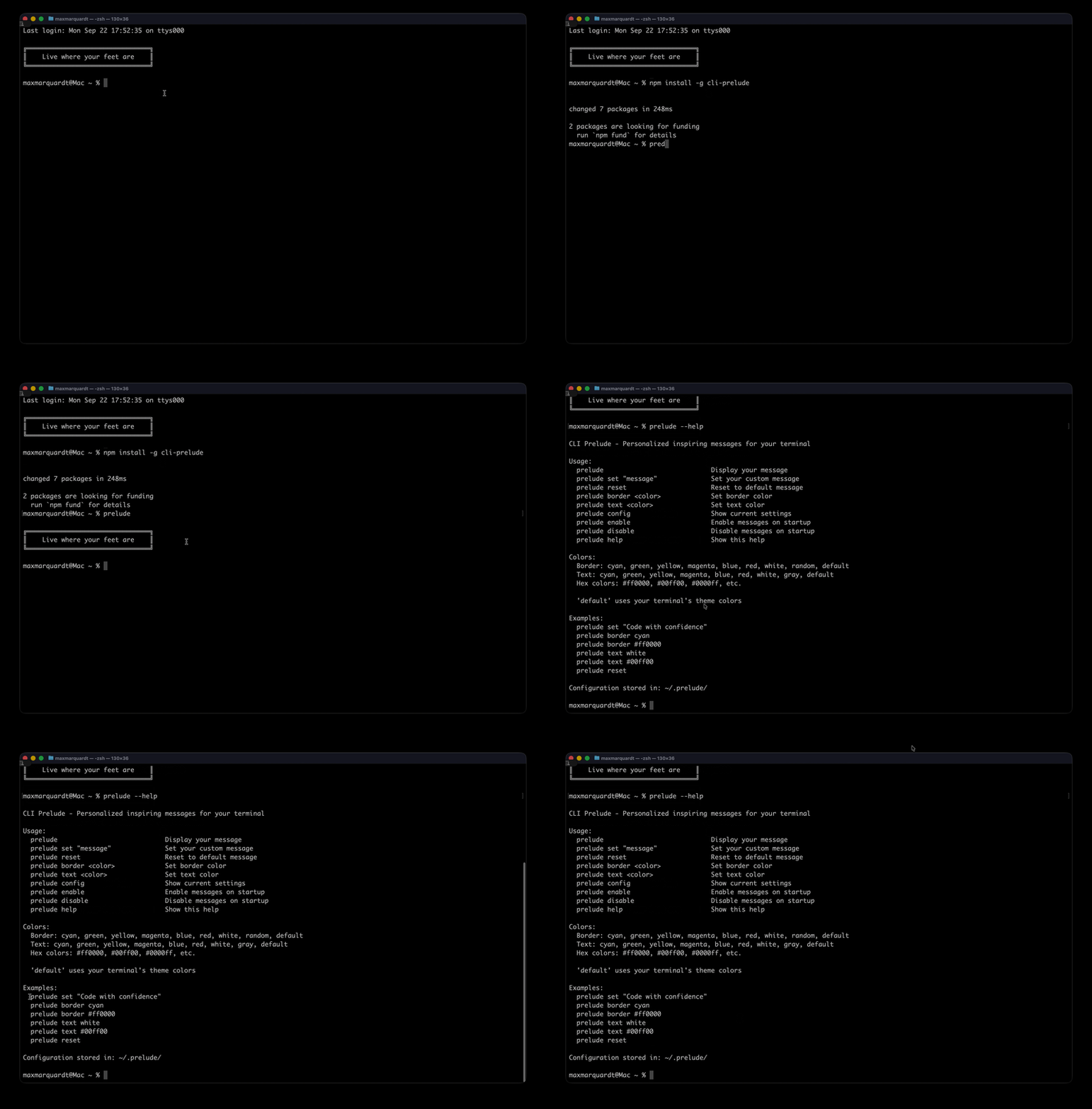
Features
- 🎯 Single default message - "Live where your feet are"
- ✨ Customizable - Set your own personal message
- 🎨 Beautiful display - Colorful output with Unicode box borders
- 🌈 Color support - Named colors and hex values
- 🎭 Theme adaptive - Uses your terminal's default colors by default
- ⚡ Lightweight - Minimal dependencies, fast startup
- 🔧 Simple commands - Easy enable/disable and configuration
Installation
npm install -g cli-preludeQuick Start
Display your message:
preludeCommands
prelude                    # Display your message
prelude set "message"      # Set your custom message
prelude reset              # Reset to default message
prelude border <color>     # Set border color
prelude text <color>       # Set text color
prelude config             # Show current settings
prelude enable             # Enable messages on startup
prelude disable            # Disable messages on startup
prelude help               # Show help
Colors
Named colors: cyan, green, yellow, magenta, blue, red, white, gray, random, default
Hex colors: #ff0000, #00ff00, #0000ff, etc.
Default: Uses your terminal's theme colors (recommended)
Examples
# Set a custom message
prelude set "Code with purpose"

# Use theme colors (adapts to light/dark themes)
prelude border default
prelude text default

# Use specific colors
prelude border cyan
prelude text white

# Use hex colors
prelude border "#ff6b6b"
prelude text "#4ecdc4"

# Reset everything
prelude reset
Setup Automatic Display
macOS / Linux (Zsh)
Add to your ~/.zshrc:
preludemacOS / Linux (Bash)
Add to your ~/.bashrc or ~/.bash_profile:
preludeWindows (PowerShell)
Add to your PowerShell profile:
preludeConfiguration
Configuration is stored in ~/.prelude/config.json:
{
  "enabled": true,
  "colorful": true,
  "border": true,
  "customMessage": "",
  "borderColor": "default",
  "textColor": "default"
}
Philosophy
CLI Prelude is about starting your terminal sessions with intention. Whether you use the default "Live where your feet are" or set your own message, it's a moment to center yourself before diving into code.
The name "CLI Prelude" reflects its purpose - a brief introduction before your main work begins.
Compatibility
- ✅ Cross-platform - Works on macOS, Linux, and Windows
- ✅ Shell agnostic - Works with bash, zsh, fish, PowerShell, cmd
- ✅ Theme adaptive - Respects your terminal's color scheme
- ✅ No interference - Runs cleanly without affecting your workflow
Resources
Publisher
Max's Lab of Things Visit mlot.ai
License
MIT