
click-to-react-component-next
v2.0.1
Published
option/alt+click React components in the browser to open source files in IDE

Maintainers
 alexgorbatchev
Readme
click-to-component-next (aka fork)


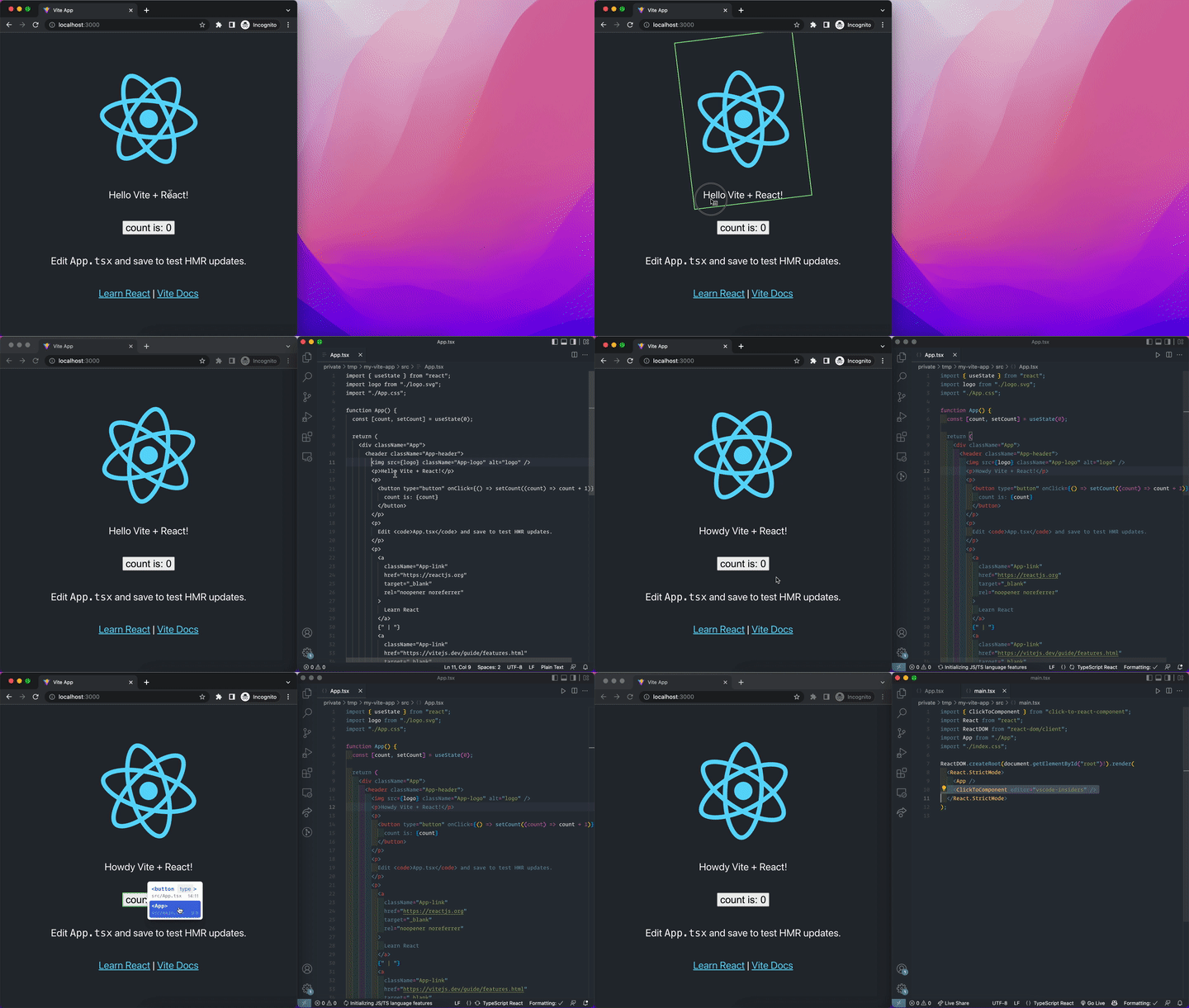
Option+Click or Alt+Click a Component in the browser to instantly goto the source in your editor.
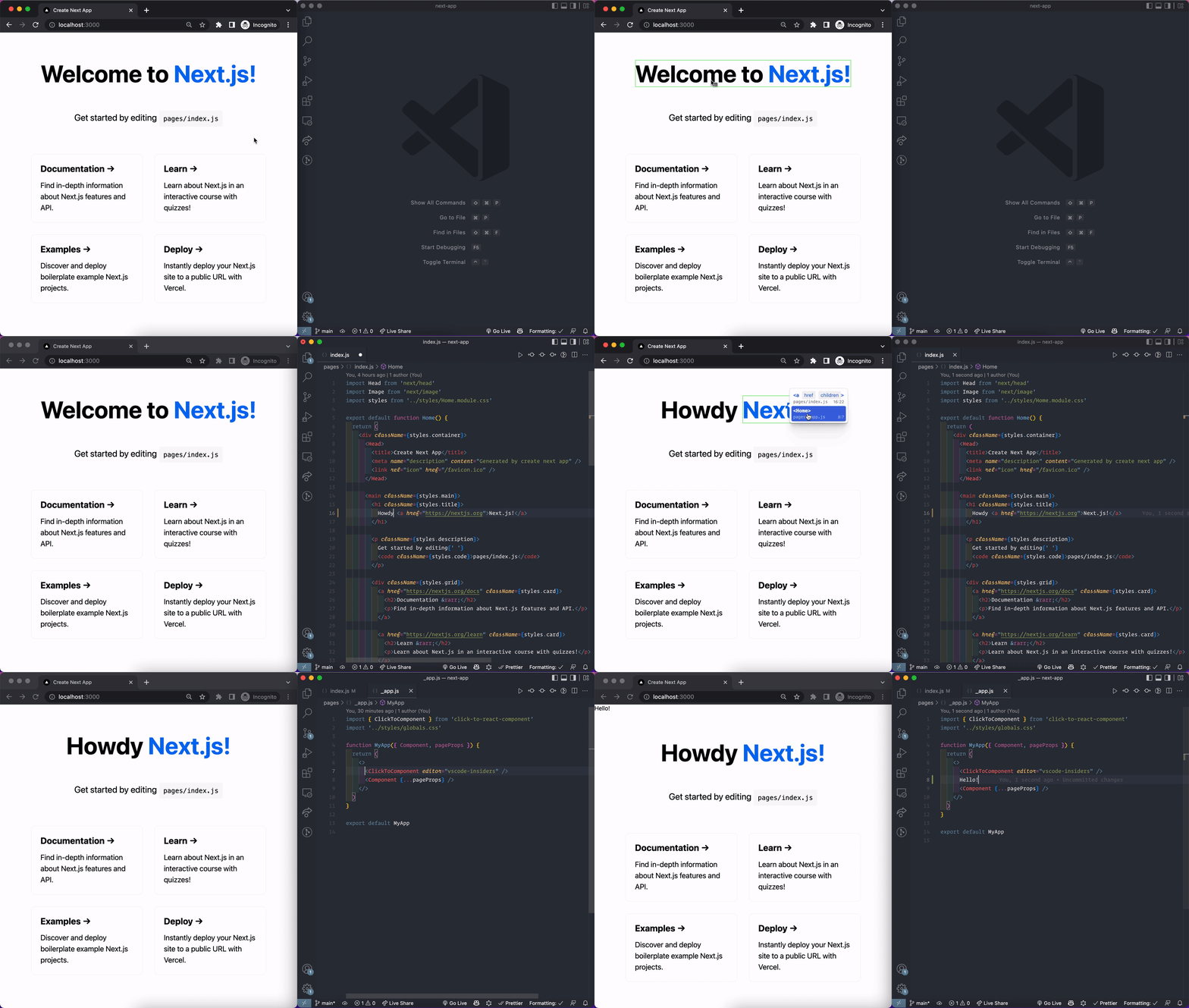
Features
Option+Click or Alt+Click opens the immediate Component's source
Option+RightClick or Alt+RightClick opens a context menu with the parent Components'
props,fileName,columnNumber, andlineNumber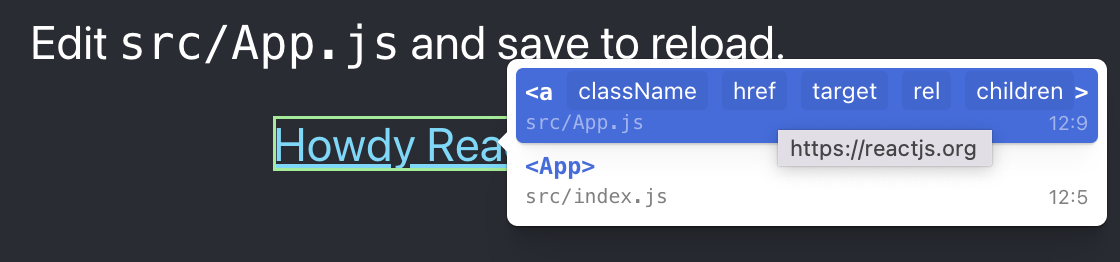
Works with frameworks like Next.js, Create React App, & Vite that use @babel/plugin-transform-react-jsx-source
Works with RSBuild with plugin-react out of the box
Supports
vscode&vscode-insiders&webstorm&cursorURL handlingAutomatically tree-shaken from
productionbuildsKeyboard navigation in context menu (e.g. ←, →, ⏎)
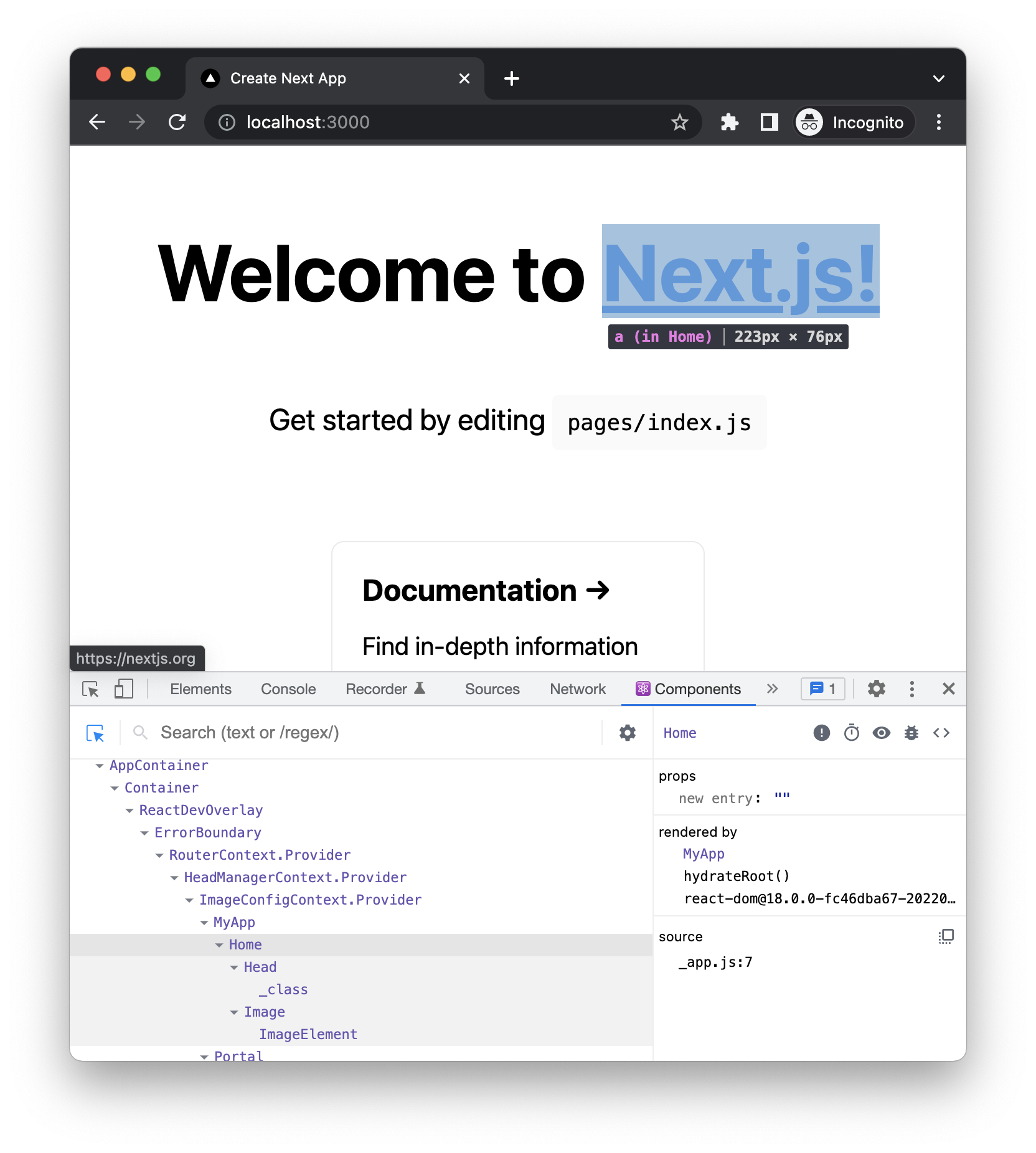
More context & faster than using React DevTools:
Installation
npm install click-to-react-component-nextpnpm add click-to-react-component-nextyarn add click-to-react-component-nextEven though click-to-react-component-next is added to dependencies, tree-shaking will remove click-to-react-component-next from production builds.
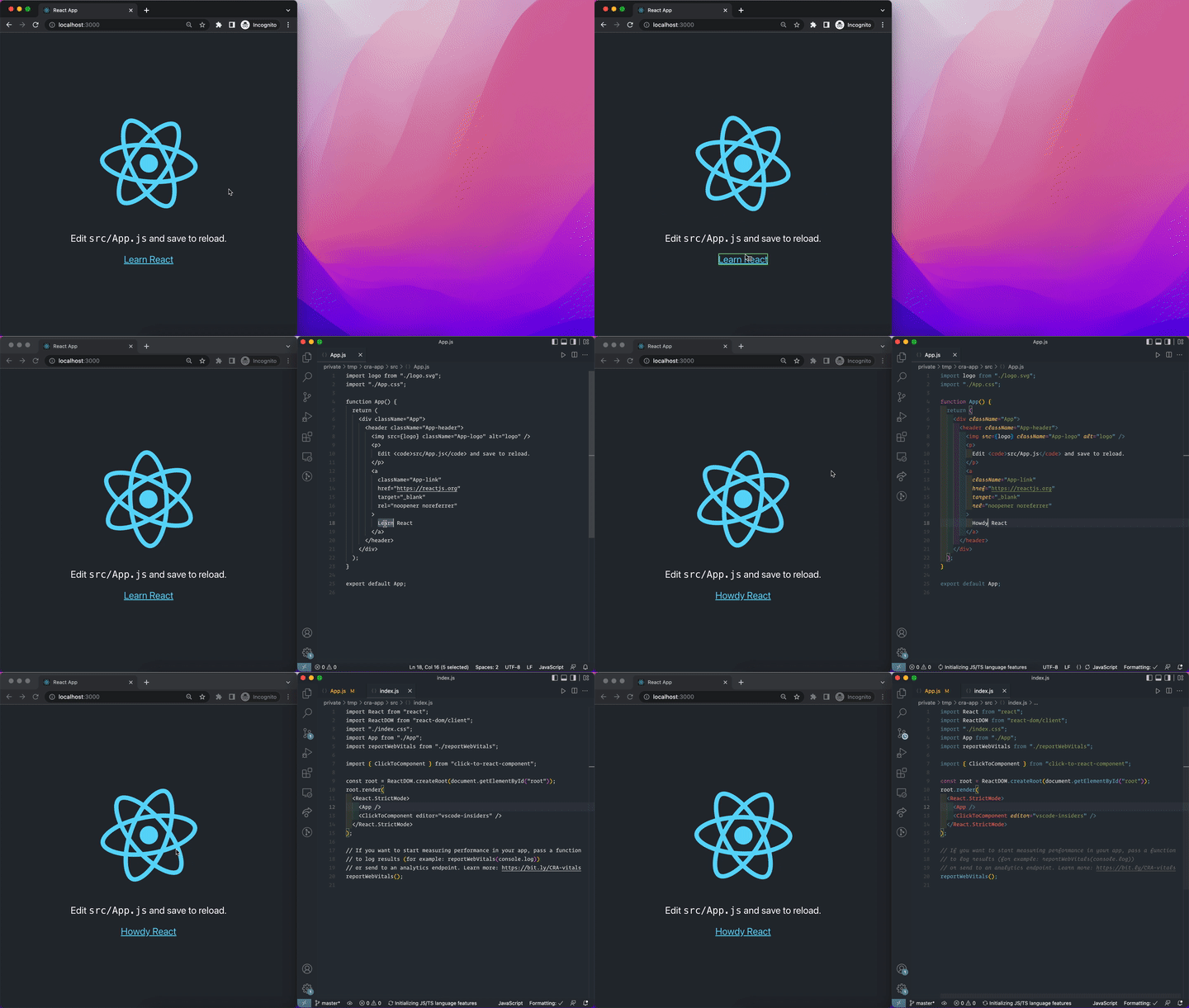
Usage
+import { ClickToComponent } from 'click-to-react-component-next';
 import React from 'react';
 import ReactDOM from 'react-dom/client';
 import './index.css';
@@ -8,7 +7,6 @@ import reportWebVitals from './reportWebVitals';
 const root = ReactDOM.createRoot(document.getElementById('root'));
 root.render(
   <React.StrictMode>
+    <ClickToComponent />
     <App />
   </React.StrictMode>
 );
+import { ClickToComponent } from 'click-to-react-component-next'
 import type { AppProps } from 'next/app'
 import '../styles/globals.css'

 function MyApp({ Component, pageProps }: AppProps) {
   return (
     <>
+      <ClickToComponent />
       <Component {...pageProps} />
     </>
   )
+import { ClickToComponent } from "click-to-react-component-next";
import React from "react";
import ReactDOM from "react-dom/client";
import App from "./App";
import "./index.css";
ReactDOM.createRoot(document.getElementById("root")!).render(
<React.StrictMode>
<App />
+ <ClickToComponent />
</React.StrictMode>
);
npm install @babel/plugin-transform-react-jsx-sourcebabel.config.js:
module.exports = {
  presets: [require.resolve('@docusaurus/core/lib/babel/preset')],
  plugins: [
    ...(process.env.BABEL_ENV === 'development'
      ? ['@babel/plugin-transform-react-jsx-source']
      : []),
  ],
}
src/theme/Root.js:
import { ClickToComponent } from 'click-to-react-component-next'
import React from 'react'

// Default implementation, that you can customize
export default function Root({ children }) {
  return (
    <>
      <ClickToComponent />
      {children}
    </>
  )
}
editor
By default, the editor is set to vscode.
But you can choose between webstorm, cursor and vscode-insider too.
-<ClickToComponent />
+<ClickToComponent editor="vscode-insiders" />
If you are using another editor, you can use the getEditorUrl prop to define your own editor.
getEditorUrl
If you want to define your own editor, you can use the getEditorUrl prop to define your own editor.
This function will be called with the path, line, and column of the target file.
<ClickToComponent
  getEditorUrl={(path, line, column) => {
    return `my-editor://open?file=${path}&line=${line}&column=${column}`
  }}
/>
Run Locally
Clone the project
gh repo clone alexgorbatchev/click-to-component-nextGo to the project directory
cd click-to-componentInstall dependencies
pnpm installRun one of the examples:
cd apps/cra
pnpm start
cd apps/next
pnpm dev