
cloud-pc-templates
v7.4.0
Published
Cloud PC Templates is a command-line tool for managing cloud PC configurations and AI operations.


Readme
Cloud PC Templates
Cloud PC Templates is a command-line tool for managing cloud PC configurations and AI operations.
For sdk please visit: https://www.npmjs.com/package/cloud-pc-templates-sdk
Installation
npm install -g cloud-pc-templatesVideo Tutorial
For a step-by-step guide on using Cloud PC Templates, watch this video tutorial:
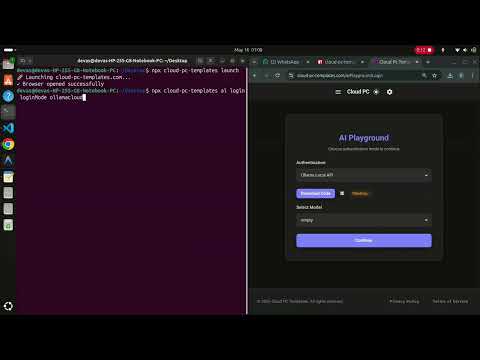
Click here to watch on YouTube
Usage
Basic Commands
Display help information:
npx cloud-pc-templates
npx cloud-pc-templates help
npx cloud-pc-templates --help
Launch Website
Open the Cloud PC Templates website in your default browser:
npx cloud-pc-templates launchThis command will open https://cloud-pc-templates.com in your browser.
AI Operations
AI Login
The AI module provides login functionality for different cloud providers.
Login Health
Check which login mode proxy ports are currently available:
npx cloud-pc-templates ai login healthWhat it does:
- Checks the health endpoints for all supported login modes without starting any proxy or prompting for API keys.
- Shows whether each login mode is available on localhost.
Ports checked:
- Hugging Face:
http://localhost:3003/health - Ollama Cloud:
http://localhost:3004/health - Ollama Local:
http://localhost:3005/health
Example:
$ npx cloud-pc-templates ai login health
AI login health

+-------------+---------------+--------------------+------------------------------+
| Mode        | Status        | Description        | Health Endpoint              |
+-------------+---------------+--------------------+------------------------------+
| huggingface | ✓ available   | Hugging Face proxy | http://localhost:3003/health |
| ollamacloud | ✗ unavailable | Ollama Cloud proxy | http://localhost:3004/health |
| ollamalocal | ✗ unavailable | Ollama Local proxy | http://localhost:3005/health |
+-------------+---------------+--------------------+------------------------------+
Ollama Cloud Login
Connect to Ollama Cloud:
npx cloud-pc-templates ai login loginMode ollamacloudWhat it does:
- Runs a wrapper service at
http://localhost:3004/healthwhich is an interface to ollama cloud models, it requires ollama api key.
Example:
$ npx cloud-pc-templates ai login loginMode ollamacloud
Enter API Key: **************************
✓ Logged in
  - Endpoint checked: http://localhost:3004/health
Ollama Local Login
Connect to Ollama Local models:
npx cloud-pc-templates ai login loginMode ollamalocalWhat it does:
- Runs a wrapper service to connect to ollama local models
Example (with Ollama running):
$ npx cloud-pc-templates ai login loginMode ollamalocal
🔍 Checking if Ollama is running...
✓ Ollama is running on localhost:11434

🚀 Starting Ollama Offline Proxy...
✓ Logged in
  - Endpoint checked: http://localhost:3005/health
  - Ollama running on: localhost:11434
Features:
- No API key required
- Checks for local Ollama installation
- Helpful warnings with installation instructions
- Runs proxy on port 3005
Hugging Face Login
Connect to Hugging Face services:
npx cloud-pc-templates ai login loginMode huggingfaceWhat it does:
- Runs a wrapper service over huggingface cloud models and it requires huggingface api key
Example:
$ npx cloud-pc-templates ai login loginMode huggingface
Enter Hugging Face API Key: ****************************
✓ Logged in
  - Endpoint checked: http://localhost:3003/health
AI Chat
List available chat login modes:
npx cloud-pc-templates ai chatList models for one login mode:
npx cloud-pc-templates ai chat ollamalocalValidate a model name and start interactive chat:
npx cloud-pc-templates ai chat ollamalocal qwen3:0.6bWhat it does:
ai chatshows the currently supported login modes.ai chat <loginmode>calls that login mode's/v1/modelsendpoint and lists model IDs from the responsedataarray.ai chat <loginmode> <model-name>checks that login mode's/v1/modelsendpoint and starts an interactive chat when the model exists.- Each question is sent to
/v1/chat/completionswith the full in-memory conversation history. - Enter
quit,exit,bye, ordoneto leave interactive chat.
Example model listing:
$ npx cloud-pc-templates ai chat ollamalocal
Available models for ollamalocal:
Endpoint: http://localhost:3005/v1/models

  - qwen3:0.6b

Run: npx cloud-pc-templates ai chat ollamalocal <model-name>
Example interactive chat:
$ npx cloud-pc-templates ai chat ollamalocal qwen3:0.6b
✓ Model "qwen3:0.6b" is available for ollamalocal.

Interactive chat started for ollamalocal/qwen3:0.6b.
Type quit, exit, bye, or done to end.

You: HI
Assistant: Hi there! How can I assist you today? 😊
You: done
Chat ended.
AI Agents
Manage and explore available AI agents from the registry.
Agent Registry URL:
https://raw.githubusercontent.com/devashish234073/cloud-pc-templates-marketplace/refs/heads/main/JS-AGENTS/agent-registry.jsonList All Agents
Display all available agents with their IDs, names, and ports:
npx cloud-pc-templates ai agents listExample output:
$ npx cloud-pc-templates ai agents list

Available Agents

────────────────────────────────────────────────────────────────────────────────
ID: playwright connector
Name: Playwright Connector
Port: 3036
────────────────────────────────────────────────────────────────────────────────
ID: mysql connector
Name: MySQL Connector
Port: 3037
────────────────────────────────────────────────────────────────────────────────
ID: angular connector
Name: Angular Connector
Port: 3034
────────────────────────────────────────────────────────────────────────────────
Get Agent Details
Display complete information for a specific agent:
npx cloud-pc-templates ai agents "agent-id"Start All Agents
Download, set up, and start all agents on a supported platform:
npx cloud-pc-templates ai agents startAllOn <platform>Supported platforms:
| Platform | Command | Description |
|-----------|---------|-------------|
| linux | npx cloud-pc-templates ai agents startAllOn linux | Downloads and runs setup_and_run.sh. Requires bash and an Ubuntu/Debian-based system. |
| android | npx cloud-pc-templates ai agents startAllOn android | Downloads and runs setup_and_run_in_termux.sh for Termux on Android. Requires bash. |
| docker | npx cloud-pc-templates ai agents startAllOn docker | Runs the pre-built Docker image devashish234073/cloud-pc-templates-agents with ports 3005–3100 and 4200 mapped. Requires docker. |
Linux example:
$ npx cloud-pc-templates ai agents startAllOn linux
✓ bash found. Downloading and running setup_and_run.sh...

==========================================
Cloud PC Templates Agents Setup
==========================================
...
Docker example:
$ npx cloud-pc-templates ai agents startAllOn docker
✓ docker found. Starting agents container...
Note: If you are on an unsupported platform (e.g. Windows), use the
dockeroption to run the agents via a container.
Command Discovery
The CLI features intelligent command discovery. If you don't provide all required arguments, it shows available options:
$ npx cloud-pc-templates ai
Available options for: npx cloud-pc-templates ai

  login                - Login to AI service
  chat                 - List or validate AI chat models
  agents               - Manage AI agents

$ npx cloud-pc-templates ai login
Available options for: npx cloud-pc-templates ai login

  health              - Check available login mode ports
  loginMode           - Specify login mode

$ npx cloud-pc-templates ai login loginMode
Available options for: npx cloud-pc-templates ai login loginMode

  huggingface         - Connect to Hugging Face
  ollamacloud         - Connect to Ollama Cloud
  ollamalocal         - Connect to Ollama Local
Architecture
The project follows a modular handler-based architecture:
cloud-pc-templates/
├── index.js                 # Main entry point, command tree, and CLI routing
├── handlers/
│   ├── ollamacloud.js      # Ollama Cloud login functionality
│   ├── ollamalocal.js      # Ollama Local login functionality
│   ├── huggingface.js      # Hugging Face login functionality
│   ├── chat.js             # AI chat model listing and validation
│   ├── loginModes.js       # Shared login mode configuration
│   ├── loginHealth.js      # Login mode health checks
│   ├── agents.js           # AI agents registry management
│   └── launch.js           # Website launcher
├── package.json            # Project metadata and bin configuration
└── README.md               # This file
Cross-Platform Support for the launch command
The launch command works on:
- macOS (uses
opencommand) - Linux (uses
xdg-opencommand) - Windows (uses
startcommand) - Android/Termux (uses
termux-openwith fallback toxdg-open)
Health Check System
The login commands include automatic health checking:
ai login healthchecks Hugging Face, Ollama Cloud, and Ollama Local proxy ports- Login commands validate the proxy server before completing login
- Endpoint information is printed for debugging
- Proxy process output is shown when a login command starts a service
Chat Model Discovery
The chat command discovers models through the active login mode proxies:
ai chatlists supported login modes from the shared login mode configurationai chat <loginmode>readshttp://localhost:<port>/v1/modelsai chat <loginmode> <model-name>validates the model and sends questions tohttp://localhost:<port>/v1/chat/completions
Intelligent Command Discovery
The CLI provides helpful feedback when commands are incomplete:
- Shows available options at each level
- Supports
--helpflag at any point - Clear, formatted output with descriptions
Development
File Structure
handlers/
├── chat.js                # AI chat model listing and validation
├── loginModes.js          # Shared login mode configuration
├── ollamacloud.js         # Ollama Cloud specific logic
├── loginHealth.js         # Login health check logic
└── launch.js              # Launch specific logic
Each handler is a separate module that can be:
- Independently tested
- Updated without affecting other modules
- Extended with new features
- Reused in other projects
NPM Script
The project is configured with a binary entrypoint in package.json:
{
  "bin": {
    "cloud-pc-templates": "index.js"
  }
}
This enables the npx cloud-pc-templates command globally.
License
ISC
Author
Devashish Priyadarshi