
code-server-ops-ui
v0.1.1
Published
React component library + standalone SPA for the code-server-ops admin dashboard.

Maintainers
 barrymister
Readme
code-server-ops-ui
React 19 + Tailwind v4 + shadcn component library and standalone SPA for the code-server-ops admin dashboard. Dark-mode default, zinc palette.
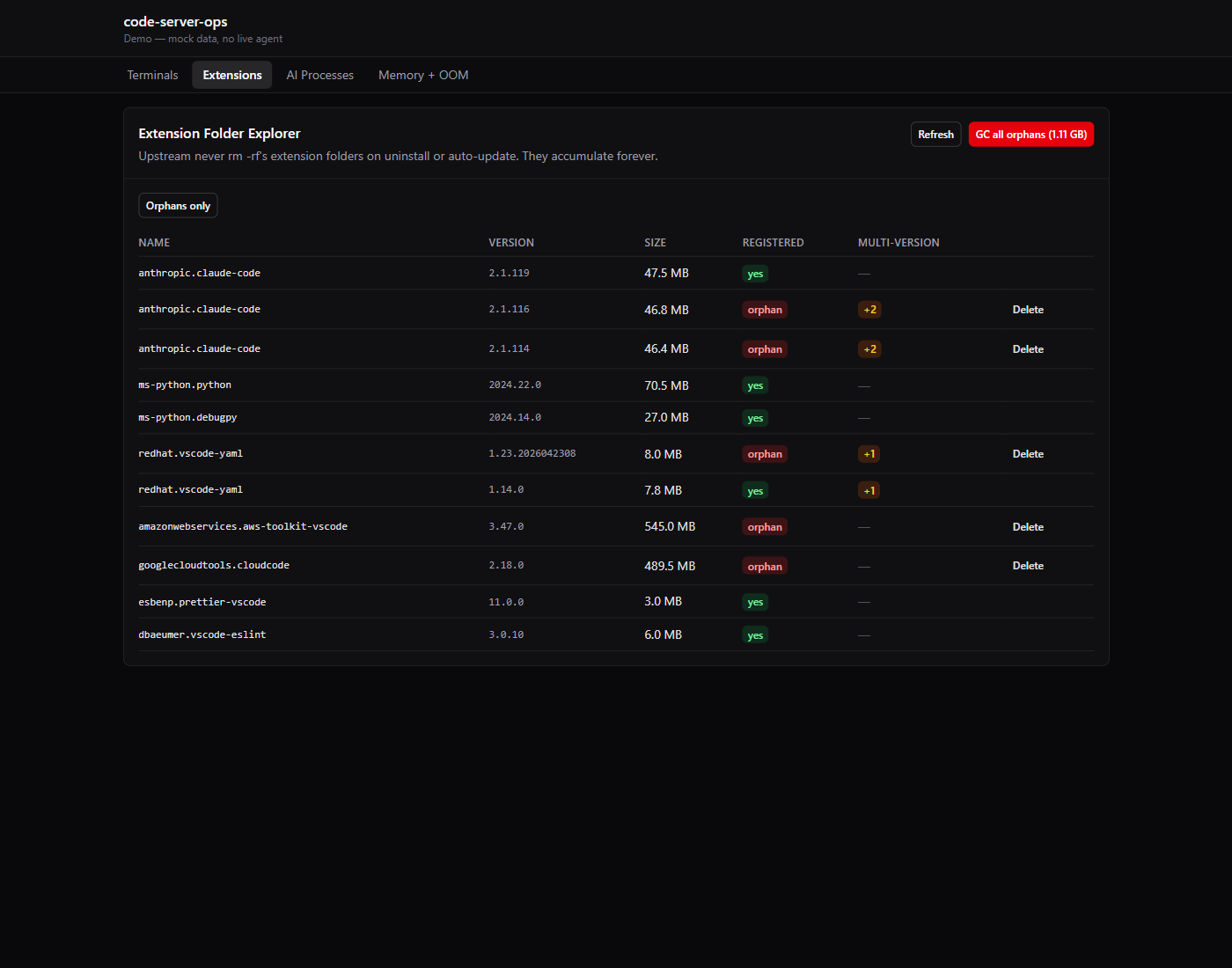
What's in the box
<Dashboard>— four tabs, login gate, configurable base URL. Drop-in replacement when you want the full experience.- Individual panels —
<TerminalsPanel>,<ExtensionsPanel>,<AiProcessesPanel>,<MemoryTimelinePanel>when you want your own layout. ApiClient/api/configureApi(url)— thin fetch wrapper, sessionStorage-based password helpers.
Every destructive action is gated by a Preview-before-commit modal listing the exact change. No confirm dialogs on buttons you didn't expect to click.
Install
npm install code-server-ops-uiPeer deps: react@>=19, react-dom@>=19.
Use it
"use client"; // if you're on Next.js App Router
import { Dashboard } from "code-server-ops-ui";
import "code-server-ops-ui/styles.css";

// Option 1 — server-side proxy. Host app's auth (e.g. Better Auth, NextAuth)
// protects the proxy route. The agent password never reaches the browser.
export default function CodeServerOps() {
  return (
    <Dashboard
      skipAuth
      baseUrl="/api/infrastructure/code-server"
      title="code-server ops"
    />
  );
}

// Option 2 — direct connection to the agent. Library prompts for the
// CSOPS_PASSWORD on first load and caches in sessionStorage.
export default function CodeServerOps() {
  return <Dashboard baseUrl="https://code-server-ops.example.com" />;
}
Individual panels — if you want custom navigation:
import { TerminalsPanel, configureApi } from "code-server-ops-ui";
import "code-server-ops-ui/styles.css";

configureApi("/api/infrastructure/code-server"); // call once at app boot

function Page() {
  return (
    <main>
      <h1>My custom admin</h1>
      <TerminalsPanel />
    </main>
  );
}
Proxy route (Next.js App Router)
The recommended pattern keeps the agent password off the browser. Here's a complete catch-all proxy you can drop at app/api/infrastructure/code-server/[...path]/route.ts:
import { NextResponse, type NextRequest } from "next/server";

const AGENT_URL = process.env.CSOPS_AGENT_URL;
const AGENT_PASSWORD = process.env.CSOPS_AGENT_PASSWORD;
const auth = () => "Basic " + Buffer.from(`ops:${AGENT_PASSWORD ?? ""}`).toString("base64");

async function forward(req: NextRequest, path: string[], method: "GET" | "POST") {
  if (!AGENT_URL || !AGENT_PASSWORD) {
    return NextResponse.json({ error: "agent not configured" }, { status: 503 });
  }
  const target = `${AGENT_URL.replace(/\/$/, "")}/${path.map(encodeURIComponent).join("/")}${req.nextUrl.search}`;
  const init: RequestInit = {
    method,
    headers: { authorization: auth(), "content-type": "application/json" },
  };
  if (method === "POST") init.body = await req.text();
  const res = await fetch(target, init);
  return new NextResponse(await res.text(), {
    status: res.status,
    headers: { "content-type": res.headers.get("content-type") ?? "application/json" },
  });
}

export async function GET(req: NextRequest, ctx: { params: Promise<{ path: string[] }> }) {
  return forward(req, (await ctx.params).path ?? [], "GET");
}
export async function POST(req: NextRequest, ctx: { params: Promise<{ path: string[] }> }) {
  return forward(req, (await ctx.params).path ?? [], "POST");
}
License
MIT. See LICENSE.