
codeui-js
v1.1.0
Published
A full-featured node package providing code editor ui to be embedded in webpages/webapps.

Maintainers
 himanshusandha
Readme
codeui-js
A full-featured node package providing code editor ui to be embedded in webpages/webapps.
Install
npm install codeui-js

or

yarn add codeui-js
Features
- Line Number
- File name
- Toogle code editing
- Line Highlight
- Customizing style properties
- Theme Selection
Usage
import React from "react";
import ReactDOM from "react-dom";

import { Codeui } from "codeui-js";

function App() {
  const data = `return (
        <>
          <h1 style={{ textAlign: "center" }}>codeui-js</h1>
          <Codeui data={data} />
        </>
      );`;

  return (
    <Codeui
      data={data}
      contentEditable={false}
      fileName="index.html"
      lineNumbering={true}
      lineToHighlight="3,4"
      wrap={false}
      borderRadius="1rem"
      lineHeight="1.6"
      fontSize="16"
      /* backgroundColor=""
      textColor=""
      highlighterColor=""
      highlighterLeftColor=""
      theme="" */
    />
  );
}

ReactDOM.render(
  <React.StrictMode>
    <App />
  </React.StrictMode>,
  document.getElementById("root")
);
Output:
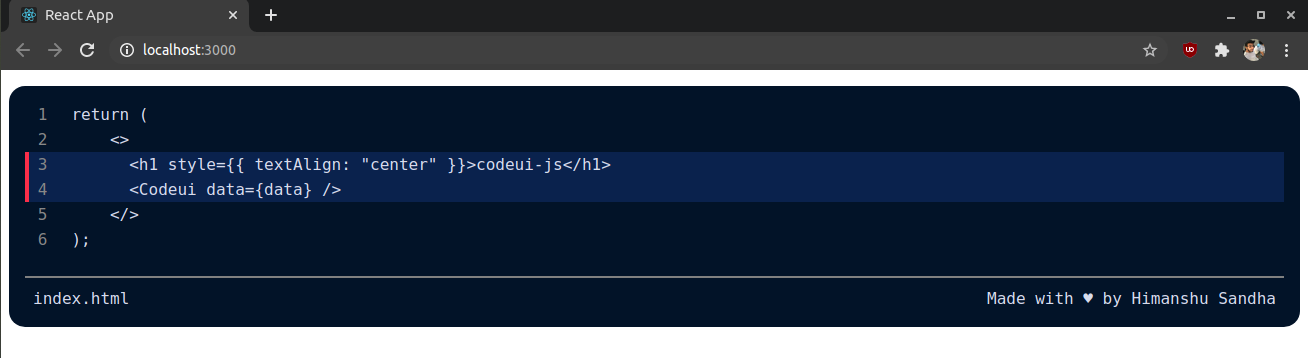
Attributes:
| Name | Description | Required | Data type | Possible Values | Default Value | Example | | -------------------- | ------------------------------------------------------------------------------------------------------ | -------- | ----------------- | ----------------------------------------------------------------------------------------------- | ------------------- | ---------------------------------------------------------------- | | data | Accepts the string representing the code/portion of text to be displayed | true | string | Any string | NULL | <>codeui-js</> | | contentEditable | Allows to enable or disable the text editing on webpage | false | boolean | true, false | false | {true} | | fileName | Accepts a string containing the filename to be displayed at bottom | false | string | Any string | NULL | index.html | | lineNumbering | Allows to choose either to display line numbers or not | false | boolean | true, false | true | {true} | | lineToHighlight | Accepts a string conatining line numbers to be highlighted by comma seprated | false | string | Any string with numbers seprated by comma | NULL | "1,2,3,6" | | wrap | Allows to chose either the words should be wrapped or not | false | boolean | true, false | false | {true} | | borderRadius | Accepts a string or a numberic value for representing the amount of corners to be rounded | false | string or numeric | Any string or number (int,float) | 0.5rem | "1rem" or {1} | | lineHeight | Accepts a string or a numberic value for representing the vertical spacing to be applied between lines | false | string or numeric | Any string or number (int,float) | 1.6 | "1rem" or {1.6} | | fontSize | Accepts a string or a numeric value representing the size of text | false | string or numeric | Any string or number | 16px | "1rem" or {16} | | backgroundColor | Accepts a string representing a color value to be applied as background to the editor ui | false | string | Any string containing acceptable color value | rgb(1, 22, 39) | "black" or "#00000" or "rgb(1,22,39,0.5)" or "hsl(217,34%,29%)" | | textColor | Accepts a string representing a color value to be applied as foreground text color | false | string | Any string containing acceptable color value | rgb(214, 222, 235) | "white" or "#ffffff" or "rbb(1,22,39,0.5)" or "hsl(217,34%,29%)" | | highlighterColor | Accepts a string representing a color value to be applied as line highlighter color | false | string | Any string containing acceptable color value | rgb(2, 42, 75) | "blue" or "#00ff00" or "rgb(1,22,39,0.5)" or "hsl(217,34%,29%)" | | highlighterLeftColor | Accepts a string representing a color value to be applied as line highlighter left border color | false | string | Any string containing acceptable color value | rgb(239, 83, 80) | "red" or "#ff0000" or "rgb(1,22,39,0.5)" or "hsl(217,34%,29%)" | | theme | Accepts a string representing the theme name | false | string | light, bitLight, solarizedLight, purple, dark, solarizedDark, red, pinkGrey, whiteGrey, crimson | NULL(defalut theme) | "light" |
Theme's:
1. light

2. bitLight
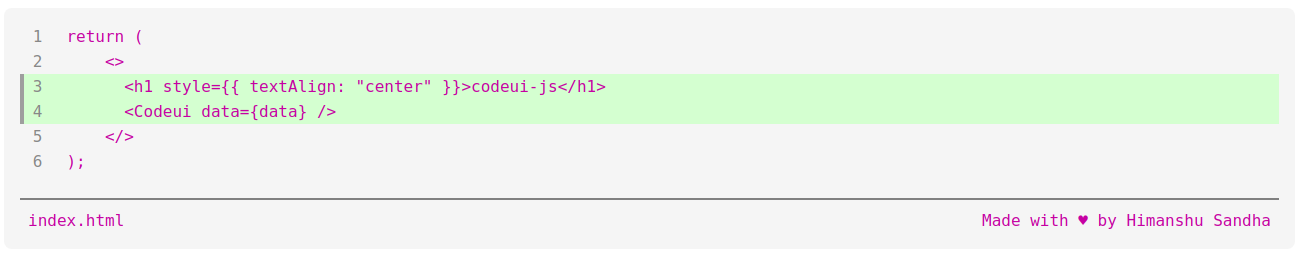
3. solarizedLight

4. purple

5. dark

6. solarizedDark

7. red

8. pinkGrey

9. whiteGrey

10. crimson
