
codex-board
v0.4.2
Published
Local Codex session issue boards.
Downloads
1,045


Readme
codex-boards
codex-boards is a local-first Bun monorepo that turns local Codex rollout history into a project-oriented issue board.
It scans Codex session rollouts, keeps Git-backed threads, creates one issue per thread, stores Git and image evidence in SQLite, and renders the results in a React/Vite workspace with project navigation, filters, saved views, detail sheets, parser settings, live sync status, first-run onboarding, and local skill catalogs.
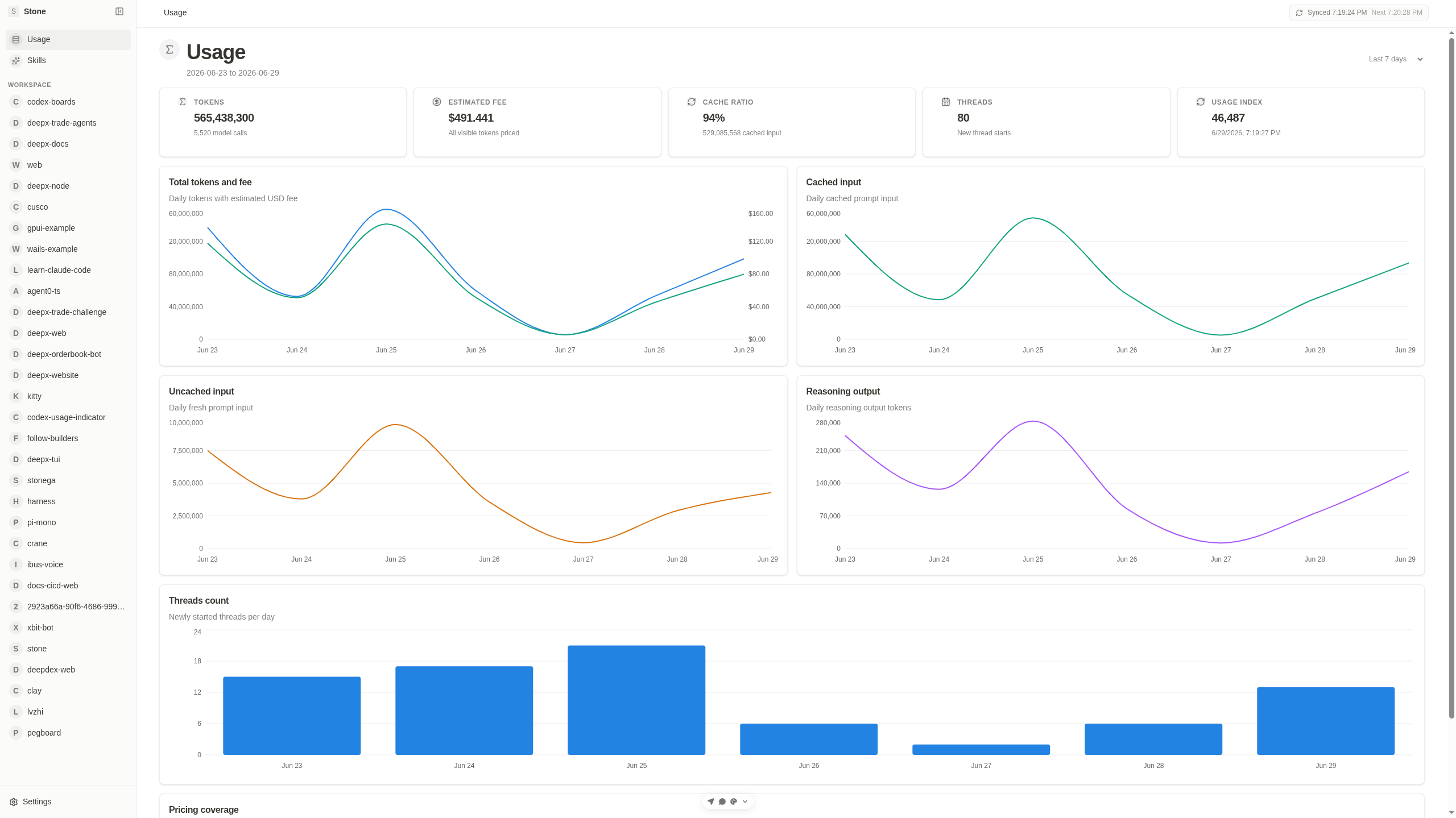
Getting Started
npx codex-boardThe codex-board CLI starts the backend API and Vite web app locally, waits for both ports to become reachable, and opens the web UI. On first open, the UI defaults to the Codex CLI parser, shows parse output language as its own second step, runs the first sync, and then enters the board. After that, the backend schedules background sync once per minute for newly added or file-updated threads, and the homepage shows live status.
Default local URLs:
- Web:
http://localhost:5673 - Backend:
http://localhost:5687
Current Packages
apps/backend: Hono API, rollout sync service, SQLite persistence, Codex CLI/OpenAI-compatible parsing, fallback issue extraction, skill discovery, and workspace skill suggestions.apps/web: React 19 + Vite app with the board UI, issue detail sheets, runtime parser settings, sync history, global skills, project skills, and draft skill suggestion cards.packages/domain: Shared TypeScript contracts and deterministic helpers for projects, issues, sync diagnostics, parser settings, and skills.
The root workspace is managed with Bun workspaces:
apps/
  backend/
  web/
packages/
  domain/
docs/
  design/
  implementation/
  user/
examples/
scripts/
tests/
What It Does
The sync pipeline:
- Reads rollout
.jsonlfiles from~/.codex/sessionsby default. - Keeps only threads with Git workspace evidence.
- Infers projects from repository names and workspace paths.
- Builds a truncated parse payload for each thread.
- Extracts one issue summary per thread through Codex CLI or an OpenAI-compatible parser when configured.
- Falls back to deterministic issue shaping when AI parsing is unavailable or fails.
- Skips unchanged rollout files on later manual syncs unless the file or parser fingerprint changed; automatic background sync only queues newly added or file-updated threads.
- Stores projects, issues, Git evidence, image evidence, parser diagnostics, sync runs, saved views, and settings in SQLite.
- Exposes the data through a local HTTP/WebSocket API consumed by the web UI.
The web UI supports:
- project sidebar navigation
- issue table with search, parse mode, review, image, commit, tag, and saved-view filters
- issue detail sheets with traceability, image evidence, Git evidence, warnings, and review toggling
- parser settings with persisted provider, model, output language, and API key status
- first-run provider setup with Google Gemini selected by default, a dedicated output-language step, an onboarding sync screen, homepage sync status, and sync history with per-file parse logs
- global skills catalog discovered from local Codex, agent, and enabled plugin skill roots
- project skills catalog discovered from
.codex/skillsand.agents/skillsinside each project workspace - draft skill suggestions grouped from repeated workspace prompts and assistant outcomes
Usage Guide
Install the CLI from npm:
npm install -g codex-boardThe published CLI requires bun to be available on your PATH.
Start Codex Boards with the default local ports:
codex-boardBy default, this starts:
- Web UI:
http://localhost:5673 - Backend API:
http://localhost:5687
Start without opening a browser:
codex-board --no-openUse different ports when the defaults are already in use:
codex-board --web-port 5680 --backend-port 7789Bind to a different host:
codex-board --host 0.0.0.0Clear Codex Boards local SQLite data before startup:
codex-board --clearShow CLI help or the installed version:
codex-board --help
codex-board --version
Common environment overrides:
CODEX_SESSIONS_ROOT=/path/to/codex/sessions codex-board
CODEX_BOARDS_DB_PATH=/path/to/codex-boards.sqlite codex-board
CODEX_BOARDS_SYNC_INTERVAL_MS=0 codex-board
Configuration
Runtime paths:
CODEX_SESSIONS_ROOT: rollout root, defaults to~/.codex/sessionsCODEX_BOARDS_DB_PATH: SQLite database path, defaults to.tmp/codex-boards.sqliteCODEX_BOARDS_APP_DATA_DIR: app data directory; when set, SQLite is stored ascodex-boards.sqliteunder that directoryCODEX_HOME: Codex home for skill discovery, defaults to~/.codexAGENTS_HOME: agents home for skill discovery, defaults to~/.agentsCODEX_BOARDS_SYNC_INTERVAL_MS: background sync interval, defaults to60000; set0to disable
Optional parser configuration:
CODEX_BOARDS_PARSER_PROVIDER=
CODEX_BOARDS_CODEX_CLI_BIN=
OPENAI_COMPAT_BASE_URL=https://generativelanguage.googleapis.com/v1beta/openai/
OPENAI_COMPAT_API_KEY=
OPENAI_COMPAT_MODEL=gemini-3-flash-preview
CODEX_BOARDS_PARSE_OUTPUT_LANGUAGE=
The same parser settings can be inspected and updated from the web app's Settings dialog. Settings and sync diagnostics persist in SQLite across backend restarts.
First-run setup offers Google Gemini, OpenRouter, and DeepSeek presets. The Settings dialog also includes Codex CLI and custom provider presets, plus output language choices for English, Traditional Chinese, Simplified Chinese, Japanese, Spanish, French, or a custom language. The Codex CLI preset runs codex exec with gpt-5.4-mini and parses the plain final message because the CLI provider path does not rely on response schemas. Codex CLI sync runs are invoked with ephemeral execution and an internal skip marker so parser runs do not get re-imported as new Codex threads.
API Surface
Primary backend endpoints:
GET /api/healthGET /api/projectsGET /api/issues?projectId=...GET /api/issues/:idPOST /api/issues/:id/reviewGET /api/settingsPOST /api/settingsPOST /api/syncGET /api/sync/statusGET /api/sync/runsGET /api/viewsPOST /api/viewsGET /api/skillsGET /api/skills?projectId=...GET /api/skills/suggestions?projectId=...GET /api/skills/:idPOST /api/skills/install
Skills
Global skill discovery reads:
${CODEX_HOME:-~/.codex}/skills${AGENTS_HOME:-~/.agents}/skills- enabled plugin skill roots from
${CODEX_HOME:-~/.codex}/config.toml
Project skill discovery reads:
<project workspace>/.codex/skills<project workspace>/.agents/skills
The Skills page shows the global catalog as cards. Each project page also has an Issues | Skills tab bar; the Skills tab shows draft skill suggestions and the local project catalog as card grids. Selecting a catalog card opens a slide-over panel with the full SKILL.md content. Selecting a draft suggestion opens the same panel with an Add Skill menu for workspace or global install.
Quality Commands
bun run check
bun run build
bun test tests/backend/skills.test.ts
The full test suite is:
bun testCurrent checkout note: tests/gnome/app.test.ts expects files under apps/gnome, but this checkout currently contains only apps/backend and apps/web. Until the GNOME app files are restored or those tests are updated, the full bun test run fails on those missing-file checks.
Examples
The examples/ directory contains small payloads for sync, issue extraction, and skills responses:
examples/sample-history.jsonexamples/sample-thread-payload.jsonexamples/sample-parsed-issues.jsonexamples/sample-sync-history.jsonexamples/sample-skills-response.json
Design Notes
The implementation intentionally keeps parsing inspectable:
- Git evidence extraction is deterministic.
- AI parsing is optional and OpenAI-compatible.
- Fallback mode still imports useful issues when AI parsing is unavailable.
- Low-confidence issues are marked for review instead of hidden.
- Sync history records parser target, resolved response model, request counts, token totals, and parse logs.
See also:
docs/design/architecture.mddocs/implementation/setup.mddocs/user/overview.md