
codex-map
v0.2.0
Published
Visual dashboard for inspecting and mapping your Codex CLI setup

Maintainers
 dhrupo
Readme
Codex Map




A visual dashboard for inspecting your Codex CLI setup. Codex Map reads
your ~/.codex directory, your project overlays, and your session
history, and lays everything out in a single browsable UI so you can
answer questions like which skill is overriding which?, which MCP
server did this session use?, and what does my last debugging run
look like?
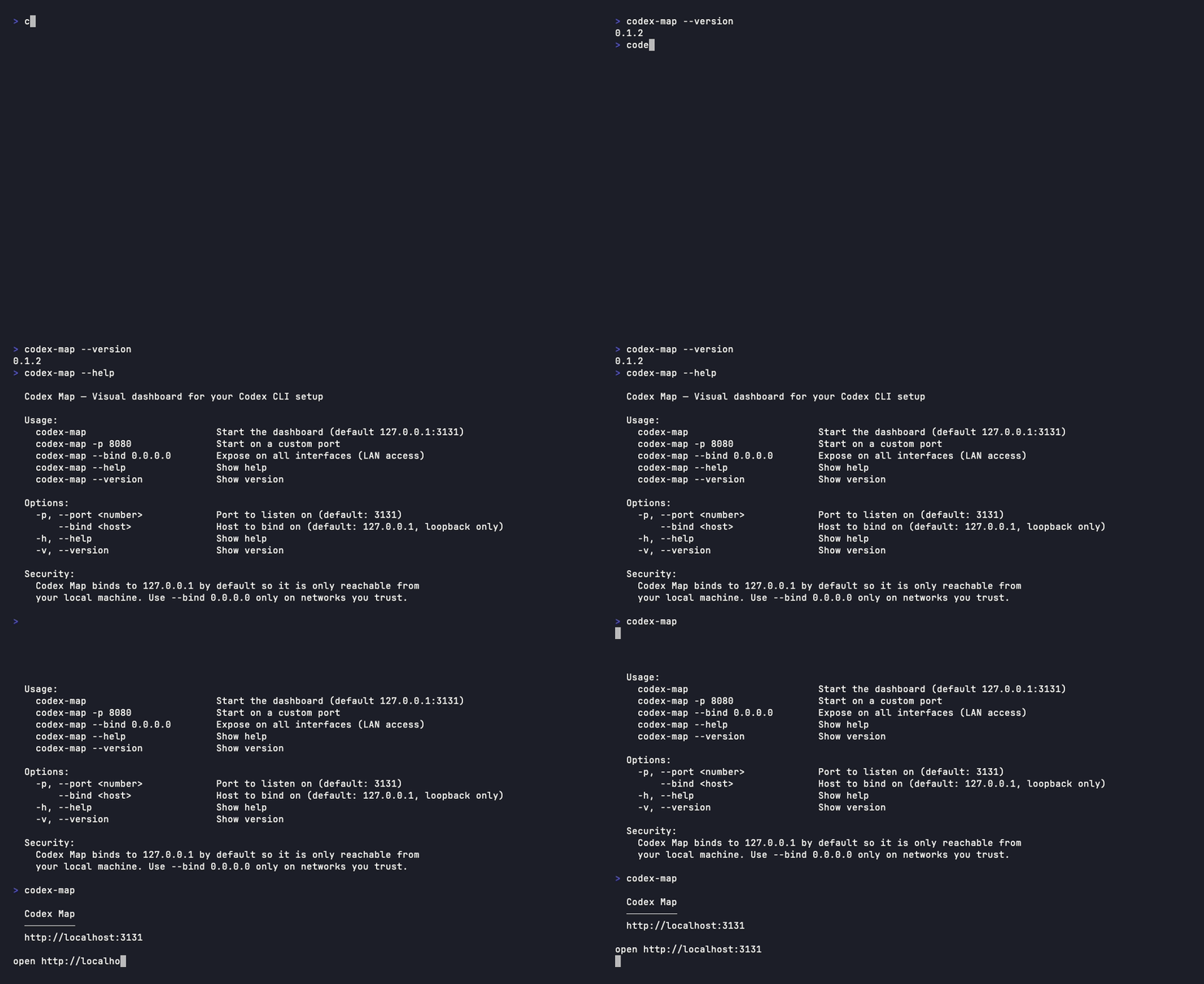
Install
npm install -g codex-map
codex-map
Or run it ad-hoc without installing:
npx codex-mapThen open http://localhost:3131.
What you can do with it
- Browse session history — search by date, project, or tool use,
and copy a one-line
codex resume <id>command for any session. - Compare skills side by side — see which global skill in
~/.codex/skills/is being overridden by a project-local.codex/skills/. - Inspect everything —
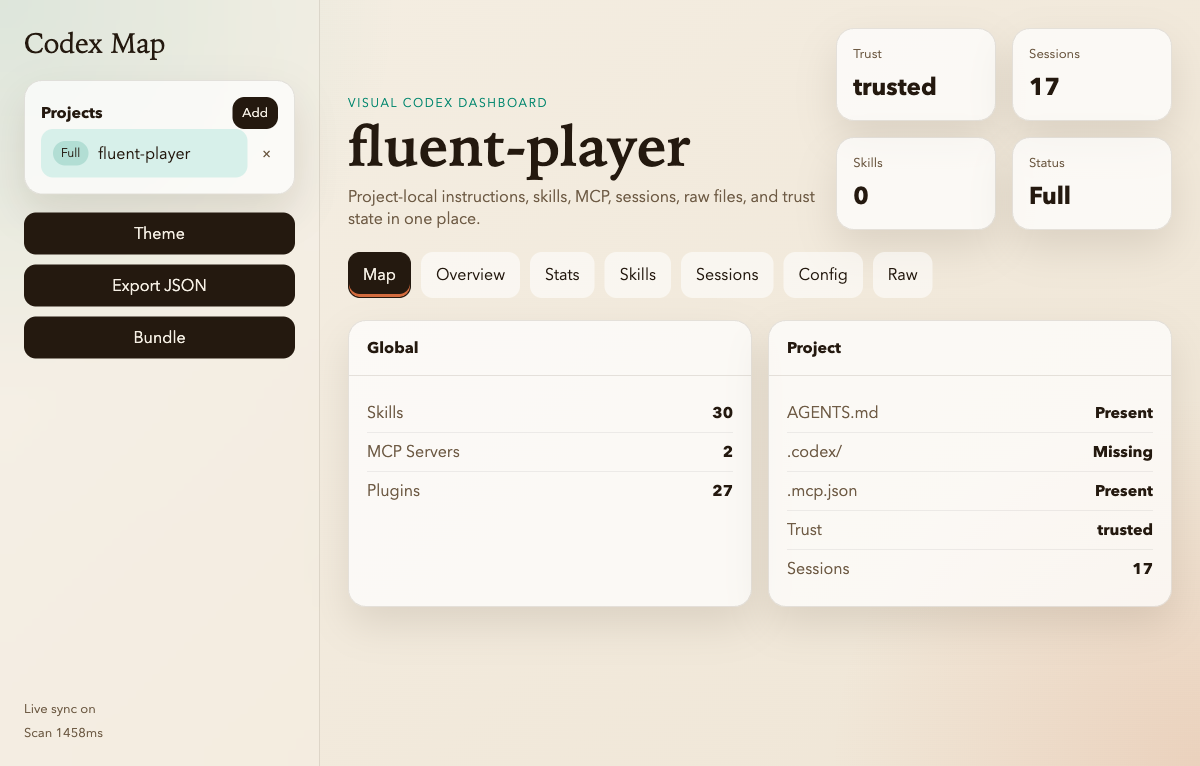
config.toml, trusted projects, MCP servers, plugins, andAGENTS.mdfiles, all in one place. - Map a project — point Codex Map at a repo to see its
AGENTS.md, MCP config, and per-project skills together. - Export — dump a full JSON scan, or a redacted bundle you can share with a teammate when something is misbehaving.
Usage
codex-map                       Start the dashboard (127.0.0.1:3131)
codex-map -p 8080               Start on a custom port
codex-map --bind 0.0.0.0        Expose on all interfaces (LAN access)
codex-map --help                Show help
codex-map --version             Show version
Environment variable equivalents: PORT, HOST.
Security
Codex Map binds to 127.0.0.1 by default. The API exposes the
contents of ~/.codex (config, sessions, plugin metadata) and can
write to ~/.codex/codex-map-projects.json, so it is intentionally
loopback-only out of the box.
Pass --bind 0.0.0.0 only on networks you trust. The dashboard prints
a warning whenever it is bound to a non-loopback host.
There is no authentication on the HTTP API — the security boundary is the loopback bind.
What it reads
| Source | Purpose |
| --- | --- |
| ~/.codex/config.toml | Global Codex CLI config |
| ~/.codex/skills/ | Global skills |
| ~/.codex/history.jsonl | Session history index |
| ~/.codex/session_index.jsonl | Session metadata |
| ~/.codex/sessions/ | Per-session transcripts |
| ~/.codex/.tmp/plugins/plugins/*/.codex-plugin/plugin.json | Installed plugins |
| <project>/AGENTS.md, <project>/.codex/skills/, <project>/.mcp.json | Project overlays |
It does not write anywhere except ~/.codex/codex-map-projects.json
(the list of projects you've pinned in the UI).
Screenshots
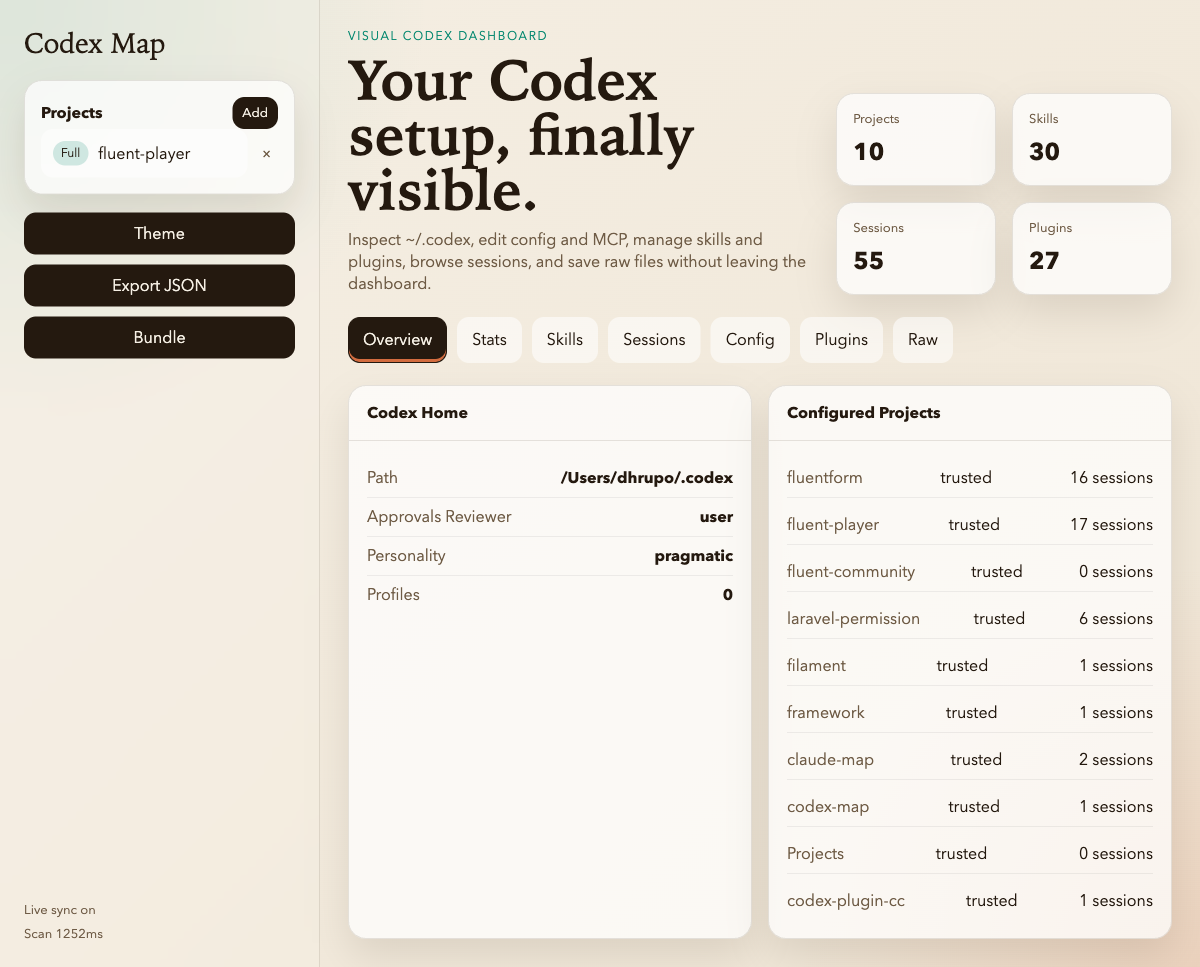
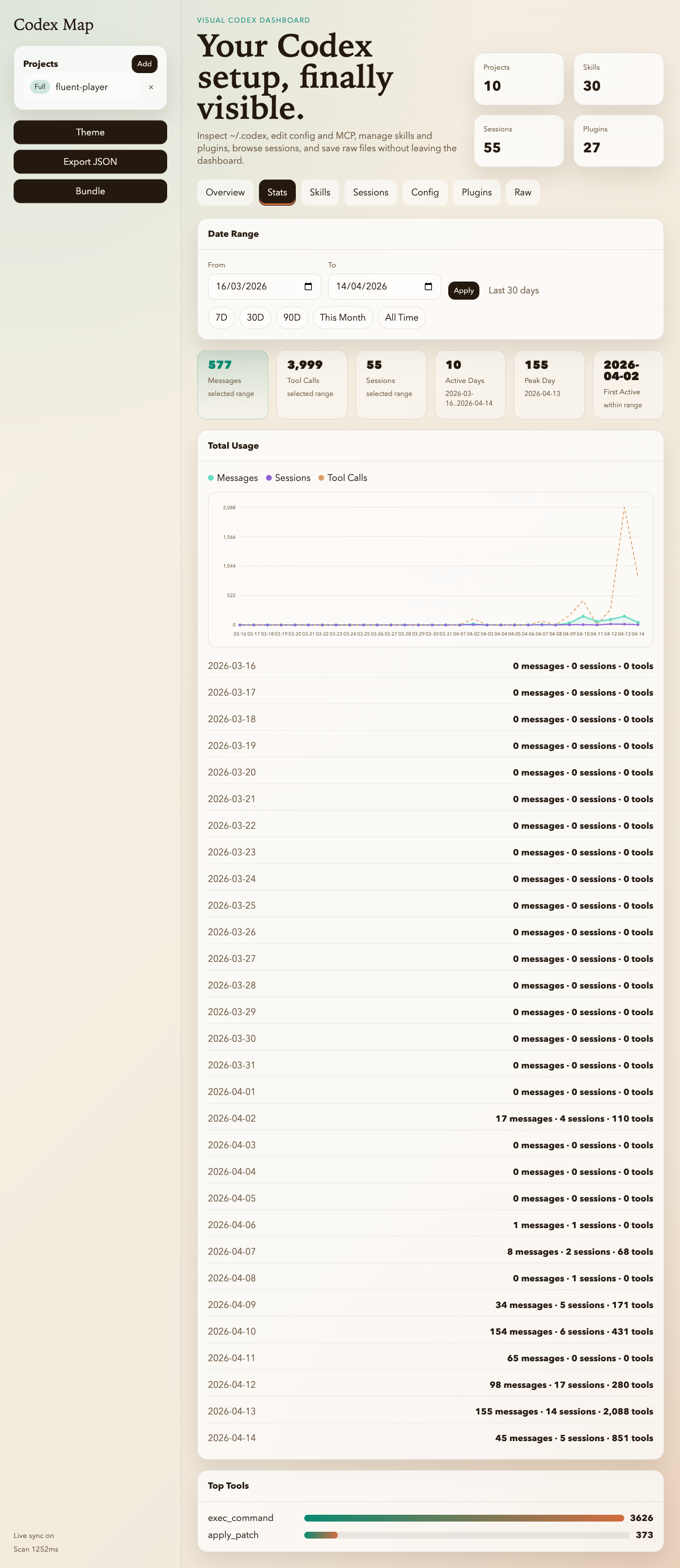
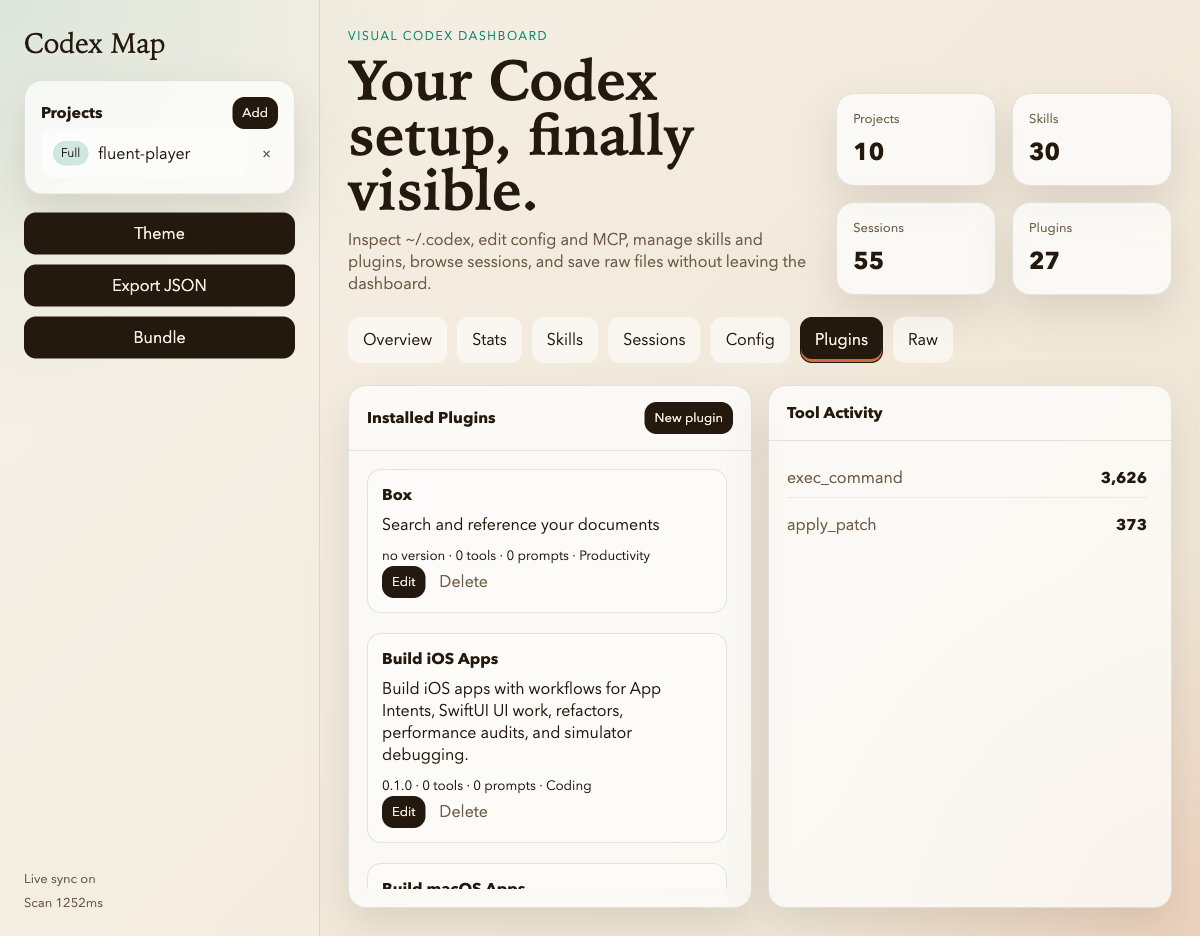
Global dashboard
| Overview | Stats |
| --- | --- |
|  |
|  |
|
| Skills | Plugins |
| --- | --- |
|  |
|  |
|
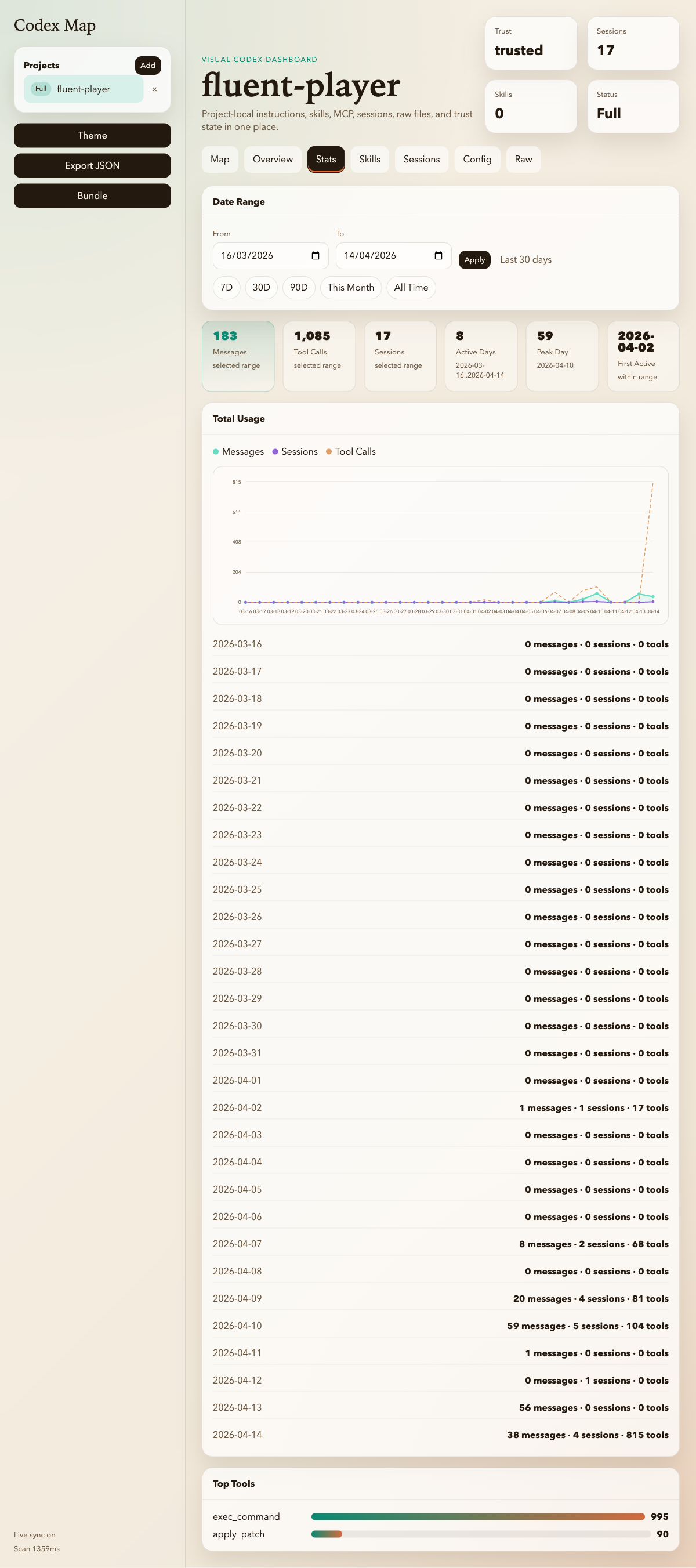
Project view
| Project map | Project stats | Project skills |
| --- | --- | --- |
|  |
|  |
|  |
|
Development
git clone https://github.com/dhrupo/codex-map
cd codex-map
npm install
npm run dev          # auto-reload on changes
Tests
npm testUnit tests run on node:test (zero dependencies). CI runs them on
Ubuntu and macOS across Node 18, 20, and 22.
Re-record the demo GIF
The demo is driven by vhs:
vhs docs/cli.tapeContributing
Bug reports, screenshots, and PRs are welcome. Please open an issue before larger changes so we can talk through the shape.
License
MIT — see LICENSE.