
codex-profile-card
v0.1.1
Published
Generate SVG Codex usage profile cards from local Codex logs or ChatGPT Analytics API data.


Readme
Codex Profile Card
Generate an SVG Codex usage profile card from local Codex logs or ChatGPT Analytics API buckets.
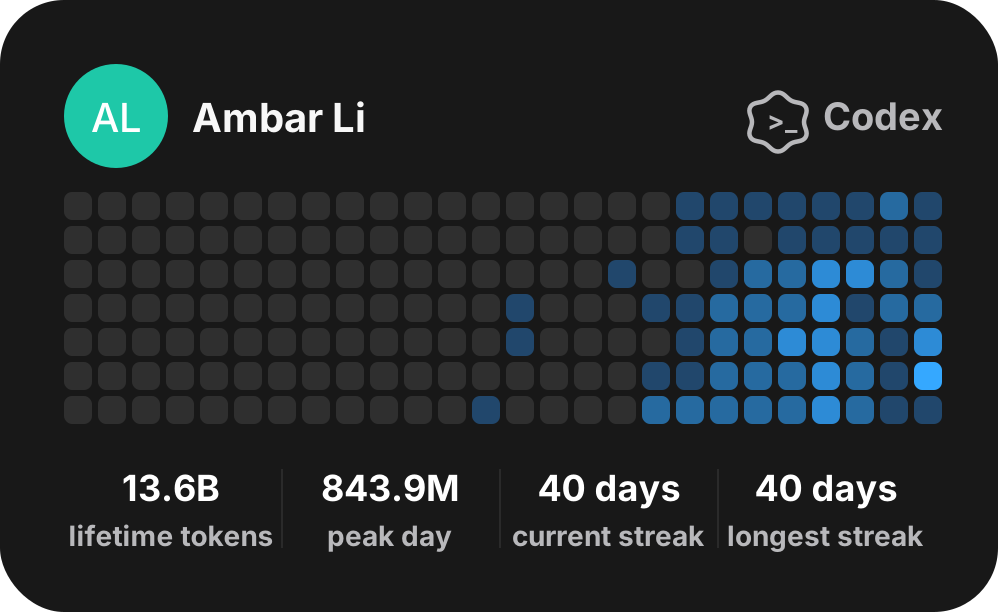
Direct Usage
Generate a local Codex profile card:
npx -y codex-profile-cardOr with Bun:
bunx codex-profile-cardBoth commands default to local Codex logs and write codex-local.svg.
Use npx -y in copy-paste commands so npm does not stop to ask before fetching a package. bunx does not need -y.
CLI
npx -y codex-profile-card --help

Usage:
  codex-profile-card --source local --output codex-local.svg [options]
  codex-profile-card --source analytics --output codex-analytics.svg [options]

Options:
  --source local|analytics        Data source. Defaults to local.
  --output <path>                 SVG output path. Defaults to codex-<source>.svg.
  --name <name>                   Display name. Defaults to Codex auth name, then "Codex User".
  --handle <handle>               Display handle. Defaults to empty.
  --initials <letters>            Avatar initials. Defaults to name initials.
  --avatar-url <url>               Avatar image URL. Used when the avatar identity field is visible.
  --identity-fields <fields>      Comma-separated name,handle,avatar fields. Defaults to all; use none or "" to hide all.
  --codex-home <path>             Local Codex home for local source.
  --api-key <key>                 Analytics API key for live analytics source.
  --workspace-id <id>             Analytics workspace ID for live analytics source.
  --analytics-base-url <url>      Analytics API base URL override.
  --analytics-group <group>       Analytics API group. Defaults to workspace, or user when --analytics-user is set.
  --analytics-user <id-or-email>  Keep one user from per-user Analytics buckets.
  --fixture <path>                Read Analytics buckets from a real captured fixture.
  --history-path <path>           Analytics history JSON path.
  --days <count>                  Days to render. Defaults to 182.
  --now <iso-date>                Override current time for reproducible runs.
Live analytics mode needs --api-key and --workspace-id.
JavaScript API
import {
  fetchAnalyticsUsage,
  mergeAnalyticsHistory,
  buildAnalyticsCardData,
  renderCodexStatsCard,
} from "codex-profile-card";

const endTime = Math.floor(Date.now() / 1000);
const startTime = endTime - 90 * 24 * 60 * 60;

const buckets = await fetchAnalyticsUsage({
  apiKey: "chatgpt-api-key",
  workspaceId: "workspace-id",
  startTime,
  endTime,
  group: "workspace",
});

const merged = await mergeAnalyticsHistory({ buckets });
const data = buildAnalyticsCardData({ buckets: merged.days });

const svg = renderCodexStatsCard({
  name: "Ambar Li",
  handle: "@ambarli",
  initials: "AL",
  identityFields: ["name", "handle", "avatar"],
  data,
});
Mock Cards
Generate visual mock cards for identity-field checks:
npm run generate:mockRegenerate the README example SVG:
npm run generate:exampleTest
npm test
npm run check