
colorfast
v1.0.0
Published
Tool which helps developers to manage color schemas in projects by gathering and representing all colors in project files.

Maintainers
 mir4a
mir4aReadme
According to LEXICO colorfast is:
Dyed in colors that will not fade or be washed out.
In fact, this tool will help developers to vanish all extra colors in a project which supposed to be the same as color schema, but went uncontrollable during development. Once I saw a project which had clear and strict color schema of about 16 colors, but it turned out that project files contain over 200 variations of origin schema. This is why Colorfast was made.
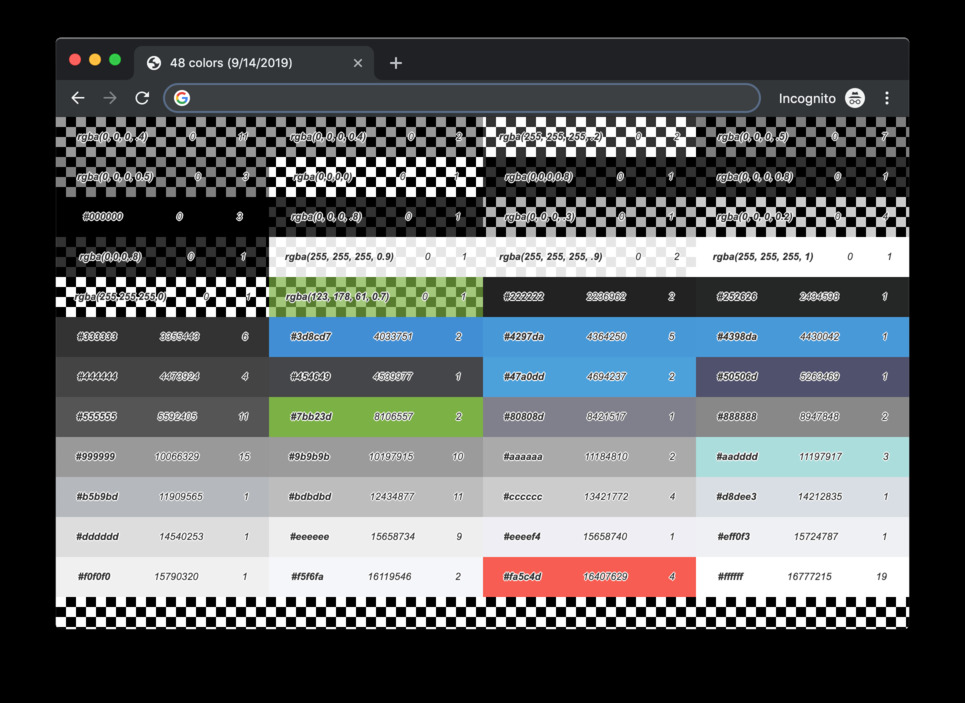
Installation
npm install --save-dev colorfastUsage
CLI
npx colorfast --input ./path/to/styles/directory --scheme ./path/to/sass/variables --report ./path/where/to/save/reportAPI
Gather colors info
Default function is gathering colors info from the given styles path and returns ColorMap
import colorfast from "colorfast";

const colorMap = colorfast(stylesDirPath, pathToSassVariables);
Helpers and algorithms
- Sorting colors
Simple insertion sort is using for sorting array of colors by their index (hex value).
import { insertionSortForColors } from "colorfast";

const unsortedColors = ["#fff", "rgb(0, 0, 0)", "#336699"];
const sortedColors = insertionSortForColors(unsortedColors); // ["rgb(0, 0, 0)", "#336699", "#fff"]- Color helpers
Range of helpers for converting different color format to HEX and get color index.
import { convertRGBtoHEX, getColorIndex, getHEXValue, fullHEX } from "colorfast";

convertRGBtoHEX("rgb(0, 0, 0)"); // "#000"
convertRGBtoHEX("rgba(0, 0, 0, 0.5)"); // "#000"
convertRGBtoHEX("rgba(0, 0, 0, 0.5, 0)"); // ""

getColorIndex("rgb(255, 255, 255)"); // 16777215
getColorIndex("#000"); // 0

getHEXValue("#fff"); // 16777215

fullHEX("#fff"); // #ffffff
fullHEX("#369"); // #336699