
com.femiroglu.objectpooling
v1.0.4
Published
Some reusable object pooling scripts


Readme
How To Install
This package uses the [scoped registry] feature to resolve package dependencies. Open the Package Manager page in the Project Settings window and add the following entry to the Scoped Registries list:
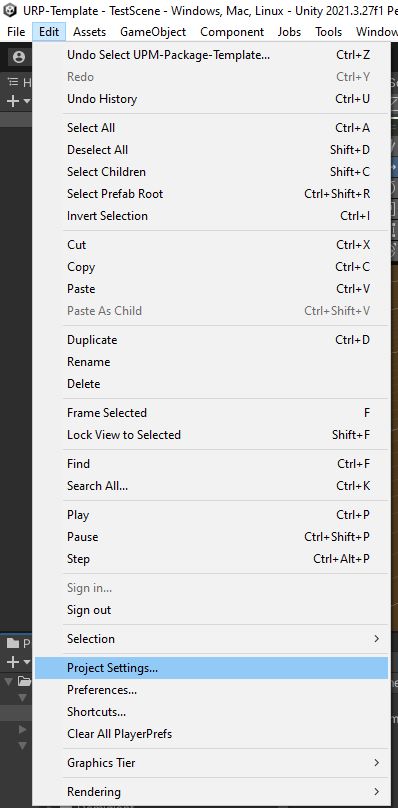
1. Open Edit / Project Settings in Unity
2. Go to Package Manager
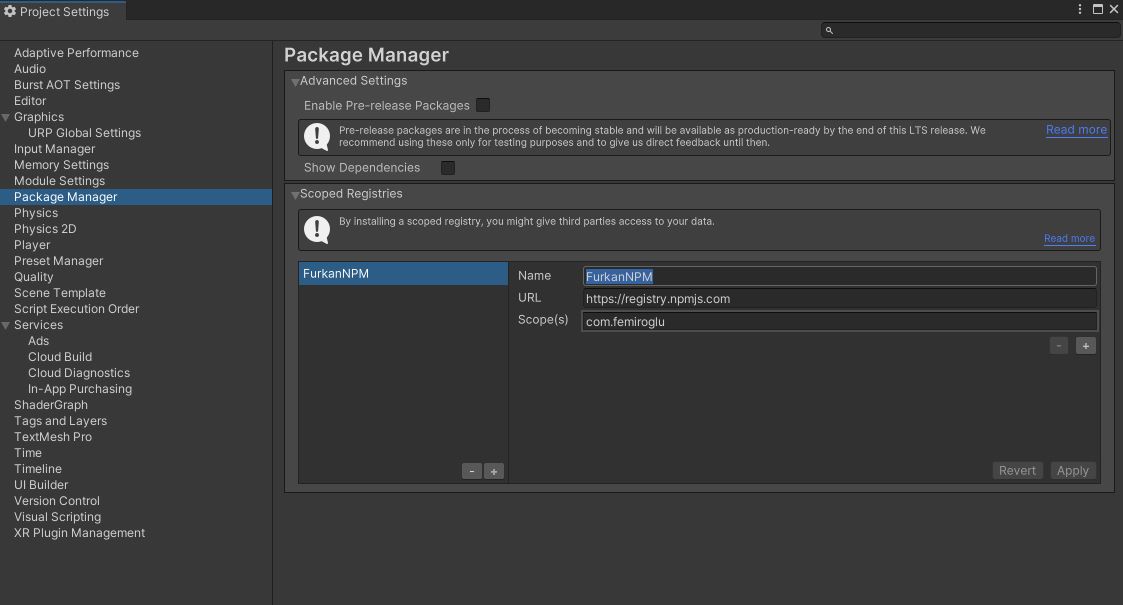
3. On Scoped Registries Window add the keys below

- Name:
FEmiroglu - URL:
https://registry.npmjs.com - Scope:
com.femiroglu
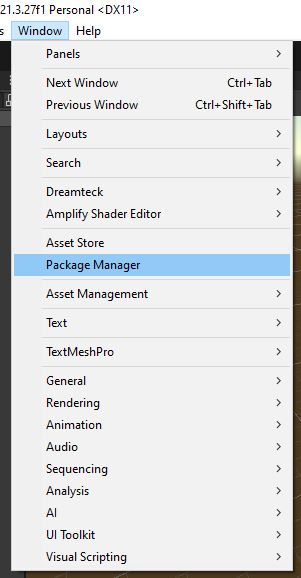
4. Open Window / Package Manager in Unity
5. Select My Registries Option
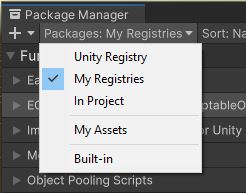
Now you can install the package from My Registries page in the Package Manager window.
