
commandcode-dash
v0.1.8
Published
Unofficial DeepSeek Harness settings panel for Command Code: credits, usage windows, and model-catalog sync.

Maintainers
 momonaka
Readme
commandcode-dash
English | 中文
在 DeepSeek Harness 的设置面板里,直接查看 Command Code 的 credits、用量窗口与模型目录。
非官方社区插件。 与 DeepSeek 及 Command Code 均无关系。




一个 DeepSeek Harness(DSH) Web 插件,在设置面板中新增 Command Code 分区:
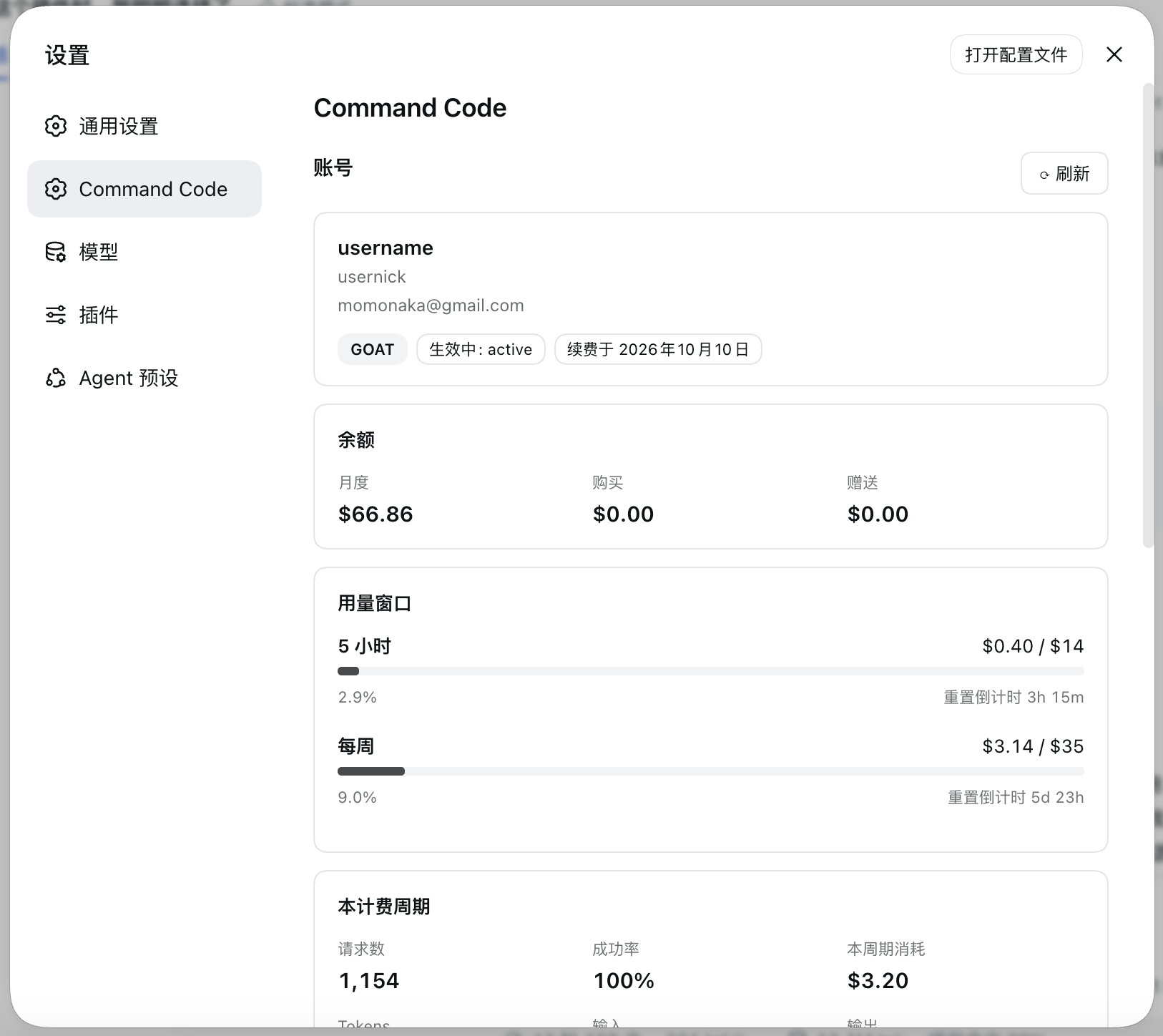
- 套餐类型、credits 余额、5 小时与每周用量窗口(含实时重置倒计时), 以及本计费周期的统计。
- 已配置的模型目录与
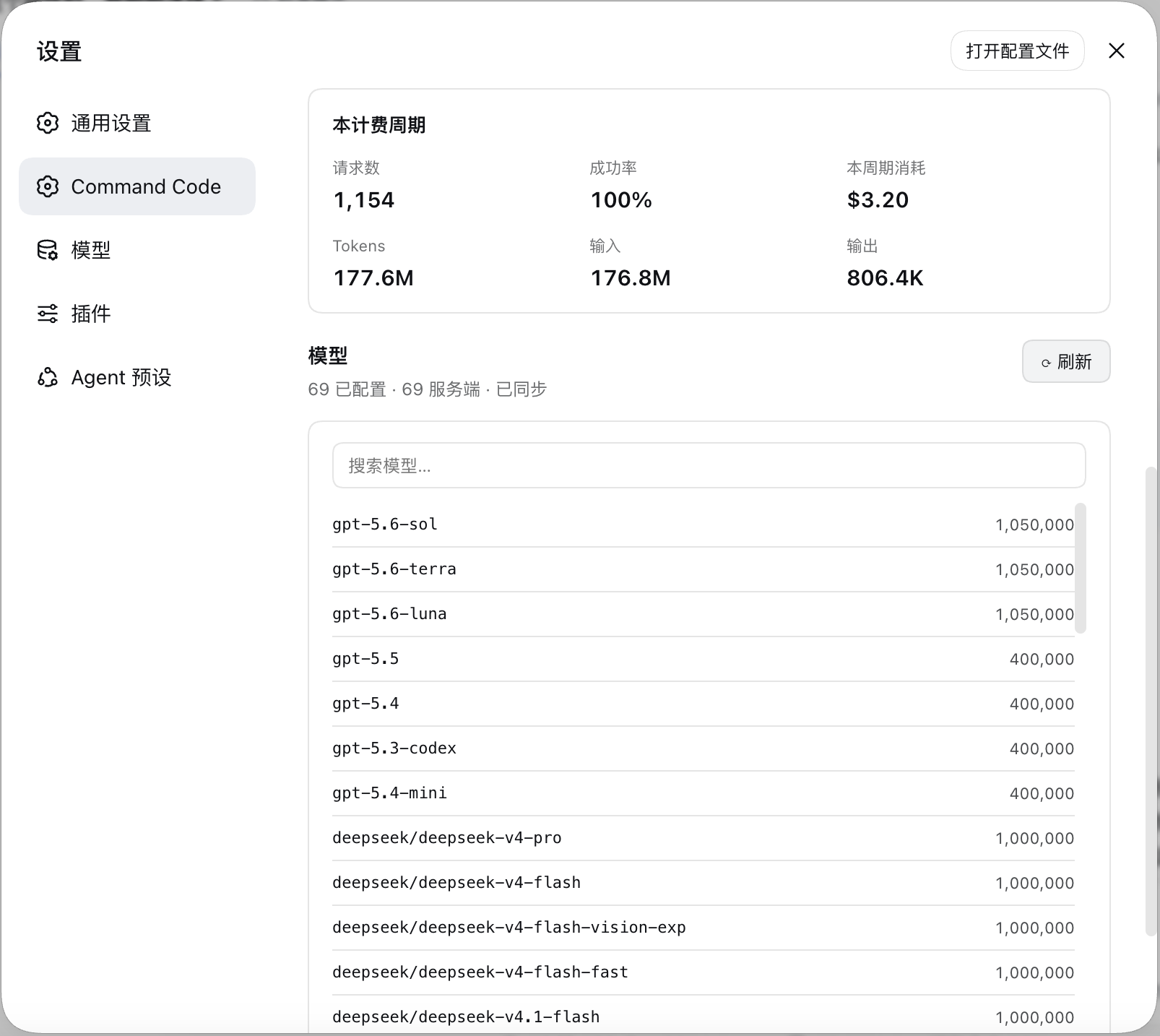
provider/v1/models实时目录的差异对比,并可一键同步。
功能特性
| | |
|---|---|
| Credits | 来自实时计费接口的月度、购买与赠送 credits 余额。 |
| 用量窗口 | 5 小时与每周窗口,显示 used / cap(已用 / 上限)、进度条,以及会自行走动的 resets in … 倒计时(不重新请求)。 |
| 计费周期 | 请求数、成功率、消耗 credits 与 Token 总量。 |
| 模型目录 | 列出每个已配置模型及其上下文窗口,支持搜索。 |
| 目录同步 | 对比实时目录与你的配置,然后在你确认后执行新增、补齐上下文窗口与移除。 |
| 引导卡片 | 未配置 key 时,该分区会变成一个表单,以只写方式保存 key。 |
| 退出账号 | 分区底部的文字按钮,点击后弹出确认弹窗,确认后清除已保存的 key,并把分区恢复到引导卡片。 |
| 一次加载 | 首次进入时加载,之后再次进入直接渲染上次结果;需要更新时点账号栏的 ⟳ 重新加载(两条路由一起刷新)。 |
界面预览
环境要求
- 一份可用
webprofile 的 DSH 安装,或桌面端 App。 - 一个有 Provider API 权限的 Command Code 套餐 —— 除 Go 之外的套餐都可以。
- 主机侧 Node 20+(插件用到了
AbortSignal.any)。
安装
从 npm 安装
dsh plugin --profile web add commandcode-dash重启 dsh web
在桌面端安装
插件->添加插件->输入包名:
commandcode-dash重启桌面端
配置
API key
key 只从一处读取:harness 凭据库中引用名为 COMMANDCODE_API_KEY 的记录。
本分区自带的引导卡片会写入该处,也可以手工添加:
# ${DSH_HOME:-$HOME/.dsh}/.credentials.yaml
refs:
  COMMANDCODE_API_KEY: user_…
它在主机侧按请求解析,因此保存后下次刷新即生效,无需重启。分区底部的
退出账号 会先弹出确认弹窗,确认后清除已保存的 key,并把分区恢复到
引导卡片;它此前建立的 llm-pi-ai 路由会保留,因为那也是你会手工编辑的配置。
模型提供方
填好 key 就是全部配置。校验通过后,该分区会自己把 llm-pi-ai 的路由建好,模型表
取自 provider/v1/models:
| 路由 | 协议 | 模型 |
|---|---|---|
| commandcode | openai-completions | 除 Claude 外的全部模型 |
| commandcode-anthropic | anthropic-messages | Claude —— Command Code 只在 /messages 上提供它们 |
声明
这是一个非官方、社区构建的插件。它与 DeepSeek 及 Command Code 均无隶属、背书或赞助关系,也不属于这两者的任何产品。
它使用你自己的 API key 访问 Command Code 的 Provider API,走的是 Command Code CLI 自己那个用量界面所用的同一批接口。除此之外不向任何地方发送数据。