commitbrain
v1.0.13
Published
commitbrain is a CLI terminal tool that utilizes chatGPT to automatically generate intelligent commit messages for GitHub repositories

Maintainers
 handipriyono
Readme
commitbrain
commitbrain is a CLI tool that automates the process of generating insightful and concise Git commit messages using the power of ChatGPT. With commitbrain, you can save time and improve the quality of your commit messages
Instalation
API KEY
To install commitbrain, run the following command:
npm install -g commitbrain- Type
echo "OPENAI_KEY=<replace with your token>" >> ~/.commitbrainand press Enter in your terminal. - Replace
<replace with your token>with your actual OpenAI API key. This key is required to access the GPT-3 model used by commitbrain. - Once you have entered your OpenAI API key, press Enter to run the command.
- This will add a line to the ~/.commitbrain file with your API key, which commitbrain will use to generate commit messages.
You can generate API KEY from here
Usage
To use commitbrain, simply enter the following command in your terminal:
commitbrainThis will generate a single commit message for you based on the changes in your Git diff.
Options
You can also use the following options to customize your commit message:
-n or --number
To specify the number of commit messages to generate, use the -n or --number option followed by the desired number of messages:
commitbrain -n <number>method 1
commitbrain -n 5method 2
commitbrain --number=5This will generate 5 commit messages.
-p or --prefix
To add a prefix to your Git commit message, use the -p or --prefix option followed by the desired prefix:
commitbrain -p <prefix>method 1
commitbrain -p feat: method 2
commitbrain --prefix=feat: This will add the prefix "feat: " to the generated commit message.
-h or --help
-h or --help: Display the help guide.
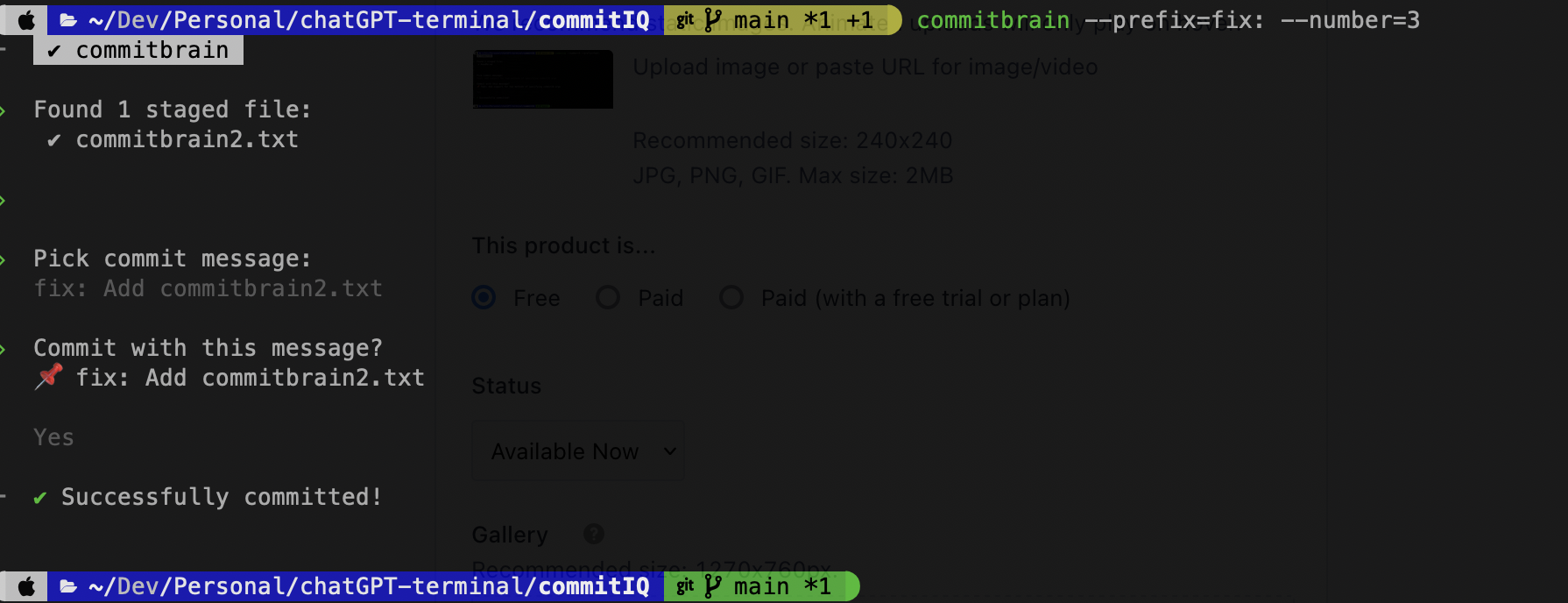
commitbrain -hThis option displays the help guide for commitbrain. Create git commmit message with AI
Using all args
method 1
commitbrain -n 3 -p feat:method 2
commitbrain --number=3 --prefix=feat:This command will generate 3 commit messages with the prefix "feat: ". The generated commit messages will be displayed in the terminal.
Contributing
If you find any bugs or issues with commitbrain, please feel free to open an issue on the GitHub repository.
If you'd like to contribute to commitbrain, please fork the repository and make a pull request with your changes.