
commitect
v1.1.0
Published
Zero-config Git Commit Assistant CLI

Maintainers
 mohammed-3tef
Readme
CommiTect
Zero-config Git Commit Assistant CLI powered by custom LLM API.
Features
✅ Zero Configuration - Works out of the box
✅ AI-Powered - Generates professional commit messages
✅ Fast - Instant analysis and suggestions
✅ Smart Caching - Avoids redundant API calls
✅ History Tracking - Review all your cached messages
✅ Simple - Just 5 commands
Screenshots
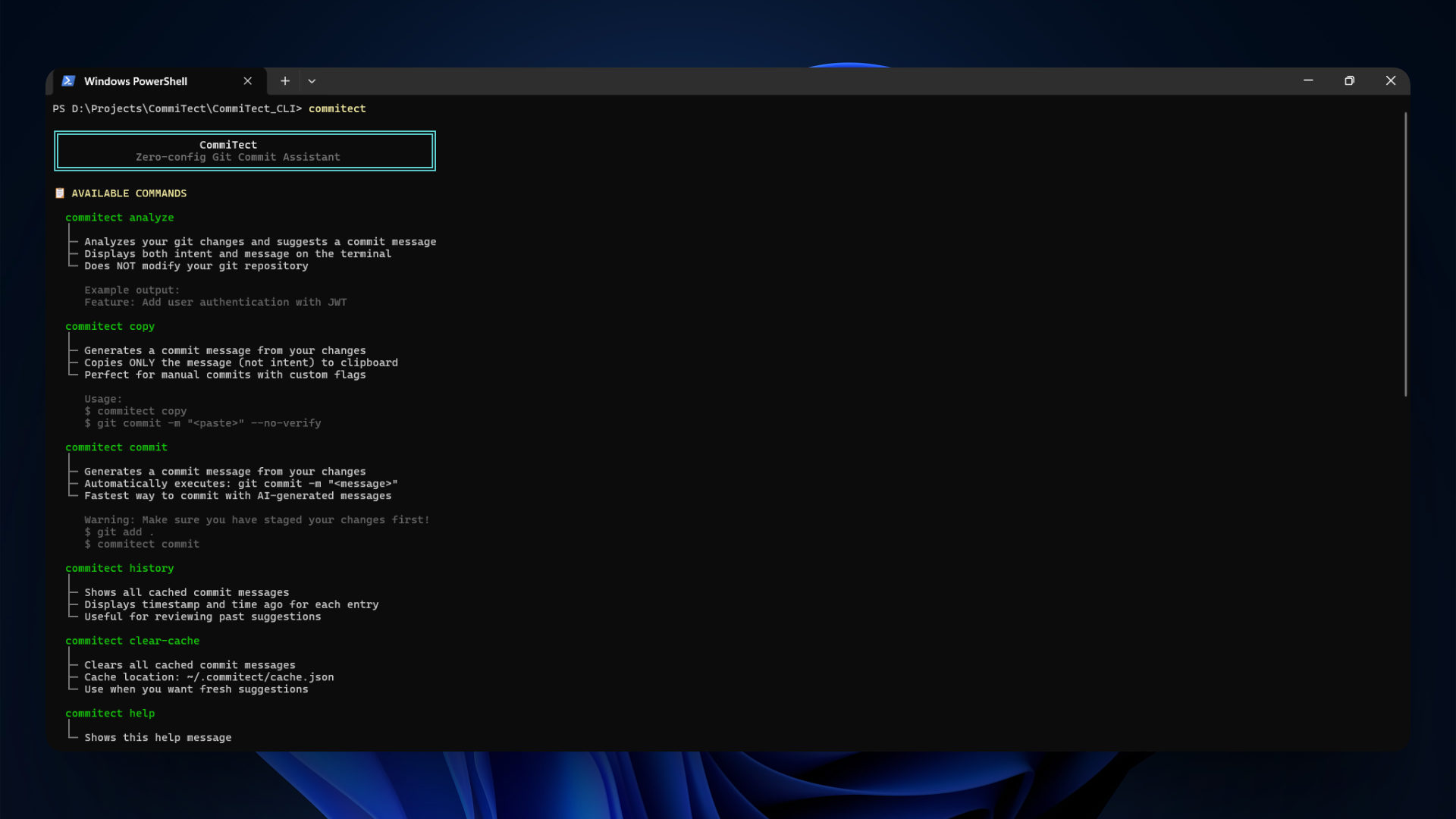
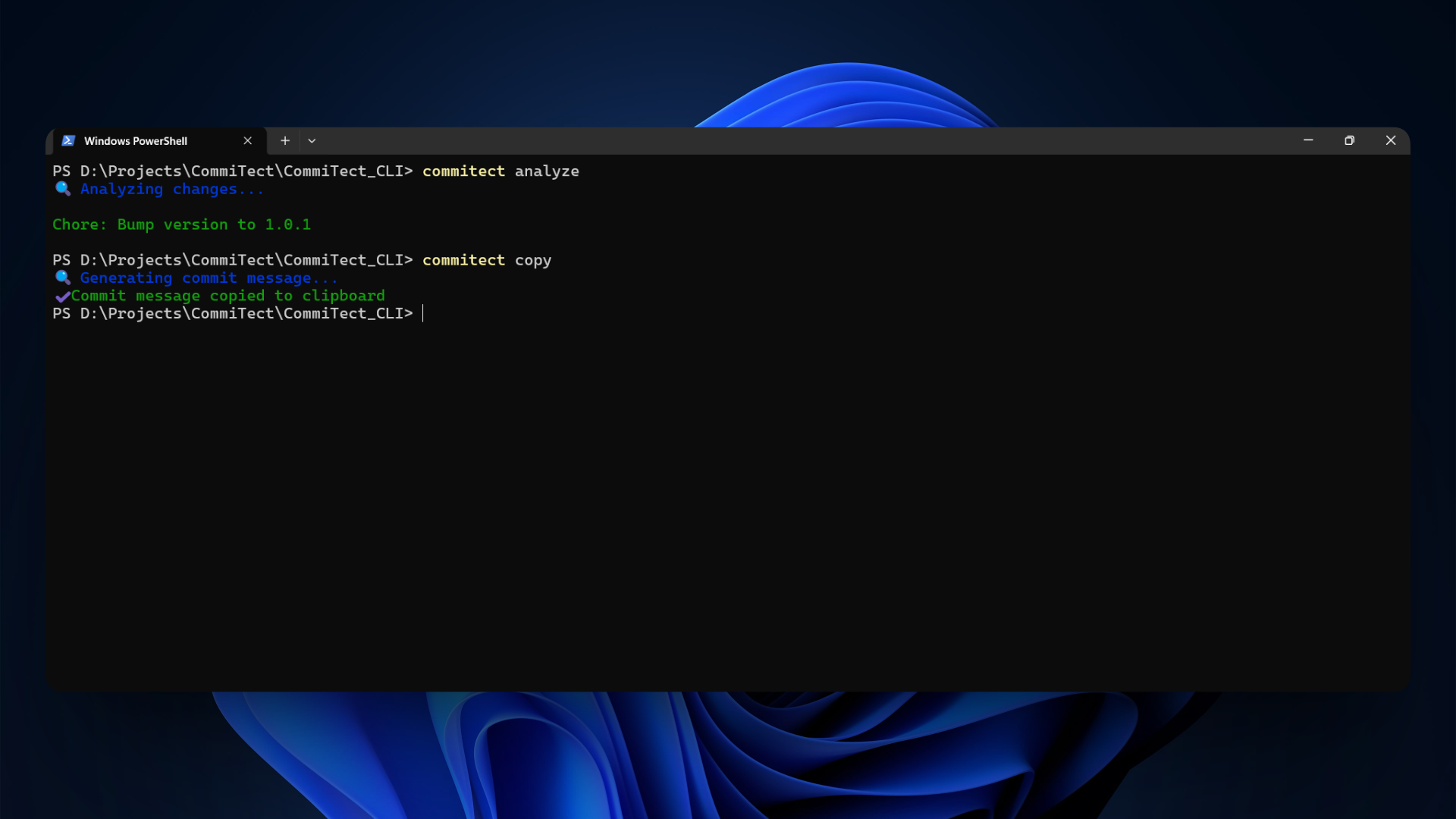
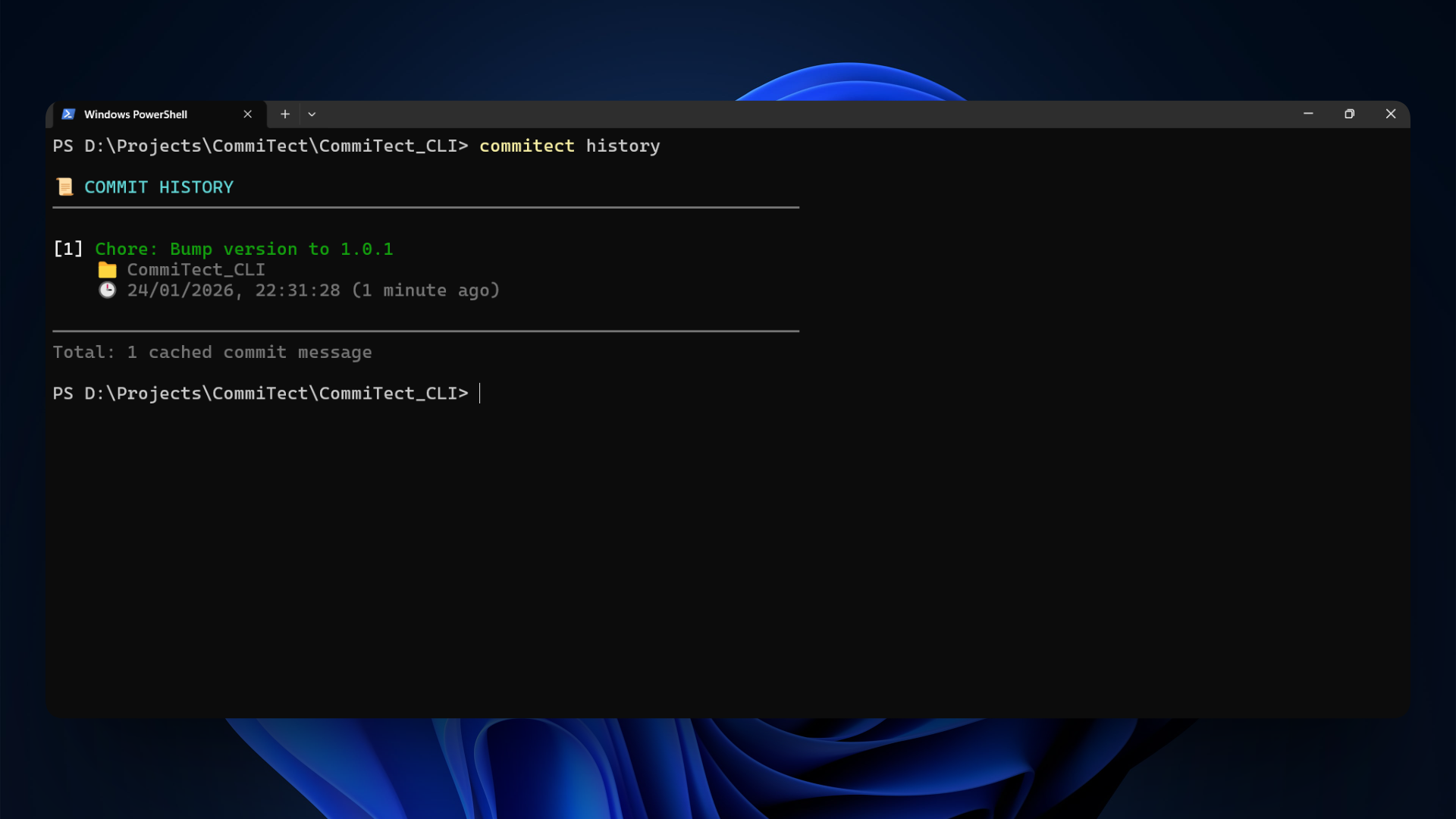
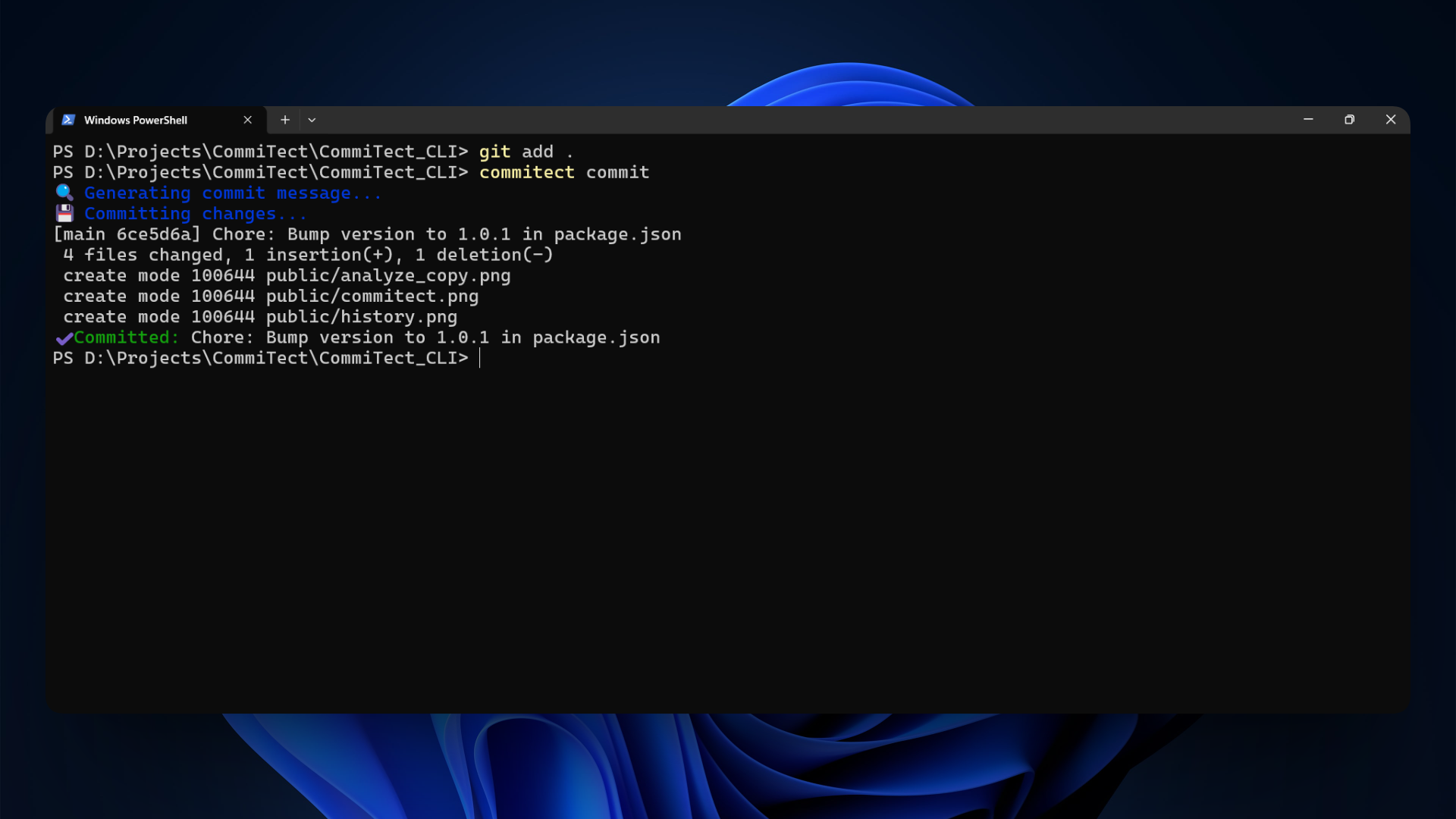
Installation
npm install commitectUsage
Analyze Changes
Generate and display a commit message suggestion:
commitect analyzeOutput:
Feature: Add user authentication with JWT tokensCopy to Clipboard
Generate a commit message and copy it to your clipboard:
commitect copyOutput:
✓ Commit message copied to clipboardAuto-Commit
Generate a commit message and execute the git commit automatically:
commitect commitOutput:
✓ Committed: Feature: Add user authentication with JWT tokensView History
View all cached commit messages:
commitect historyOutput:
📜 COMMIT HISTORY
──────────────────────────────────────────────────────────────────────

[1] Feature: Add user authentication with JWT tokens
    📁 CommiTect_VSCode
    🕒 24/01/2026, 20:18:58 (4 minutes ago)

[2] Bug Fix: Resolve memory leak in connection pool
    📁 CommiTect_VS
    🕒 24/01/2026, 20:00:58 (22 minutes ago)

──────────────────────────────────────────────────────────────────────
Total: 2 cached commit messages
Clear Cache
Clear the cached commit messages:
commitect clear-cacheOutput:
✓ Cache cleared (15 entries removed)How It Works
- Reads git diff - Analyzes both staged and unstaged changes
- Checks cache - If the same diff was processed before, returns cached result instantly
- Filters noise - Ignores
node_modules/,dist/,build/, etc. - Generates message - Uses your custom LLM API with automatic retry
- Caches result - Stores the result for 30 days to avoid redundant API calls
- Executes action - Display, copy, or commit based on command
Requirements
- Node.js >= 16
- Git repository
- Internet connection (for API calls)
Workflow
# Make your changes
vim src/auth.ts

# Save files
git add .

# Generate and commit
commitect commit

# Continue with your workflow
git push
Caching System
CommiTect intelligently caches commit messages to improve performance:
- Fast responses - Cached results return instantly without API calls
- 30-day retention - Cache entries expire after 30 days
- Hash-based - Uses SHA-256 hash of git diff for accurate matching
- Persistent - Cache stored in
~/.commitect/cache.json - Manual clear - Use
commitect clear-cacheto reset
Cache Benefits
- Faster execution - No API latency for repeated diffs
- Reduced API costs - Fewer API calls = lower costs
- Offline capability - Works offline if result is cached
- Consistency - Same diff always produces same message
API Integration
CommiTect connects to your LLM API with:
- Automatic retry - Retries failed requests up to 3 times
- Rate limit handling - Graceful exponential backoff
- Network resilience - Handles timeouts and connection errors
- Smart caching - Reduces API calls significantly
Ignored Paths
The following directories are automatically excluded from analysis:
node_modules/bin/obj/dist/build/.git/
Commit Message Rules
Generated messages follow best practices:
- Under 70 characters
- Imperative form (Add, Fix, Update, Refactor)
- Professional and concise
- Contextual based on actual changes
License
MIT