
commitra
v1.1.0
Published
An AI-assisted developer intelligence CLI that generates context-rich commit messages, READMEs, and project insights (tech stack, architecture, flow, etc.)

Maintainers
 femtech-web
Readme
Commitra
⚡ The Intelligent Commit & Project AI CLI


commitra is an AI‑assisted developer intelligence CLI that helps developers create context‑rich commit messages, READMEs, and gain insights into their projects such as tech stack, architecture, and flow. By leveraging large language models and a suite of utility libraries, it analyzes the current repository, extracts meaningful metadata, and generates polished documentation and commit summaries automatically.
🎥 Demo
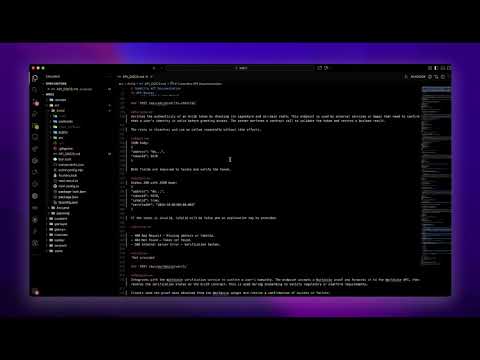
Start in 4 Simple Steps
Install commitra
npm install -g commitraCommitra requires Node.js 20 or newer.
Create an account and get your Groq API Key (default provider)
Groq is the default AI engine for Commitra — fast and free to start.
👉 Get your API key here:
https://console.groq.com/keys
Run setup
commitra setupEnvironment variables are recommended for API keys:
export GROQ_API_KEY=your_key_hereGenerate your first AI commit
commitra commitOr generate multiple:
commitra commit -g 3Also: Use Commitra inside normal Git commits
Once you install Commitra’s Git hook, your commit workflow becomes:
git add .
git commit
Commitra will automatically:
- Analyze your staged files
- Generate an AI-powered commit message
- Insert it into your editor
Perfect if you never want to runcommitra commitmanually again.
Install the hook:
commitra hook installRemove the hook:
commitra hook uninstallFeatures
- AI-generated commit messages
- Automatic API documentation
- Folder tree visualization
- Architecture Mermaid diagrams
- README generator
- Config system with providers (OpenAI, Groq, Anthropic, Local)
- Git hook integration
- Large-diff summarization with bounded context
- Secret redaction before AI requests
- Interactive and automation-friendly workflows
- Ollama and OpenAI-compatible local models
- Minimal, clean output — no noise
📦 Installation
npm install -g commitraSupports:
- macOS
- Linux
- Windows
- (Homebrew formula coming soon)
Requires Node.js 20+.
🧰 Commands Overview
1. commit
Generate an AI-powered commit message from staged git changes.
commitra commitOptions:
--suggest-only                 Print suggestion without committing
--dry-run                      Generate without committing
-y, --yes                      Commit immediately without prompting
-a, --all                      Stage tracked modifications/deletions
-g, --generate <n>             Generate 1-10 suggestions
-t, --format <format>          plain, conventional, conventional-scoped,
                               conventional-body, or gitmoji
-x, --exclude <patterns...>    Exclude paths from AI context
--json                         Print machine-readable JSON
-o, --output <file>            Write the result to a project file
-c, --copy                     Copy the suggestion to the clipboard
--debug-context                Inspect redacted context without an AI request
--no-redact                    Explicitly disable default secret redaction
Without automation flags, Commitra remains fully interactive: choose, edit, confirm, or cancel the generated message.
2. api
Generate API documentation from your project structure + code.
commitra apiOptions:
-o, --output FILE     Output file (default: API_DOCS.md)
-b, --base-url URL    Optional API base URL
-f, --force           Overwrite an existing output file
3. diagram
Generate clean architecture diagrams (Mermaid).
commitra diagramOptions:
-s, --summarize         Enrich with AI (deterministic by default)
-o, --output FILE        Save output (default: FLOW.md)
-d, --depth N            Folder depth scan
-t, --type flow|sequence|system
-b, --base-url URL
-f, --force             Overwrite an existing output file
4. readme
Generate a signature-style README.md.
commitra readmeExisting files are protected. Pass --force to overwrite the selected output.
5. folder
Generate a project folder tree.
commitra folderOptions:
-d, --depth N          Depth (default 3)
-o, --output FILE      Output file (default: PROJECT_FOLDER.md)
-f, --force            Overwrite an existing output file
6. config
Manage Commitra configuration.
Get:
commitra config get providerSet:
commitra config set provider=openai OPENAI_API_KEY=sk-123Secrets are masked by config get and written with owner-only permissions. Prefer environment variables when possible.
Unset:
commitra config unset OPENAI_API_KEY7. hook
Manage Git hook integration.
Install:
commitra hook installUninstall:
commitra hook uninstallConfiguration System
Commitra loads configuration from:
- CLI flags
- Environment variables
~/.commitraconfig file- Defaults (Groq)
Example ~/.commitra
provider=groq
GROQ_API_KEY=your_key_here
model=openai/gpt-oss-120b
Supported providers:
groq (default)
openai
anthropic
local
Local models
Ollama example:
commitra config set provider=local LOCAL_MODEL_URL=http://127.0.0.1:11434 model=llama3.2
commitra commit
OpenAI-compatible local servers are also supported by setting LOCAL_MODEL_URL to their base URL.
Environment Variables
Export secrets in your shell or CI secret store.
commitra config setis available when a local owner-only config file is preferred.
| Variable | Meaning |
| ------------------- | ------------------------------------------------ |
| OPENAI_API_KEY | OpenAI auth |
| GROQ_API_KEY | Groq auth |
| ANTHROPIC_API_KEY | Anthropic auth |
| COMMITRA_MODEL | LLM provider model |
| COMMITRA_PROVIDER | Override/set LLM provider |
| COMMITRA_GENERATE | Suggestions to generate (1-10) |
| COMMITRA_TIMEOUT | Request timeout in milliseconds |
| COMMITRA_FORMAT | Default commit-message format |
| COMMITRA_MAX_LENGTH | Maximum commit subject length |
| LOCAL_MODEL_URL | Ollama or OpenAI-compatible local endpoint |
How Commitra Works (Minimal Explanation)
Commitra processes:
- Git staged changes (numstat + diff)
- File structure
- Code snippets (ranked and bounded)
- Commit history
- Environment metadata
Then feeds compact prompts to your AI provider to generate:
- Clean commit messages
- Diagrams
- Documentation
- README templates
Sensitive-looking tokens, credentials, connection strings, and private keys are redacted from commit context by default. Use commitra commit --debug-context to inspect exactly what would be sent without contacting a provider.
- API summaries
Everything is processed locally first, so only optimized summaries go to the model.
Project Structure
├── .env
├── LICENSE
├── README.md
├── package.json
├── src
│   ├── cli
│   │   ├── banner.ts
│   │   ├── commands
│   │   │   ├── api.ts
│   │   │   ├── commit.ts
│   │   │   ├── config.ts
│   │   │   ├── diagram.ts
│   │   │   ├── hook.ts
│   │   │   ├── prepare-commit-msg.ts
│   │   │   ├── project-folder.ts
│   │   │   ├── readme.ts
│   │   ├── index.ts
│   ├── core
│   │   ├── ai
│   │   │   ├── ai.ts
│   │   │   ├── providers
│   │   │   ├── types.ts
│   │   ├── config
│   │   │   ├── manager.ts
│   │   │   ├── schema.ts
│   │   ├── context
│   │   │   ├── index.ts
│   │   ├── detect
│   │   │   ├── aiClassifier.ts
│   │   │   ├── apiRoutes.ts
│   │   │   ├── detect.ts
│   │   │   ├── extractors.ts
│   │   │   ├── localClassifier.ts
│   │   │   ├── projectMetadata.ts
│   │   ├── git
│   │   │   ├── diff.ts
│   │   │   ├── repo.ts
│   │   ├── output
│   │   │   ├── diagram.ts
│   │   │   ├── logger.ts
│   │   │   ├── markdown.ts
│   │   ├── prompt
│   │   │   ├── api.ts
│   │   │   ├── commit.ts
│   │   │   ├── diagram.ts
│   │   │   ├── readme.ts
│   │   ├── utils
│   │   │   ├── constants.ts
│   │   │   ├── error.ts
│   │   │   ├── fs.ts
│   │   │   ├── helpers.ts
│   ├── hook-entry.ts
│   ├── index.ts
├── tests
│   ├── mocks
│   │   ├── mockAI.ts
│   │   ├── mockFs.ts
│   │   ├── mockGit.ts
│   ├── setup.ts
│   ├── unit
│   │   ├── commitPrompt.spec.ts
│   │   ├── config.spec.ts
│   │   ├── diff.spec.ts
│   │   ├── helpers.spec.ts
│   │   ├── projectMetadata.spec.ts
│   ├── utils
│   │   ├── findDistDiff.ts
│   │   ├── fixtureBatch.ts
│   │   ├── mockDistAI.ts
│   │   ├── runCli.ts
│   │   ├── testRepo.ts
├── tsconfig.json
├── vitest-env.d.ts
├── vitest.config.ts
Development
git clone https://github.com/Femtech-web/commitra
cd commitra
npm install
Run dev mode:
npm run dev commitBuild:
npm run buildGlobal link:
npm link
commitra commit
🤝 Contributing
PRs welcome.
If you love clean DX tools, come build with us.
📄 License
MIT License — see LICENSE file for details.
⭐ Support
If you find Commitra useful, give it a star on GitHub ❤️
Opening issues, PRs, or feature requests is encouraged.