
committer-tui
v0.8.16
Published
Committer CLI - AI-assisted git commit TUI


Readme
committer
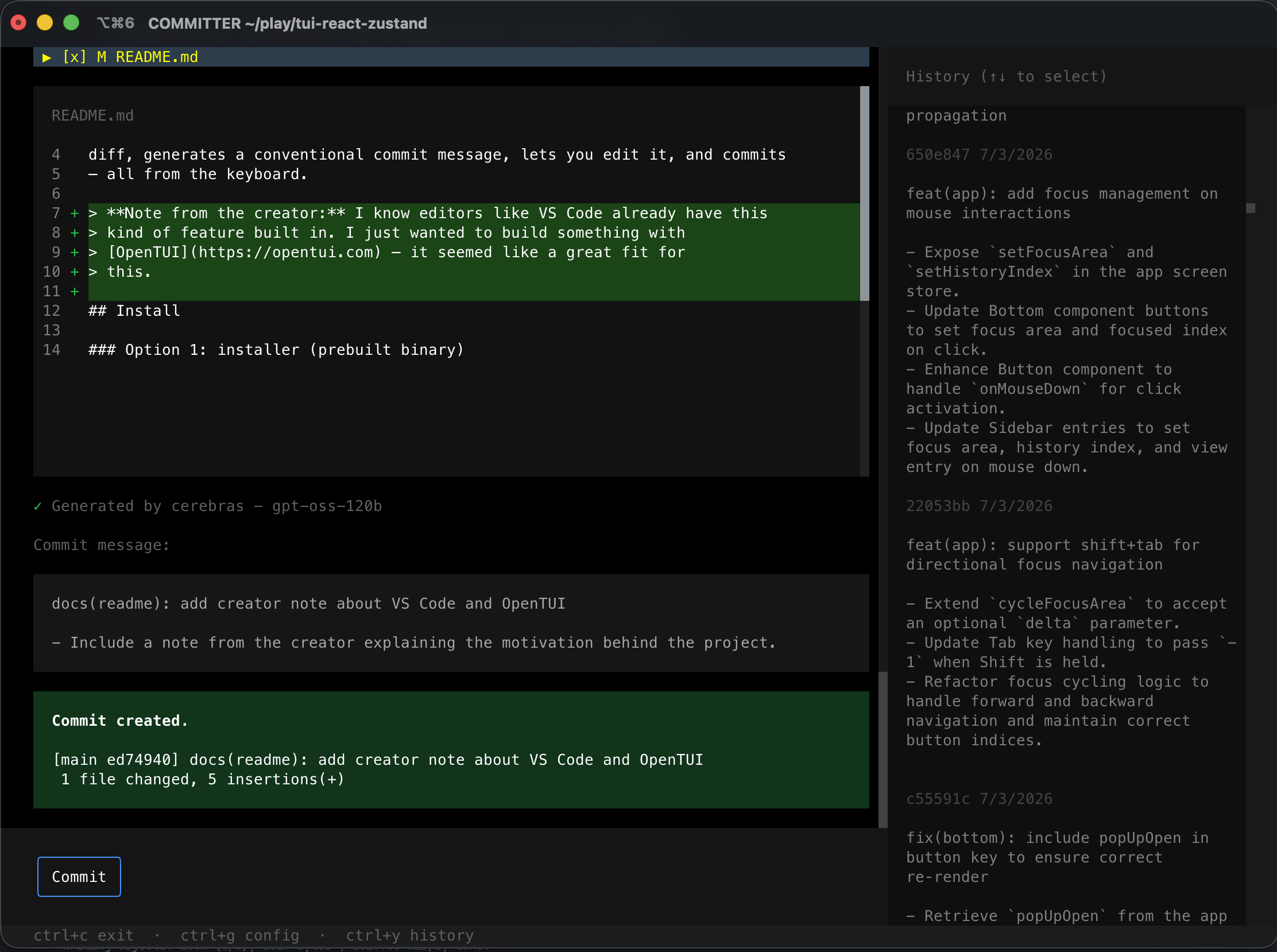
A terminal UI for writing git commit messages with AI. Reviews your staged diff, generates a conventional commit message, lets you edit it, and commits — all from the keyboard (some buttons also support mouse).
Note from the creator: I know editors like VS Code already have this kind of feature built in. I just wanted to build something with OpenTUI — it seemed like a great fit for this.
Install
Option 1: installer (prebuilt binary)
Downloads the latest release binary for your platform (macOS, Linux, or
Windows via Git Bash/MSYS2/Cygwin) to ~/.local/bin:
curl -fsSL https://raw.githubusercontent.com/juji/committer-tui/main/install.sh | bashSupports x64 and arm64. Without a bash shell on Windows, download the
matching .exe from the latest release
directly.
Option 2: npm
npm install -g committer-tuiInstalls a small wrapper that downloads the matching prebuilt binary for your platform on install (same binaries as Option 1).
Option 3: build from source
Requires Bun.
git clone [email protected]:juji/committer-tui.git
cd committer-tui
bun install
bun build --compile src/index.tsx --outfile committer-bin
ln -s "$(pwd)/committer-bin" /usr/local/bin/committer(bin/committer.mjs is the npm-installed wrapper and expects a
downloaded prebuilt binary next to it — not used when building from source.)
Usage
From inside a git repo with staged changes:
committerOr during development, without linking:
bun devCLI mode
Prefer the terminal over a TUI? -c (or --cli) runs the same commit cycle
as plain prompts — no full-screen UI:
committer -cIt checks that a provider is configured, asks which changed file(s) to
include (all selected by default), generates a commit message with your
configured model(s), lets you confirm, edit (opens $EDITOR), or cancel,
then commits.
Shortcuts
| Key | Action |
| -------- | ------------- |
| ctrl+g | Open config |
| ctrl+y | View history |
| ctrl+c | Exit |
Configuration
Press ctrl+g inside the app to add a model, or edit the config file
directly at:
- Linux/macOS:
~/.config/committer/config.json - Windows:
%APPDATA%/committer/config.json
Each model needs a provider, model name, and API key:
{
  "models": [
    { "name": "My Model", "provider": "gemini", "model": "gemini-2.0-flash", "apiKey": "..." }
  ]
}
Supported providers: openai, anthropic, gemini, groq, cerebras,
mistral, deepseek, together, fireworks, xai, perplexity,
requesty, openrouter, ollama, ollama-cloud. ollama runs against a
local server (defaults to http://localhost:11434) and doesn't need an API
key. ollama-cloud runs against https://ollama.com and needs an API key
from your Ollama account.
You can also override the instructions sent to the model with
instructionPrefix / instructionSuffix, either from the config screen or
directly in the JSON file.
maxRetries (config screen or config.json) controls how many times a
failed API call is retried before falling back to the next configured model.
Leave it unset for the default (2 retries); set it to 0 to disable
retries entirely.
Privacy
API keys are stored only in your local config.json and sent only to the
provider you configured for that model, directly from your machine — never
to any server we run. Your diff is sent only to the model provider you pick,
solely to generate the commit message; nothing is logged or transmitted
anywhere else.
Releasing
Pushing a v* tag triggers CI to cross-compile binaries for macOS, Linux,
and Windows and attach them to a GitHub Release:
git tag v0.1.0
git push --tags
For a pre-release (beta, rc, etc.), use a tag with a hyphen suffix — CI
marks it as a GitHub pre-release automatically, so install.sh (which
downloads from releases/latest) skips it until you promote a stable tag:
git tag v0.2.0-beta.1
git push --tags
Development
bun dev          # run with file watching
bun dev:rmconf   # wipe local config