
content-watermark-react
v0.1.9
Published
Identity-aware watermarking and content shielding for premium React content.


Readme
content-watermark-react
Identity-aware watermarking and content shielding for premium React content.


About
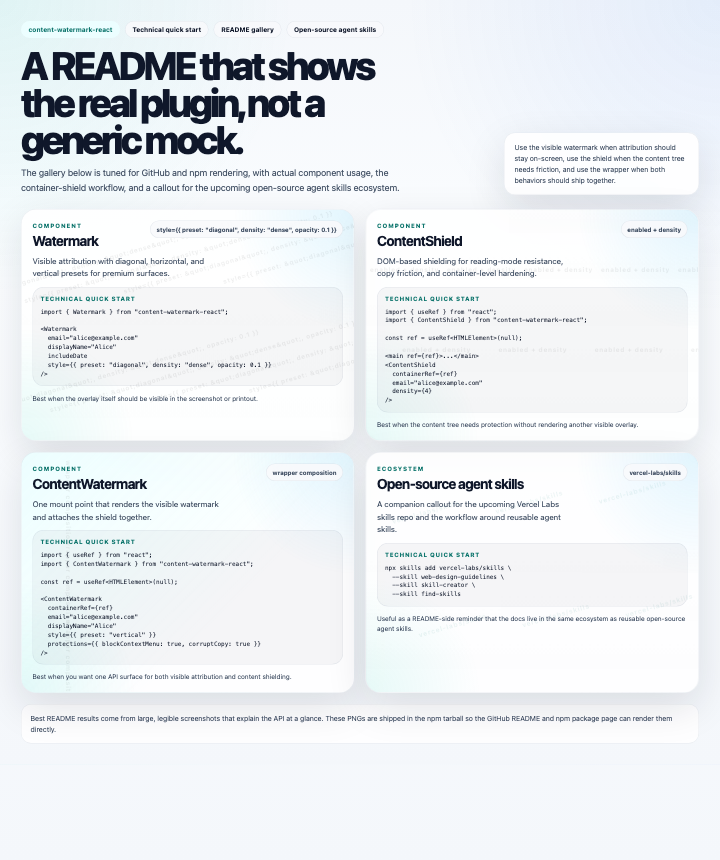
Use Watermark when you want visible attribution, ContentShield when you want to make copying and reading-mode scraping harder, and ContentWatermark when you want both in one wrapper.
The package is designed for premium content surfaces, product docs, membership pages, and editorial layouts that need both a visible attribution layer and lightweight content hardening.
This is part of a larger open-source CMS effort with AI-first UI that adapts to your own tone and writing style over time. In practice, this package is one of the enforcement layers behind the paywall experience, helping reduce casual capture, re-sharing, and reading-mode extraction of premium content.
If you are building a premium CMS or knowledge product, this package is the guardrail that sits beneath the article layer and helps keep paid writing from being copied, flattened, or redistributed too easily.
Gallery
Light mode
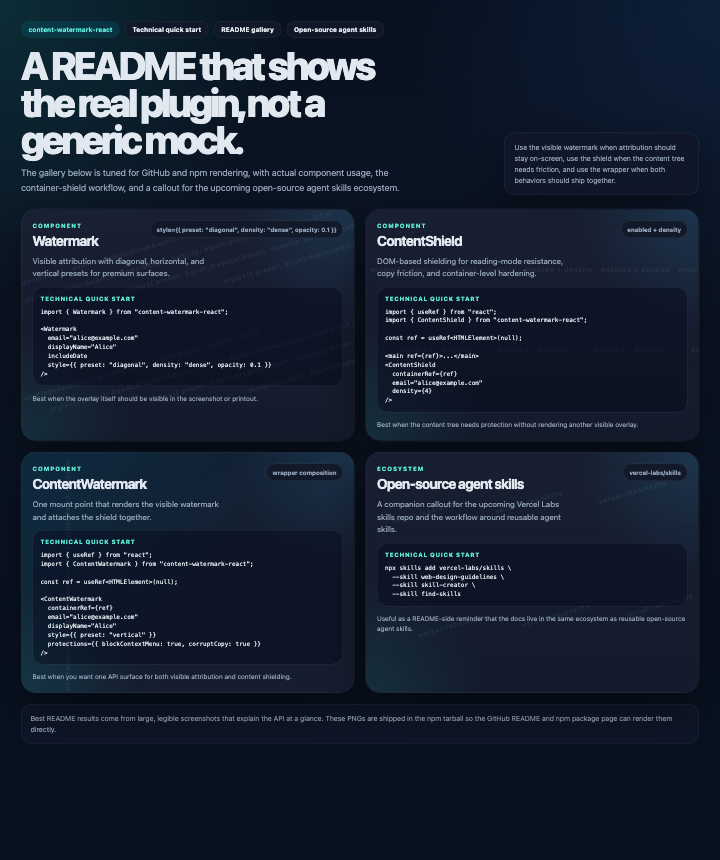
Dark mode
What You Get
Watermarkoverlay withdiagonal,horizontal, andverticalpresetsContentShieldDOM text poisoning for reading-mode resistanceContentWatermarkconvenience wrapper that composes both behaviors- Optional identity resolution from
email,displayName,userId, or IP-based lookup - Copy and right-click protections you can enable independently
- Print-aware watermark rendering with
print:z-[9999]andprintColorAdjustso the attribution layer stays visible on printed output
Protection Model
- Reading mode:
ContentShieldinjects document noise and shields text to make extraction less useful - Print output:
Watermarkremains visible in print layouts instead of disappearing with screen-only overlays - Copy friction:
protections.blockContextMenuandprotections.corruptCopyadd lightweight anti-copy resistance - Combined use:
ContentWatermarkkeeps both the visible overlay and the shielding behavior together for paywalled content
Coverage
Run the package coverage report with:
npm run coverageThe HTML report is written to coverage/index.html and helps us track the protection and rendering branches that matter most for the paywall flow.
Best-Fit Options
| Option | Best when | Visual effect |
| --- | --- | --- |
| style.preset: "diagonal" | Editorial layouts, hero sections, and long-form content | Angled repeating watermark text with a premium document feel |
| style.preset: "horizontal" | Narrow cards, dashboards, and compact reading surfaces | Calm, center-weighted rows that stay readable without dominating the page |
| style.preset: "vertical" | Sidebars, receipt-style layouts, and constrained content blocks | Tall, architectural text columns with a clear attribution tone |
| style.density | You need more or less repetition | Sparse to dense spacing across the full overlay |
| style.opacity and style.color | You need to blend into a light or dark UI | Softer or stronger contrast without changing the layout |
| protections.blockContextMenu and protections.corruptCopy | You want basic anti-copy friction | Right-click blocking and copy corruption on selected text |
Technical Quick Start
import { useRef } from "react";
import { ContentWatermark } from "content-watermark-react";

export function Article() {
  const ref = useRef<HTMLElement>(null);

  return (
    <>
      <main ref={ref}>
        <p>Premium content...</p>
      </main>

      <ContentWatermark
        containerRef={ref}
        email="[email protected]"
        displayName="Alice"
        style={{
          preset: "diagonal",
          density: "dense",
          randomizeSpacing: true,
          opacity: 0.1,
        }}
        protections={{
          blockContextMenu: true,
          corruptCopy: true,
        }}
      />
    </>
  );
}
Individual Components
Watermark
Render only the visible overlay when you want attribution without shielding the content tree.
import { Watermark } from "content-watermark-react";

<Watermark
  email="[email protected]"
  displayName="Alice"
  style={{ preset: "horizontal", density: "normal" }}
/>
ContentShield
Shield existing content with DOM poisoning and reading-mode resistance.
import { useRef } from "react";
import { ContentShield } from "content-watermark-react";

const ref = useRef<HTMLElement>(null);

<main ref={ref}>...</main>
<ContentShield containerRef={ref} email="[email protected]" />
ContentWatermark
Compose both behaviors when the same content needs visible attribution and shielding.
import { useRef } from "react";
import { ContentWatermark } from "content-watermark-react";

const ref = useRef<HTMLElement>(null);

<ContentWatermark
  containerRef={ref}
  email="[email protected]"
  displayName="Alice"
  style={{ preset: "vertical" }}
/>
Publishing
The package expects NPM_TOKEN to be available in the publish environment:
export NPM_TOKEN=...
npm publish --access public
Maintenance
Use the release script to test, build, pack, and publish in one command:
npm run release
npm run release -- --dry-run
npm run release -- --bump=patch
Agent Skills
For adjacent workflow and documentation systems, I also keep an eye on the open-source skills ecosystem at vercel-labs/skills, including skills such as web-design-guidelines, skill-creator, and find-skills.