
cornu-spline
v0.6.0
Published
Smooth Cornu (Euler-spiral / Spiro) interpolating splines through points — vanilla JS + React, with SVG, Canvas, text rendering, and animation.

Maintainers
 quitequinn
Readme
cornu-spline



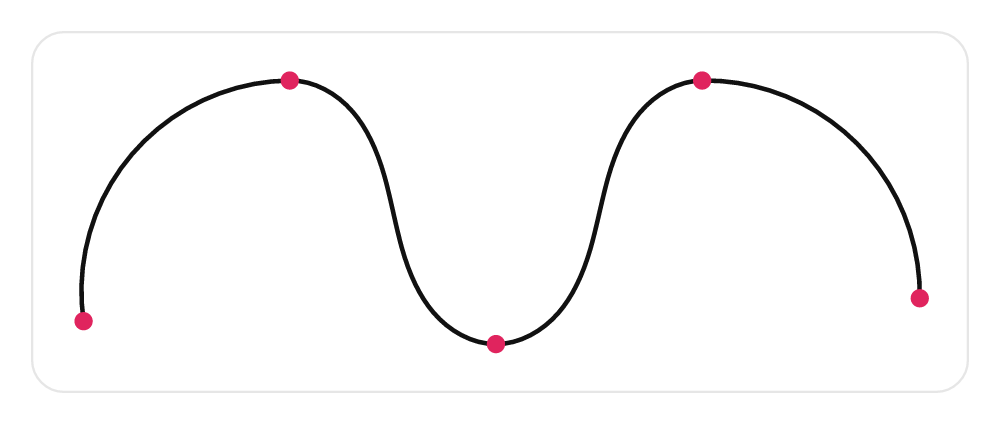
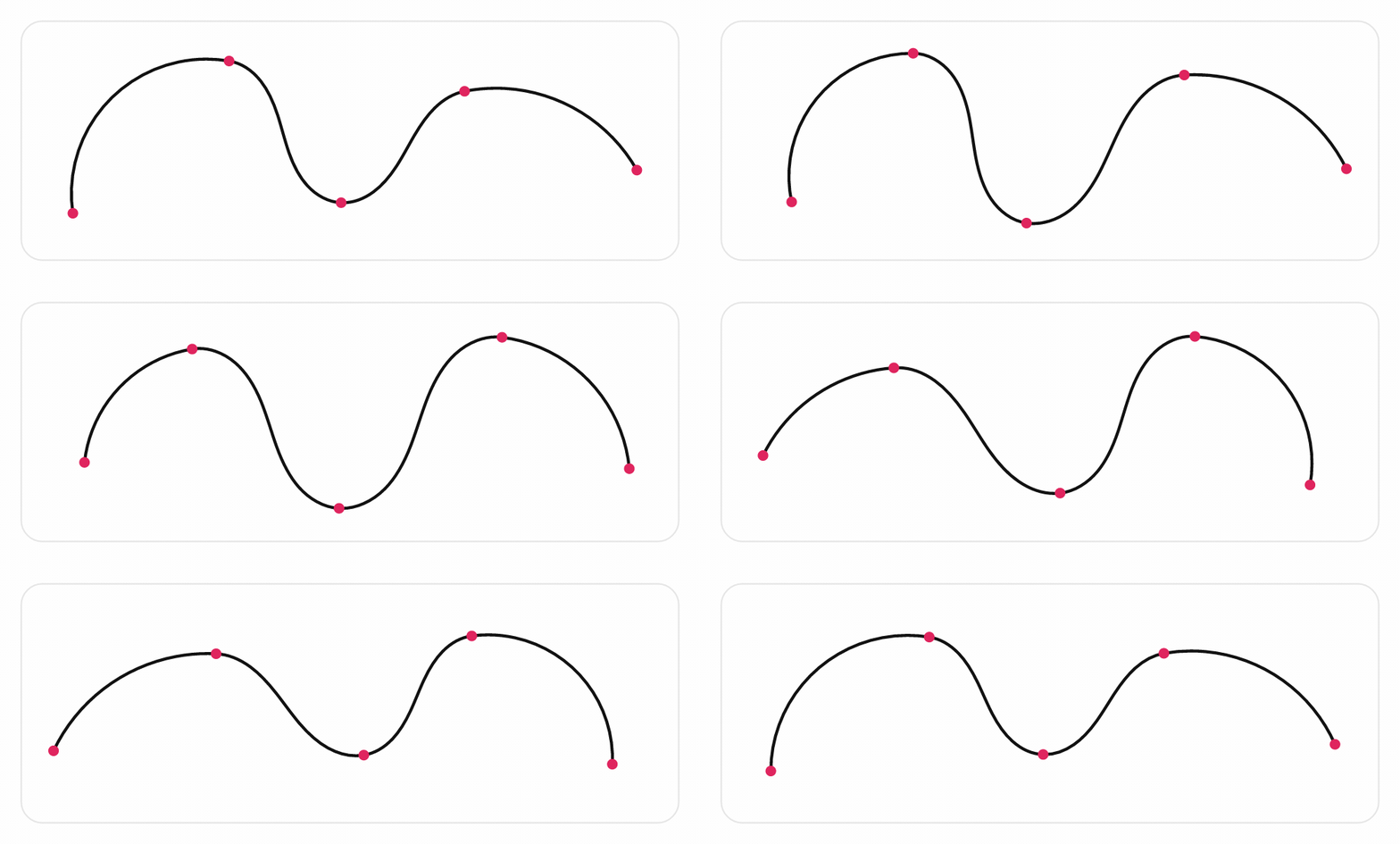
Smooth Cornu spline interpolation through a set of points — the aesthetically optimal curve that passes through every control point, built from Euler spirals (clothoids) and emitted as Bézier curves.
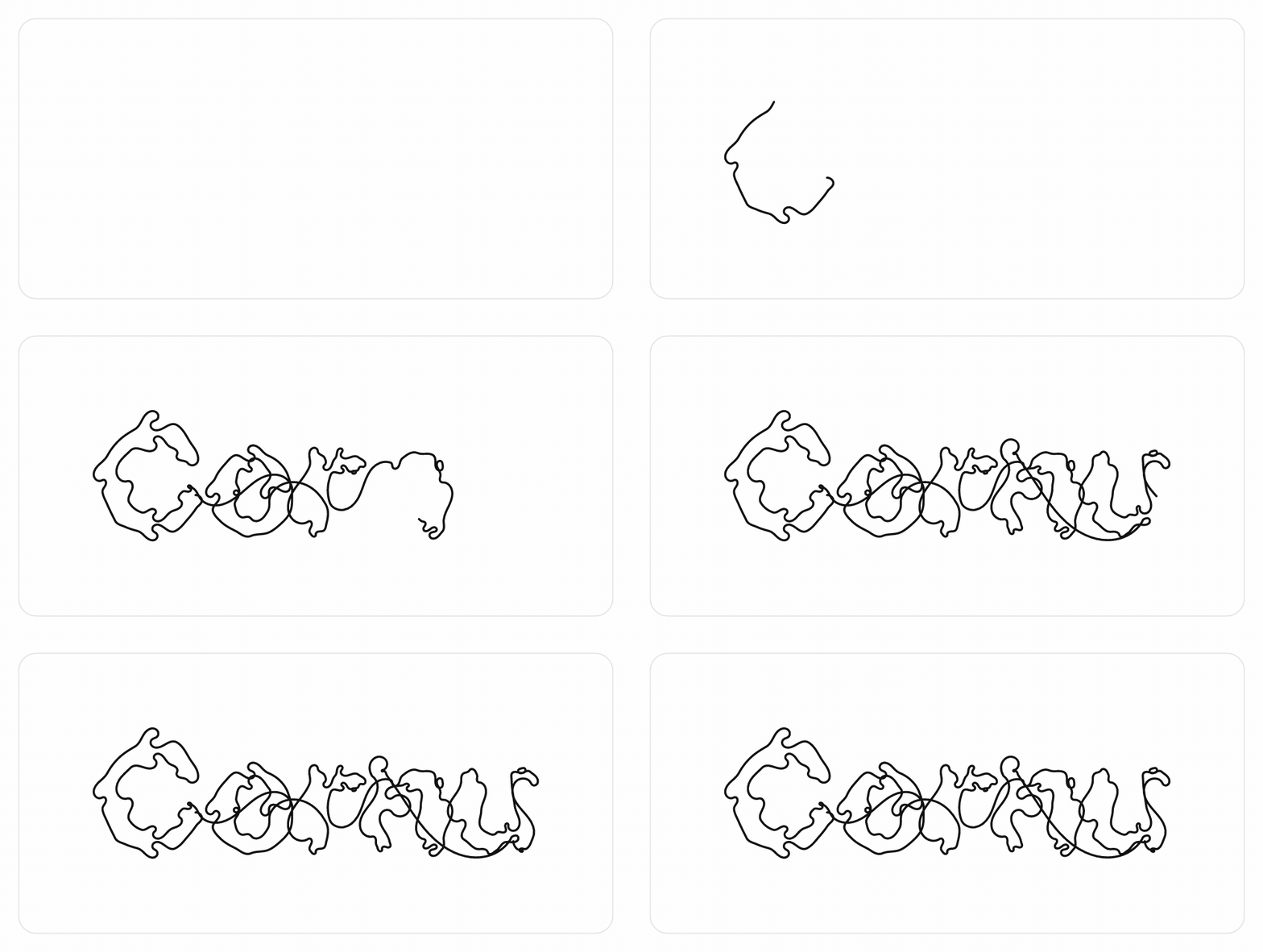
The hero above is the original NodeBox cornu direction: one open spline threaded through the word's on-curve points (singleStroke, detail: 1, a little jitter) — not a tidy outline trace.
Cornu / Euler-spiral curves (a.k.a. Spiro) minimize curvature variation, which is why they look so clean to the eye. This is the curve family Raph Levien designed for font and illustration tools.
cornu-spline gives you a tiny, ergonomic API — points in → smooth curve out — as an SVG path string, Canvas drawing calls, or raw segments. It ships with first-class vanilla JS and React integration, can turn any text in any font into a flowing Cornu spline, and includes draw-on and wobble animation.
npm install cornu-splineThe core entry has no required dependencies. The cornu-spline/text (and the text parts of cornu-spline/react) use opentype.js to read fonts; it is installed automatically.
Why this exists
The only existing JS port, spiro, is a faithful but low-level port of libspiro: you build arrays of typed knots (corner / g2 / g4 / open) and implement a callback context with moveTo/cubicTo handlers. cornu-spline instead does the common thing in one call — give it [x, y] points, get a finished curve — with SVG/Canvas/React helpers, text rendering, and animation included.
Vanilla JS
import { cornuToSVGPath, cornuSegments, cornuToCanvas } from 'cornu-spline';

const points = [
  [0, 0],
  [100, 0],
  [100, 100],
  [0, 100],
];

// 1. SVG path string
document.querySelector('path').setAttribute('d', cornuToSVGPath(points));

// 2. Draw straight to a canvas
const canvas = document.querySelector('canvas');
const ctx = canvas.getContext('2d');
ctx.beginPath();
cornuToCanvas(ctx, points, { closed: true });
ctx.stroke();

// ...or get a Path2D for ctx.stroke(path) / hit-testing (browser only —
// cornuToPath2D throws where Path2D is unavailable, e.g. Node without a polyfill)
import { cornuToPath2D, cornuLength } from 'cornu-spline';
ctx.stroke(cornuToPath2D(points));
const len = cornuLength(points); // approximate arc length

// Already hold segments? serialize them without re-fitting:
import { segmentsToSVGPath } from 'cornu-spline';
const d = segmentsToSVGPath(cornuSegments(points), /* closed */ false);

// 3. Raw drawing instructions for full control
const segments = cornuSegments(points);
// [{ type: 'moveto', x, y }, { type: 'curveto', x1, y1, x2, y2, x, y }, ...]
Points may be tuples [x, y] or objects { x, y }.
Text → Cornu spline
Turn a string into a flowing Cornu curve by sampling a font's glyph outlines and refitting them. Lower detail and some jitter give a looser, hand-drawn feel; higher detail stays faithful to the letterforms.
import { loadFont } from 'cornu-spline/text';

const font = await loadFont('/fonts/MyFont.ttf'); // URL, ArrayBuffer, or Uint8Array
const d = font.toSVGPath('Cornu', {
  fontSize: 200,
  detail: 4,   // sample density — lower = sketchier
  jitter: 0,   // organic randomness in font units
  tweaks: 20,  // smoothing iterations
});

const { segments, bounds } = font.render('Cornu', { fontSize: 200 });
// `bounds` ({ minX, minY, width, height, ... }) is handy for an SVG viewBox.

// The signature, original-NodeBox flowing look: one open spline through the
// whole word's on-curve points (the hero animation above).
const flowing = font.toSVGPath('Cornu', {
  fontSize: 200,
  singleStroke: true, // ignore contour boundaries — one continuous ribbon
  detail: 1,          // sparse = loopy and organic
  jitter: 5,
});
Two modes, same text — tidy per-glyph outlines (top) vs one flowing single stroke (bottom):
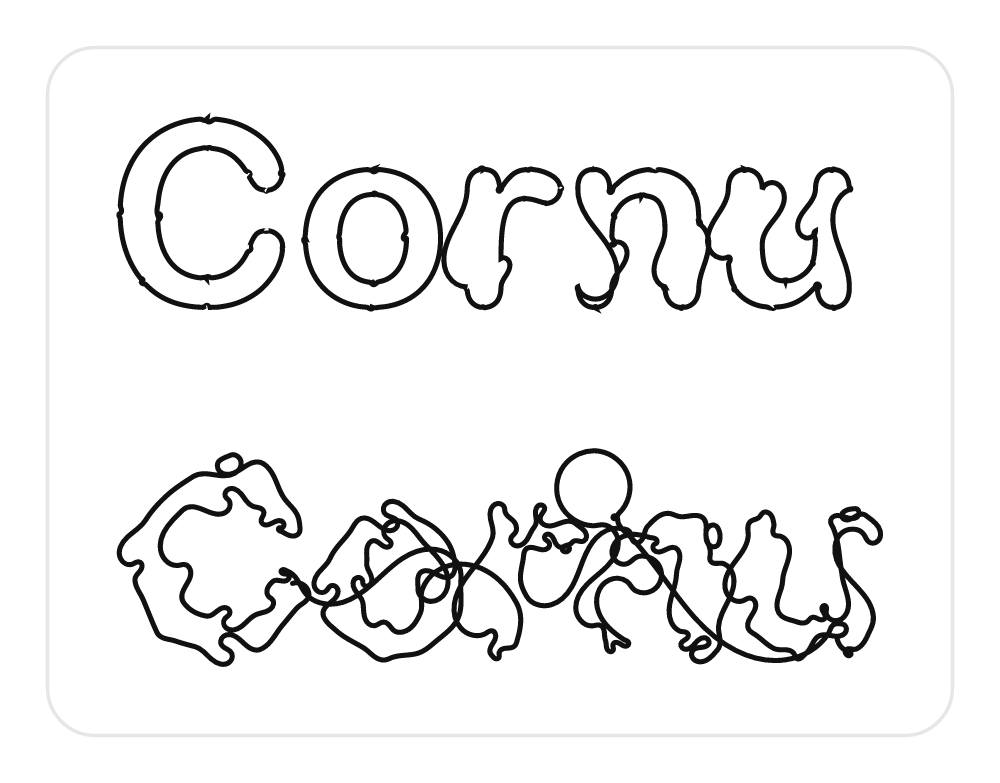
| singleStroke: false (default) | singleStroke: true |
| -------------------------------------- | ----------------------------------------- |
| Tidy per-glyph outlines — legible text | One flowing ribbon — the original look |
Pure, font-independent helpers are exported too — commandsToContours, commandsToCornuSegments, segmentBounds, parseFont.
Multi-line text & paragraphs
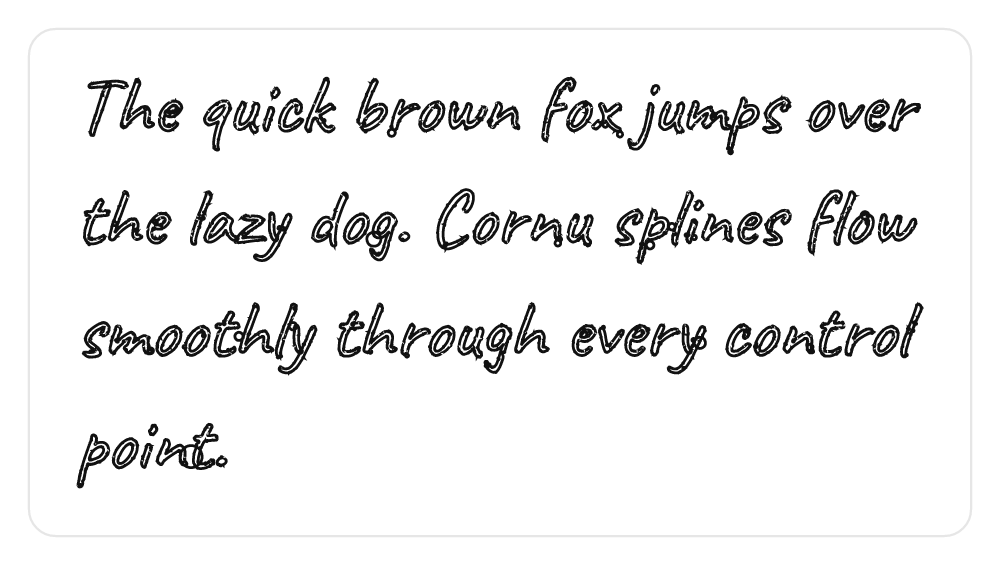
paragraphSegments / renderParagraph split on \n and (optionally) word-wrap to a maxWidth, stacking lines by lineHeight:
const { path, bounds, lines } = font.renderParagraph(
  'The quick brown fox jumps over the lazy dog.',
  { fontSize: 64, maxWidth: 680, lineHeight: 1.35, align: 'left' },
);
Each line is fitted independently, so singleStroke flows per line. align: 'center'/'right' only takes effect when maxWidth is set.
Direction & languages. Latin, Cyrillic, Greek, and other LTR scripts work out of the box. Pass direction: 'rtl' to render a right-to-left run — this reverses the visual order (and defaults alignment to right), which is correct for non-joining scripts like Hebrew:
font.toSVGPath('שלום', { fontSize: 64, direction: 'rtl' });opentype.js does no complex shaping, so joining scripts (Arabic) and reordering scripts (Indic) are not shaped here — their glyphs render in isolated/logical form. For those, or for mixed-direction text, run a shaping/bidi pass (e.g. HarfBuzz / bidi-js) and pass the resulting visual order with direction: 'ltr'. The visualOrder(text, direction) helper is exported for the simple reversal case. To get just the wrapped strings, call layoutLines(cornuFont.font, text, fontSize, maxWidth?, fontOptions?) — note it takes the underlying opentype.js Font (cornuFont.font), not the CornuFont wrapper.
React
import { CornuPath, CornuText, useFont } from 'cornu-spline/react';

function Sketch() {
  const points = [[10, 80], [80, 20], [150, 120], [220, 40]];
  return (
    <svg width={240} height={140}>
      {/* Draws itself on over 1.5s, then gently wobbles forever */}
      <CornuPath
        points={points}
        fill="none"
        stroke="black"
        strokeWidth={2}
        draw={{ duration: 1500 }}
        wobble={3}
      />
    </svg>
  );
}

function Title() {
  // <CornuText> self-sizes its SVG to the text.
  return (
    <CornuText
      src="/fonts/MyFont.ttf"
      text="Cornu"
      fontSize={200}
      detail={4}
      width={600}
      draw
      pathProps={{ stroke: '#e0245e', strokeWidth: 3, fill: 'none' }}
      fallback={<span>loading…</span>}
    />
  );
}
<CornuPath /> forwards every standard SVG <path> prop (stroke, fill, strokeDasharray, event handlers, ref, …). <CornuText /> accepts either a src to load or a font from useFont/loadFont, supports multi-line layout via maxWidth / lineHeight / align (and \n), and forwards x / y / flat / fontOptions to the fitter. It also takes bare (render just the <path>, no <svg> wrapper), padding (px around the text in the viewBox, default 8), and fallback (shown while a src font loads, on load error, or for empty text).
By default <CornuText /> renders an accessible <svg role="img" aria-label={text}> with a <title>, so the rendered word is exposed to screen readers. Both draw and wobble honour prefers-reduced-motion (the usePrefersReducedMotion() hook is exported too).
Tip: memoize the
pointsarray (or keep a stable reference) so hooks only recompute when the geometry actually changes.
Animation & feel
| Prop / option | Where | Effect |
| ------------- | ----------------- | ------------------------------------------------------------------- |
| draw | CornuPath, CornuText | Stroke draws itself on. true or { duration, delay, easing, loop }. |
| wobble | CornuPath | Control points oscillate each frame. Number (amount) or { amount, speed }. |
| tweaks | everywhere | Smoothing iterations. Higher = smoother (a little more cost). |
| flat | everywhere | Emit a dense polyline instead of Bézier curves. |
| detail | text | Curve sample density. Lower = looser / sketchier letterforms. |
| jitter+seed | text | Deterministic random displacement for an organic feel. |
| singleStroke | text | One flowing open spline through the whole word (original NodeBox look). |
| closed | core | Treat points as a closed loop. |
The useWobble(points, wobble) hook is exported if you want to animate points yourself.
API summary
cornu-spline—cornuSegments,cornuToSVGPath,segmentsToSVGPath,cornuToCanvas,cornuToPath2D,cornuLength, types.cornu-spline/text—loadFont,parseFont,CornuFont(.segments,.toSVGPath,.render,.paragraphSegments,.renderParagraph),layoutLines,visualOrder,commandsToContours,commandsToCornuSegments,segmentBounds.cornu-spline/react—<CornuPath>,<CornuText>,useCornuPath,useCornuSegments,useWobble,useFont,usePrefersReducedMotion.
Examples
Self-contained HTML demos in examples/ (open them after npm run build, or swap the ../dist import for the npm CDN build):
vanilla.html— click to add points; live spline on a canvas.text.html— drop a font, type, tunedetail/jitter/tweaks, togglesingleStroke.draw-animation.html— draw-on (CSS stroke-dash) and wobble (per-frame refit).
Development
npm install
npm test          # vitest (core, text, and React via jsdom)
npm run build     # tsup -> dual ESM/CJS + .d.ts
npm run gif -- "/path/to/Font.ttf" "Cornu"   # rebuild the hero GIF (needs ffmpeg + rsvg-convert or macOS qlmanage)
Releasing
npm version <patch|minor|major>   # bump + git tag
npm publish                       # prepublishOnly builds first
git push --follow-tags
Credits
Port of the NodeBox cornu library.
- Cornu / Euler-spiral curve algorithm: Raph Levien — http://www.levien.com/spiro/
- Cornu-to-Bézier conversion: Mark Meyer
License
Licensed under your choice of either:
- MIT license (LICENSE-MIT), or
- Apache License 2.0 (LICENSE-APACHE)
This mirrors the licensing of Raph Levien's original Spiro work, from which the algorithm derives. See NOTICE for attribution details.