
cosmic-ui-library
v1.0.15
Published
A lightweight React UI component library with cards, forms, navigation, dashboards, AI UI blocks, and utility components.

Maintainers
 suyogmarkad
Readme
Cosmic UI Library
A lightweight React UI component library for building product pages, dashboards, forms, AI interfaces, cards, and common application layouts without writing the same boilerplate again and again.
npm install cosmic-ui-libraryimport { Button, Card, Input, Navbar } from "cosmic-ui-library";Preview
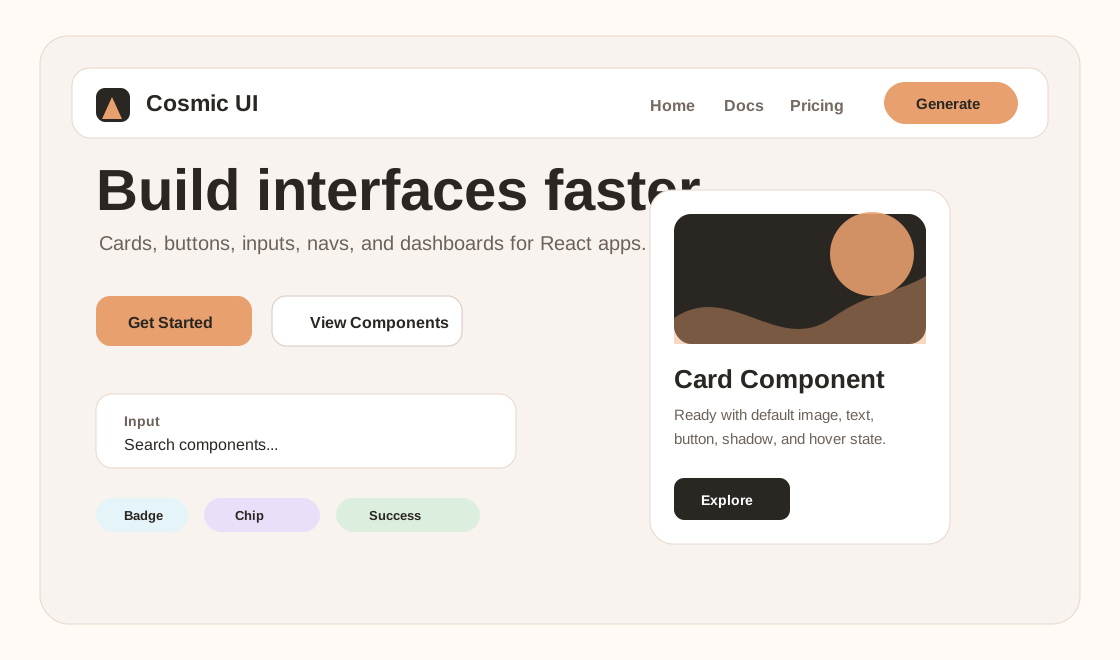
Why Use Cosmic UI?
- Ready-to-use React components with simple props.
- No required global CSS setup for most components.
- Useful for landing pages, dashboards, e-commerce, admin panels, AI apps, and prototypes.
- Ships ESM and CommonJS builds.
- Works with React 18 and newer.
Quick Start
import { Button, Card, Input, Navbar } from "cosmic-ui-library";

export default function App() {
  return (
    <main style={{ fontFamily: "Inter, system-ui, sans-serif" }}>
      <Navbar
        brand="Cosmic UI"
        links={["Home", "Components", "Pricing"]}
        action="Get Started"
        onAction={() => console.log("start")}
      />

      <section style={{ display: "grid", gap: 24, padding: 32 }}>
        <Card
          title="Launch faster"
          subtitle="React components"
          content="Drop clean UI blocks into your project and customize them with props."
          buttonText="Explore"
          accentColor="#e8a06e"
        />

        <Input
          label="Component name"
          placeholder="PricingCard"
          onChange={(value) => console.log(value)}
        />

        <Button
          text="Generate Component"
          backgroundColor="#2a2622"
          hoverBackgroundColor="#e8a06e"
          borderRadius="999px"
        />
      </section>
    </main>
  );
}
Component Screenshots
Cards, Buttons, and Forms
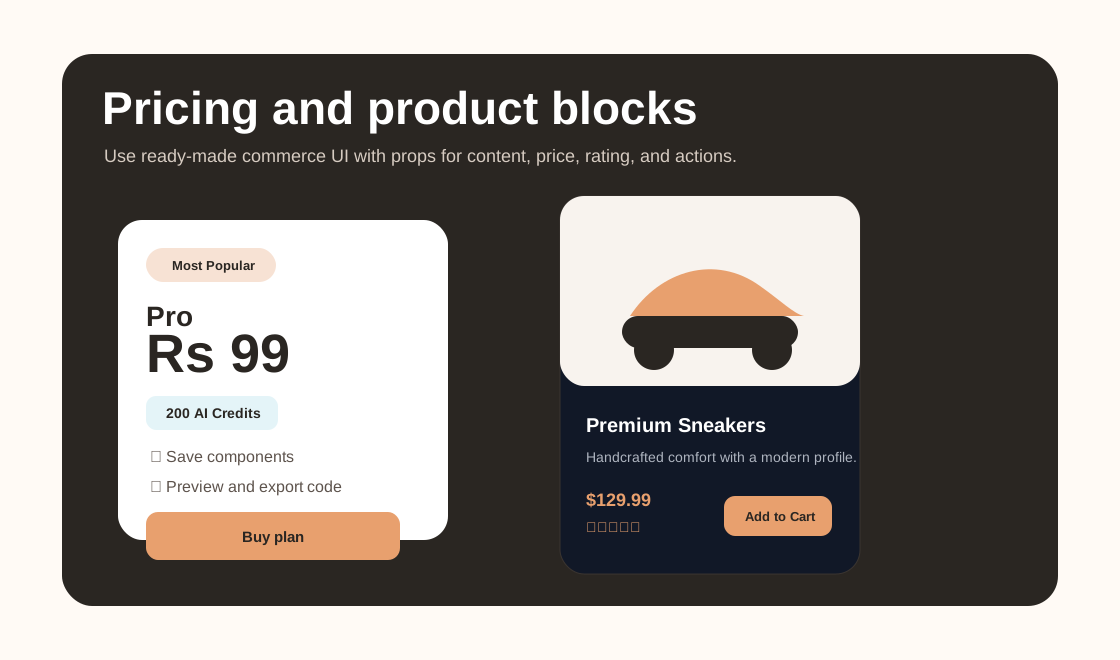
Pricing and Product Cards
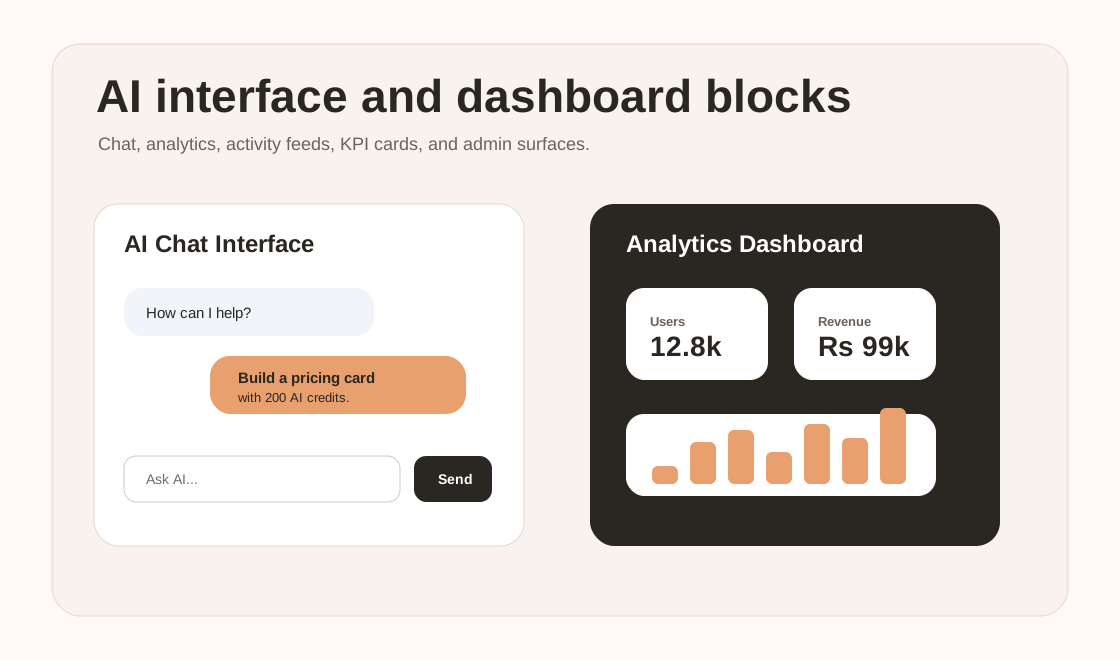
AI and Dashboard Components
Common Examples
Button
import { Button } from "cosmic-ui-library";

export default function SaveButton() {
  return (
    <Button
      text="Save changes"
      size="large"
      backgroundColor="#e8a06e"
      hoverBackgroundColor="#d98955"
      textColor="#2a2622"
      borderRadius="12px"
      onClick={() => alert("Saved")}
    />
  );
}
Card
import { Card } from "cosmic-ui-library";

export default function FeatureCard() {
  return (
    <Card
      title="Beautiful defaults"
      subtitle="Cosmic UI"
      content="Every card includes a default image, readable text colors, button styling, hover animation, and shadow."
      accentColor="#e8a06e"
      textColor="#2a2622"
      backgroundColor="#ffffff"
      buttonText="Learn More"
      width="340px"
    />
  );
}
Product Card
import { ProductCard } from "cosmic-ui-library";

export default function StoreItem() {
  return (
    <ProductCard
      title="Premium Leather Sneakers"
      description="Handcrafted sneakers with premium comfort and modern design."
      price={129.99}
      currency="$"
      rating={4.5}
      reviews={112}
      accent="#e8a06e"
      bg="#2a2622"
      onAddToCart={() => console.log("added")}
      onWishlist={() => console.log("wishlist")}
    />
  );
}
Pricing Card
import { PricingCard } from "cosmic-ui-library";

export default function Pricing() {
  return (
    <PricingCard
      plan="Pro"
      price="Rs 99"
      features={["200 AI credits", "Save components", "Priority support"]}
      cta="Buy plan"
    />
  );
}
Navbar
import { Navbar } from "cosmic-ui-library";

export default function Header() {
  return (
    <Navbar
      brand="Cosmic UI"
      links={["Home", "Docs", "Pricing"]}
      action="Generate"
      backgroundColor="#fffaf5"
      onAction={() => console.log("generate")}
    />
  );
}
Input
import { Input } from "cosmic-ui-library";

export default function SearchBox() {
  return (
    <Input
      label="Search"
      placeholder="Search components"
      onChange={(value) => console.log(value)}
    />
  );
}
AI Chat Interface
import { AIChatInterface } from "cosmic-ui-library";

export default function AssistantPanel() {
  return (
    <AIChatInterface
      messages={[
        { from: "AI", text: "Describe the UI you want to create." },
        { from: "You", text: "Build a pricing card with AI credits." },
      ]}
    />
  );
}
Modal
import { Modal } from "cosmic-ui-library";

export default function ConfirmModal() {
  return (
    <Modal open title="Delete component" onClose={() => console.log("close")}>
      Are you sure you want to delete this component?
    </Modal>
  );
}
Component Categories
Layout
Container, Section, Grid, Flex, Stack, Box, Spacer, Divider, AspectRatio, Center, MasonryGrid, SplitLayout, SidebarLayout, DashboardLayout
Navigation
Navbar, Sidebar, Menu, DropdownMenu, MegaMenu, Breadcrumb, Pagination, Tabs, Stepper, NavigationRail, BottomNavigation, CommandMenu, ContextMenu
Buttons
Button, IconButton, FloatingActionButton, ButtonGroup, ToggleButton, SplitButton, SocialButton
Forms
Input, Textarea, Select, MultiSelect, Checkbox, RadioButton, Switch, RangeSlider, SearchBar, DatePicker, TimePicker, DateTimePicker, ColorPicker, FileUpload, OTPInput, FormWrapper, FormValidation
Cards
Card, BasicCard, ProductCard, BlogCard, ProfileCard, TeamCard, FeatureCard, PricingCard, TestimonialCard, CourseCard, EventCard, NewsCard, StatisticsCard, DashboardCard, ServiceCard
Data Display
Badge, Chip, Tag, Avatar, AvatarGroup, Tooltip, Popover, Accordion, Timeline, Table, DataTable, List, DescriptionList, TreeView, CodeBlock, JSONViewer, KeyValueViewer
Feedback
Alert, Toast, Snackbar, Notification, ProgressBar, CircularProgress, SkeletonLoader, Spinner, LoadingOverlay, EmptyState, ErrorState, SuccessState
Overlays
Modal, Dialog, Drawer, Sheet, Popup, Lightbox, FullscreenModal, ConfirmationDialog
Media
Image, ImageGallery, Carousel, VideoPlayer, AudioPlayer, ImageComparisonSlider, LightboxGallery
Authentication
LoginForm, SignupForm, ForgotPasswordForm, ResetPasswordForm, SocialLoginButtons, AuthenticationLayout
Dashboard
StatCard, AnalyticsCard, ActivityFeed, RecentTransactions, RevenueCard, UserSummary, KPICard, DashboardHeader, DashboardSidebar
E-Commerce
ProductCard, ProductGrid, ProductList, ProductQuickView, ProductGallery, ProductReview, ShoppingCart, CartDrawer, CheckoutForm, Wishlist, CouponBox, OrderSummary
AI Components
AIChatInterface, PromptInput, AIMessageBubble, AICodeViewer, AIResponseCard, AIMarkdownRenderer, AIModelSelector, AIThinkingLoader
Landing Page
HeroSection, FeaturesSection, TestimonialsSection, PricingSection, FAQSection, CTASection, TeamSection, ContactSection, NewsletterSection, Footer
Import Pattern
Use named imports from the package root:
import { Button, Card, PricingCard, ProductCard, AIChatInterface } from "cosmic-ui-library";Styling Notes
Most components are self-contained and use inline styles, so you can start using them without importing a separate stylesheet. Many components expose styling props such as:
backgroundColortextColoraccentColorborderRadiuspaddingwidthshadowhoverable
Requirements
- React 18 or newer
Development
npm install
npm run build
The build outputs:
dist/index.mjsfor ESMdist/index.jsfor CommonJS
License
ISC