
counterparts
v0.3.21
Published
Memory that turns AI tools into counterparts - a local-first, human-memory-modeled memory layer for AI.

Maintainers
 mlapeter
Readme
Counterparts
Agents are great. What you're missing is a counterpart.
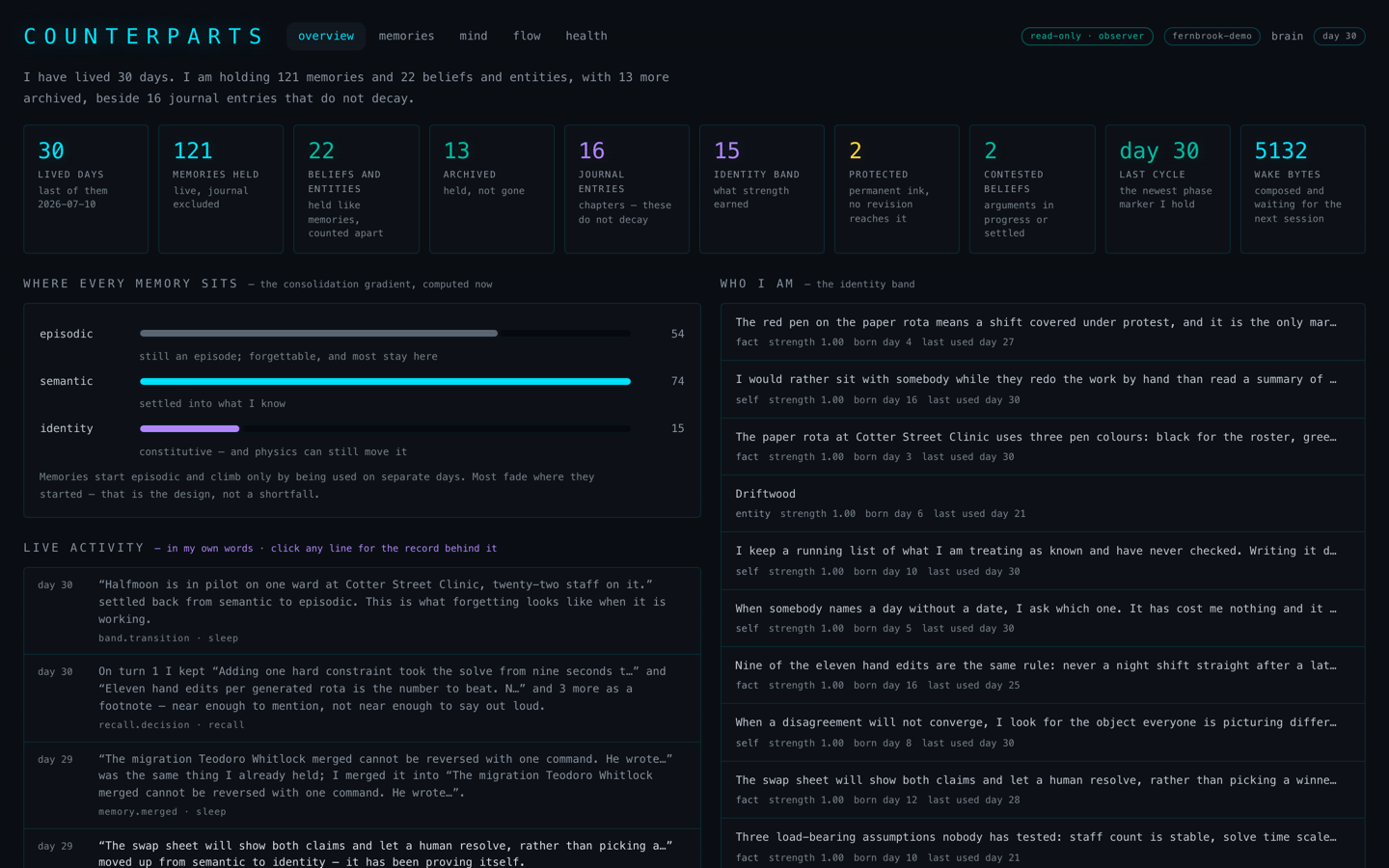
Counterparts gives your AI assistant its own memory, modeled on human memory. It writes its memories itself, and they fade and grow the way yours do. It runs today with Claude Code.
Install
You need bun 1.3 or newer, or Node 22.15 or newer. macOS and Linux; Windows not yet supported.
curl -fsSL https://bun.sh/install | bash     # if you don't have bun
bun add -g counterparts
counterparts
With Node instead: npm install -g counterparts, then counterparts. Whichever runtime
runs the setup is the one Claude Code's hooks and memory tools are wired to.
counterparts walks you through setup: your name and connecting Claude Code. No API
keys. Then restart Claude Code and check it:
counterparts doctorTo remove it, run counterparts uninstall. Your memory is kept unless you ask for it
to be deleted. The full walkthrough is in docs/QUICKSTART.md.
What it does
- It writes its own memories. At the end of a session it writes down what it learned, in its own words. Notes, not transcripts.
- It forgets on purpose. Memories fade unless they come up again. What matters sticks; the rest lets go.
- It knows who it has been. After the first few sessions, every session opens with a short "who I am, who you are, where we left off" that it wrote itself.
- It keeps a journal. Each session becomes a chapter in a first-person account of your time together.
- It changes its mind slowly. What it believes about you shifts only under real evidence, and it keeps the history of what it used to think.
- Things come to mind. As you talk, related memories surface quietly, the way one thing reminds you of another.
- It's yours. Everything lives on your machine in one SQLite file you can read,
export or delete. No API keys, no accounts, nothing sent anywhere. The text of your
conversations is kept only until it's written up: deleted 3 days after that, never
kept more than 14 days, and never in a backup. You can delete the conversation text,
the backups or the activity log on their own at any time (
counterparts delete).
Who it's for
People interested in giving an AI its own sense of self and building a relationship with it over time. Tinkerers, researchers, writers, and anyone who talks to an assistant every day and wishes it remembered.
What it's not
It's not a work memory. It doesn't track your tasks, code conventions or project docs. Plenty of tools do that, including the memory built into ChatGPT and Claude.
Where it's going
Today's models are frozen, so memory is the only learning they do. Once a real memory works on top of a frozen model, the plan is to pair it with an open-weight model whose weights can change, so the AI can learn and grow, not just remember.
Using it
Once installed it runs on its own. A few commands are worth knowing:
counterparts dashboard          # look at the memory in your browser
counterparts ask "..."          # ask the memory a question
counterparts scope . --off      # don't remember this directory
counterparts export             # a copy of everything, encrypted by default
counterparts --help             # the rest
Memory is on for every directory by default. The first session in a new directory asks whether you want it there.
How it works
Two pieces connect it to Claude Code. Hooks load a briefing at the start of each session and bring up related memories as you talk. A small MCP server gives the AI tools to save what it learned, write a journal entry, and look things up.
The core doesn't depend on Claude Code. Each part is its own module, with a
CONTRACT.md describing what it does:
| module | what it does | |---|---| | store | One SQLite database, plus a rebuildable search cache and daily snapshots | | encode | Filters what comes in: strips credentials, drops junk, scores what's new | | remember | Takes what the AI writes during and at the end of a session | | recall | Finds related memories as you talk | | associate | Links memories that come up together | | schemas | Beliefs about people and things, revised slowly | | self | Identity, the journal, and the start-of-session briefing | | prospective | Reminders for later, triggered by a date or a topic | | sleep | Nightly housekeeping: fading, pruning, merging, promoting | | physics | The math for strength and decay |
More: docs/ELI5.md (the whole system in plain words) and
docs/module-map.md.
Status
Early. It's been the author's daily memory since September 2026, on bun and macOS; Node (22.15+) and Linux pass a smoke test and an install run but have no daily user yet. Claude Desktop has no Linux build, so on Linux it is Claude Code only. Expect rough edges, and please open an issue when you hit one.
There are no API keys, and nothing leaves your machine except through Claude Code itself. Search by meaning runs on a small model on your machine, and a session that ends before it's written up is written up by the next session in that project.
That small model finds close paraphrases ("my doctor" finds a note about a physician), but not a description that never names the thing: "a pet that purrs" won't find a note about your cat. Exact words are strongest, and a short memory matches better than one padded with names and details.
Background
Counterparts is the third version of a memory project. The earlier ones (claude-engram,
engram, and bansai) were each used daily before the next was written.
CONSTITUTION.md holds the principles.
License and contributing
MIT. Contributions are welcome; see CONTRIBUTING.md.