
create-gitfolio
v1.0.5
Published
Open-source portfolio CMS with a built-in admin panel. Markdown blog, project showcase, and full portfolio management — all from a browser UI. Changes auto-commit to GitHub and trigger a Vercel rebuild. No database, no server, no subscription.

Maintainers
 cyberkishor
Readme
create-gitfolio
Open-source portfolio CMS with a built-in admin panel. Markdown blog, project showcase, and full portfolio management — all from a browser UI. Changes auto-commit to GitHub and trigger a Vercel rebuild. No database, no server, no subscription.
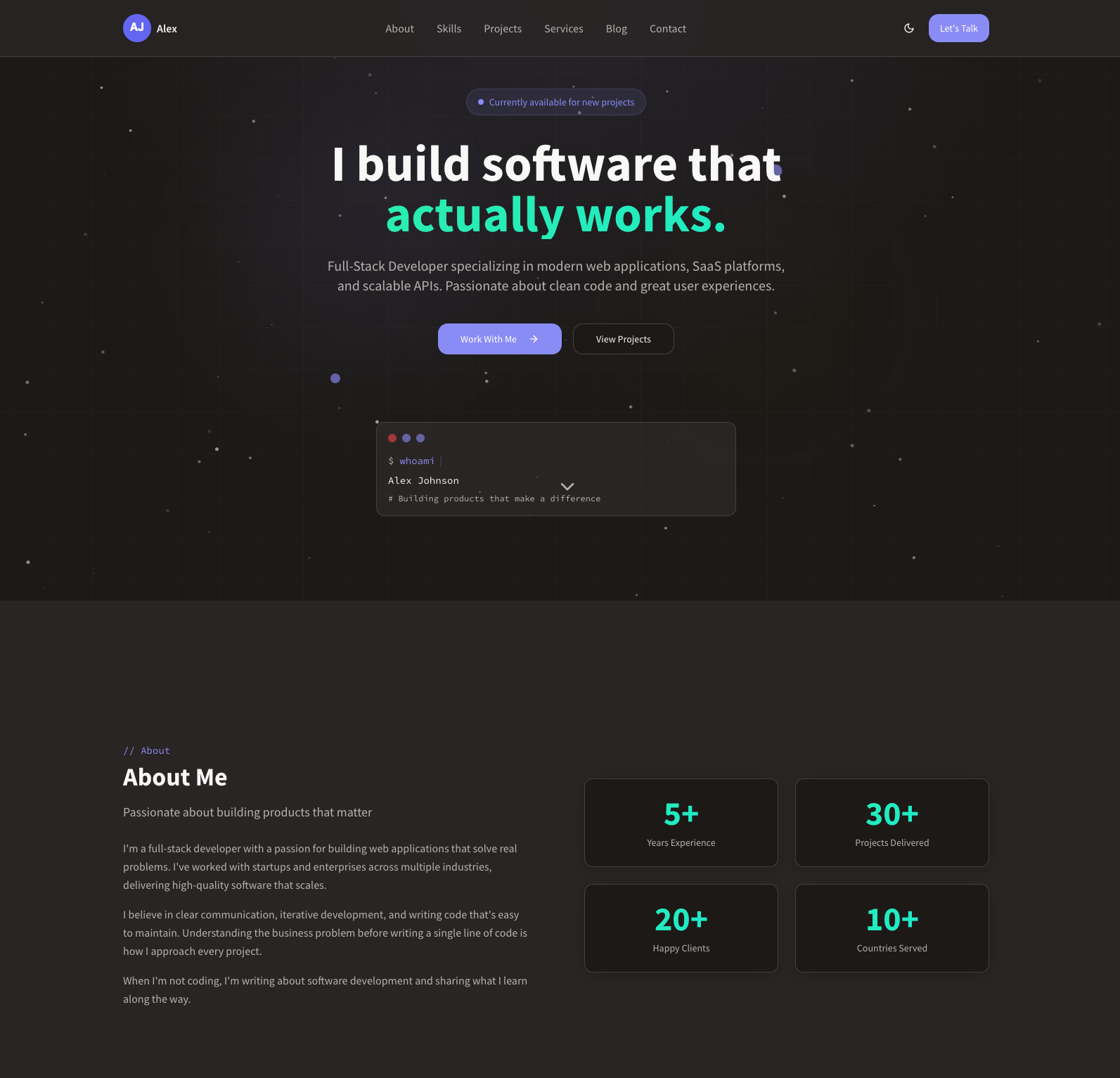
gitfolio


A developer portfolio template with a built-in admin panel. Edit blog posts, projects, and portfolio data directly from a browser UI — changes auto-commit to GitHub and trigger a Vercel rebuild. No database, no CMS, no server.
Check out the live demo → to see gitfolio in action.
⭐ If you find this useful, please star and fork the repo — it helps others discover it and motivates continued development.
Getting Started
Install
npm create gitfolio@latest my-portfolioOr with npx:
npx create-gitfolio my-portfolioThe CLI will clone the template, install dependencies, run an interactive setup wizard, and create your first git commit.
Run locally
cd my-portfolio
npm run dev    # http://localhost:8080
Deploy
Step 1 — Create a GitHub repo for your portfolio (e.g. my-portfolio), then push your local code to it:
cd my-portfolio
git remote add origin https://github.com/YOUR_USERNAME/my-portfolio.git
git push -u origin main
Step 2 — Connect to Vercel. Import the repo at vercel.com/new, add your env vars in Vercel → Settings → Environment Variables, and deploy.
Or skip both steps with the one-click button — Vercel forks the template directly to your GitHub account:
What's included
- Portfolio site — hero, about, skills, projects, services, testimonials, blog, contact sections
- Blog — markdown-powered posts with cover images, categories, read time, and live preview in the editor
- Project case studies — full markdown pages per project with metadata
- Admin panel at
/admin— password-protected, manage all content from the browser - Dynamic OG images — auto-generated for every page and blog post using your accent color and logo
- Site settings — logo, favicon, accent color, theme, nav links, footer — all editable in admin
- Deploy button in admin sidebar — trigger a Vercel rebuild on demand without pushing a commit
Let's Customize
Accent color & theme
Set your brand color and preferred theme during npm run setup, or edit src/data/site-settings.json directly:
{
  "accentColor": "#6366f1",
  "defaultTheme": "dark"
}
The accent color propagates as a CSS custom property across the entire site — buttons, highlights, OG images, and more. Supported themes: dark, light, system.
You can also update these at any time from Admin → Site Settings without touching code.
Logo
Replace public/logo.svg with your own photo (square, at least 200×200px). JPG and PNG are also supported — update the path in src/data/site-settings.json:
{
  "logo": "/logo.jpg",
  "favicon": "/logo.jpg"
}
Navigation & footer
Edit nav links and footer content in src/data/site-settings.json, or from Admin → Site Settings → Navigation / Footer tabs.
Personal info
Update name, title, tagline, location, email, social links, and bio in src/data/portfolio.json, or from Admin → Portfolio.
Blog posts
Add markdown files to public/blog/{slug}.md with frontmatter:
---
title: "My First Post"
date: "2024-01-01"
excerpt: "A short description shown in post cards."
cover: "/blog/images/cover.jpg"
readTime: "5 min read"
category: "Engineering"
---

Your content here...
Also add an entry to public/blog-index.json — or just use the admin panel which handles both automatically.
Projects
Add markdown files to public/projects/{slug}.md with frontmatter:
---
title: "My Project"
description: "Short description for the project card."
tags: ["React", "Node.js"]
metrics: "10k+ users"
year: "2024"
category: "SaaS Platform"
liveUrl: "https://example.com"
---

Your case study content here...
Also add an entry to public/projects-index.json — or use the admin panel.
Admin panel
Visit /admin — redirects to /admin/login if not authenticated. Password is set via VITE_ADMIN_PASSWORD.
| Route | Description |
|-------|-------------|
| /admin/dashboard | Overview and quick links |
| /admin/blog | List, create, edit, delete blog posts |
| /admin/blog/new | New post with markdown editor + live preview |
| /admin/projects | List, create, edit, delete projects |
| /admin/projects/new | New project with markdown editor + live preview |
| /admin/portfolio | Edit all portfolio sections |
| /admin/settings | Logo, favicon, accent color, nav, footer |
Every save commits directly to GitHub via the API. The Deploy button triggers a Vercel rebuild.
Admin screenshots
| Dashboard | Blog editor | Site settings |
|-----------|-------------|---------------|
| 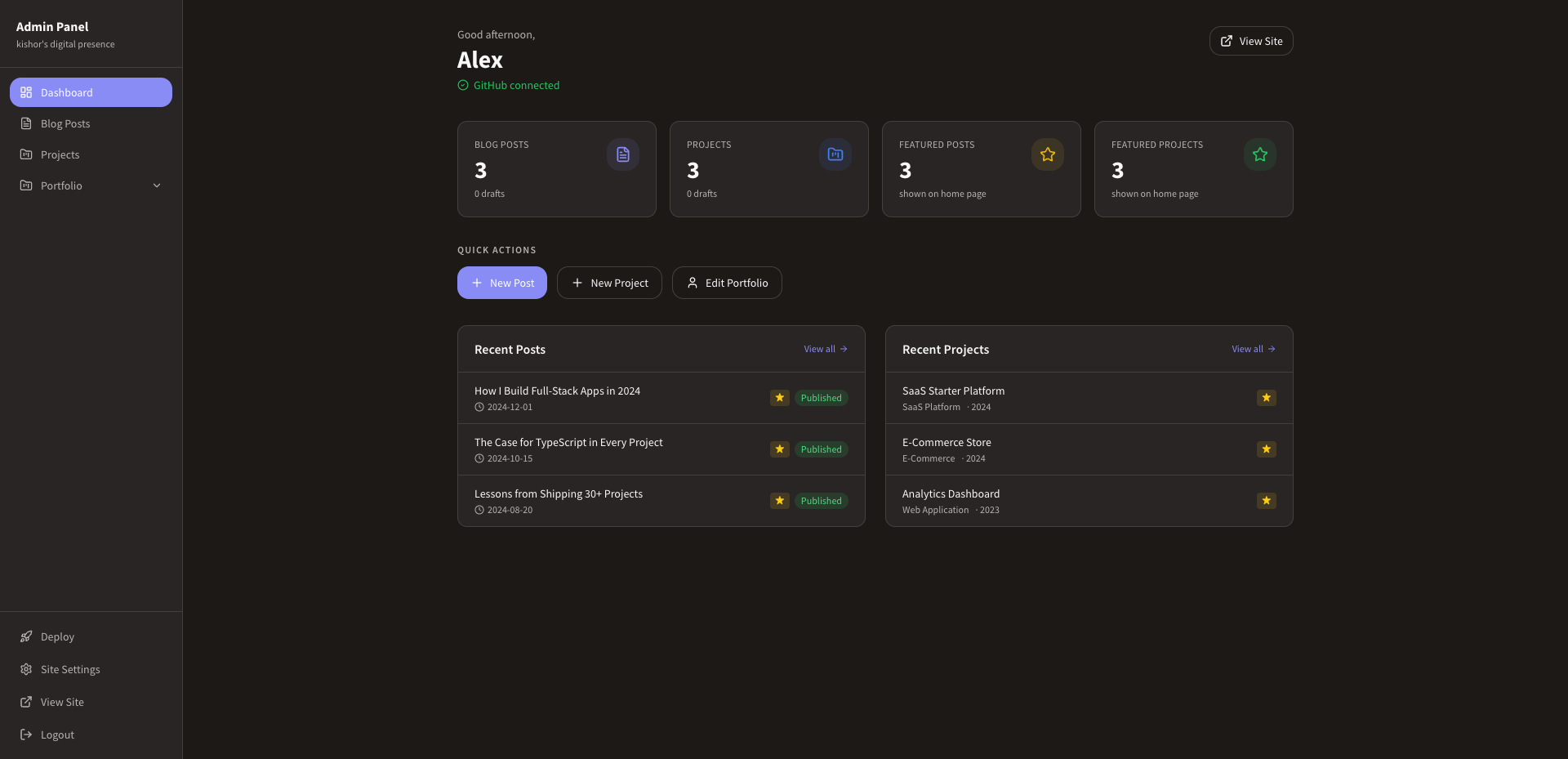 |
| 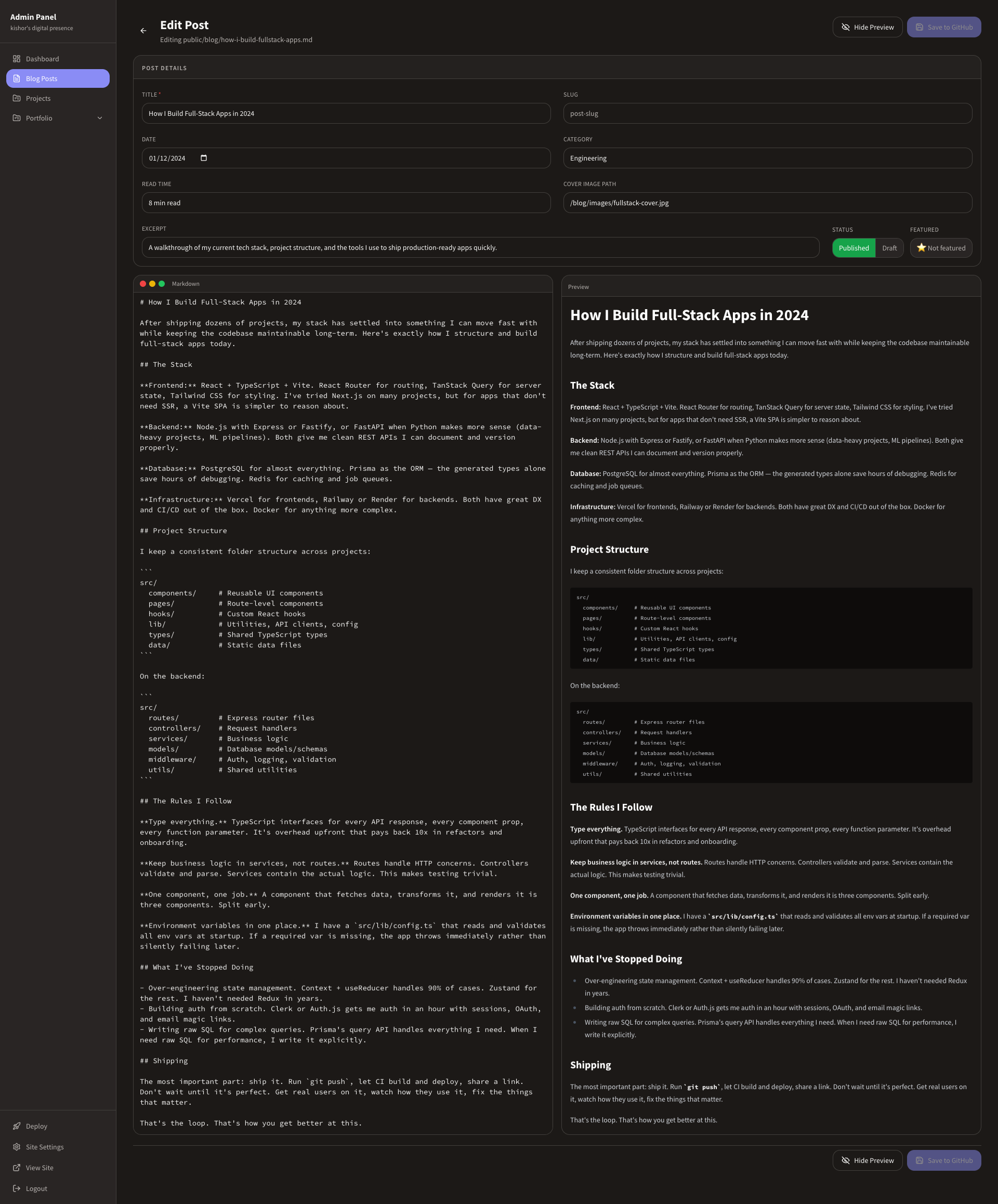 |
| 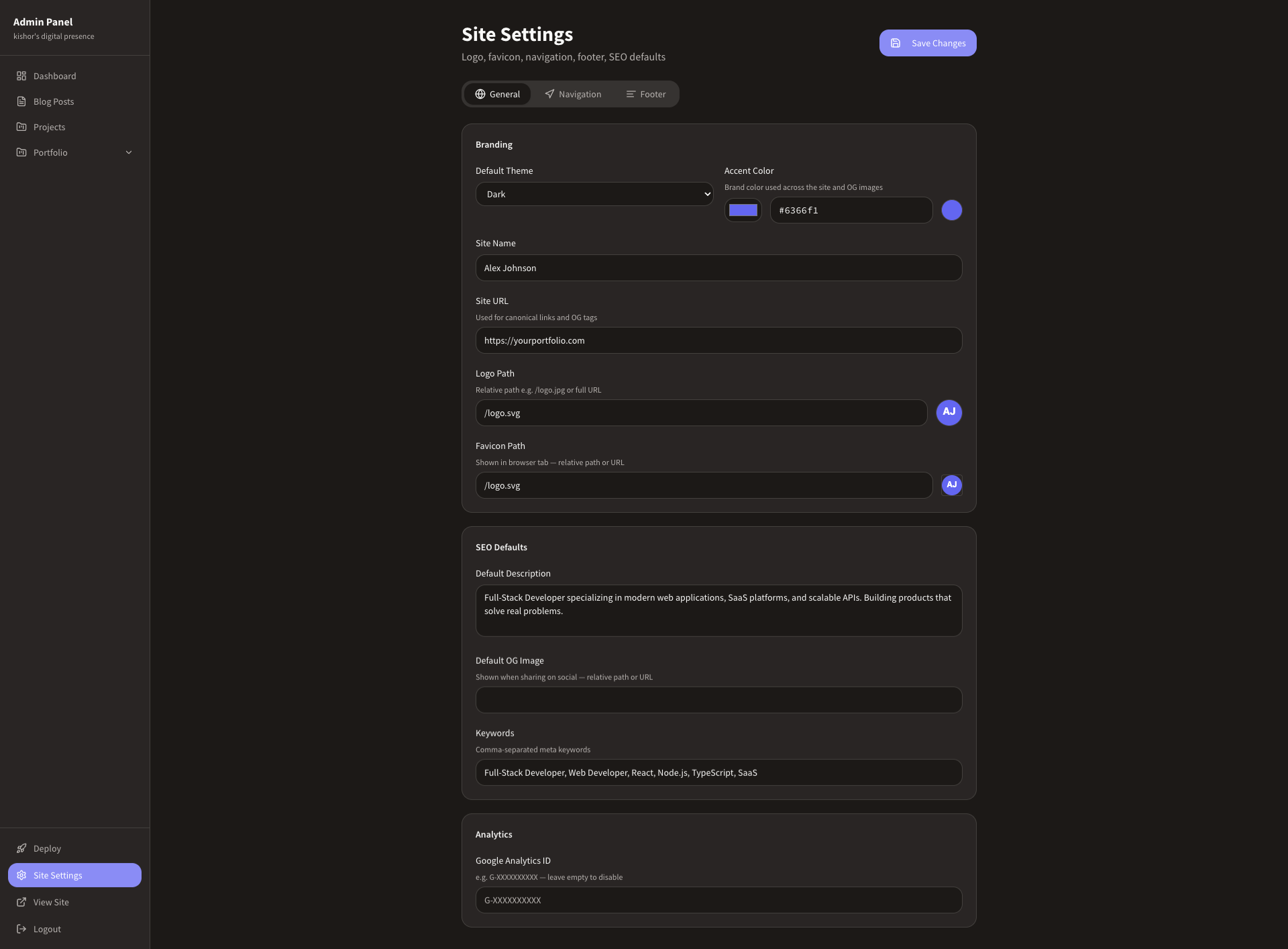 |
|
Environment variables
| Variable | Required | Description |
|----------|----------|-------------|
| VITE_ADMIN_PASSWORD | Yes | Password for /admin/login |
| VITE_GITHUB_TOKEN | Yes | GitHub personal access token (repo scope) |
| VITE_GITHUB_OWNER | Yes | Your GitHub username or org |
| VITE_GITHUB_REPO | Yes | Repository name |
| VITE_GITHUB_BRANCH | Yes | Branch to commit to — usually main |
| VITE_DEPLOY_HOOK_URL | Optional | Vercel deploy hook URL |
Set in .env.local locally (gitignored). Add the same vars in Vercel → Settings → Environment Variables for production.
Get a GitHub token: github.com/settings/tokens → Generate new token (classic) → scope: repo.
Tech stack
- Framework: Vite + React + TypeScript
- Styling: Tailwind CSS + shadcn/ui
- Routing: React Router v6
- Markdown: react-markdown + remark-gfm
- Icons: lucide-react
- Hosting: Vercel
- Content: GitHub API (direct commits from the browser)
Star history
Contributing
Contributions are welcome! If you find a bug or have a feature request, please open an issue. To contribute code, fork the repo and open a pull request.
- Fork the repo
- Create a branch:
git checkout -b my-feature - Commit your changes and push
- Open a pull request
License
MIT © Kishor Kumar Mahato
Keywords
portfolio · developer-portfolio · vite · react · typescript · admin-panel · blog · markdown · vercel · template