
create-kima-expo-genesis
v0.1.2
Published
Scaffold a new Expo project from the Kima Expo Genesis starter template.

Maintainers
 rbayuokt
Readme

create-kima-expo-genesis
Scaffold a new Expo project from the Kima Expo Genesis starter template.
npx create-kima-expo-genesis myapp
cd myapp
npm run ios          # or: npm run android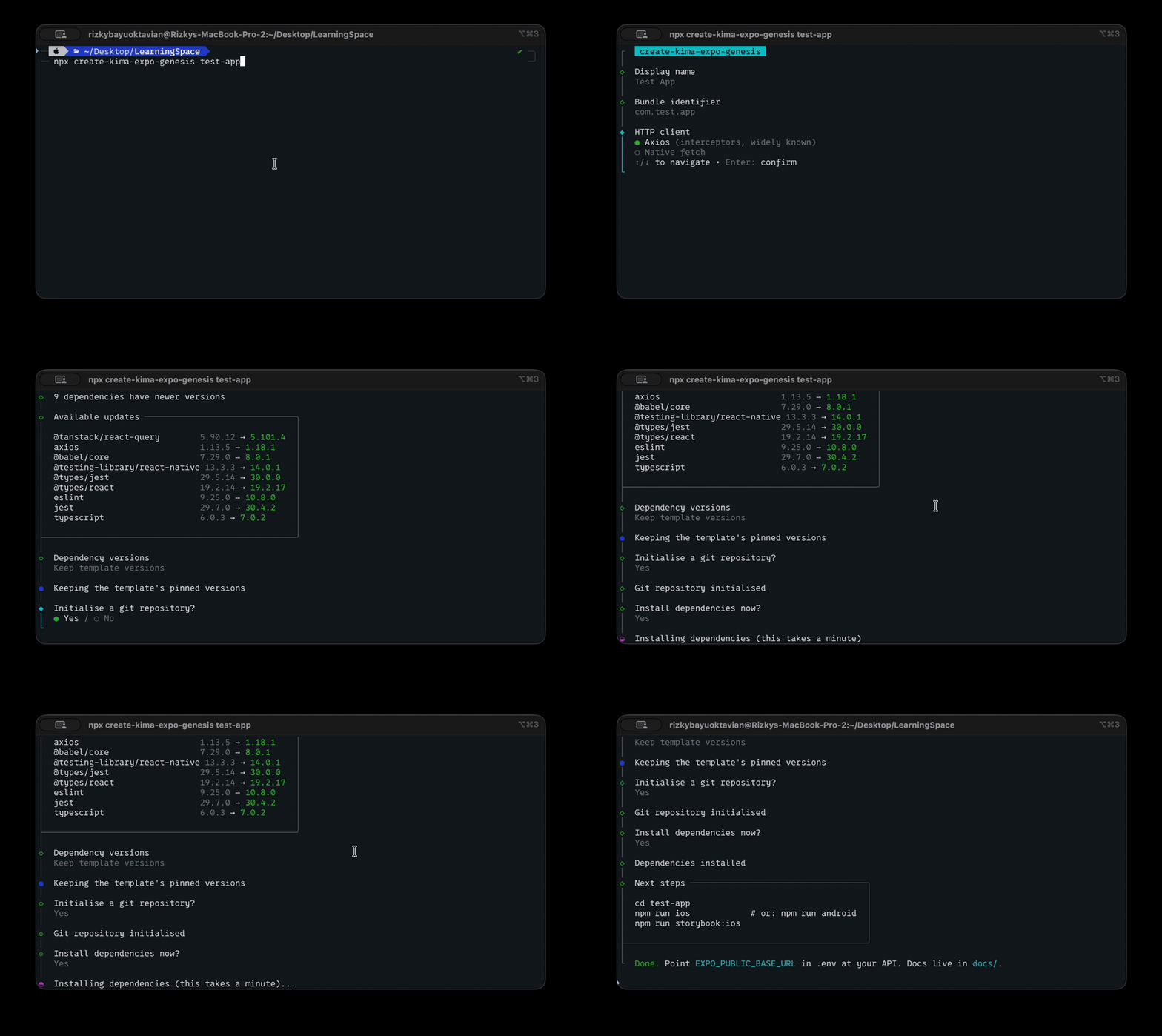
Genesis comes from the Greek word for birth, or origin. This is not the app, it is the thing the app is born from.
What you get
| | | |---|---| | Runtime | Expo SDK 56, React Native 0.85, React 19 | | Routing | expo-router with typed routes, bottom tabs | | Server state | TanStack React Query v5 | | Client state | Zustand, persisted to AsyncStorage | | HTTP | Axios or native fetch, chosen at scaffold time | | UI | In-house components, Atomic Design | | Theming | Real light and dark palettes, user-switchable | | i18n | English and Italian, optional at scaffold time | | Docs | Storybook (on-device) | | Tests | Jest + React Native Testing Library | | Language | TypeScript, strict |
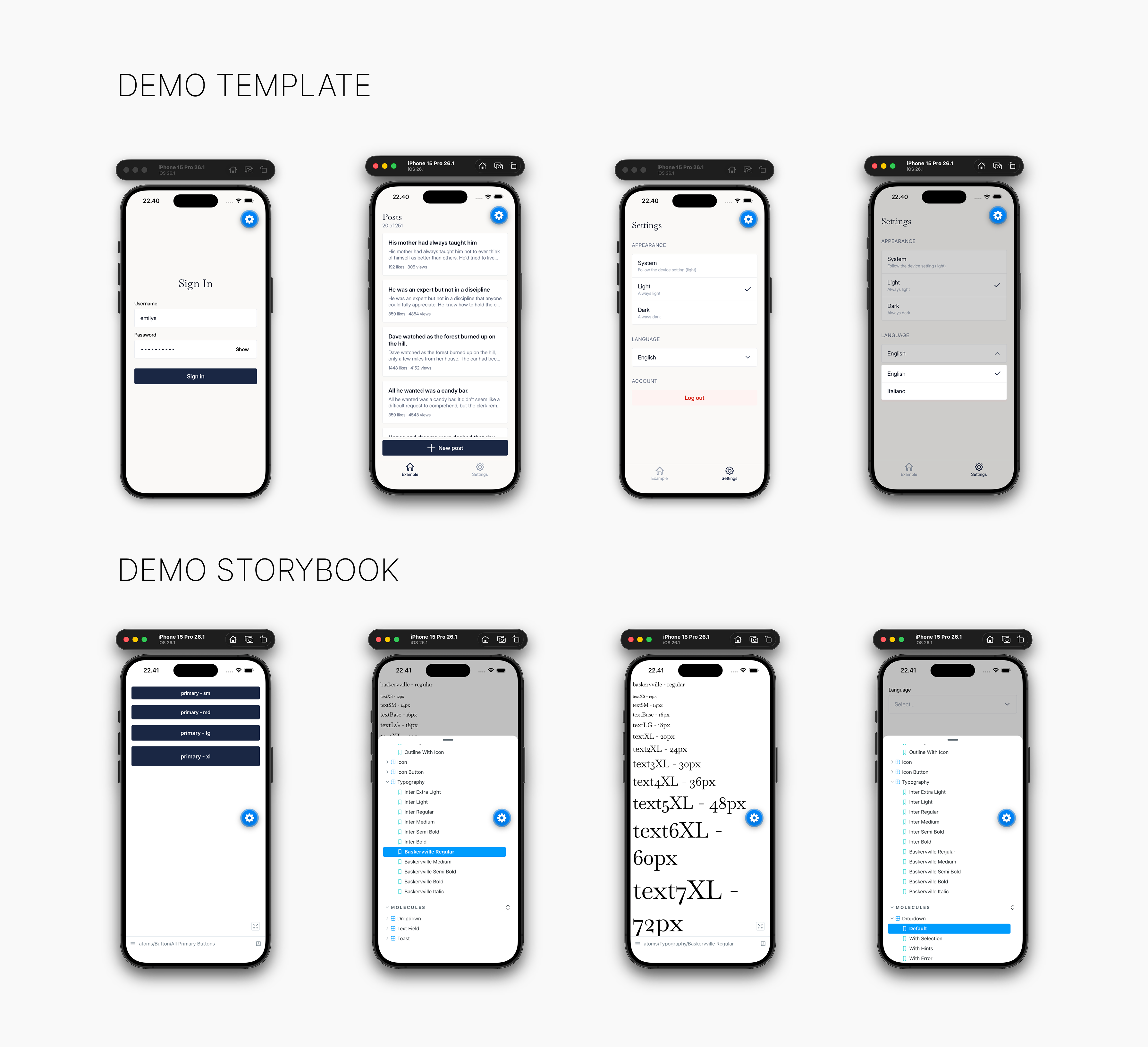
A fresh project points at DummyJSON, so sign-in, a
paginated list and a create form all work before you write anything. Swap
EXPO_PUBLIC_BASE_URL for your own API and delete the example feature.
What it asks
- Project name and bundle ID, applied across
app.config.tsandpackage.json - Axios or native fetch. The one you skip is deleted, and
axiosis dropped from dependencies if you pick fetch - i18n or not. Declining rewrites every
t("key")back to its English string and removes the i18n layer entirely, rather than leaving it switched off - Whether to run
git initand install dependencies
It then checks npm for newer versions of the template's dependencies and offers to take them or keep the tested set. Expo-managed and Storybook packages are never offered, because their versions are pinned to the SDK.
Options
-y, --yes        Accept all defaults, no prompts
    --no-install Skip dependency installation
    --no-git     Skip git initialisation
    --no-i18n    Scaffold without internationalisation
    --http=KIND  Force the HTTP client: axios or fetch
-h, --help       Show this message
Docs
Architecture, data layer, design system and theming notes ship inside every
generated project under docs/, and are readable on
GitHub.
License
MIT
Created by @rbayuokt · Made with ❤️ and 🎵