
create-mcp-client-app
v0.0.8
Published
Quickly create MCP client app

Maintainers
 boguan
Readme
create-mcp-client-app
A CLI tool to quickly scaffold a Model Context Protocol (MCP) client application.
Features
- 🚀 Instant MCP client setup with one-command project initialization
- 📦 First-class TypeScript support with complete type hints and checks
- 🔧 Integrated modern development toolchain for enhanced productivity
- 📝 Optimized project architecture with clear code organization
- 🎯 Flexible extension system supporting custom module integration
Quick Start
# Using npm
npx create-mcp-client-app@latest

# Using pnpm
pnpm create mcp-client-app@latest

# Using yarn
yarn create mcp-client-app

# Using bun
bun create mcp-client-app@latest
It will create a directory inside the current folder.
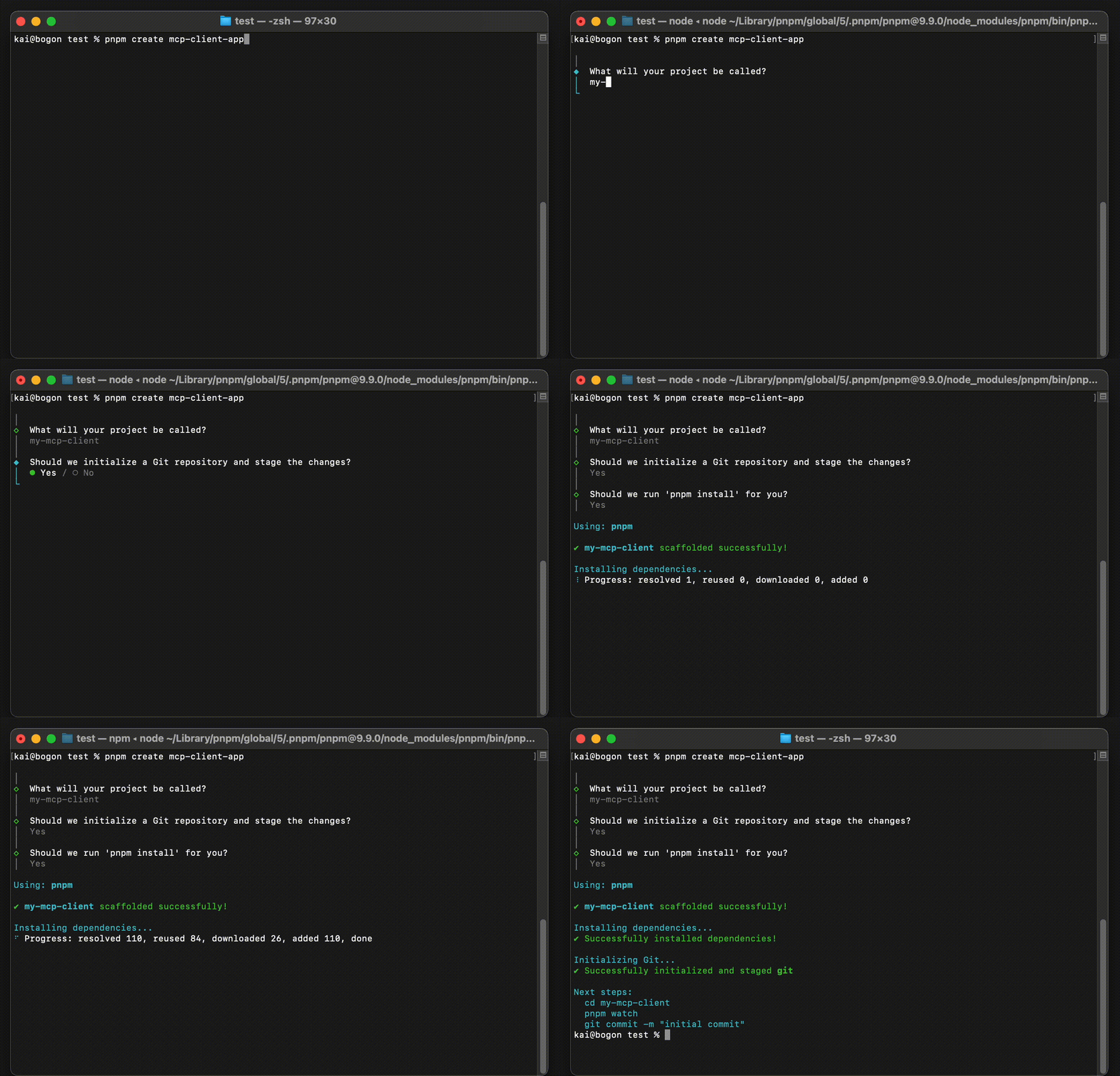
Advanced Usage
The following advanced options are available when creating a project:
| Option/Flag | Description | |------------|-------------| | [dir] | Specify a directory name for the project | | --noGit | Explicitly tell the CLI to not initialize a new git repository in the project | | -y, --default | Skip the CLI prompts and bootstrap a new app with all default options | | --noInstall | Generate project without installing dependencies |
Example usage:
# Create a project with a specific directory name
pnpm create mcp-client-app@latest my-client-app

# Create a project without git initialization
pnpm create mcp-client-app@latest --noGit

# Create a project with default options
pnpm create mcp-client-app@latest -y

# Create a project without installing dependencies
pnpm create mcp-client-app@latest --noInstall
Requirements
- Node.js >= 18.17.0
- npm, pnpm, or yarn
Project Structure
my-mcp-client/
├── src/
│   ├── MCPClient.ts             # MCP client implementation
│   ├── index.ts                 # Main entry point
│   └── types.d.ts               # TypeScript type definitions
├── .env                         # Environment configuration file
├── .gitignore                   # Git ignore configuration file
├── server-config.json.example   # Example server configuration file
├── package.json
├── tsconfig.json
└── README.md                    # MCP client usage guide
Detailed Usage Guide
For detailed instructions on how to use the MCP client, including setup, configuration, and best practices, please refer to our Detailed MCP Client Guide.
Development
# Install dependencies
pnpm install

# Start TypeScript compiler in watch mode
pnpm watch

# Build for production
pnpm build
License
MIT
Author
Boguan [email protected]
Acknowledgments
This project is based on the Model Context Protocol TypeScript SDK.